
Back to Email Campaign Management
Email Campaign Management
How to Manage Email Campaigns Efficiently
Advance
4 min read
Updated August 30, 2025
Oppora Team
What You'll Learn
This comprehensive guide will walk you through the essential concepts and practical steps needed to master this topic. By the end of this article, you'll have a solid understanding of the key principles and be ready to implement them in your workflow.
Email campaigns remain one of the most effective ways to engage with prospects, nurture leads, and drive conversions. However, managing campaigns manually can be time-consuming, prone to errors, and inefficient, especially when handling large lead lists. That’s where a structured email campaign management system comes in.
With a centralized platform, you can connect your email account, personalize your communications, automate follow-ups, and schedule messages to reach your audience at the right time.
Whether you are sending outreach emails, newsletters, or lead-nurturing sequences, leveraging AI-generated templates and automation ensures your campaigns are both personalized and scalable.
By following this guide, you’ll be able to create, manage, and track campaigns effortlessly, helping your sales and marketing teams stay organized while maximizing engagement.
Email Campaign Management Step-by-Step
1. Accessing the Dashboard
- Log in to your account.
- From the Dashboard, look for the Email section in the left-side navigation panel.
2. Connect Your Email
- Before starting any campaign, you must connect your email account.
- Click Email → Settings → Connect Email.
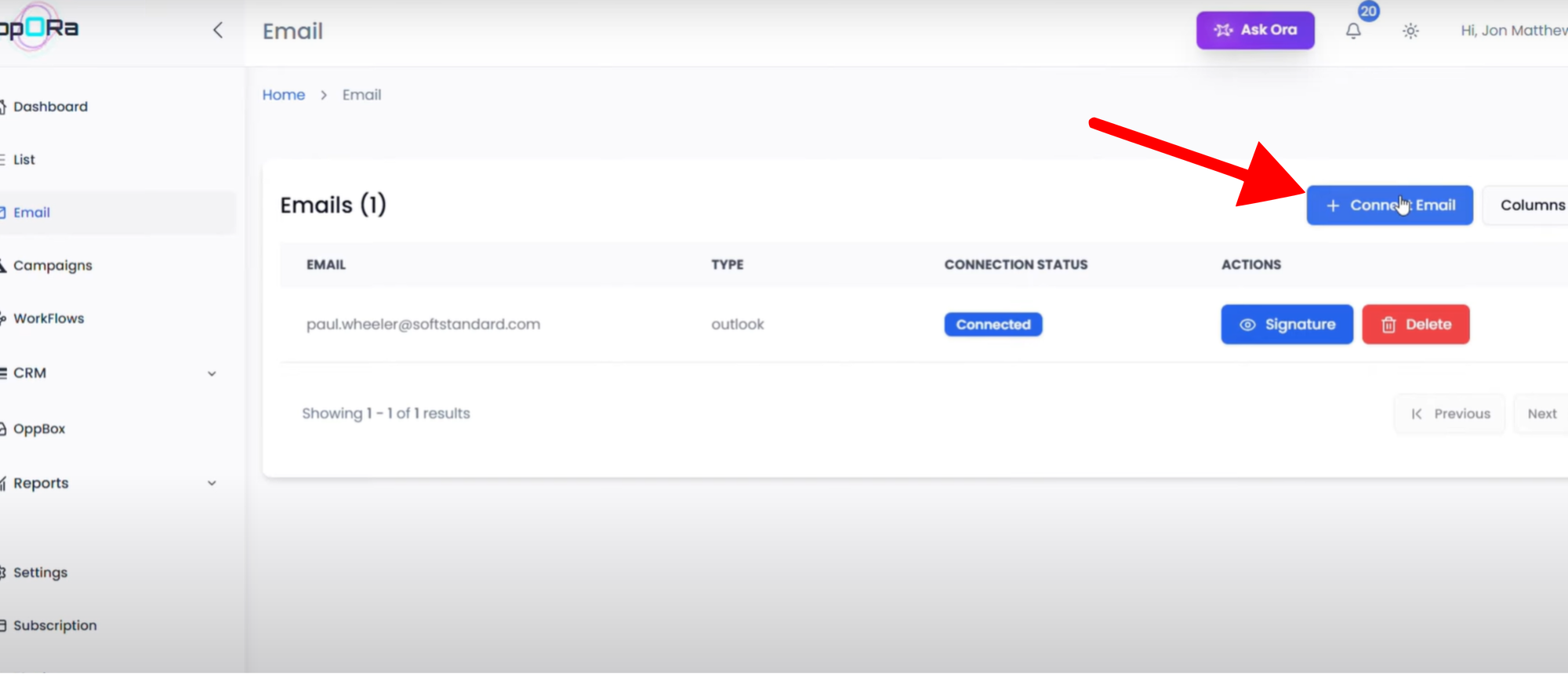
- Choose your email provider (e.g., Gmail, Outlook).
- Enter your login credentials(depending on the provider).
- ✅ Once connected, your email is ready for sending campaigns.
3. Update Your Email Signature
- Go to Email → Signature Settings.
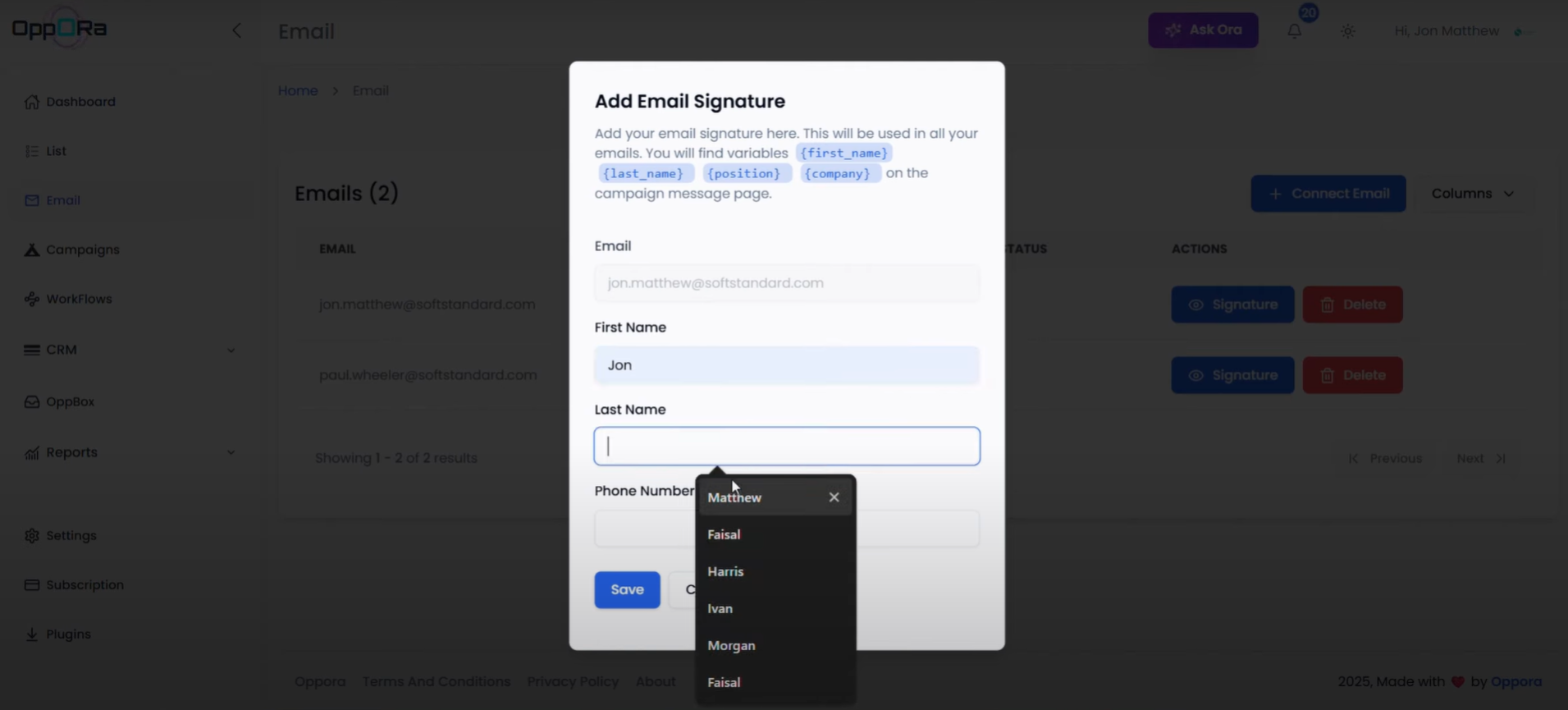
- Add or update the following details:
- First Name
- Last Name
- Phone number
- Click Save to update your signature, this will be attached to your email if you select these signature variables.
🔹 Method 1: Create Campaign from Campaigns Page
- From the Dashboard, go to the Campaigns Page.
- Click on Campaigns → Create New Campaign.
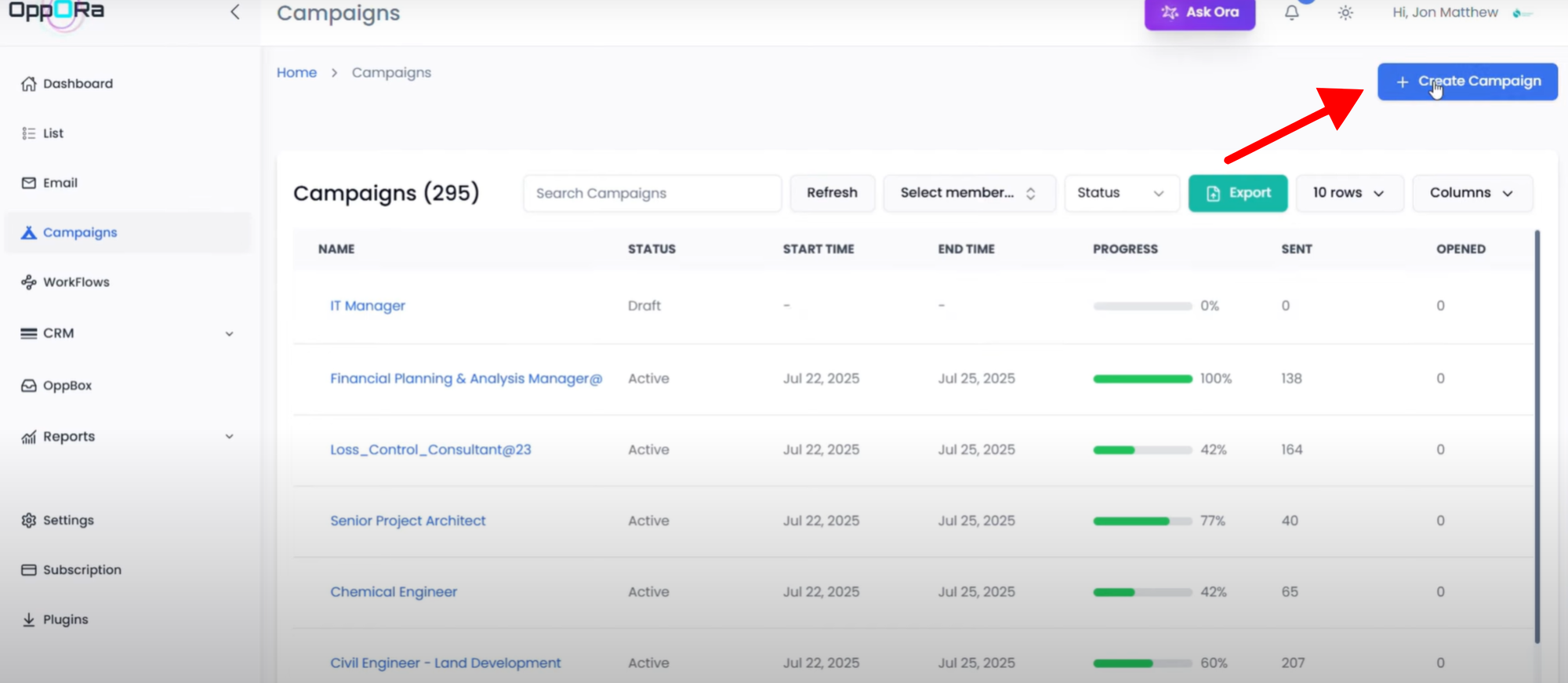
- Fill in your Campaign name
- After creating the campaign, go to the Leads tab.
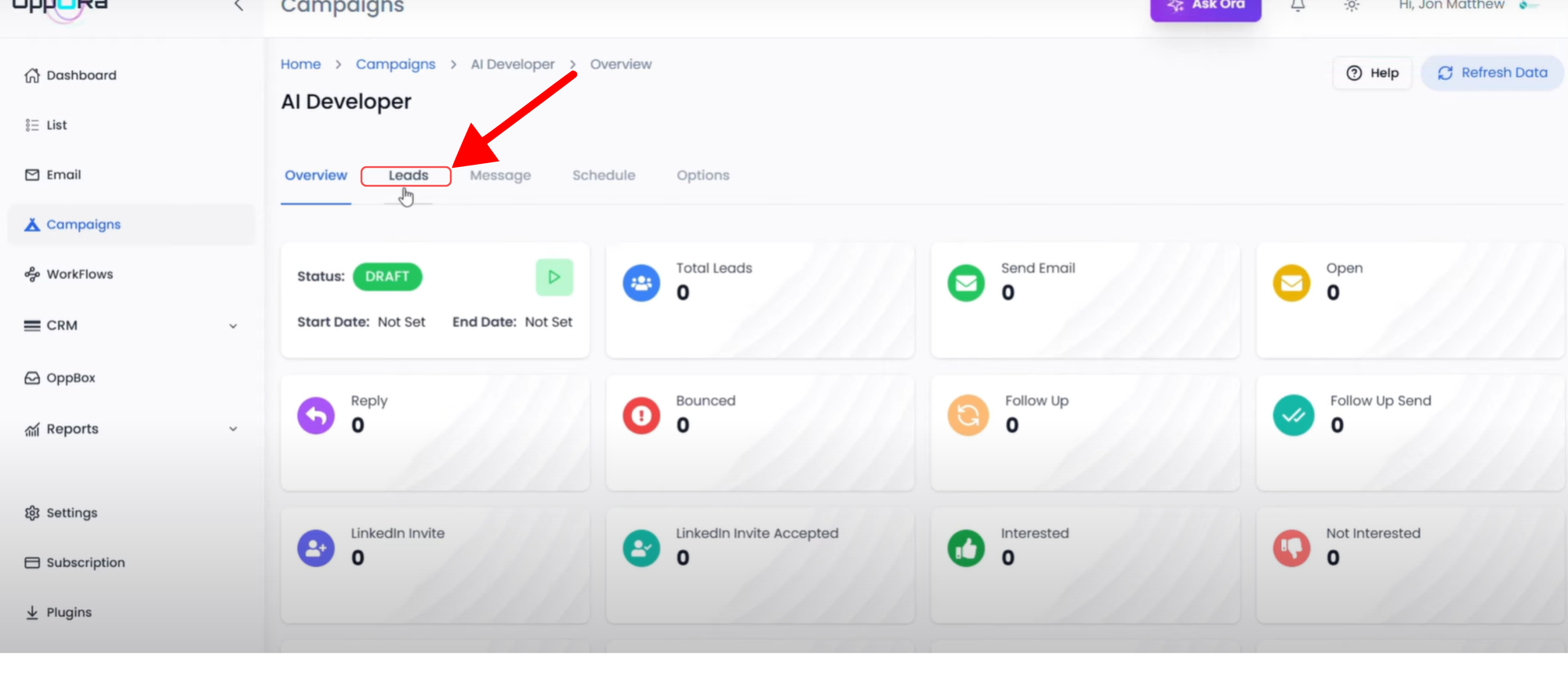
- From your Existing List of Leads, select the list you want to use.
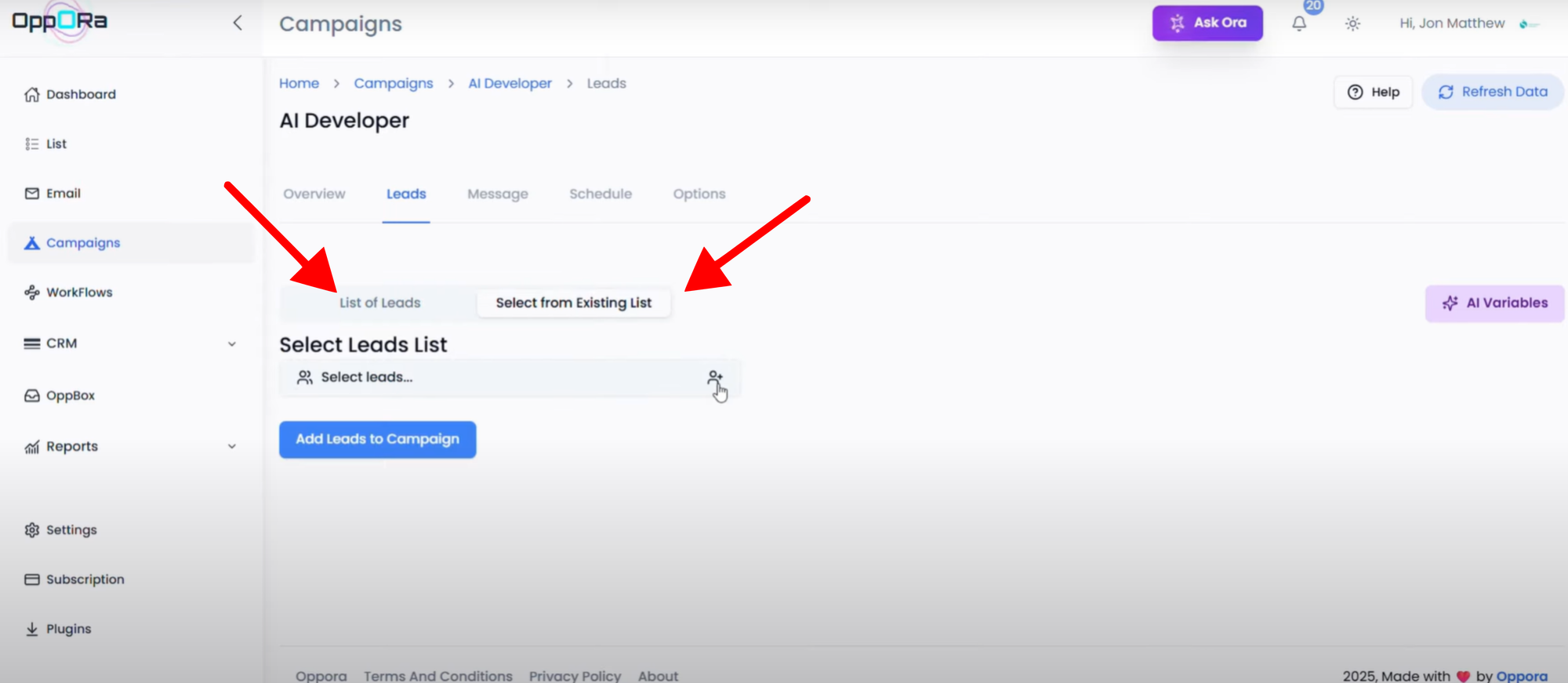
- Connect the selected list for which you want to set up the campaign.
- Create an AI Variable → after creating it, you’ll see the AI Variable Prompt.
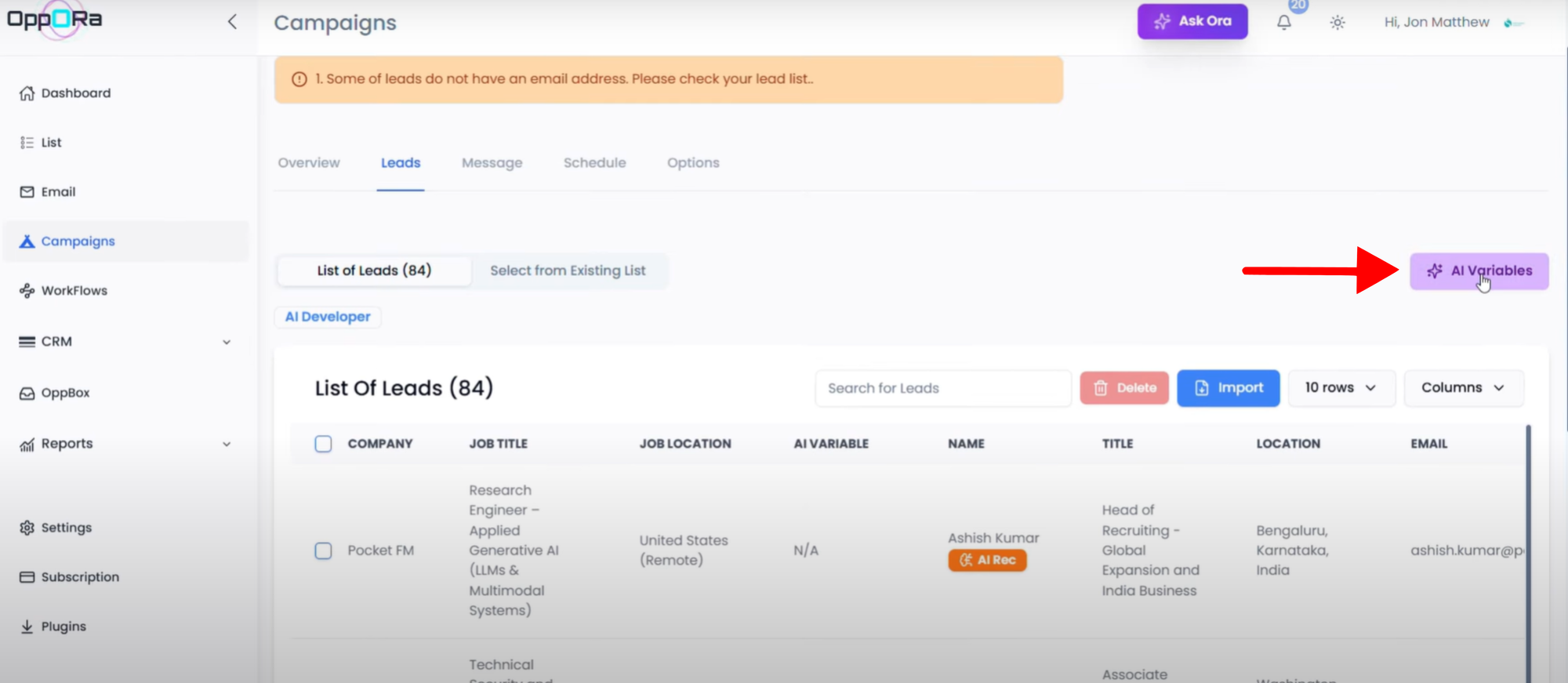
- Go to the Message Tab:
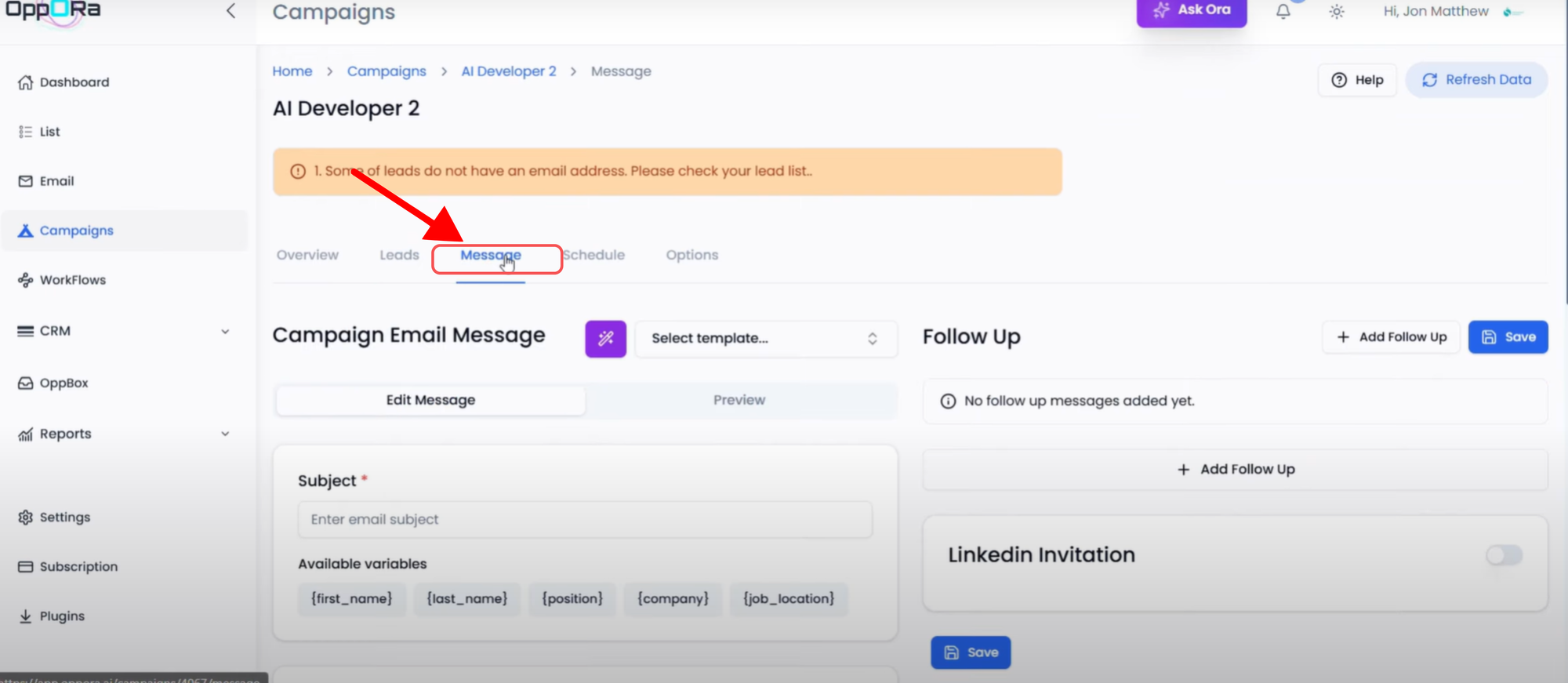
- Use an existing template, or
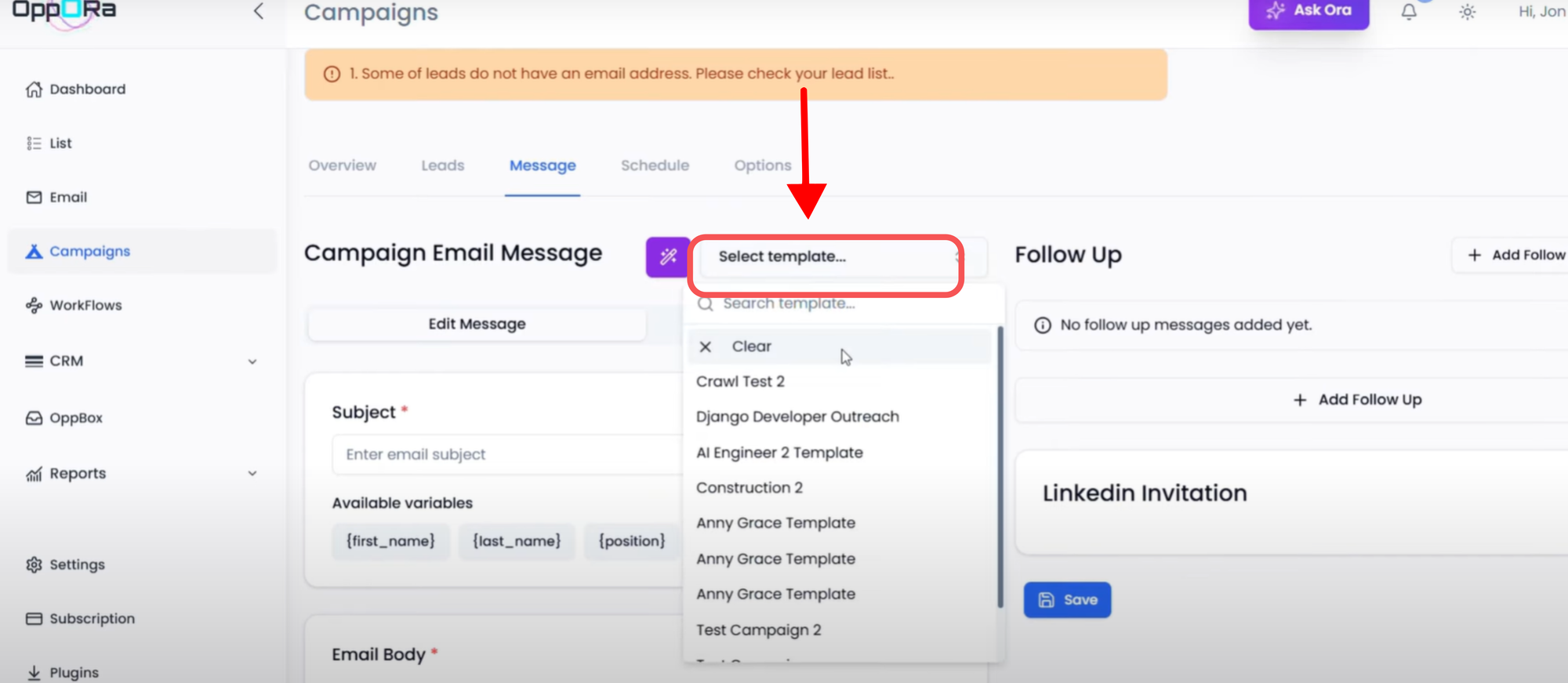
- Create an AI-generated template.
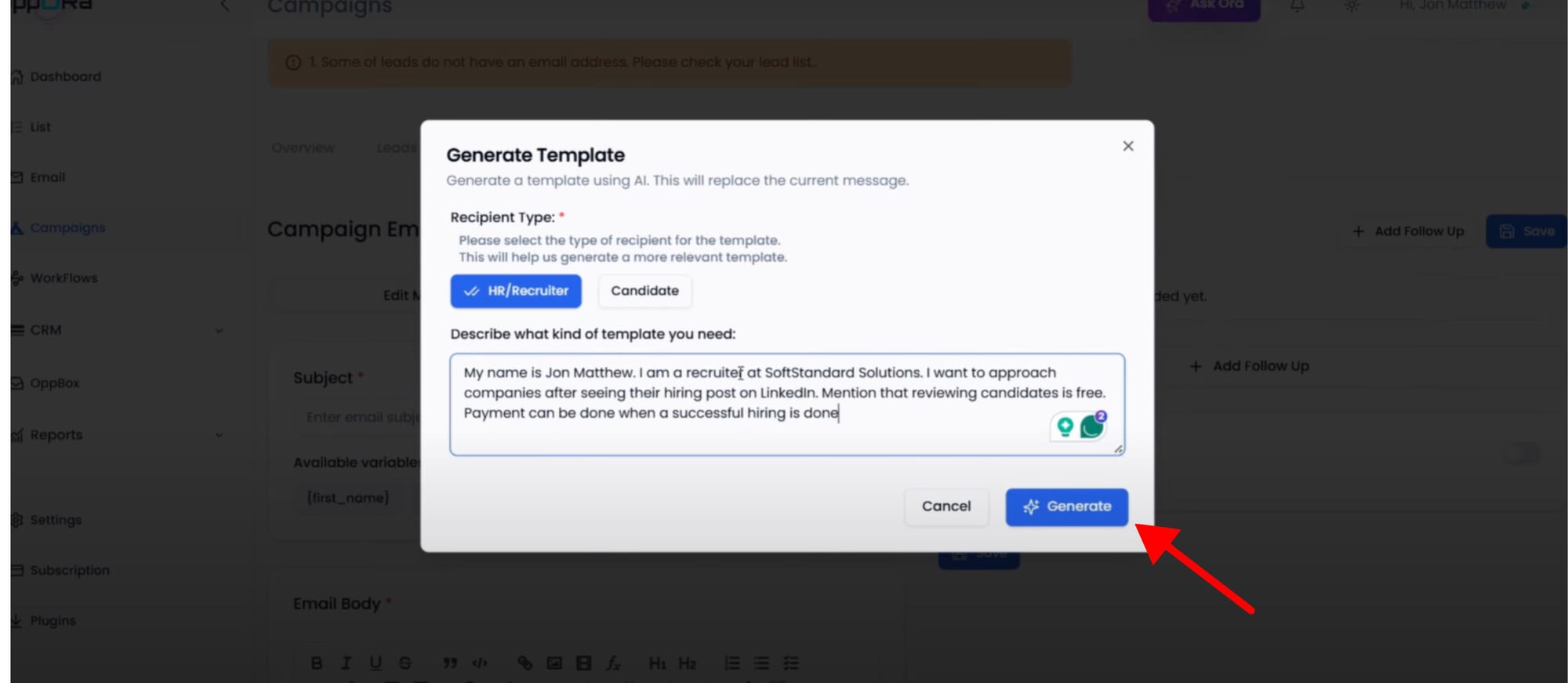
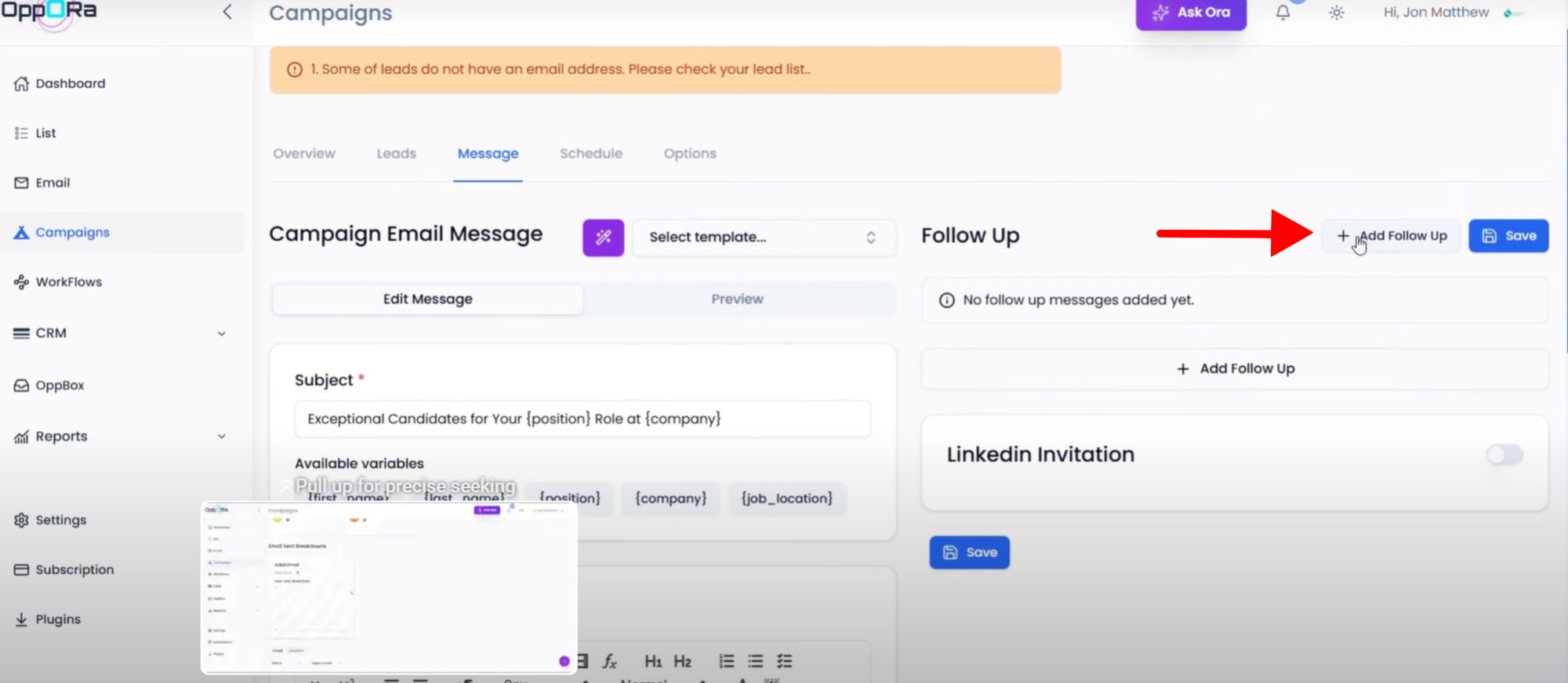
- Add Follow-ups if needed.
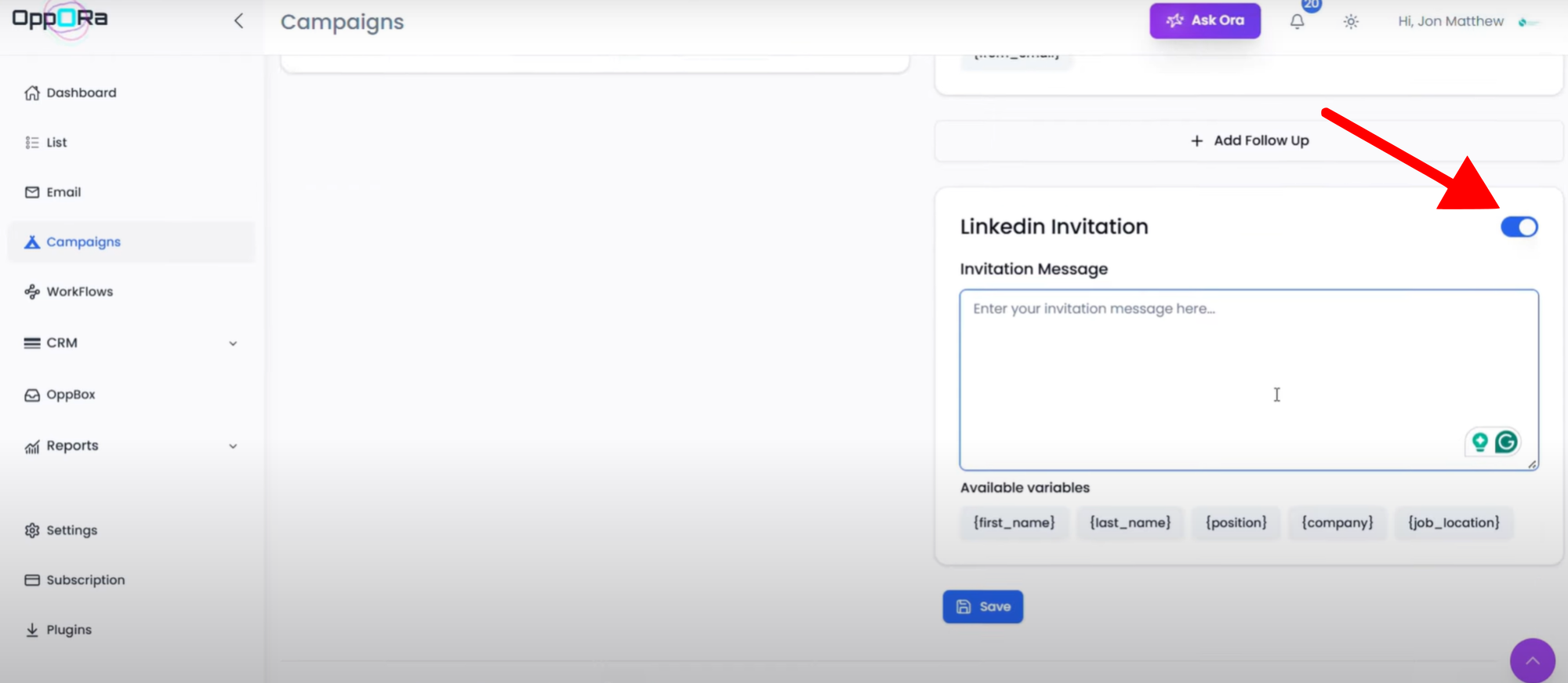
- Send LinkedIn invites directly from messages.
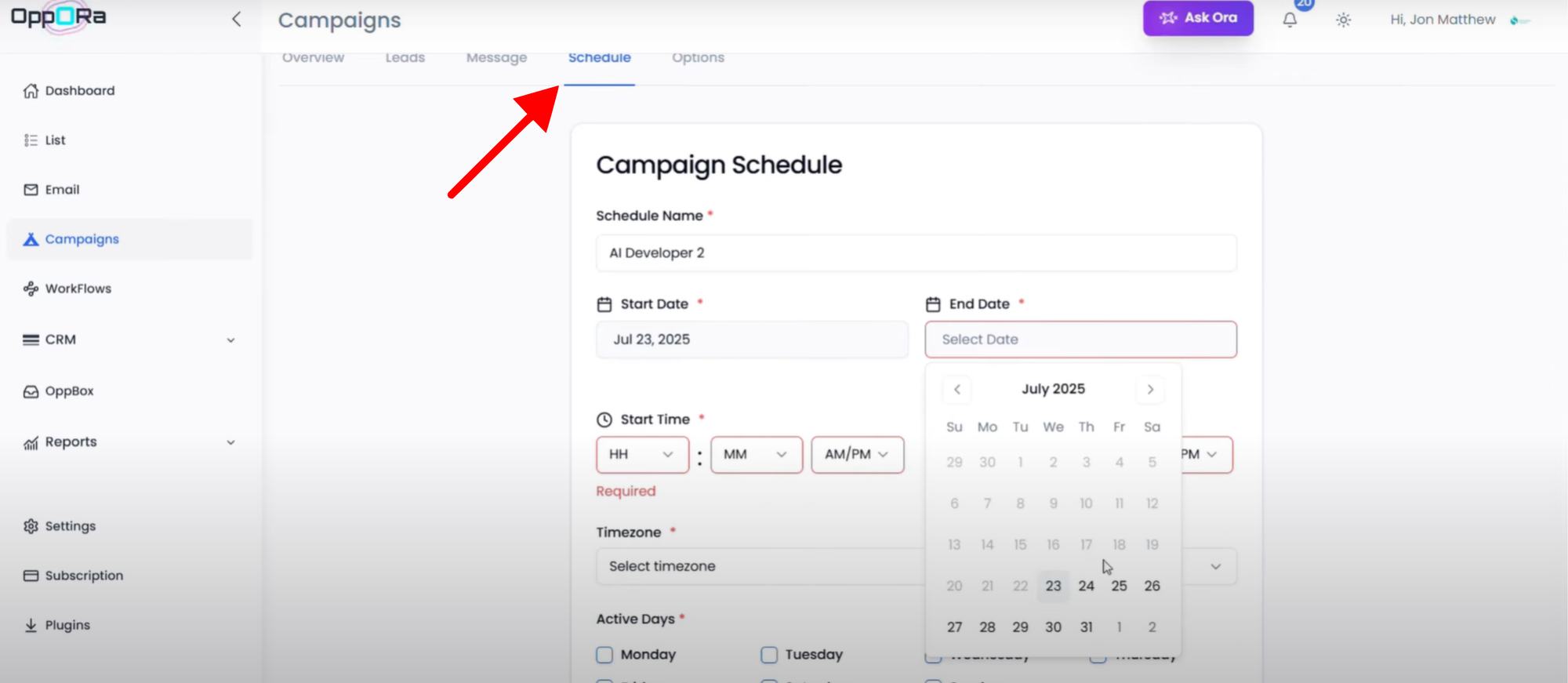
- Go to the Schedule Tab:
- Set sending time, date, timezone, and active days.
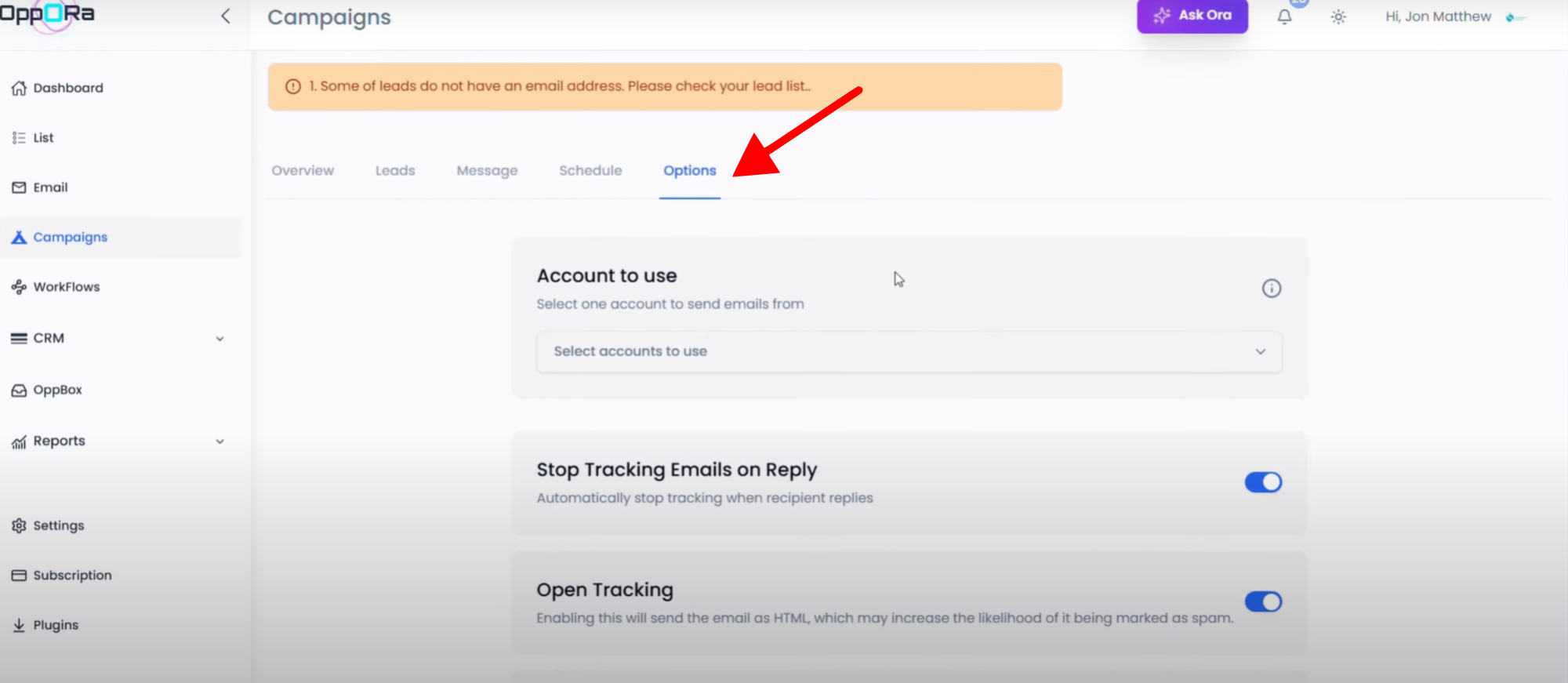
- Go to the Options Tab:
- Select the emails you want to use to send the emails.
- Make changes if necessary.
- Save the campaign.
- Start the campaign.
- ✅ Your campaign is now created and successfully linked to your leads.
🔹 Method 2: Create Campaign from List
- Go to the List Page.
- In the top-right corner, click Create Campaign.
- Create an AI Variable → after creating it, you’ll see the AI Variable Prompt.
- Go to the Message Tab:
- Use an existing template, or
- Create an AI-generated template.
- Add Follow-ups if needed.
- Send LinkedIn invites directly from messages.
- Go to the Schedule Tab:
- Set sending time, date, time zone, and active days.
- Go to the Options Tab:
- Select the emails you want to use to send the emails.
- Make changes if necessary.
- Save the campaign.
- Start the campaign.
- ✅ Once satisfied, click Start Campaign.
FAQ
Q1: Do I need to connect my email before creating a campaign?
✅ Yes. Connecting your email account ensures that your campaigns are sent directly from your inbox, allowing proper tracking, personalization, and delivery.
Q2: Can I use AI to personalize my emails?
✅ Absolutely. You can create AI Variables and generate email templates that adapt to each recipient, making your outreach more engaging and effective.
Q3: Can I schedule emails in advance?
✅ Yes. The Schedule Tab allows you to set the sending time, date, timezone, and active days, giving you full control over your campaign timing.
Q4: Can I integrate LinkedIn outreach into my email campaigns?
✅ Yes. You can send LinkedIn invites and messages directly from the platform, streamlining multichannel engagement in one place.
Q5: What’s the difference between creating a campaign from the Campaigns Page vs. the List Page?
✅ Creating a campaign from the Campaigns Page is ideal if you want to manage multiple campaigns in one place, whereas creating it from the List Page allows you to start directly with a specific lead list for faster setup.
Conclusion: By following these steps, email campaign management becomes a seamless process. From connecting your email and setting up personalized signatures to automating messages and scheduling follow-ups, you can save time, improve engagement, and close more deals. Leveraging AI and automation not only streamlines your workflow but also ensures every campaign reaches the right lead with the right message at the right time.
Was This Article Helpful?
Continue exploring our knowledge base or get in touch with our support team for personalized assistance.