
Back to Extension
Extension
How to Enable the LinkedIn Extension /Plugin in Oppora.ai
beginner
5 min read
Updated August 26, 2025
Oppora Team
What You'll Learn
This comprehensive guide will walk you through the essential concepts and practical steps needed to master this topic. By the end of this article, you'll have a solid understanding of the key principles and be ready to implement them in your workflow.
The Oppora.ai LinkedIn Extension enables to capture verified leads directly from LinkedIn profiles and company pages. Instead of manually copying contact details, you can save decision-makers into your Oppora.ai dashboard with just one click.
This guide will show you how to install the extension (via Chrome Web Store or manually), log in, and start capturing prospects.
Method 1:Install the Google Chrome Extension
- Open your Google Chrome browser.
- Go to the Chrome Web Store.
- Search for Oppora.ai LinkedIn Extension.
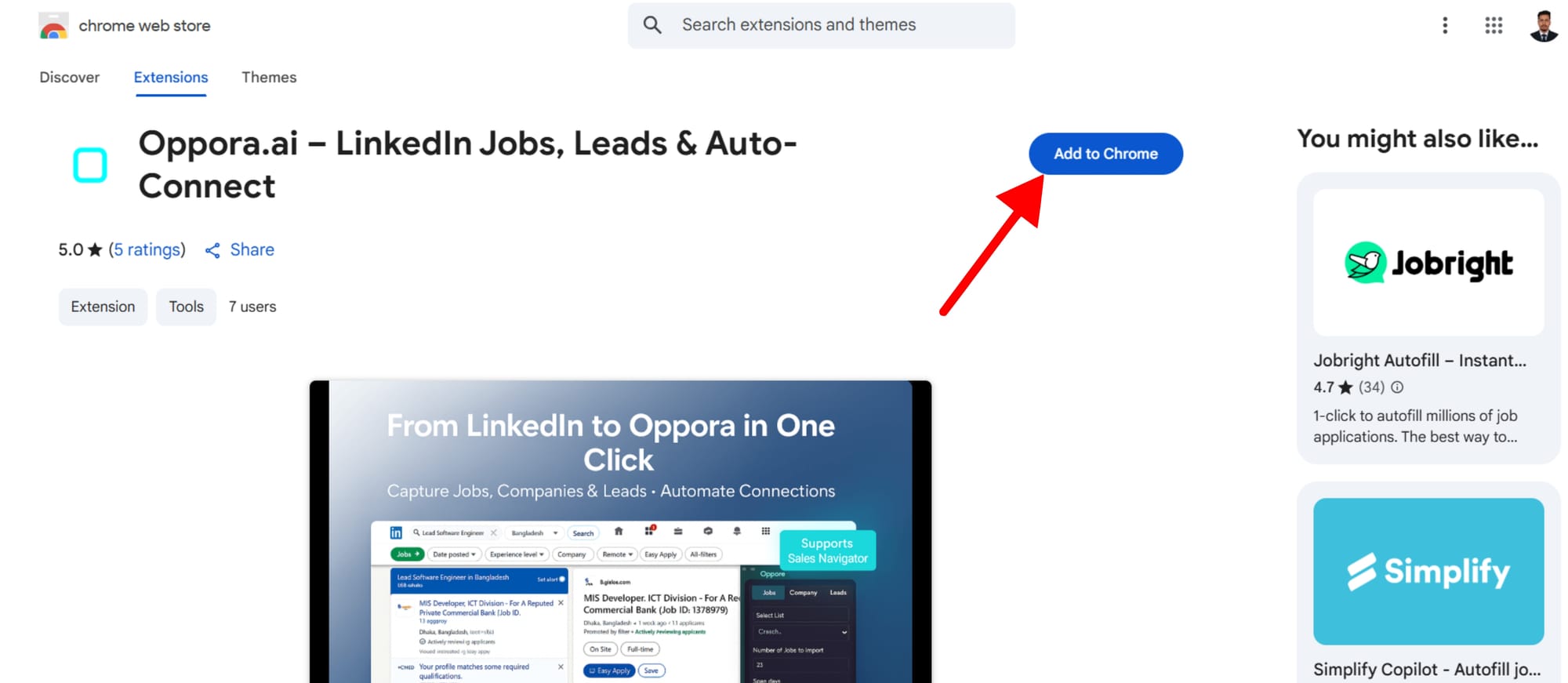
4Click Add to Chrome.
5.In the pop-up window, select Add Extension to confirm.
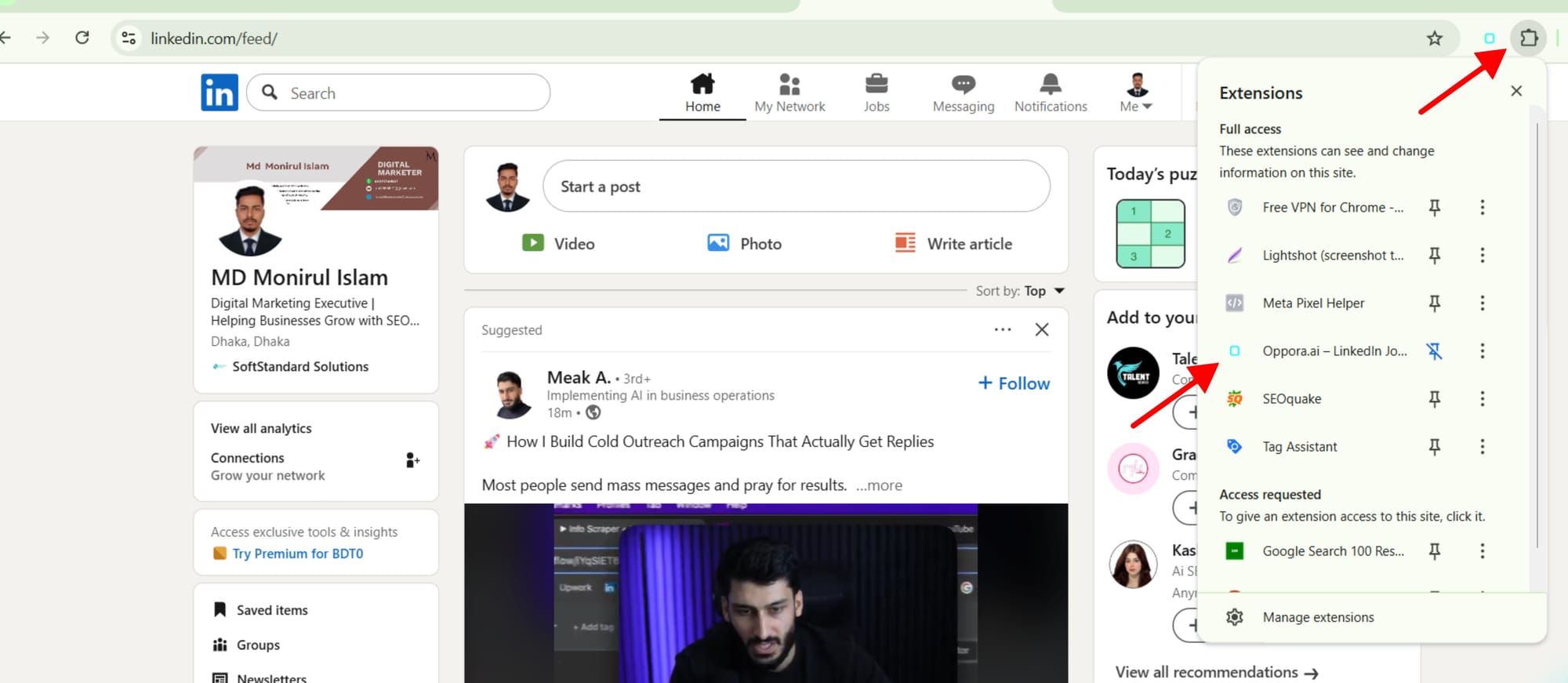
Note: This extension only works on Google Chrome.
👉 Windows users can get the extension directly from Chrome Web Store,
👉 but Mac (or other iOS where direct install may not work) users need an alternative step → download the
Method 2: Alternative Step for macOS or Other Unsupported Versions
If you are using macOS or a browser version that doesn’t allow direct installation from the Chrome Web Store:
Step 1. Download the plugin
- Log in to your Oppora.ai dashboard.
- Scroll down and click on the Plugin .
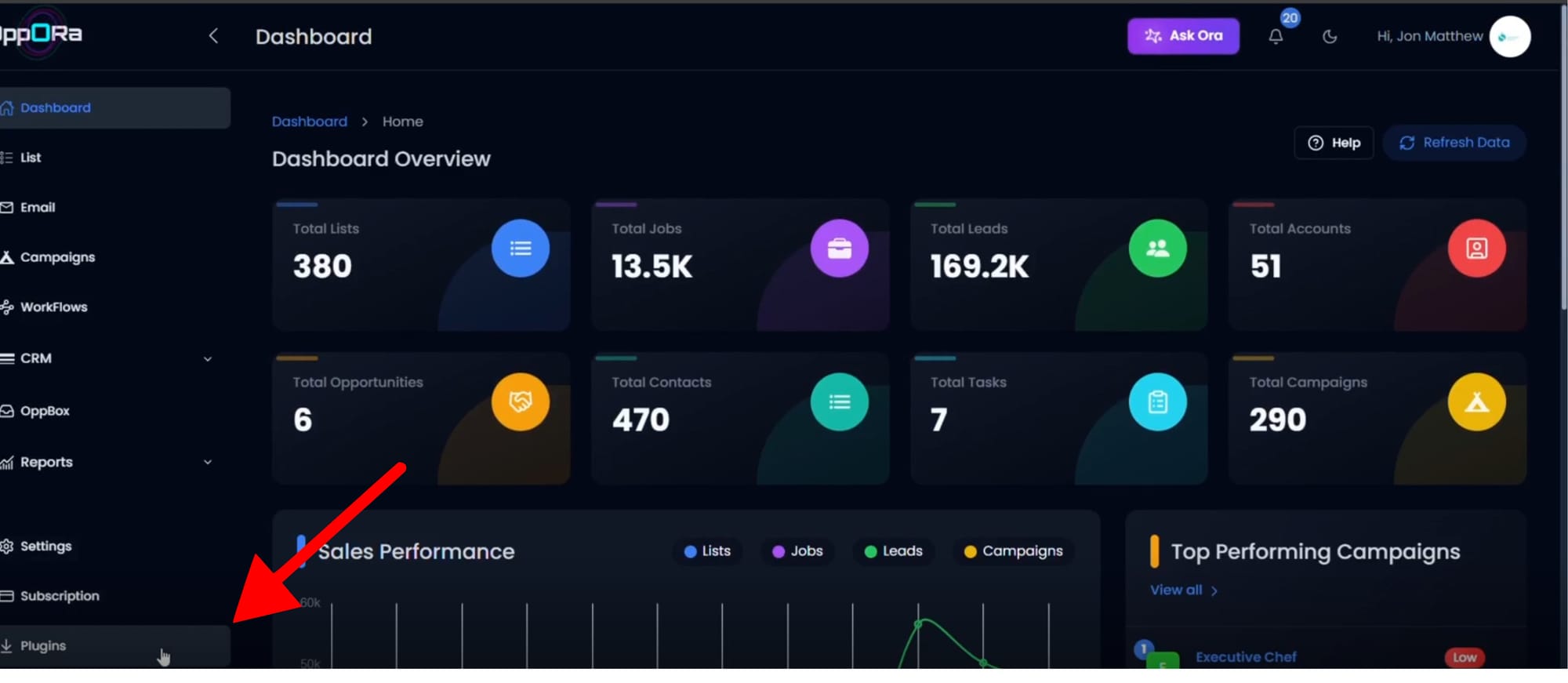
- Download the latest version of the Oppora LinkedIn Extension.
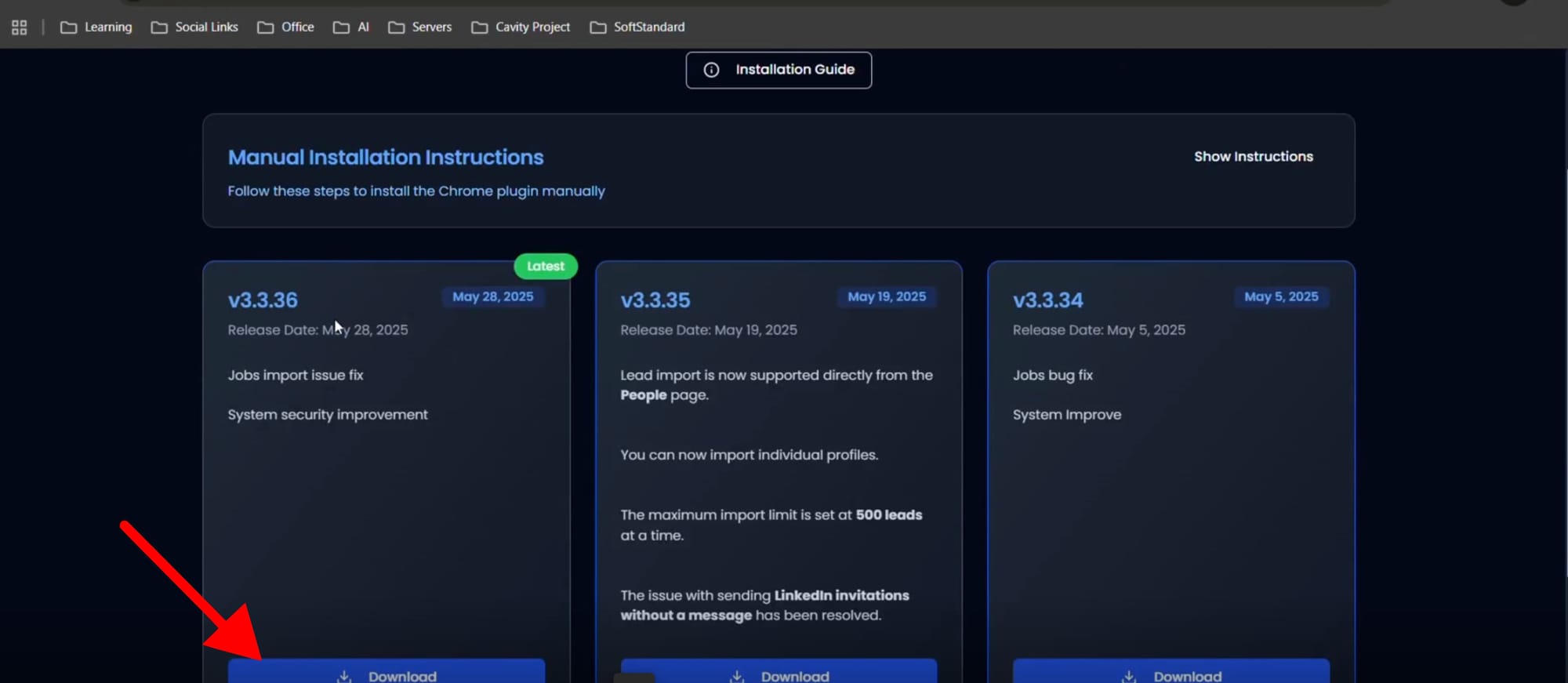
- The file will be saved in your File Manager / Downloads folder as a ZIP file.
Step 2. Extract the File
- Locate the downloaded ZIP file in your File Manager.
- Right-click and select Extract All (or use any ZIP extractor).
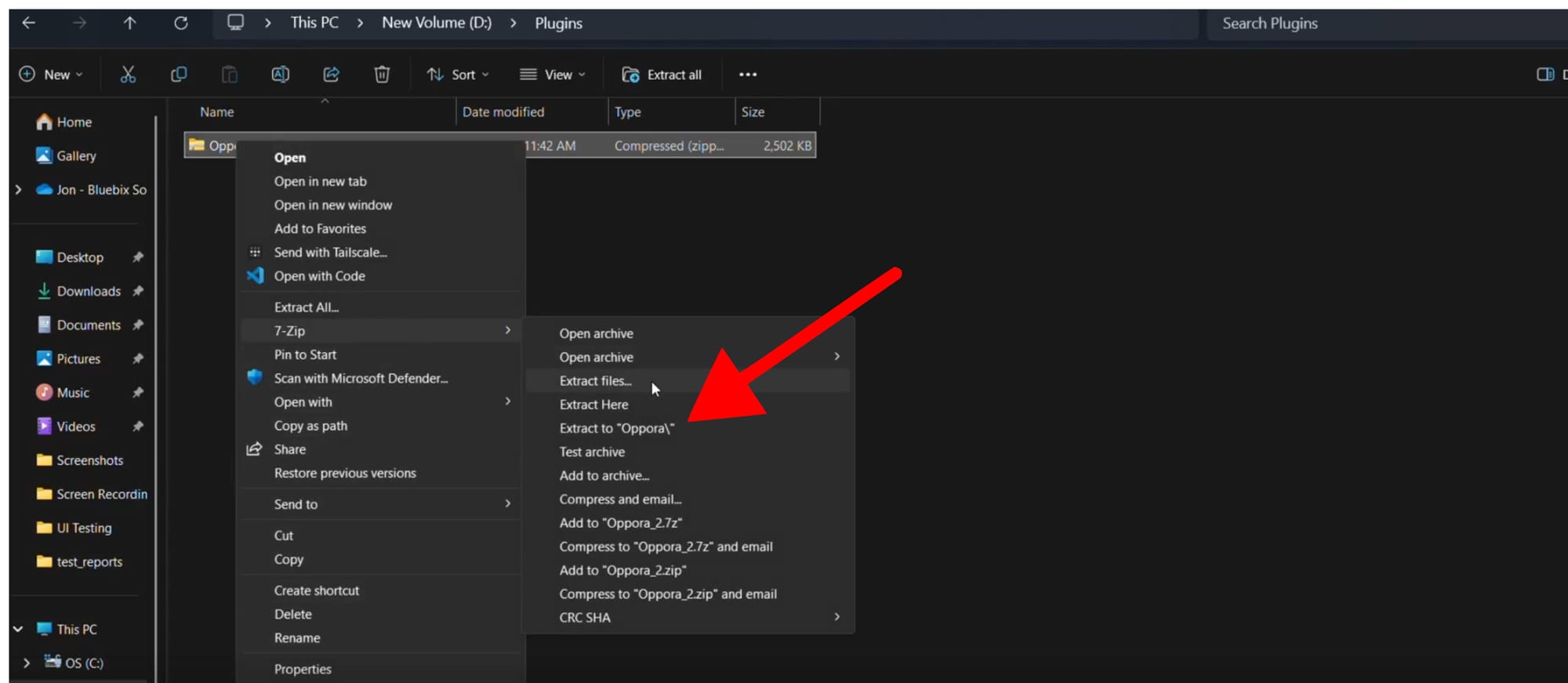
- A new folder will appear with the unzipped extension files.
Step 3. Open Chrome Extensions
- Open your Google Chrome browser.
- Click the Extensions icon in the top-right corner.
- Scroll down and select Manage Extensions.
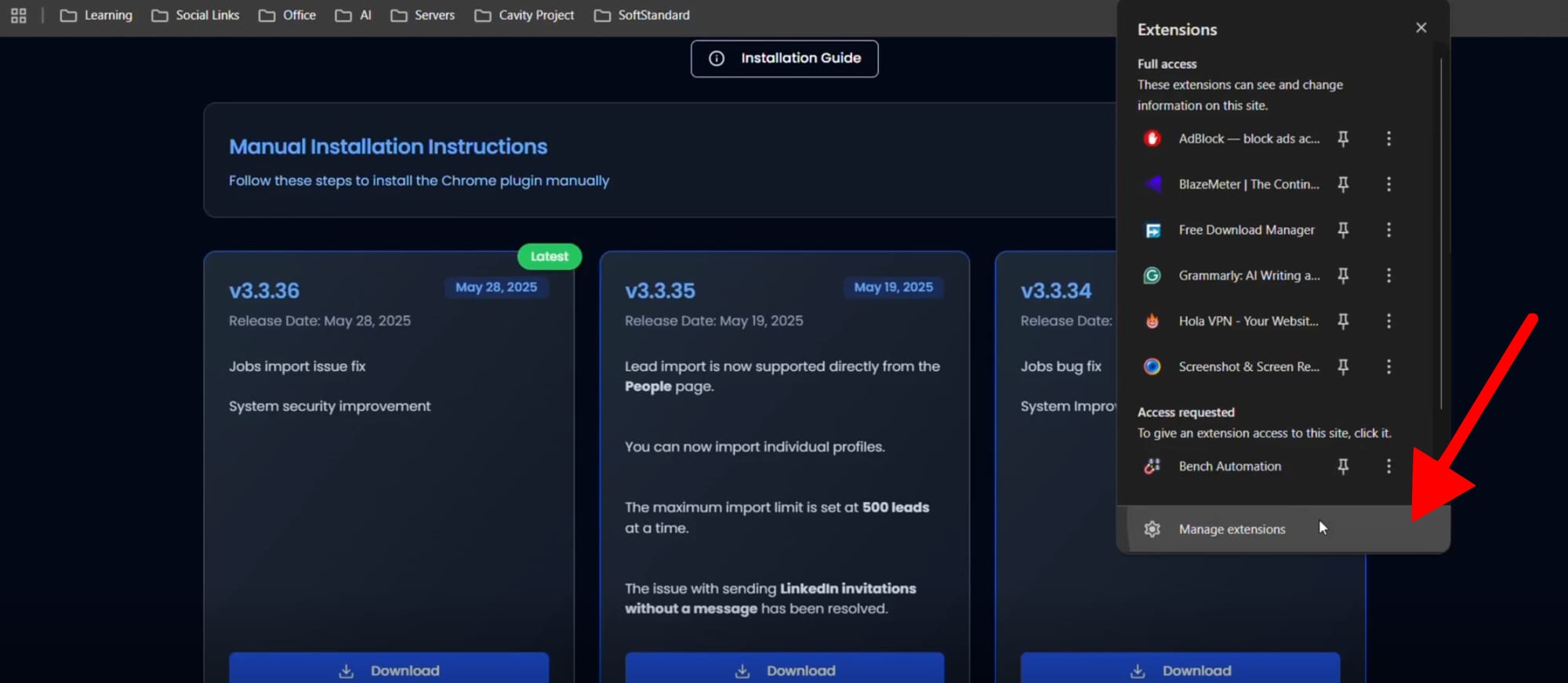
Step 4. Load the Extension Manually
- On the Manage Extensions page Developer Mode corner).
- Click Load Unpacked.
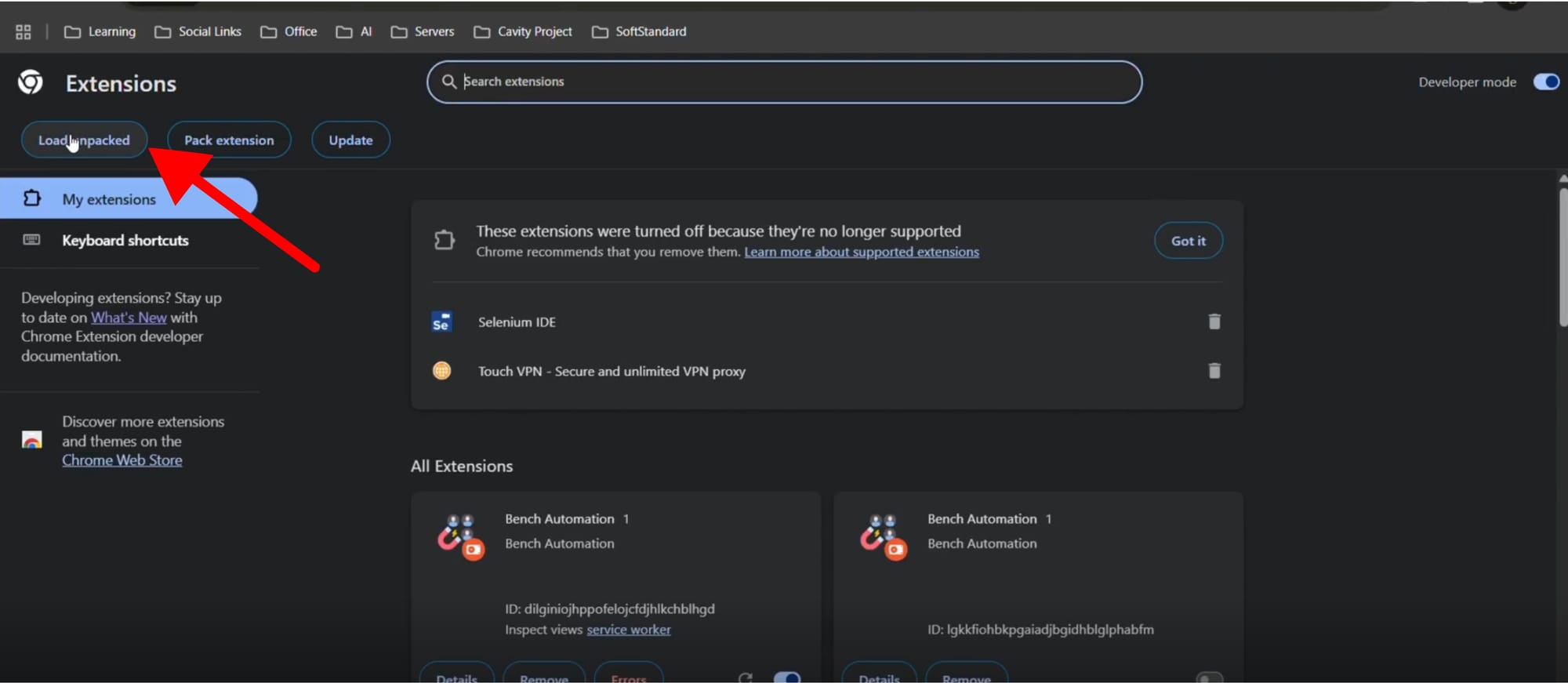
- Select the unzipped Oppora extension folder you extracted earlier.
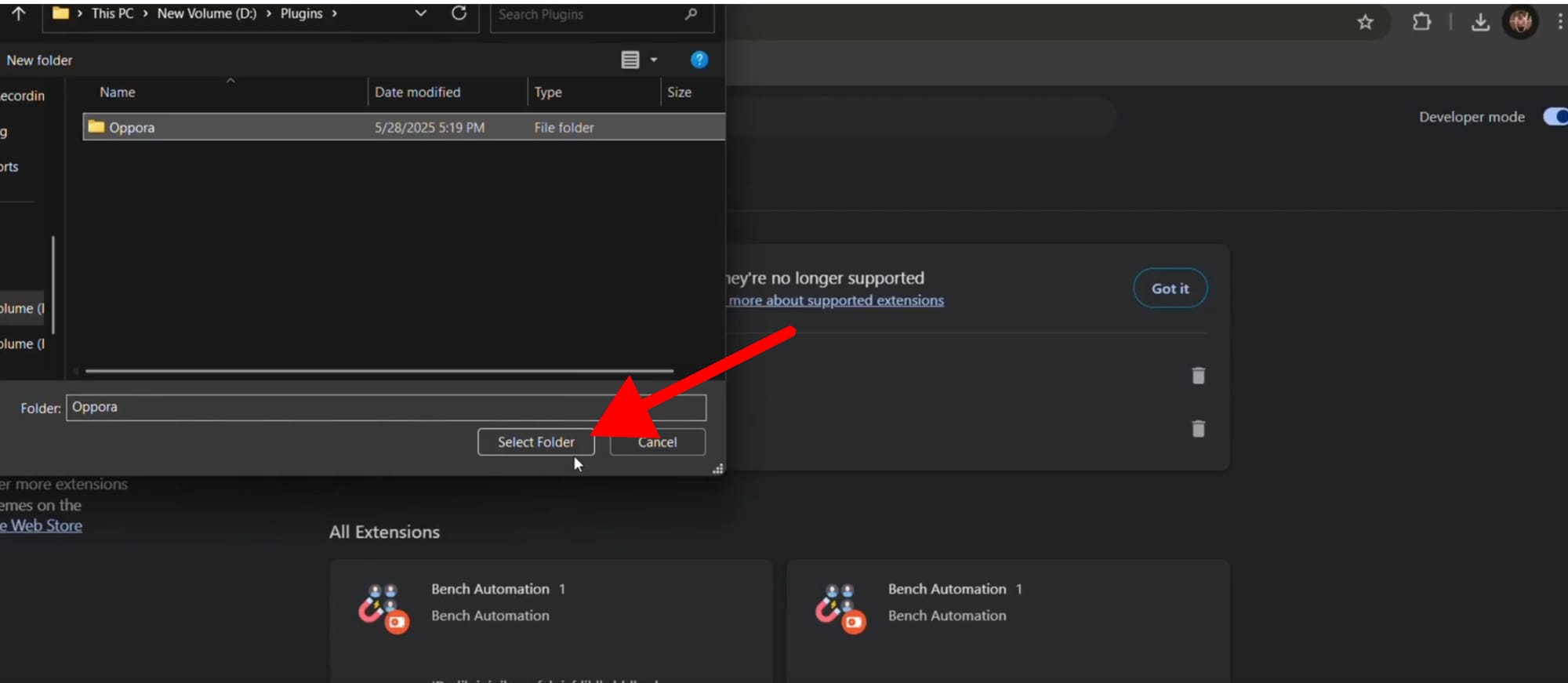
- Click Open.
Step 5. Confirm Installation
- The Oppora.ai LinkedIn Extension will now appear in your Chrome toolbar.
- Pin it to your toolbar for quick access.
✅ Installation is complete! You can now log in and start capturing leads directly from LinkedIn.
Method 3: Open the Extension on LinkedIn and Log In
- Go to LinkedIn.com and open any profile or company page.
- Scroll down and look for the Oppora plugin panel at the bottom of the page.
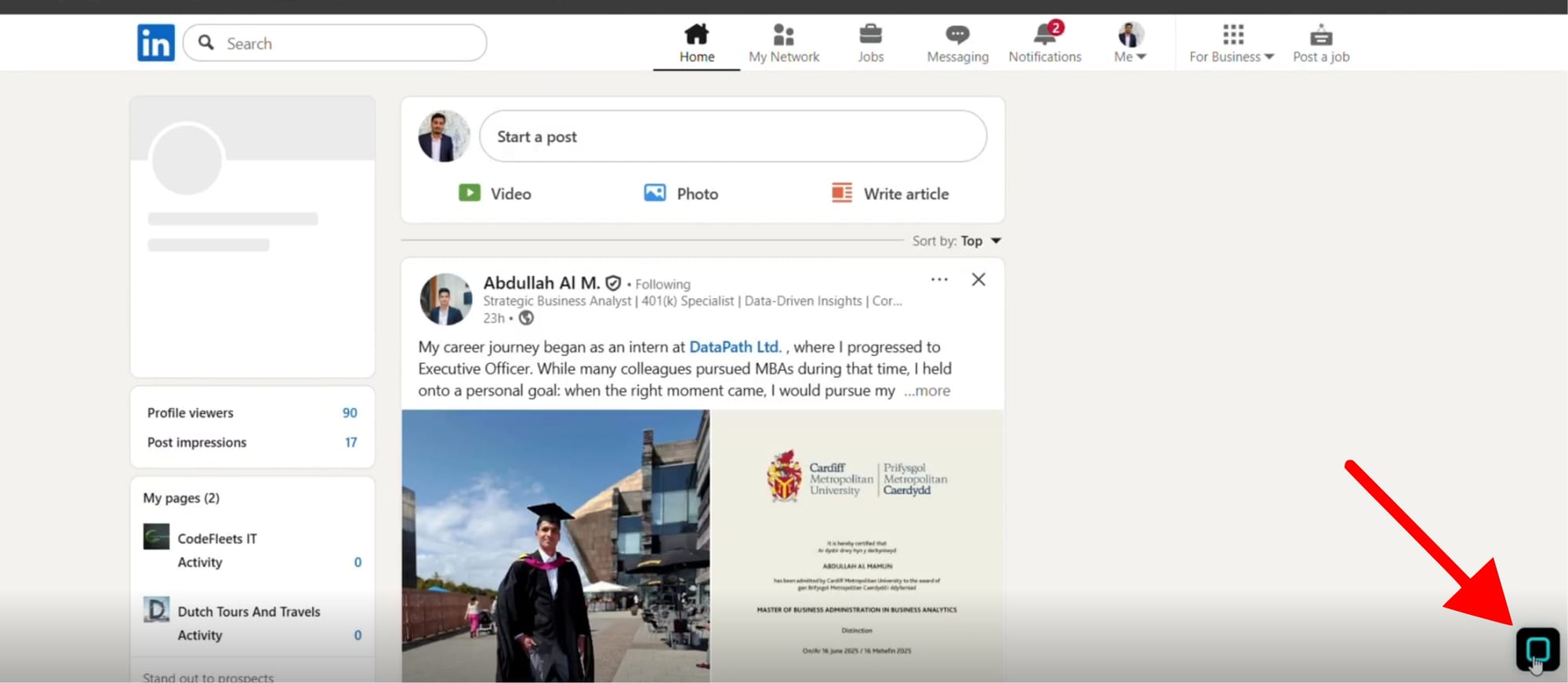
- Click to open the plugin.
- If you’re a new user, sign up for an Oppora.ai account.
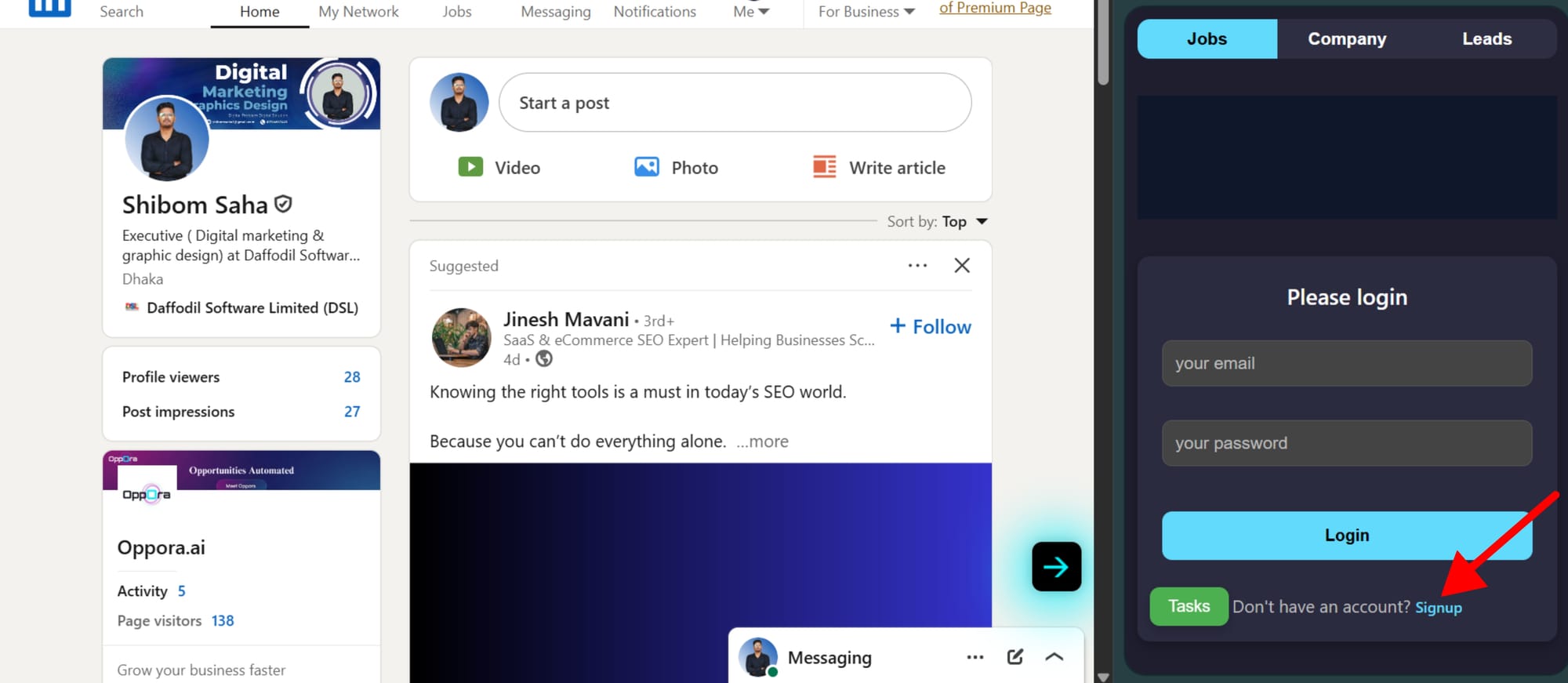
- If you already have an account, simply log in with your credentials.
- Once logged in, the extension will connect directly with your Oppora.ai dashboard.
✅ You’re now ready to start capturing and saving LinkedIn leads directly into Oppora.ai.
Frequently Asked Questions (FAQs)
Q1: Do I need LinkedIn Sales Navigator?
No, the extension works with both free LinkedIn and Sales Navigator accounts.
Q2: Can I use the extension on macOS?
Yes. If you can’t access Chrome Web Store, use the manual installation method from your Oppora.ai dashboard.
Q3: Are the emails verified?
Yes, Oppora.ai verifies all emails before saving them to your dashboard.
Q4: What if the extension doesn’t appear on LinkedIn?
Go to Chrome → Manage Extensions and make sure it’s enabled. Also, ensure you are logged into Oppora.ai.
Q5: Can I export the leads I capture?
Yes, all captured prospects can be exported from your dashboard as a CSV file.
Was This Article Helpful?
Continue exploring our knowledge base or get in touch with our support team for personalized assistance.