
Back to Lead to CRM
Lead to CRM
Master Adding Leads to Your CRM
beginner
4 min read
Updated August 30, 2025
Oppora Team
What You'll Learn
This comprehensive guide will walk you through the essential concepts and practical steps needed to master this topic. By the end of this article, you'll have a solid understanding of the key principles and be ready to implement them in your workflow.
Adding leads to your CRM is one of the most important steps in building a strong sales pipeline. Without accurate lead entry, opportunities may slip through the cracks, follow-ups get delayed, and revenue suffers. To make the process simple and flexible, you can add leads in multiple ways: directly from Lists, the Leads module, or Campaigns.
For more detailed control, you can also create accounts, contacts, opportunities, and tasks manually inside the CRM. This guide walks you through each method step by step so you can keep your database clean, organized, and ready for sales activity.
How to Add a Lead to CRM (3 Methods)
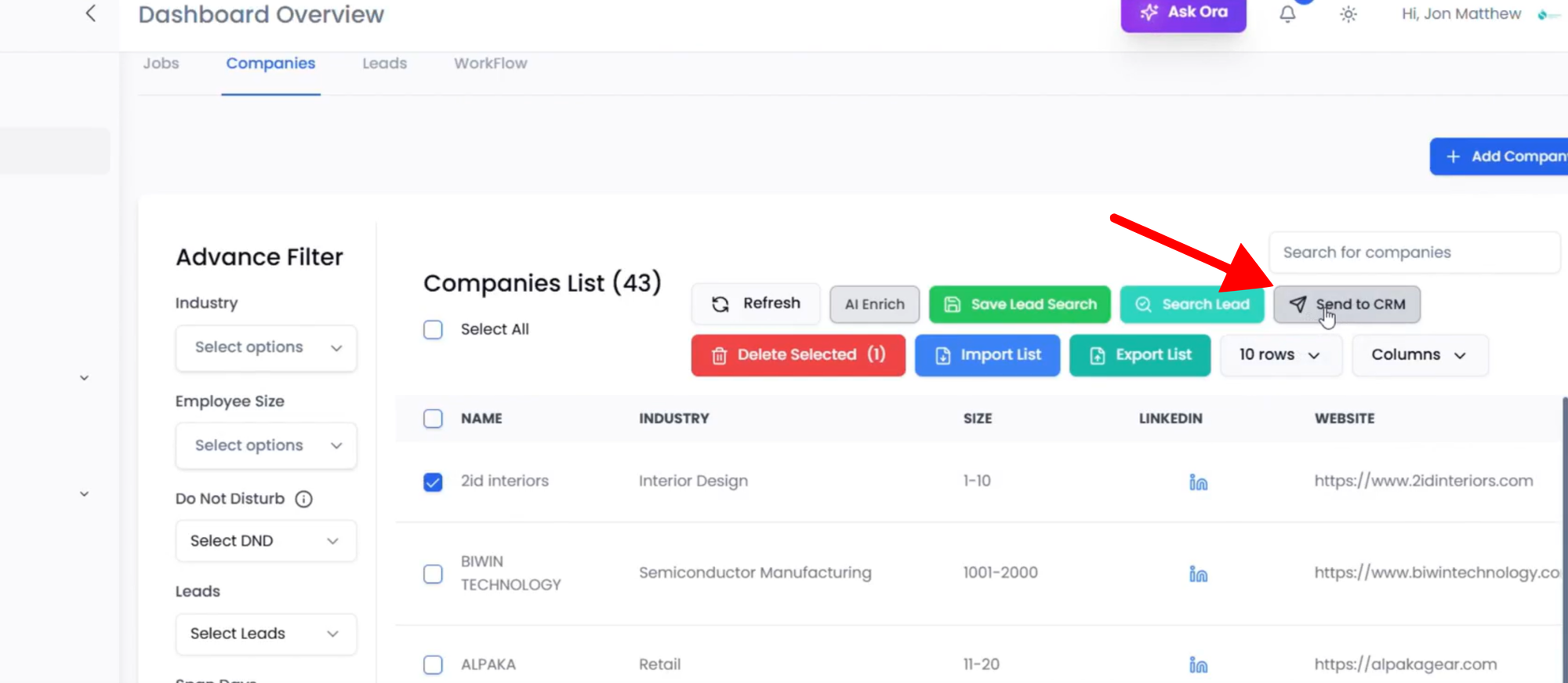
Method 1: From Lists → Companies
- Go to List Management → Lists and open your target list.
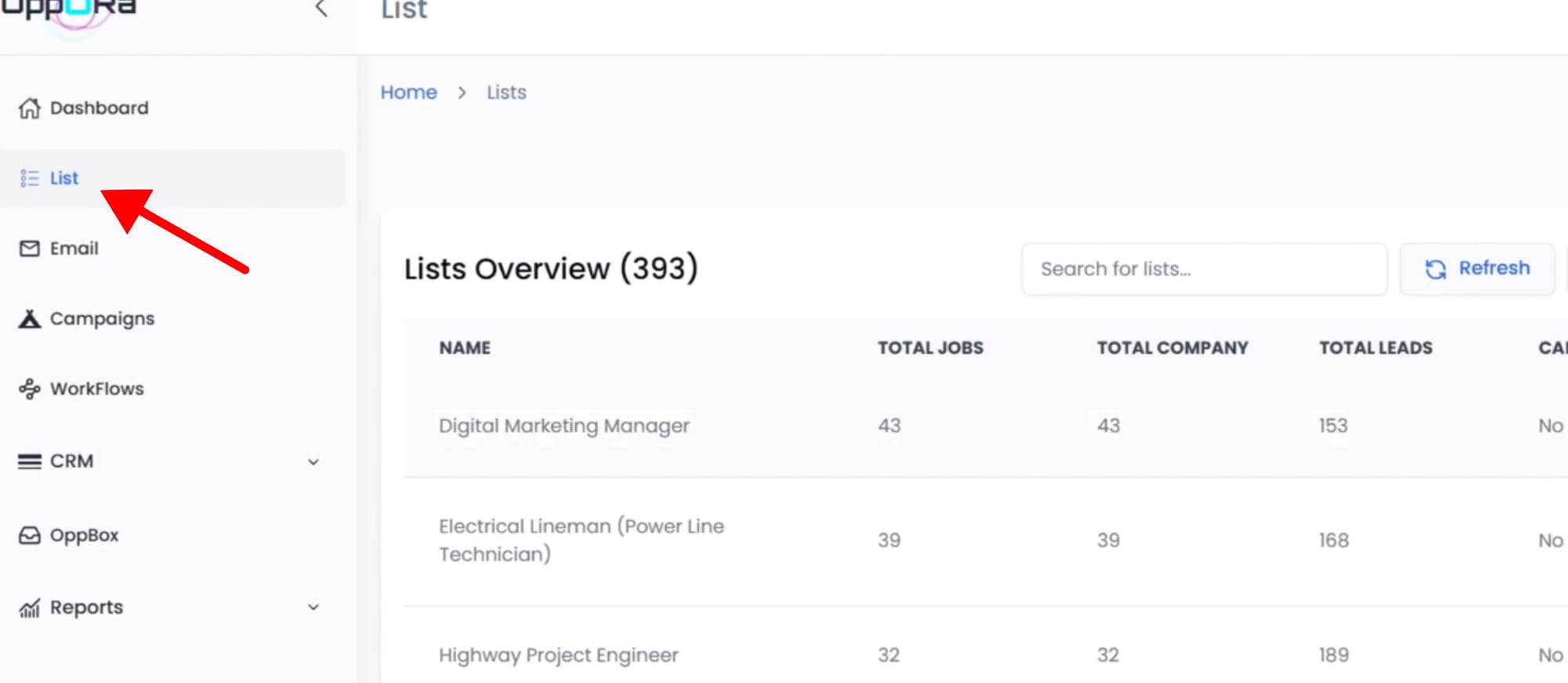
- Switch to the Companies view.
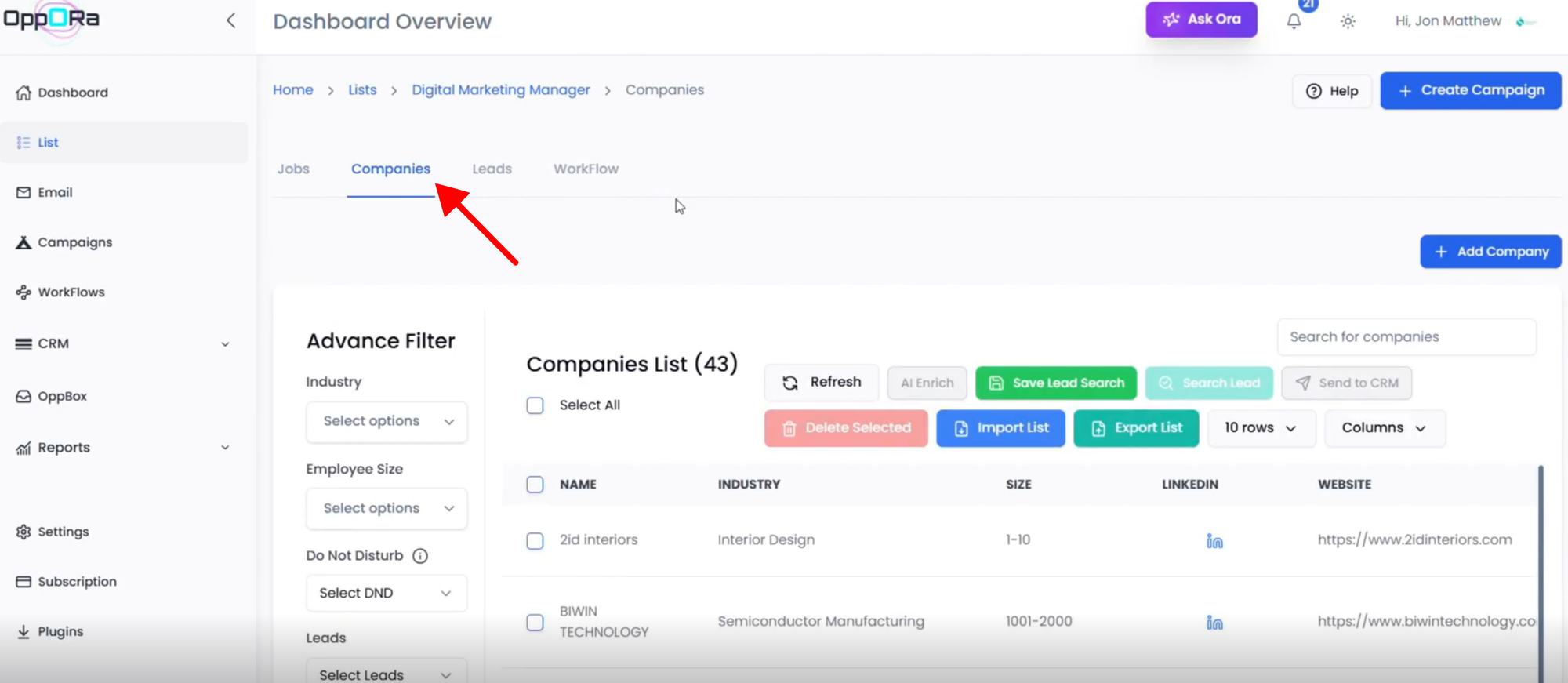
- Select the lead(s) you want to sync.
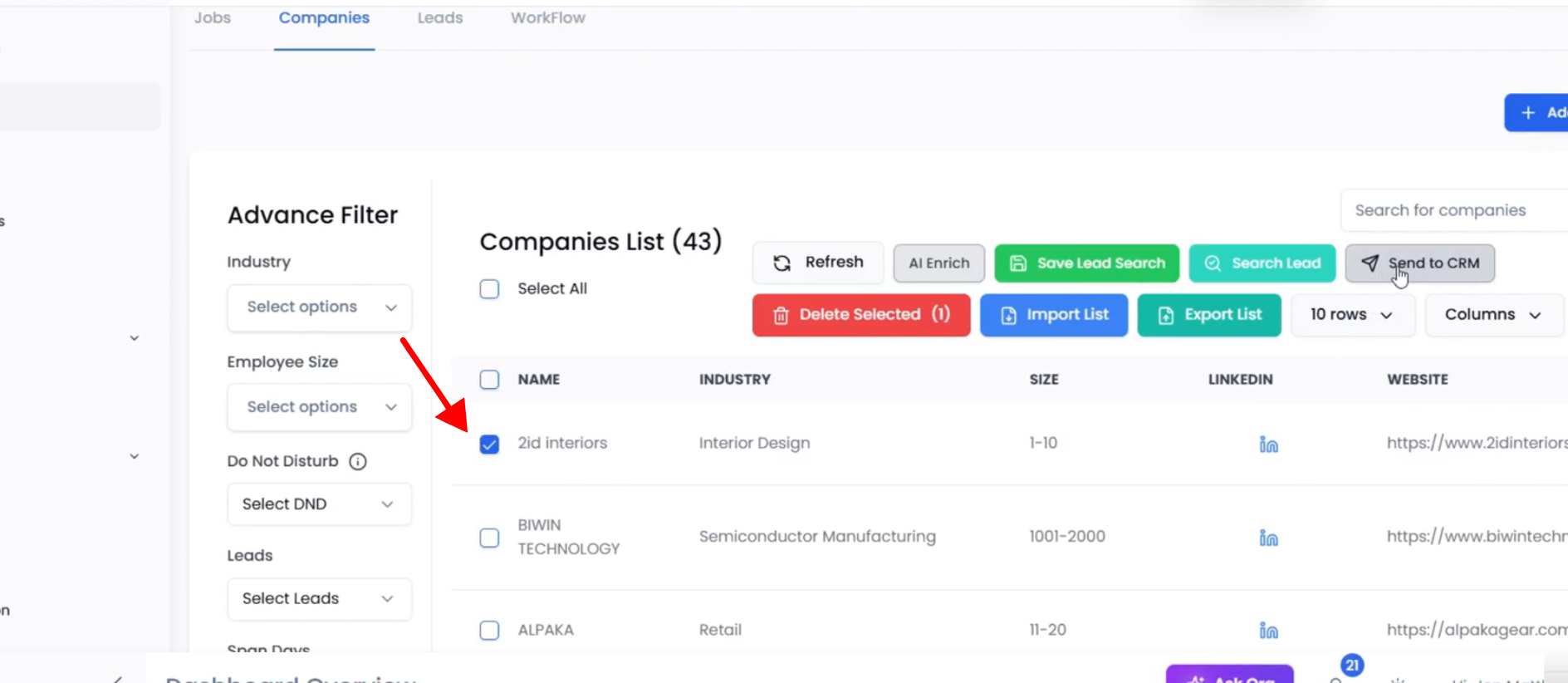
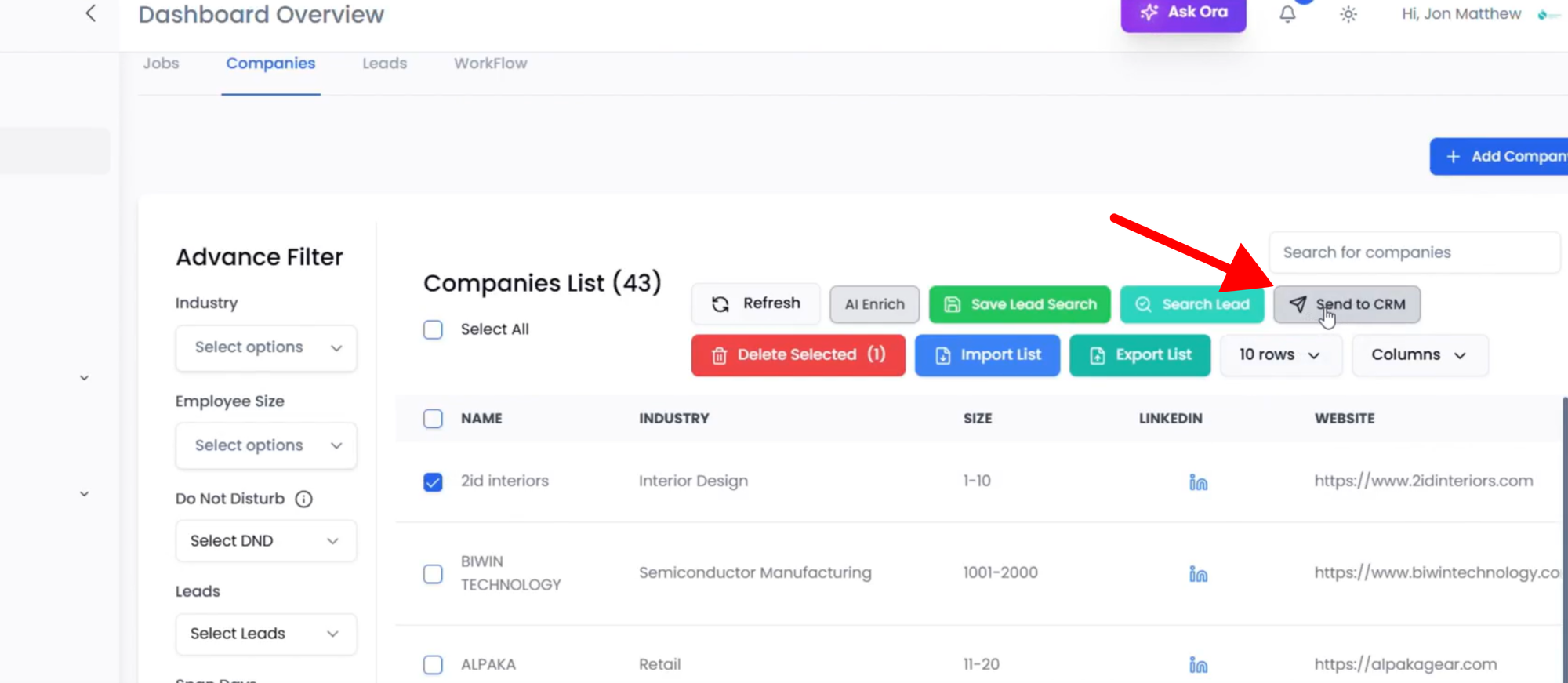
- Click the CRM button (Add to CRM) and confirm.
Method 2: From Leads
- Go to List Management → Lists and open your target list.
- Go to the Leads module.
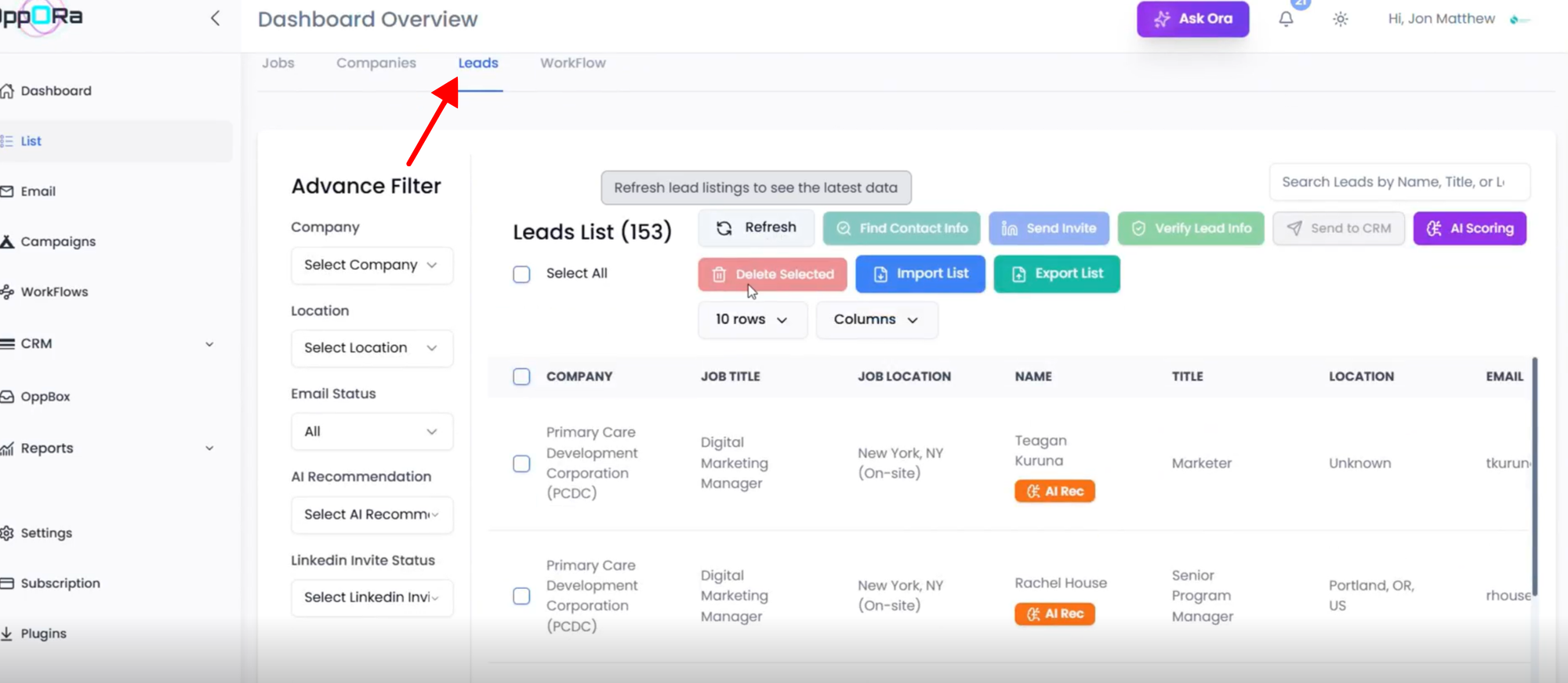
- Search/filter to find the required lead(s).
- Select the lead(s).
- Click the CRM button (Add to CRM) and confirm.
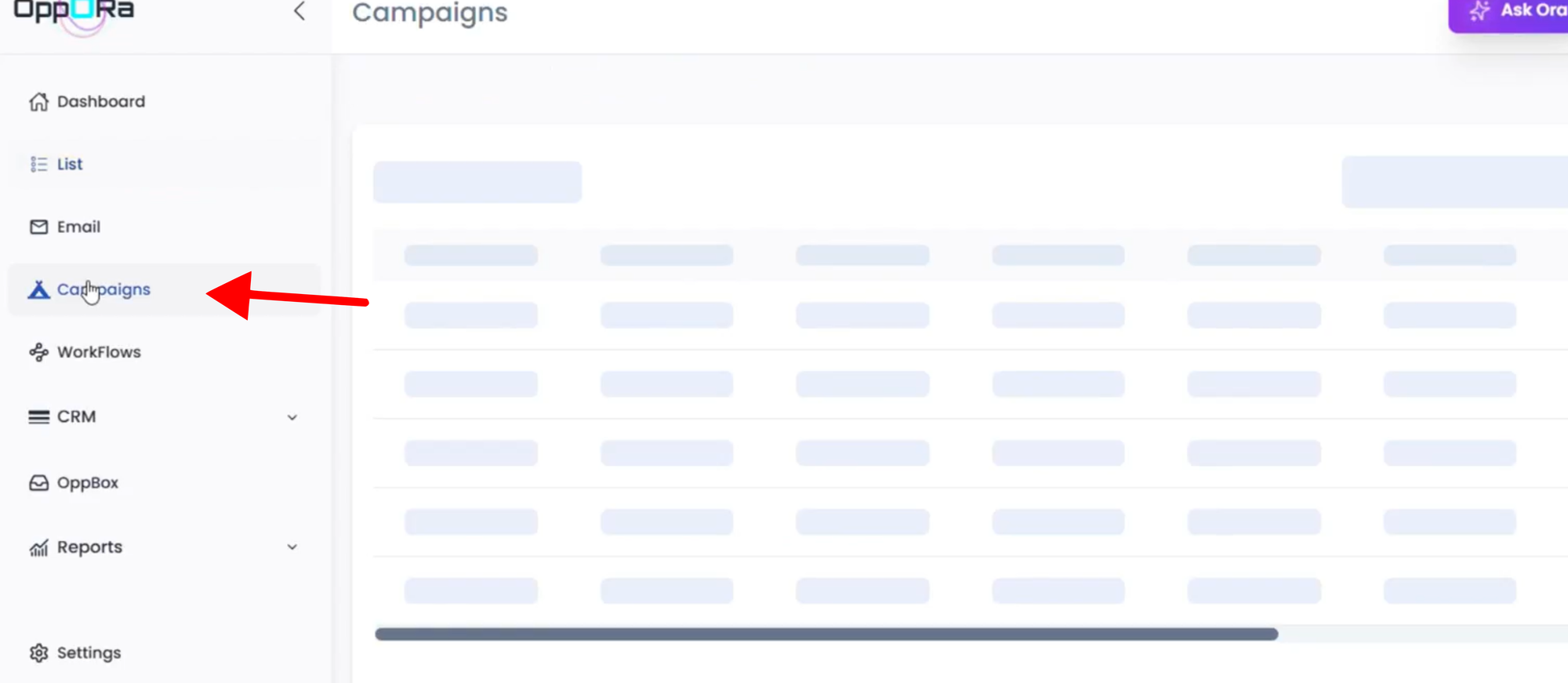
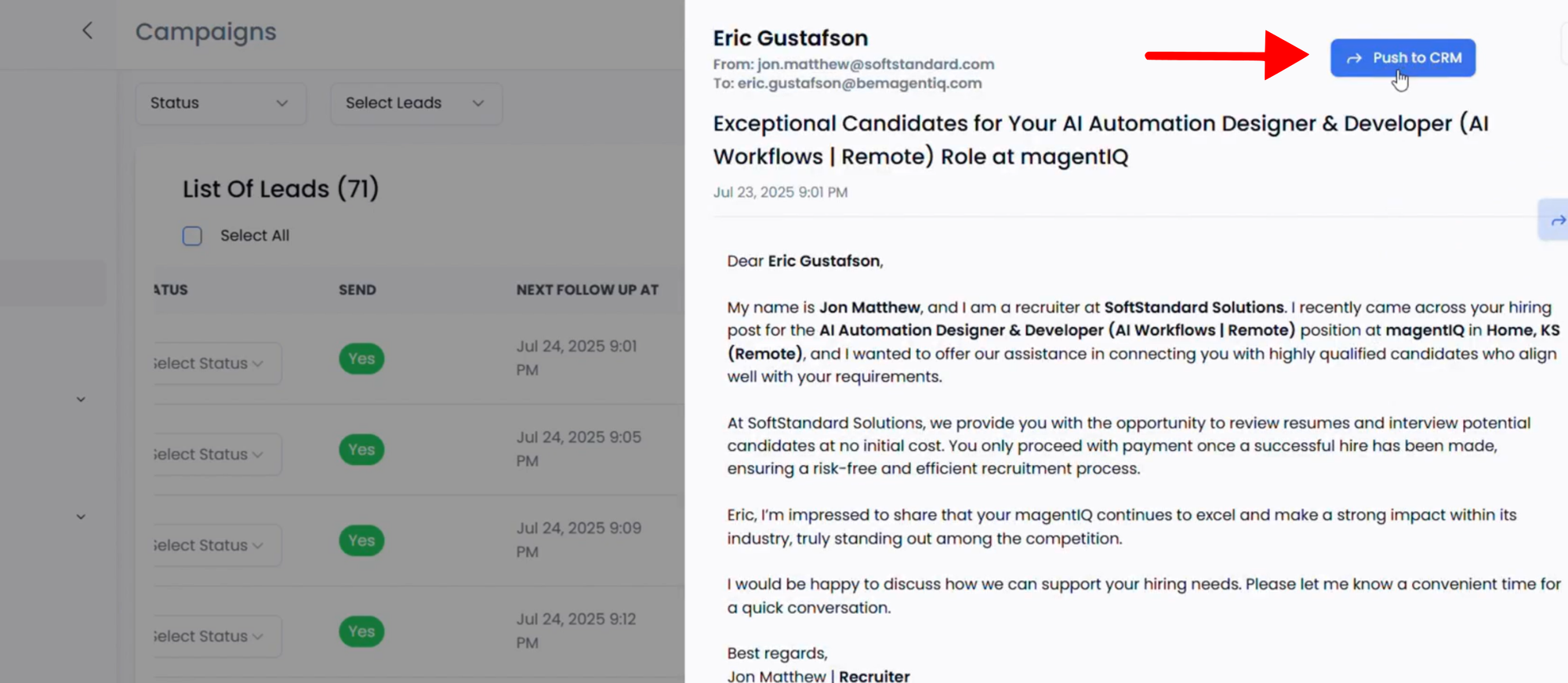
Method 3: From Campaigns
- Go to Campaigns and open the relevant campaign.
- Scroll to the List of Leads section.
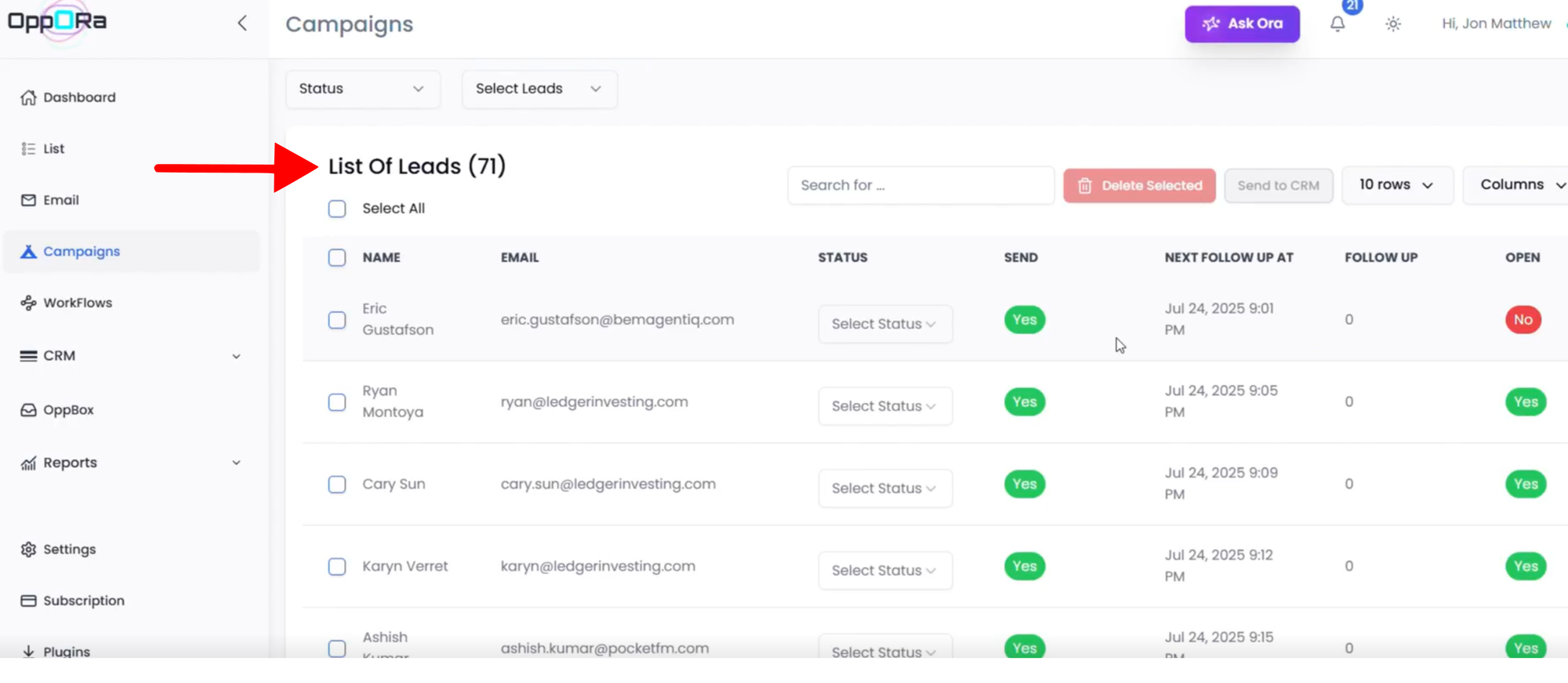
- Select the final lead(s) you want to push to CRM.
- In the side actions (or message/actions panel), click the CRM option (Add to CRM) and confirm.
Manual CRM Entry Process
(Accounts → Contacts → Opportunities → Tasks → Reports)
1. Create an Account
- Go to CRM → Accounts.
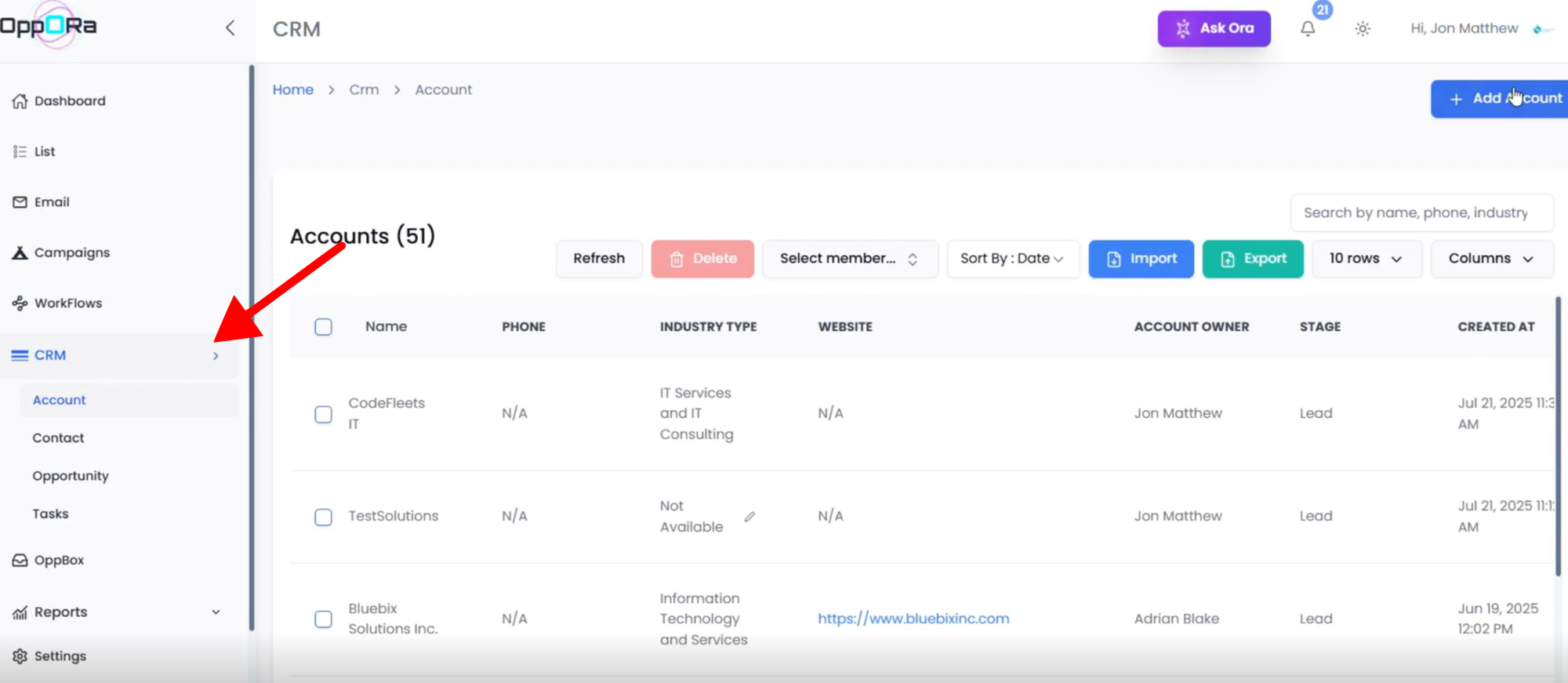
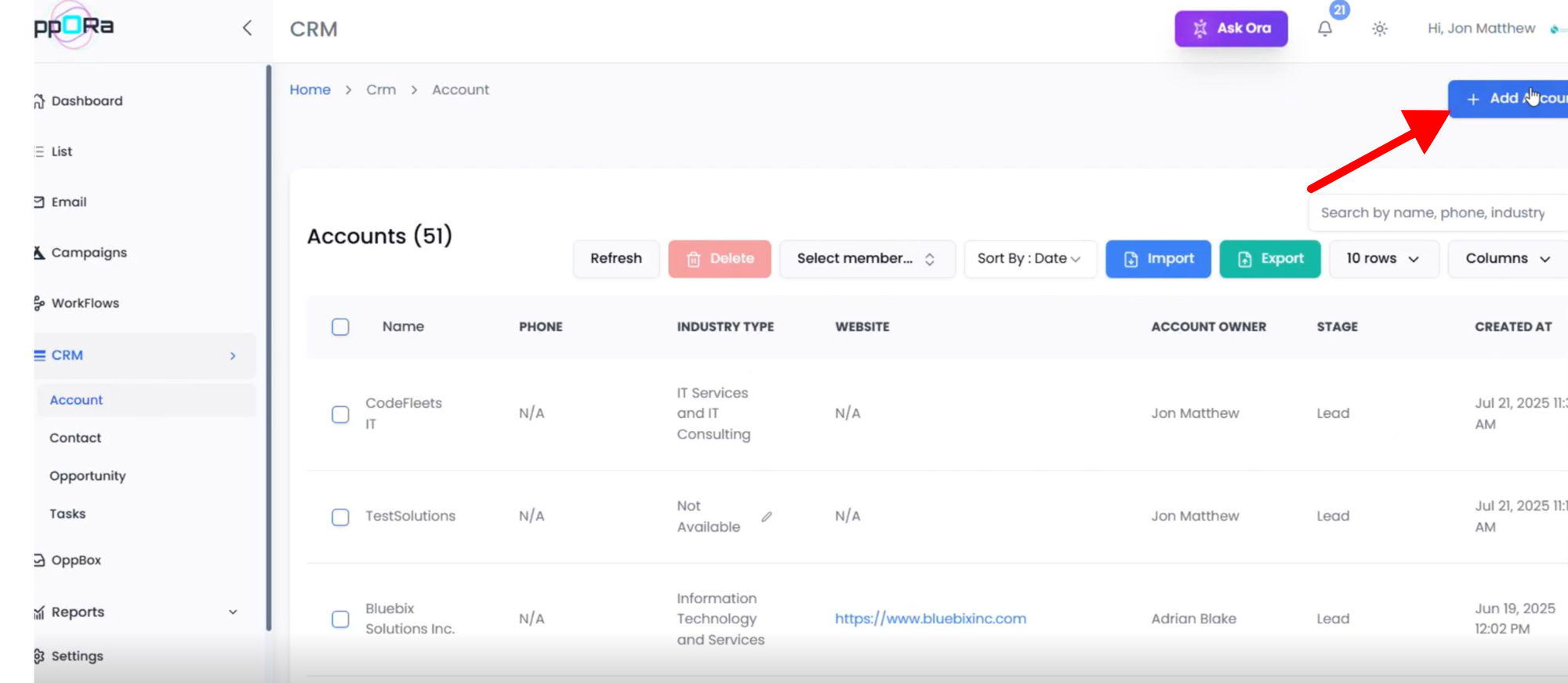
- Click Add Account.
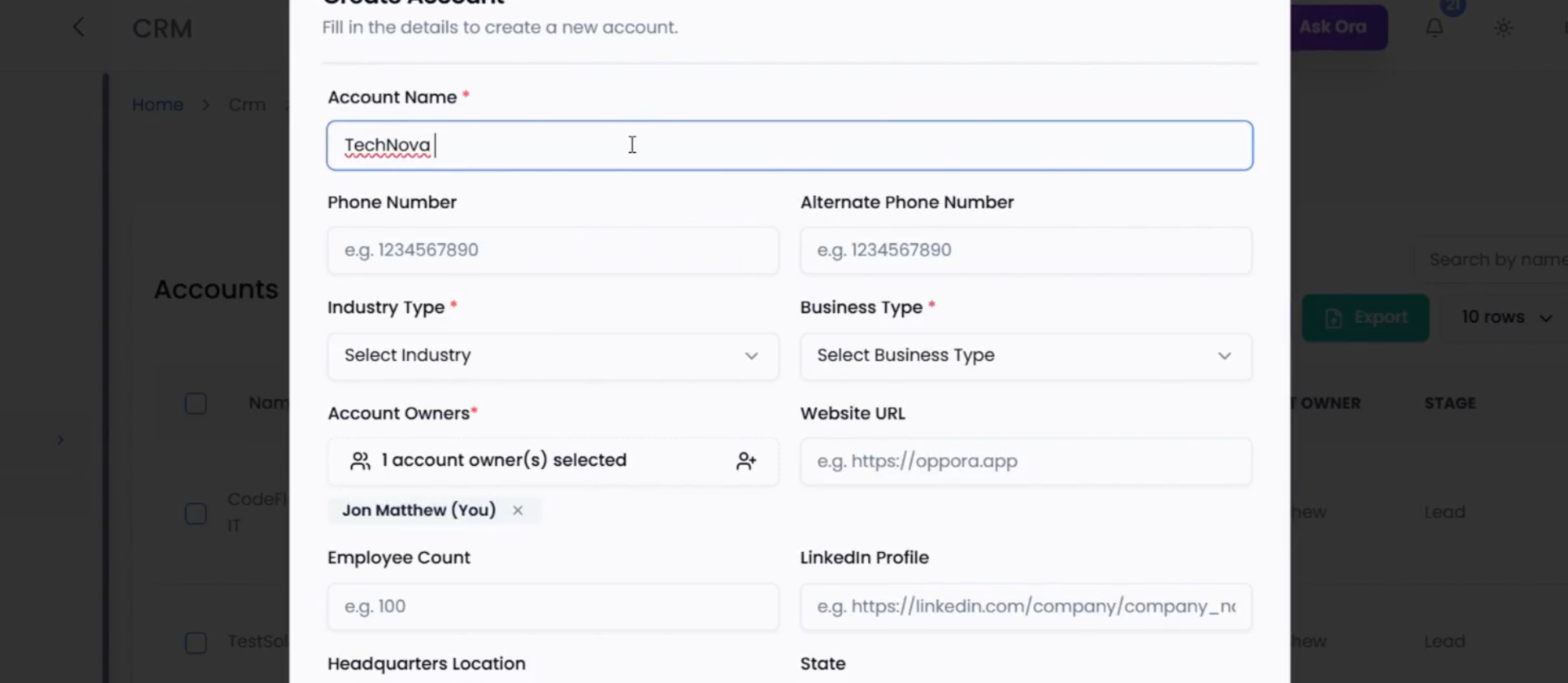
- Fill all required fields: Account Name, Website/Domain Url , Industry, Size, Business type,Phone number and Address.
- Click Save.
- Use View to see details, or Edit to update any field later.
2. Create a Contact (Linked to the Account)
- On the Account page, click Create New Contact.
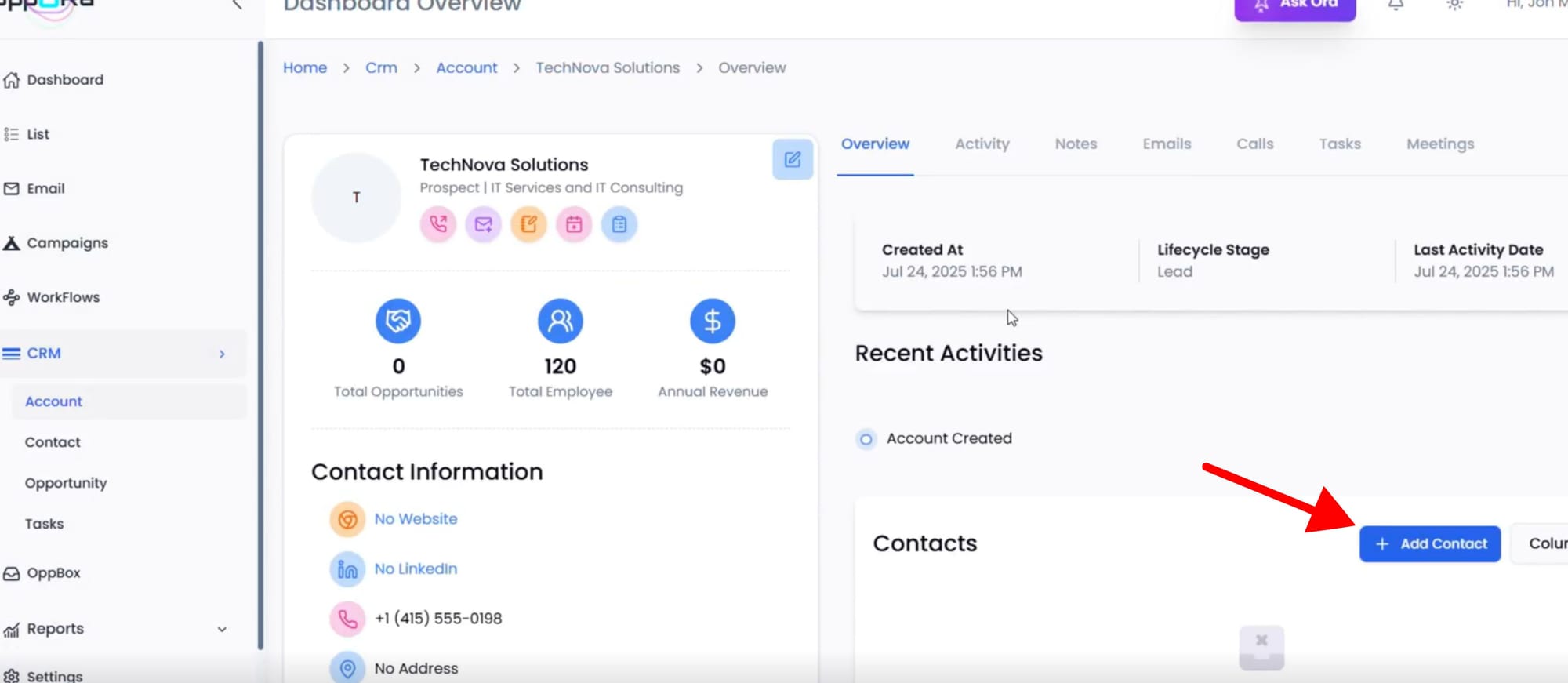
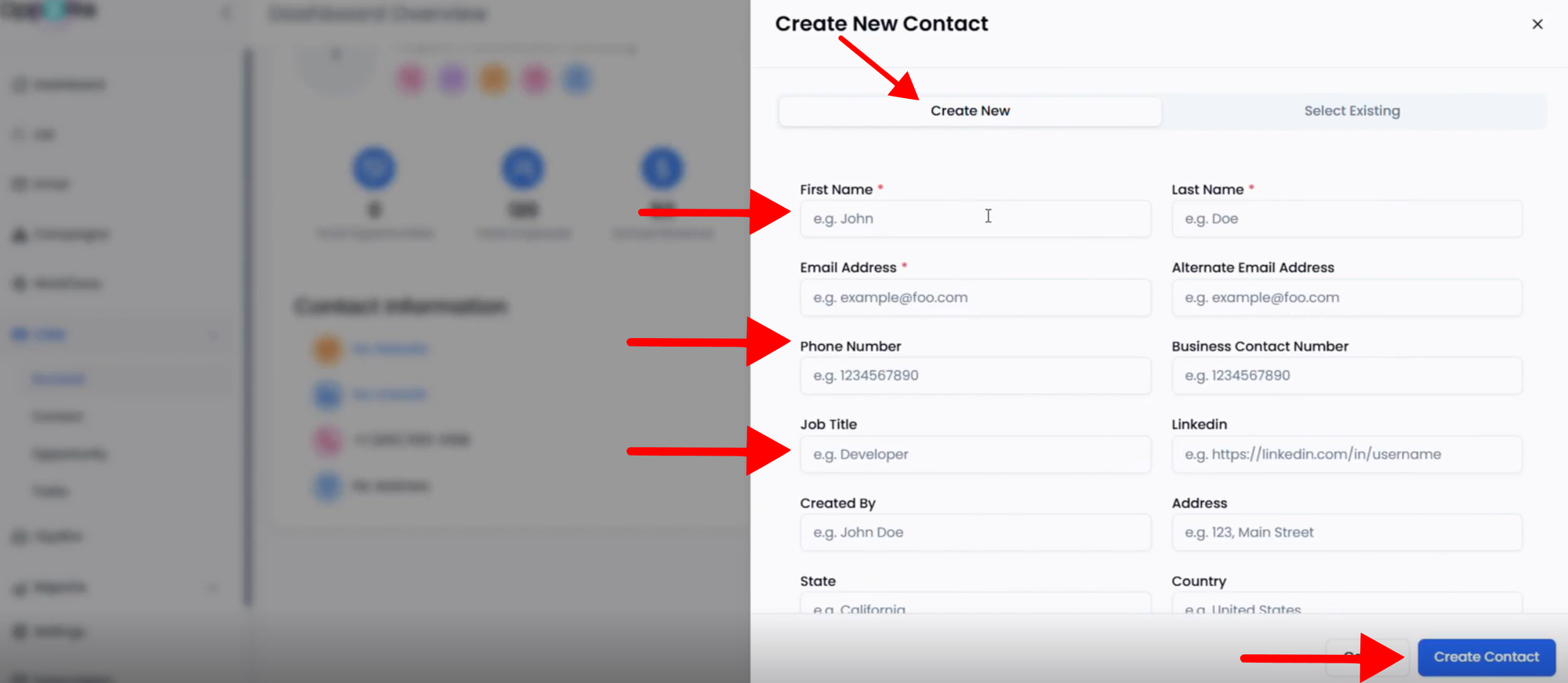
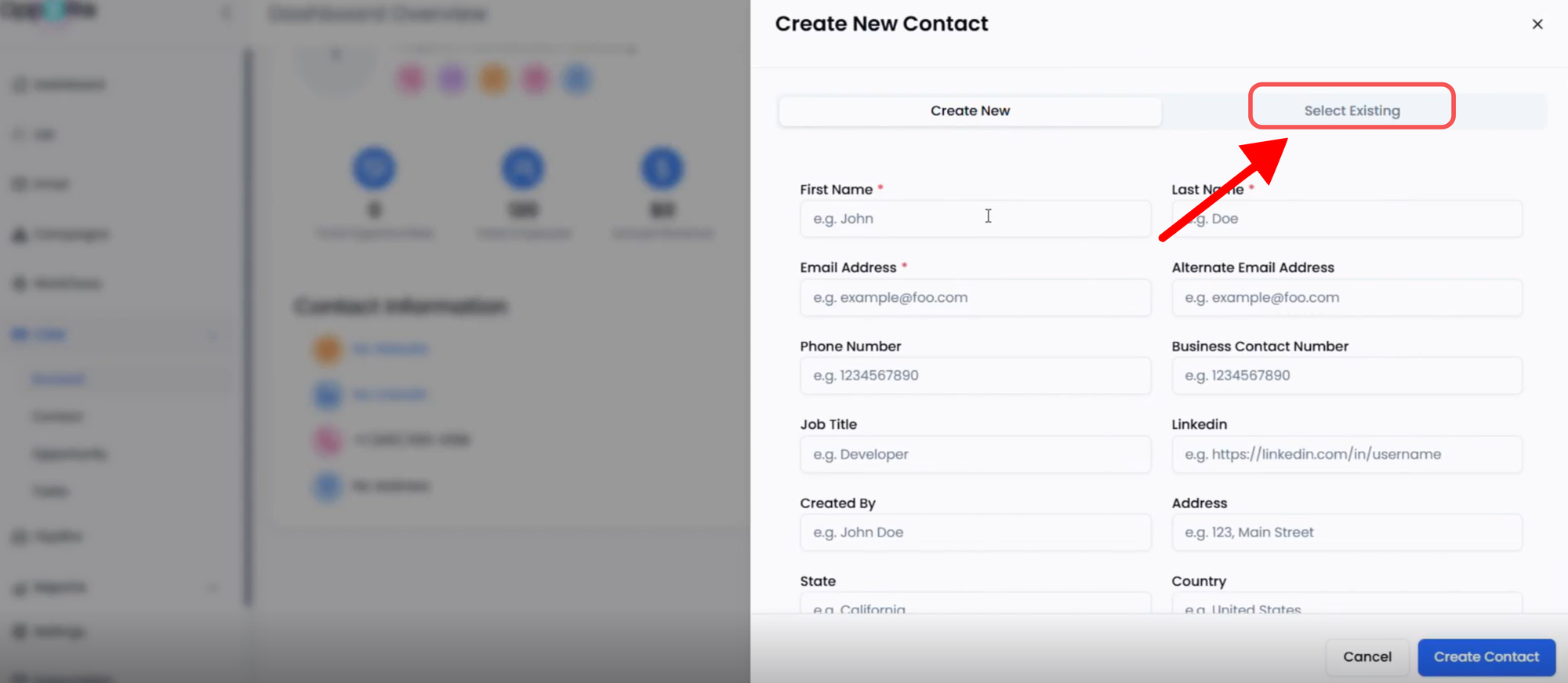
- Choose one option:
- New Contact: Enter First/Last Name, Title, Email, Phone, LinkedIn, Owner, Consent.
- Existing Contact: Search and link to an existing contact.
- Click Save.
- Open the Contacts tab to review or edit.
3. Add an Opportunity (Deal)
- On the Account or Contact page, click Add Opportunity.
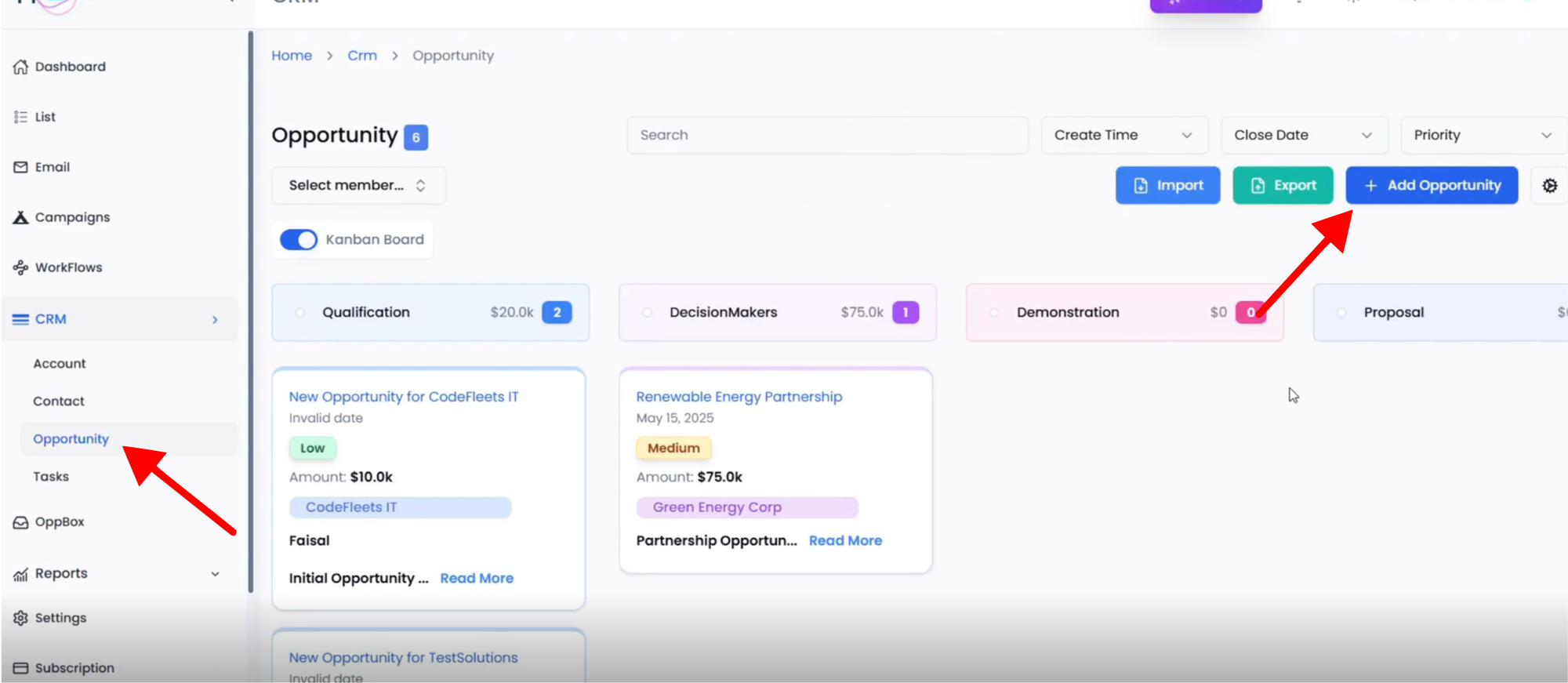
- Fill fields: Fully fill all your requarment.
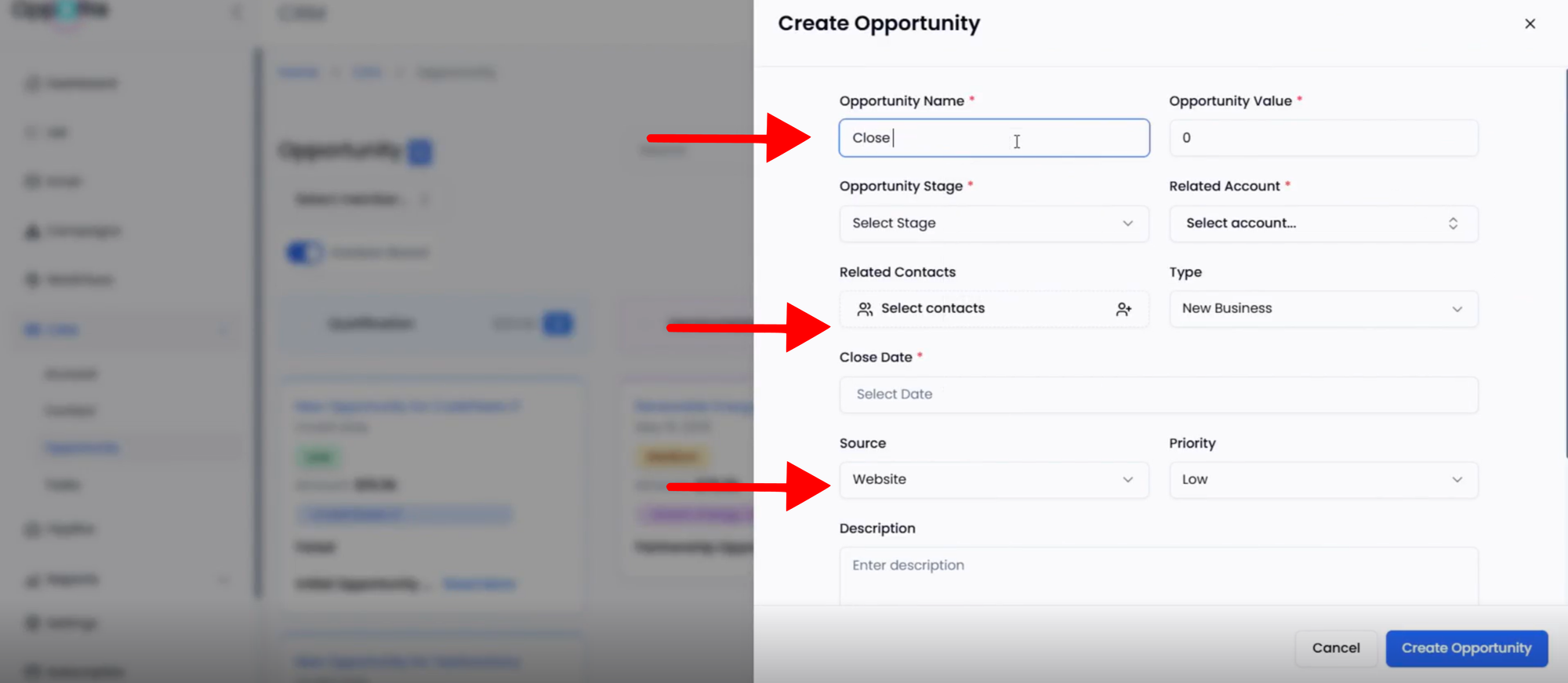
- Click Save – the deal will appear in your sales pipeline.
- Use Customize (pipeline settings) to edit stages, fields, or automations.
4. Add a Task
- On an Account/Contact/Opportunity, click Add Task.
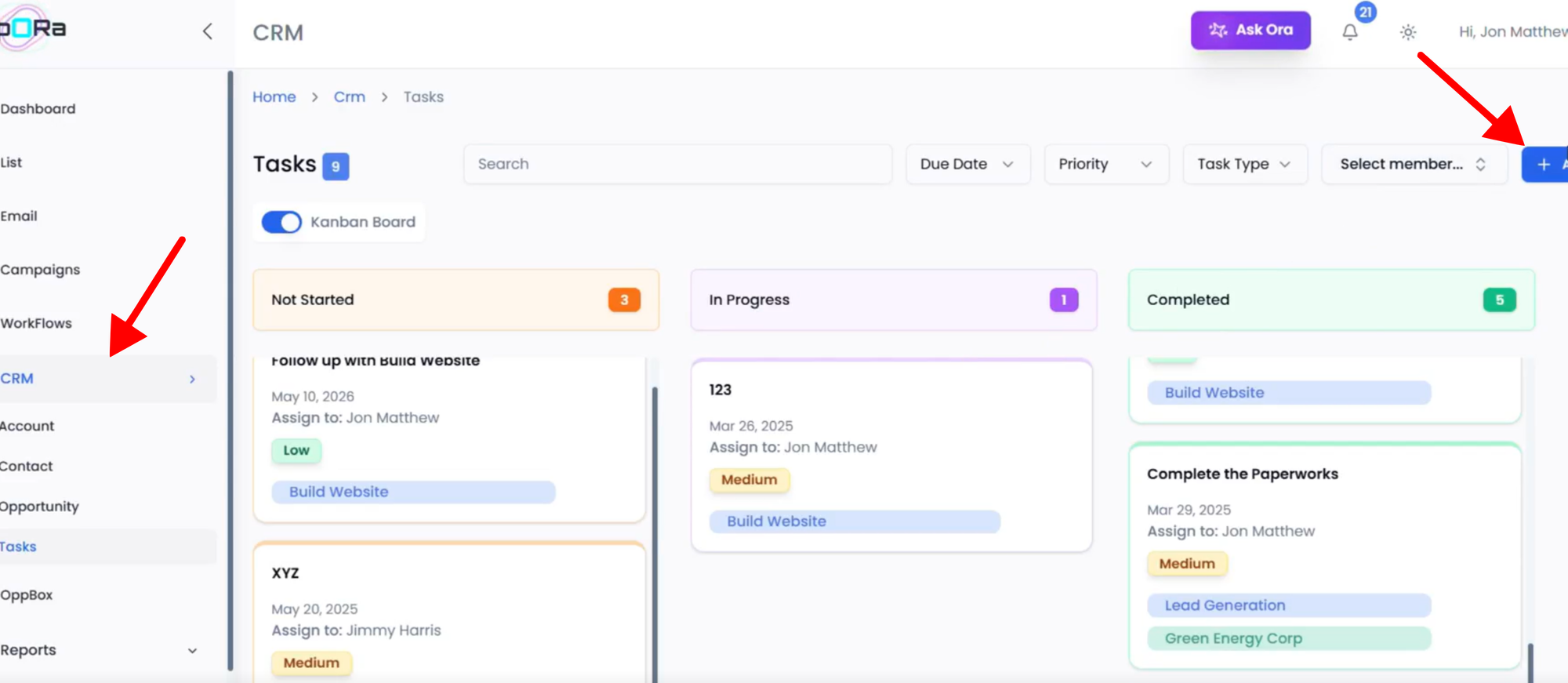
- Set details: selected all requirements.
- Click Save.
- Mark Complete when done; add follow-ups if required.
5. View CRM Reports
- Go to Reports → CRM.
- And see your report.
👉 This flow gives your team multiple ways to add leads and a full CRM entry lifecycle: Accounts → Contacts → Deals → Tasks → Reports.
FAQs
Q1. Which method should I use to add leads to CRM?
- If you already have a curated List or Campaign, add leads directly from there.
- If you’re working on individual prospects, use the Leads module.
- For new accounts or custom entries, use manual CRM entry.
Q2. Can I add multiple leads at once?
Fully Yes, you can select multiple leads/contacts from Companies and Leads Submodule inside Lists, or Campaigns, and push them to the CRM in bulk.
Q3. What’s the difference between an Account and a Contact?
- An Account represents a company or organization.
- A Contact is an individual (decision-maker, stakeholder, etc.) linked to that account.
Q4. Do I need to create an Opportunity for every lead?
Not always. Opportunities (deals) should be created when there’s a real chance of revenue. Use them to track potential sales through the pipeline stages.
Q5. Can I edit lead details after adding them to CRM?
Yes, you can update fields anytime by clicking Edit on Accounts, Contacts, or Opportunities.
Conclusion
A well-structured CRM ensures that your sales team always knows who to contact, when to follow up, and which deals are most likely to close. By using the different methods described, whether syncing leads from lists, leads, campaigns, or entering them manually. You’ll maintain accurate records and a streamlined workflow. Consistency is key: always keep accounts, contacts, opportunities, and tasks up to date to maximize sales productivity and close more deals.
Was This Article Helpful?
Continue exploring our knowledge base or get in touch with our support team for personalized assistance.