Home
Blog
Find 500 B2B Contacts for Free Every Month with Built-In Outreach.
Home
Blog
Manasa Goli
Published February 3, 2026
5 min

Try Oppora AI
Create Self-Running Agentic Sales Workflows like N8N just by chatting with AI
Get Started for FREE
Master email closings with examples, templates, and tips to leave a great impression every time.
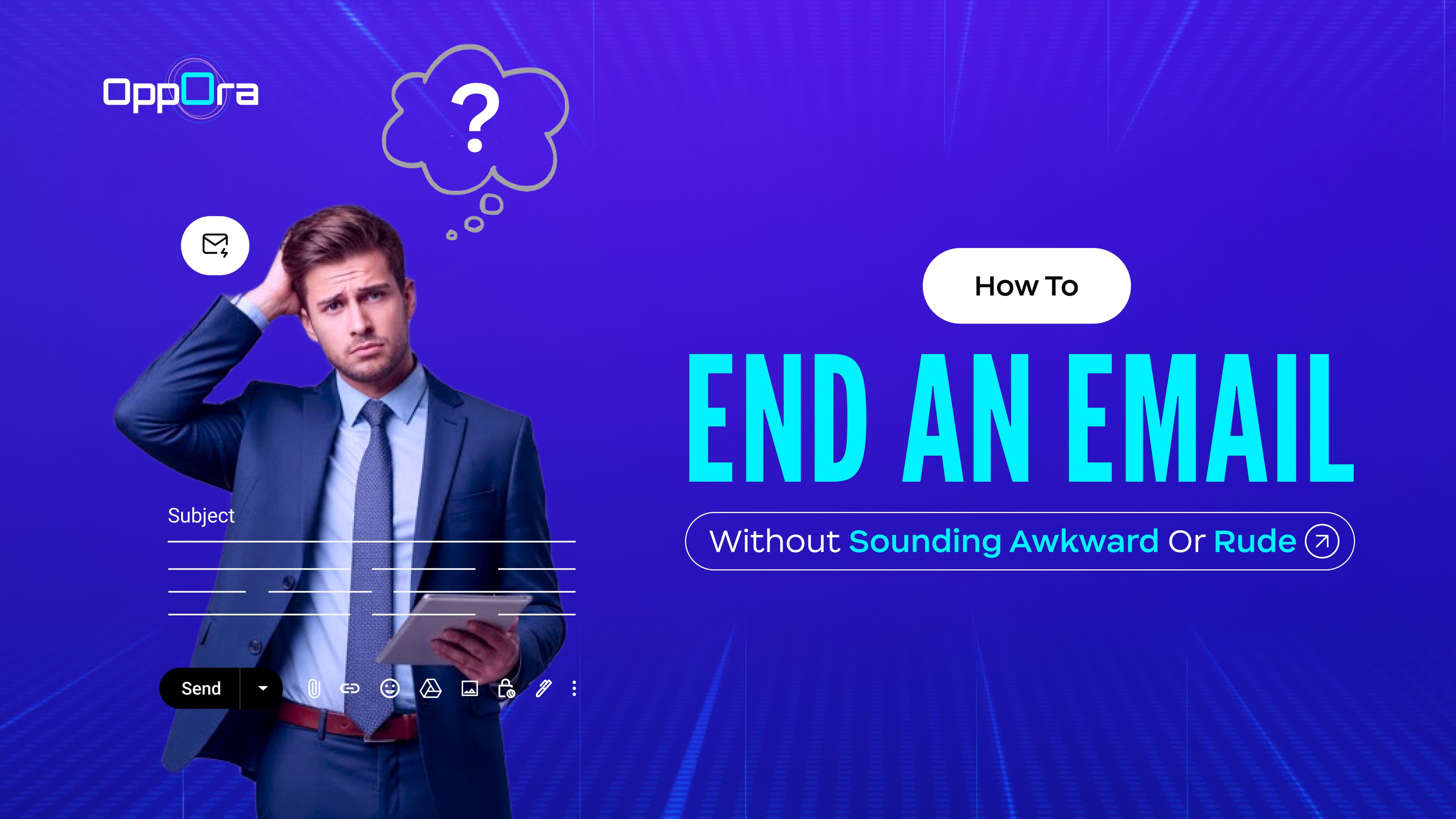
Ever typed out a thoughtful email… then froze at the last line? That tiny space at the bottom of your email — your closing — can make a huge difference. It can either invite a reply, leave a lasting impression, or… quietly make your email disappear into the void.
Ending an email correctly isn’t just etiquette; it’s strategy. Here’s your deep dive into how to end an email without sounding awkward, rude, or robotic, complete with examples, templates, and actionable tips.
People often focus on the greeting, the tone, and the ask — but the ending is a subtle behavioral cue that influences whether someone responds.
For example:📊 Emails that use a polite closing like “Kind regards” or “Thank you” see up to 36% more responses than emails without thoughtful sign-offs.📊 Another survey found that ending with a form of “thank you” increases reply rates by 63–65% compared to generic closings like “Best.”
💡 The takeaway: endings aren’t optional extras — they can make or break engagement. A poorly thought-out closing can erase all the effort you put into the body of your email.
A strong email ending isn’t just a sign-off. Think of it as a mini-conversation finale — wrapping up your main message while prompting action or leaving a positive impression. Here’s what it should include:
This is your final sentence before the sign-off. It connects the main content of your email to your ending and can serve several purposes:
Example:
Hi Priya,
Here’s the proposal we discussed. I’d love your feedback and am happy to schedule a call to walk through any questions.
Looking forward to hearing from you!
Notice how the closing line is polite, actionable, and leaves the reader with a next step — it’s not vague or robotic.
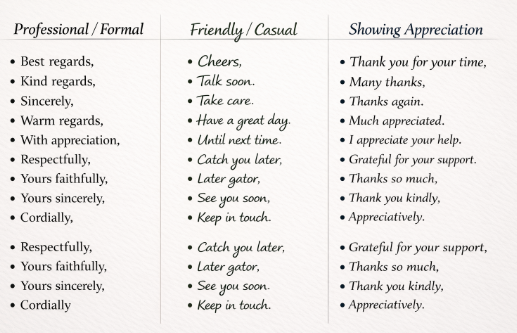
Your sign-off phrase sets the tone for your entire email. The wrong choice can make your email feel awkward, cold, or overly casual.
💡 Pro tip: When in doubt, go formal first. You can loosen the tone in follow-ups once the relationship develops.
Include your full name when emailing someone for the first time. For internal emails or familiar contacts, your first name is sufficient. Avoid nicknames unless they’re widely known.
Example:
Warm regards,
Priya Sharma
Especially for cold emails or professional outreach, your title and company give context and credibility.
Example:
Best regards,
Rajesh Kumar
Head of Partnerships, TechSolutions Inc.
💡 Tip: For job applications, you may omit current employment details to maintain relevance and privacy.
Even if your recipient can reply by email, extra contact options make it easier for them to follow up. Phone number, LinkedIn, or scheduling links work well here.
Example: You can reach me at +91-123-456-7890 or schedule a time here: [Link]
Add links if relevant — to your website, portfolio, blog post, or calendar. It’s a subtle nudge to let the recipient explore more, without pushing too hard.
Example: For reference, here’s a quick overview of our recent work: [Portfolio Link]
Here’s how all the above comes together in real-world scenarios:
Hi [Prospect Name],
I noticed your team is exploring [solution]. Our platform helps teams [benefit], saving time and boosting efficiency. Would you be open to a 15-minute call next week to explore how this could work for [Company]?
Looking forward to hearing your thoughts!
Best regards,
Rajesh Kumar Head of Partnerships,
TechSolutions Inc.
+91-123-456-7890
Hi [Name],
Just checking in to see if you had a chance to review my previous email. Happy to adjust timing if needed.
I look forward to your reply.
Warm regards,
Priya Sharma Sales Lead, InnovateX
Hi [Customer Name],
Thanks again for shopping with us! If you have any questions or need assistance, please don’t hesitate to reach out.
Many thanks,
Alex Verma Customer Support Lead
Hi [Customer Name],
We’re happy to assist you with [issue]. If there’s anything else we can help with, please don’t hesitate to reach out.
Best regards,
Customer Success Team
Hi [Customer Name],
We sincerely apologize for the inconvenience. Your feedback has been noted, and we’ve taken steps to prevent this in the future. Please reach out if you need any further assistance.
Thank you for your patience,
Priya Sharma
Customer Relations
If you’re sending dozens of emails — to leads, prospects, or customers — the ending becomes critical. That’s where Oppora steps in.
Oppora.ai is an AI-powered sales automation platform that:
Whether it’s a cold pitch, a follow-up, or a customer note, Oppora helps you end emails professionally, thoughtfully, and effectively, saving time while boosting responses.
Ending an email isn’t rocket science — it’s an art form. A poorly crafted ending can make your email feel like a cliffhanger in a horror movie: awkward, confusing, and leaving the reader unsure.
A strong ending? That’s your polite handshake, your smile, and your invitation to respond — all in a few lines.
So remember: choose your closing sentence carefully, pick a sign-off that fits, include your name and title, add contact info if needed, and watch the replies roll in.
And if you ever get stuck, Oppora.ai has your back — making every email ending natural, polished, and human.
Go ahead… end your emails like a human, not a robot. Your inbox (and your clients) will thank you. 😅
Absolutely. A friendly yet professional tone encourages replies, while a cold or abrupt ending can leave your email ignored.
Yes. Internal emails can be casual (“Cheers”), while external emails should stay professional (“Best regards”) to build trust.
1–2 sentences is ideal — enough to summarize your point and invite a response without dragging it out.
Different cultures have different expectations: some value formality, others appreciate warmth. Adjust based on your recipient’s background.
Definitely. Adding a name, company, or relevant context makes your email feel human and increases the chance of a response.
Summarize with AI
Share