Home
Blog
Find & Send Cold Emails to 500 Unique Prospects Every Month for FREE.
Home
Blog
Manasa Goli
Published December 31, 2025
9 min

Try Oppora AI
Create Self-Running Agentic Sales Workflows like N8N just by chatting with AI
Get Started for FREE
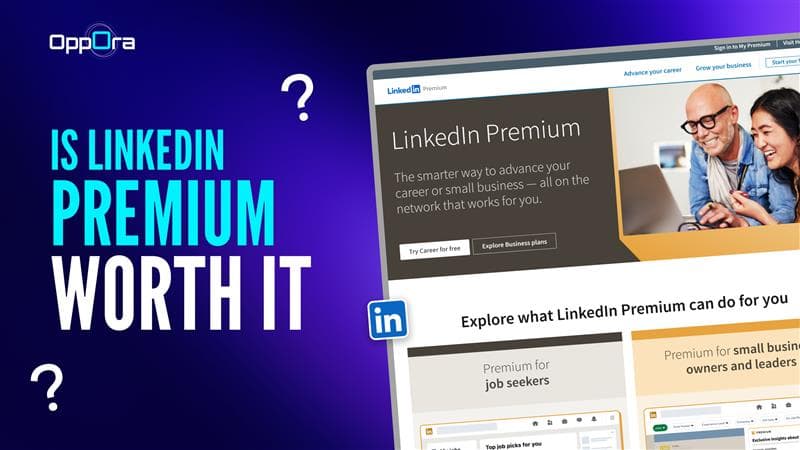
LinkedIn is often the first place people go when they want to find a job, hire talent, research companies, or reach decision-makers. As soon as you start doing more than casual scrolling, LinkedIn begins nudging you toward an upgrade.
That leads to one of the most searched questions:
Is LinkedIn Premium worth it? Or more specifically:
The answer isn’t a simple yes or no. It depends on what you’re trying to achieve, how often you use LinkedIn, and whether free vs Premium features actually remove your biggest bottleneck.
This guide breaks everything down—from features and pricing and real use cases—so you can decide with clarity.
LinkedIn Premium is a paid upgrade that removes some of LinkedIn’s built-in limits. Instead of basic browsing, it gives users more visibility into profiles, expanded search filters, and additional ways to message people outside their network.
Premium isn’t a single plan. It’s a set of tiers designed for different goals:
Across all plans, the core idea is the same: see more, filter better, and understand context faster.
What Premium does not aim to be is a complete outreach or lead management system. It helps users discover people and information, but it stops short of handling execution tasks like verified contact access, outreach workflows, or follow-up organization.
That distinction becomes important once usage moves beyond casual browsing.
LinkedIn Premium makes the most sense during active, time-bound phases, when better visibility directly saves time.
You should consider Premium if:
Premium is less useful if:
Many users realize that Premium is strongest at the discovery stage, not the action stage. That’s to make this clearer, let’s look at the situations where LinkedIn Premium truly adds value.
LinkedIn Premium can be useful—but only in specific situations. Most users who feel disappointed expected it to solve problems it wasn’t designed to handle. These use cases show where Premium helps, where it falls short, and how professionals usually adapt.
Who this works for: Professionals actively searching for a new role, not passive browsers.
How Premium helps:
Where users struggle: Many job seekers notice that InMail replies are inconsistent. Recruiters receive hundreds of messages, and sending more doesn’t always improve results.
What users often do next: They focus on targeted applications and referrals rather than relying entirely on Premium messaging.
Verdict: Worth it short-term during an active job search. Less useful once applications slow down.
Who this works for: Startup founders, agency owners, consultants, and solo professionals.
How Premium helps:
Where it falls short: Finding the right people is easy. Reaching them efficiently is not. Premium shows profiles, but acting on that information still takes manual effort.
Typical workflow shift: Many founders keep LinkedIn Premium for research and add tools that help them move from profile discovery to outreach-ready contacts without guesswork.
Who this is for: Sales reps, SDRs, and outbound teams that rely on LinkedIn to find prospects.
How LinkedIn Premium helps: Premium makes it easier to identify decision-makers using advanced search filters, track job changes, and understand company context before reaching out.
Where it stops helping: After discovering the right profile, teams still face friction. LinkedIn doesn’t provide verified work emails, outreach remains manual, and lead data gets spread across tools.
How teams close the gap: Many teams keep LinkedIn as a discovery layer and use a LinkedIn extension like Oppora while browsing profiles. Oppora captures profile data, verifies work emails, and organizes leads as they’re found — without leaving LinkedIn.
Outcome: Sales teams move faster from discovery to outreach, reduce bounce risk, and get more value from LinkedIn Premium without upgrading to higher-cost plans.
Who this works for: In-house recruiters, agency recruiters, and hiring managers.
How Recruiter Lite helps:
Where Premium stops helping: Recruiters still need to:
What recruiters usually add: They pair LinkedIn sourcing with tools that help validate contact information and keep candidate data organized, instead of relying on LinkedIn messaging alone.
What you get:
Why users like it:
Limitations:
👉 Useful for awareness, not execution.
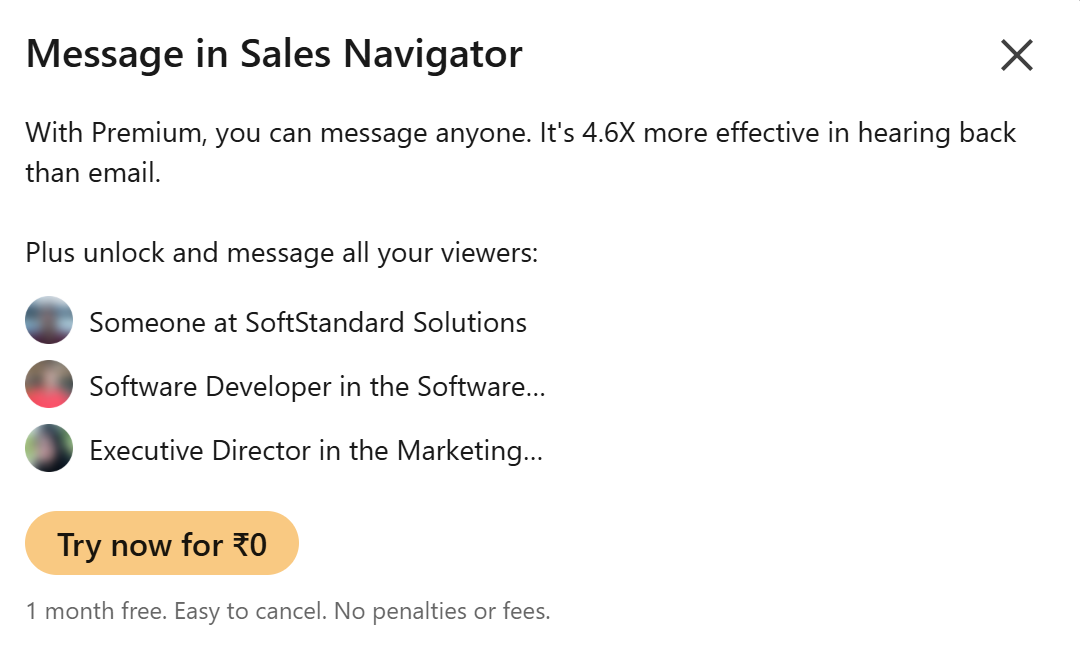
What you get:
Reality from users:
User question: “Is LinkedIn InMail better than email?” 👉 Sometimes, but not consistently—especially at scale.
Available mainly in: Premium Business, Sales Navigator, Recruiter Lite
Filters include:
Why it matters:
Where users struggle:
This is where many teams start looking beyond LinkedIn alone.
Includes:
Best use cases:
Limitation: Great for understanding context, but doesn’t help with follow-ups or outreach workflows.
What you get:
Good for: Early-career professionals or people switching roles.
Less impactful for: Experienced professionals focused on networking or revenue.
Read More: Best CRM With LinkedIn Integration + How To Use
LinkedIn Premium pricing generally looks like this:
Note: That costs can vary by region and change over time)
A common reaction after a few weeks of usage is:
“I’m paying for Premium, but I still have to use spreadsheets, extensions, or other tools to actually get work done.”
This feedback shows up often in LinkedIn posts and Reddit discussions. Users generally agree that Premium helps with finding the right profiles, but the moment they want to act on those profiles, things slow down.
That’s because LinkedIn Premium is built around visibility and access:
But it stops before execution.
Premium doesn’t help much with:
This is the point where many users quietly add a second layer to their workflow.
For example, after discovering a relevant profile using LinkedIn search or Premium filters, users often want to confirm whether a real work email exists before reaching out. This is where tools like Oppora’s LinkedIn extension come into play — not as a replacement for LinkedIn, but as a way to make LinkedIn discoveries usable. By validating emails and capturing profile data as people browse, Oppora helps reduce guesswork and manual effort that LinkedIn Premium doesn’t address.
Instead of upgrading to a more expensive LinkedIn plan, many professionals keep LinkedIn for discovery and use Oppora to handle the steps LinkedIn skips — verification, organization, and follow-through.
That combination is what turns Premium access into actual outcomes.
Once users see that Premium improves discovery but not execution, the next step is figuring out how people actually move from profiles to outreach without slowing down.
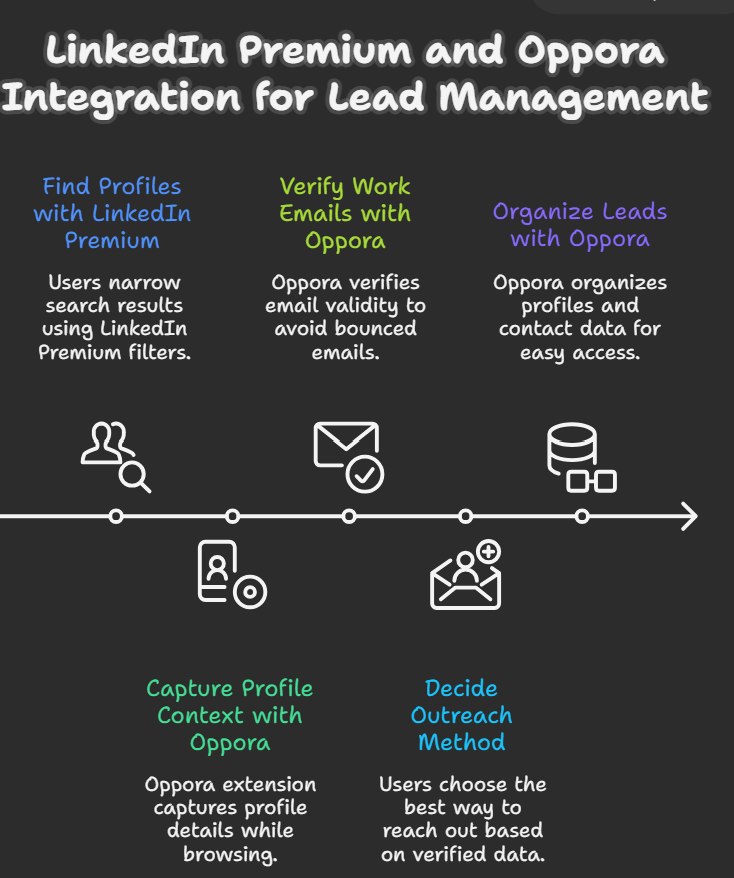
Users start with LinkedIn Premium to narrow search results using role, seniority, company size, and growth signals. This reduces noise and helps reach relevant profiles faster.
At this stage, LinkedIn Premium is doing exactly what it’s designed for—visibility and filtering.
After opening a promising profile, users don’t want to lose context or come back later. Oppora’s LinkedIn extension captures profile details as users browse, removing the need to copy links, names, or company information manually.
This keeps discovery and action connected.
LinkedIn Premium doesn’t confirm whether a real work email exists. Instead of guessing or relying only on InMail, users use Oppora to check email validity at the moment they find a profile.
This step helps avoid bounced emails and wasted follow-ups.
With profile context from LinkedIn Premium and verified contact details from Oppora, users can choose whether to send an email, an InMail, or wait for a better moment—based on confidence, not guesswork.
Oppora keeps captured profiles and contact data organized, so prospects don’t get lost in browser tabs or spreadsheets. Users can return to leads with full context instead of starting over.
Read More: LinkedIn Lead Generation Extension
LinkedIn Premium is worth it if you understand what it’s built for — and what it isn’t.
Premium works best as a discovery and insight tool. It helps you see more profiles, filter better, understand companies, and get context faster. For job seekers, founders, recruiters, and sales teams, that visibility can be valuable during active phases.
Where many users feel disappointed is expecting Premium to handle execution. It doesn’t verify emails, reduce bounce risk, organize leads, or move prospects forward once they’re found. That gap isn’t a flaw — it’s simply how LinkedIn is designed.
This is why many professionals keep LinkedIn Premium for discovery and quietly layer tools like Oppora to handle the steps LinkedIn skips — turning profile views into usable contacts and follow-through.
So the real question isn’t “Is LinkedIn Premium worth it?” It’s “What part of the workflow do you expect it to solve?”
When Premium is used for what it does best — and paired with the right support where it falls short — it delivers far more value than upgrading plans alone.
If you’re no longer actively job hunting, sourcing leads, or hiring, Premium often delivers less value. Many users pause or cancel once their active phase ends.
LinkedIn Premium can improve visibility and targeting, but response rates depend more on timing, message quality, and whether the contact method is reliable. Premium itself does not guarantee replies.
LinkedIn Premium supports cold outreach mainly through InMail. However, many users find InMail inconsistent and prefer using Premium for research while handling outreach through other channels.
LinkedIn Premium is helpful for identifying B2B decision-makers and researching accounts. For consistent lead generation, users often need additional tools to validate contacts and manage follow-ups.
Summarize with AI
Share