How to Use Videos in Email Marketing for Cold Outreach [+Examples]
Manasa Goli
Published May 16, 2026
7 min
Complete Agentic Email Outreach
AI agents find and enrich prospects, personalize emails, follow up, handle replies, and book meetings automatically.
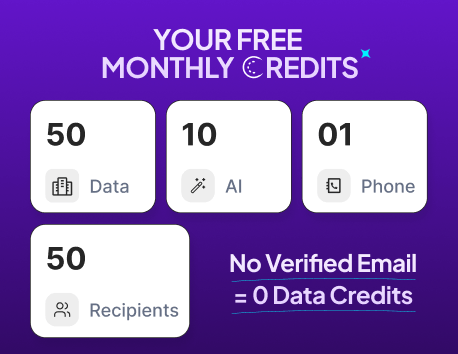
Claim Your FREE Credits
Cold emails are getting harder to win with.
Your prospects open dozens of outreach emails every day, and most of them sound almost identical. Same templates. Same “quick question” subject lines. Same generic personalization.
That is exactly why more sales teams are now using video in email marketing to stand out.
A short personalized video can instantly make your outreach feel human. Instead of sounding like another automated sequence, your email starts feeling like a real conversation.
And the best part?
You do not need expensive production setups or long explainer videos to make it work.
Even a simple 30-second screen recording can improve replies when used correctly.
In this guide, you will learn:
- Why video works so well in cold outreach
- How to embed video in email marketing campaigns
- Types of videos that get replies
- Real cold email video examples you can use
- Best practices to improve deliverability and engagement
- How to scale email marketing with video without losing personalization
Why Video Works So Well in Cold Outreach
Most cold emails fail because they feel low-effort.
Your prospect can instantly tell when an email was mass-sent to thousands of people.
Video changes that perception fast.
When someone sees a thumbnail with their name, company website, or LinkedIn profile, it immediately creates curiosity. It signals effort.
That small psychological shift matters a lot in outbound.
1. Video Makes Your Outreach Feel Human
Text-only outreach often feels transactional.
But video lets people hear your tone, see your screen, and understand your intent faster.
Instead of writing five paragraphs explaining your idea, you can show it in 30 seconds.
That reduces friction for the reader.
Especially in B2B outreach, people respond better when they feel there is a real person behind the email.
2. Videos Increase Curiosity and Clicks
Even adding the word “video” in subject lines can improve open rates in many campaigns.
Why?
Because people naturally want to know what the video contains.
A thumbnail with a play button also grabs attention faster than plain text.
This is one reason email marketing with video performs well for:
- Sales outreach
- Agency prospecting
- Founder-led sales
- Recruitment outreach
- Partnership emails
- Product demos
3. Video Helps Explain Complex Offers Faster
Some offers are difficult to explain through text alone.
For example:
- Software workflows
- Website audits
- Marketing strategy suggestions
- UI walkthroughs
- Personalized recommendations
Instead of writing long explanations, you can quickly record your screen and walk the prospect through the opportunity.
That makes your pitch easier to understand.
Types of Videos You Can Use in Cold Emails
A lot of people think cold outreach videos need to look highly polished.
They do not.
In fact, overly produced videos can sometimes reduce authenticity.
Simple and relevant usually works better.
1. Personalized Loom Videos
This is the most common approach.
You record a quick video mentioning:
- The prospect’s name
- Their company
- A specific observation
- A suggestion or opportunity
These videos usually perform best when they stay under 60 seconds.
Example:
“Hey Sarah, I noticed your SaaS landing page is getting traffic from LinkedIn ads, but your CTA flow could probably convert higher with a shorter signup process…”
That already feels far more personal than generic outreach.
2. Screen Recording Walkthroughs
This works well for agencies, consultants, and SaaS companies.
You can record:
- Website audits
- Funnel breakdowns
- SEO opportunities
- UX issues
- Competitor comparisons
This approach works because you are giving value before asking for anything.
3. Product Demo Snippets
Instead of sending a full demo link, send a short teaser.
Show one useful feature relevant to the prospect’s workflow.
The goal is not to explain everything.
The goal is to create enough curiosity for a reply or meeting.
4. Customer Story Videos
If you are reaching out to similar companies within the same industry, short case-study videos can work well.
You can briefly explain:
- The problem
- What changed
- The outcome
This adds social proof naturally without making the email too sales-heavy.
Suggested Reading:
How to Increase B2B Sales: 12 Proven Strategies for Faster GrowthHow to Embed Video in Email Marketing
This is where many people get confused.
Most email clients do not support direct video playback inside emails consistently.
So instead of uploading raw videos into emails, marketers usually use smarter alternatives.
1. Use a Thumbnail Image With a Play Button
This is the most reliable method.
You:
- Upload the video to a platform like Loom or YouTube
- Take a thumbnail screenshot
- Add a play button overlay
- Link the image to the video
This approach works across almost all inbox providers.
It also avoids deliverability issues caused by heavy media files.
2. Use GIF Previews
Some marketers create short GIF previews from their videos.
This adds movement directly inside the inbox and increases curiosity.
For example:
- Website scrolling preview
- Product animation
- Personalized greeting clip
Just keep the file size optimized.
Large GIFs can slow email loading speeds.
3. Use HTML5 Video Carefully
Technically, you can embed video in email marketing using HTML5.
But support varies across inbox providers.
Some email clients display it correctly, while others break the formatting completely.
That is why most cold outreach campaigns still prefer thumbnail-based video links.
They are safer for deliverability and easier to scale.
Best Practices for Email Video Marketing
Using video alone will not magically fix poor outreach.
The surrounding strategy still matters.
Here are the practices that usually make the biggest difference.
1. Keep Videos Short
Most successful cold outreach videos stay between:
- 30 to 90 seconds
Your prospect is busy.
Respect their time.
Do not turn a cold email into a 7-minute webinar.
2. Mention Something Specific Early
The first few seconds matter the most.
Avoid generic intros like:
“Hi, I hope you are doing well…”
Instead, quickly mention something relevant.
Examples:
- Recent company update
- Website observation
- LinkedIn post
- Hiring trend
- Product launch
This instantly makes the outreach feel intentional.
3. Focus on One Core Message
Do not overload the video.
One email should have one clear goal:
- Book a meeting
- Get feedback
- Share an idea
- Show one opportunity
Clarity improves replies.
4. Optimize the Thumbnail
Your thumbnail is often more important than the video itself.
A good thumbnail can dramatically increase clicks.
Some ideas include:
- Prospect’s homepage visible
- Their LinkedIn profile
- Personalized text
- Your face + their brand logo
This improves curiosity immediately.
Cold Email Video Examples You Can Use
Seeing practical examples makes this easier to visualize.
Example 1: Agency Outreach
Subject Line:
Quick video for your landing page
Email:
“Hey Daniel,
I noticed a few conversion opportunities on your homepage, so I recorded a quick 45-second walkthrough for you.
Thought it might help.
[Video Thumbnail]
If useful, happy to share a few additional ideas as well.”
Why this works:
- Short
- Low-pressure
- Personalized
- Curiosity-driven
Example 2: SaaS Outreach
Subject Line:
Recorded this for your onboarding flow
Email:
“Hey Lisa,
I tested your signup process earlier today and noticed one onboarding step that might be creating drop-offs.
Made a short screen recording explaining what I mean.
[Video Thumbnail]
Would love to hear your thoughts.”
This works because it feels consultative rather than salesy.
Example 3: Recruitment Outreach
Subject Line:
Personalized intro video
Email:
“Hey Mark,
Came across your profile while searching for backend engineers with fintech experience.
Recorded a quick video explaining why I think this role could align well with your background.
[Video Thumbnail]
Let me know if you would like the details.”
This approach feels far more personal than bulk recruiter outreach.
Common Mistakes When Using Video in Cold Emails
A lot of teams start using video but still fail because of execution mistakes.
1. Sending Overly Long Videos
Long videos reduce watch completion.
Short videos create momentum.
Your goal is to start a conversation, not explain everything upfront.
2. Over-Personalizing at Scale
Mentioning too many details can sometimes feel invasive.
Keep personalization relevant and professional.
3. Using Huge Media Files
Large attachments can hurt deliverability badly. Instead of attaching raw files, you can host the video externally and share a large video through a link.
4. Forgetting the CTA
Many video emails end without direction.
Always guide the reader toward the next step.
Examples:
- “Worth exploring further?”
- “Happy to share more ideas.”
- “Open to a quick discussion?”
- “Want me to send the full breakdown?”
Suggested Reading:
How Email Marketing Works for Modern Outbound TeamsHow to Scale Email Marketing With Video
The challenge with personalized videos is scale.
Recording every video manually becomes difficult once your outbound grows. For teams creating more polished video content, Higgsfield's creative suite brings advanced generation models such as Seedance 2.5 into a streamlined creative workflow.
Instead of manually handling:
- Lead research
- Personalization
- Outreach sequencing
- Follow-ups
- Inbox replies
You can automate large parts of the process while still keeping outreach personalized.
Final Thoughts
Video in email marketing works because it breaks pattern fatigue.
Your prospects are used to generic outreach.
A short, relevant video instantly feels different.
But the real goal is not just adding video.
It is making your outreach feel more human, more specific, and easier to engage with.
Start simple:
- Keep videos short
- Personalize naturally
- Use clickable thumbnails
- Focus on one clear message
- Prioritize relevance over production quality
Even small changes in how you present your outreach can significantly improve replies over time.
Frequently Asked Questions
What is the best way to use video in cold outreach emails?
The best approach is usually short personalized videos. A quick 30–60 second Loom or screen recording mentioning the prospect’s company, website, or specific challenge tends to perform better than generic sales pitches.
Does email marketing with video improve reply rates?
In many cases, yes.
Videos can increase engagement because they make outreach feel more human and personalized. They also create curiosity, especially when combined with strong thumbnails and relevant messaging.
What video length works best for cold emails?
Most successful cold outreach videos are between 30 and 90 seconds.
Shorter videos usually get higher watch completion rates and keep the prospect engaged without overwhelming them.
Can videos increase email open rates?
They can. Using the word “video” in your subject line often improves curiosity and encourages opens. Personalized thumbnails can also increase click-through rates inside the email.
Does embedding video hurt email deliverability?
Not when done correctly. Using lightweight thumbnails linked to hosted videos is generally safe. Problems usually happen when marketers attach heavy media files directly inside emails.
How many videos should you include in one cold email?
Usually one. Too many videos or links can distract the reader and reduce response rates. Focus on one clear message and one CTA per email.
Summarize with AI
Share