LinkedIn InMail vs Email: Compare Costs, Reach & Response Rates
Adam Hossain
Published June 24, 2026
21 min
Complete Agentic Email Outreach
AI agents find and enrich prospects, personalize emails, follow up, handle replies, and book meetings automatically.
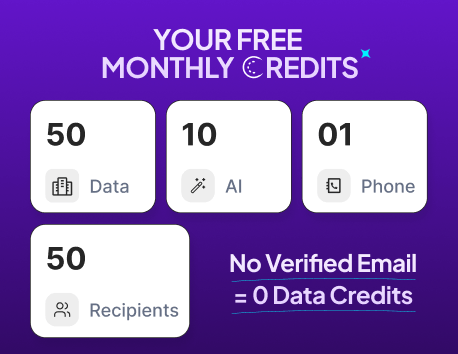
Claim Your FREE Credits
You're deciding how to reach new prospects.
LinkedIn InMail lands in their inbox. Cold email does too. But which one actually works better for your business?
Both channels promise stronger response rates. Both claim better ROI. Yet they work differently—with wildly different costs, scalability, and results depending on your goals.
The question isn't which channel is "best." It's which one fits your situation right now.
In this guide, we'll explore:
- How each channel works and what it costs
- Real response rate data and benchmarks
- When to use one over the other (or both)
- How to combine them for maximum impact
What Is LinkedIn InMail?
LinkedIn InMail is a direct messaging feature that lets you reach anyone on LinkedIn—even if you're not connected.
Your message arrives in their LinkedIn inbox, separate from regular connection requests, making it more likely to be noticed.
Think of it as a guaranteed delivery channel on a platform where your prospects are already spending time.
How LinkedIn InMail Works
LinkedIn InMail bypasses the typical connection requirement. When you send an InMail:
- Your message lands directly in the recipient's inbox
- It appears as a priority notification
- The recipient sees your full profile and credentials
- They can reply directly within LinkedIn
- The conversation stays within the platform
The platform handles delivery—no bounces, no spam filters. If LinkedIn has the user, your message arrives.
Suggested Reading:
How to Run a LinkedIn InMail Campaign (Step-by-Step Guide)Who Can Send LinkedIn InMails
Not everyone can access InMail. You need:
- A LinkedIn Premium account (Sales Navigator is recommended for outreach)
- A complete profile with a professional photo
- Active account standing with no violation history
- Sufficient InMail credits (allocated monthly by LinkedIn)
Recruiters and sales professionals make up the bulk of InMail users, though any Premium subscriber can technically send them.
Common Use Cases for LinkedIn InMail
InMail works best for:
- Recruiting – Reaching passive candidates who aren't actively job hunting
- Sales prospecting – Contacting decision-makers directly
- Partnership outreach – Building relationships with complementary businesses
- Event promotion – Inviting specific attendees to webinars or conferences
Each use case leverages InMail's strength: direct access to high-value contacts on a professional network.
What Is Cold Email Outreach?
Cold email is a direct message sent to prospects you've never contacted before. Unlike LinkedIn InMail, email lives outside any platform ecosystem.
You control the channel, the timing, and the message—giving you flexibility LinkedIn can't match.
It's the channel built on reach and scalability.
How Cold Email Outreach Works
Cold email starts with prospect research. You build a list, verify email addresses, then send messages through your own email or outreach software.
The recipient receives your email in their inbox like any other message. They can reply directly to your email address.
You manage conversations in your inbox or CRM. There's no LinkedIn-imposed limit—you can send as many campaigns as your email infrastructure allows.
The entire process is outside LinkedIn's control, which means more freedom but also more responsibility.
Suggested Reading:
How to Use AI in Email Marketing for Cold OutreachWho Uses Email for Prospecting
Cold email reaches across industries and company sizes:
- Sales development reps building pipelines
- Business development professionals opening doors
- Recruiters sourcing passive candidates
- Agencies hunting new clients
- Founders selling early-stage products
- Marketing teams running awareness campaigns
Any role with outbound revenue responsibility uses email at scale. It's the foundation of modern prospecting.
Common B2B Outreach Use Cases
Cold email works across multiple scenarios:
- Lead generation – Building qualified pipeline for sales teams
- Recruiting – Reaching talent directly without job boards
- Partnerships – Proposing collaborations with complementary businesses
- Client acquisition – Agencies winning new accounts
- Market research – Gathering insights from specific industries
- Product launches – Creating early awareness and beta users
Each use case benefits from email's scalability and control.
LinkedIn InMail vs Email: Side-by-Side Comparison
LinkedIn InMail and cold email operate on fundamentally different mechanics and infrastructure models entirely.
One lives inside a social network ecosystem where prospects are already spending time actively daily.
The other lands as an independent standalone message in their inbox, controlled completely by you.
That foundational difference shapes every single aspect of cost, scalability, personalization, automation, and results that follows.
Cost Comparison
LinkedIn InMail pricing is bundled with Premium accounts. Sales Navigator (the outreach-focused tier) runs $99–165 monthly, but you get limited InMails:
- Sales Navigator Standard: 5 InMails per month
- Sales Navigator Advanced: 10–50 InMails per month
- Additional credits cost $10–15 each
Cold email costs spread across infrastructure and tools:
- Email service provider: $20–300+ monthly (scales with volume)
- Prospecting and verification tools: $50–500 monthly
- Outreach automation platform: $100–500+ monthly
- Total monthly investment: typically $200–800+
InMail feels cheaper upfront but caps your volume. Email scales with your spending.
Reach and Scalability
LinkedIn InMail has hard limits baked into the platform. You're constrained by monthly credit allocation—whether you buy extra or not, you can't message 10,000 people in a day.
Email has no platform ceiling. Send 100 messages today, 10,000 tomorrow. Your only limits are email infrastructure and list quality.
This matters when you're trying to scale outreach quickly or run large campaigns.
Response Rates
LinkedIn InMail typically sees 10–25% response rates depending on industry and personalization. The "premium inbox" positioning means less noise, but also fewer total impressions.
Cold email averages 2–5% response rates from quality lists. The lower percentage reflects more volume, but the absolute number of replies can be higher.
Response rates depend heavily on targeting, personalization, and offer relevance—not just the channel.
Personalization Capabilities
LinkedIn InMail lets you reference the prospect's profile, job history, and mutual connections directly in your message. The context is visible and relevant.
Cold email allows unlimited character space for personalization. You can write longer, more detailed pitches tailored to each prospect's situation and pain points.
Email gives you more flexibility in structure and length. InMail keeps messages concise and scannable.
Suggested Reading:
How to Send Personalized Emails at Scale Without Spam FlagsAutomation Potential
LinkedIn InMail resists automation. LinkedIn actively discourages bot-like behavior, and their API limits what third-party tools can do.
You can schedule InMails through some platforms, but truly advanced automation sequences aren't possible.
Cold email embraces automation. Send initial outreach, then trigger follow-ups based on opens, clicks, or no response.
Stack multiple emails over weeks. Run drip campaigns across thousands of prospects simultaneously.
If you need multi-step sequences running on autopilot, email wins decisively.
Deliverability and Visibility
LinkedIn guarantees inbox delivery—your InMail arrives in their inbox because LinkedIn controls the entire flow. No spam filters, no missing messages.
Cold email faces real deliverability risks:
- Spam filters catch legitimate messages
- ISP reputation issues block domains
- Poor list hygiene causes bounces
- Authentication failures reduce delivery rates
Your email might never reach the inbox. That said, good infrastructure and clean lists typically achieve 95%+ deliverability.
LinkedIn's guarantee comes with platform restrictions you can't escape.
Suggested Reading:
How to Do Cold Email Outreach Without Hitting SpamTracking and Analytics
LinkedIn provides basic InMail metrics: open rates, reply rates, and conversation history. You see what happened, but limited detail.
Cold email platforms offer granular tracking:
- Open rates and click patterns
- Device and location data
- Reply detection and sentiment analysis
- Lead scoring based on engagement
- Integration with CRM and pipeline tracking
Email analytics give you far deeper insight into prospect behavior.
ROI and Cost Per Reply
Calculate InMail ROI by dividing total Premium/Sales Navigator spend by actual replies received. At $100/month with 5–10 replies monthly, cost per reply ranges $10–20.
Cold email cost per reply depends on total tooling spend and volume sent. Running $500/month in tools with 100 replies yields $5 per reply—significantly lower at scale.
As volume increases, cold email's cost per reply drops. InMail's stays constant because credits don't scale with your needs.
LinkedIn InMail Costs Explained
LinkedIn InMail pricing isn't a single number—it's a tiered structure wrapped around Premium accounts.
Understanding the true cost means looking beyond the subscription fee.
You're paying for tiers ranging $39 to $165 monthly. You're buying limited credits that reset unused each month.
You're purchasing additional credits at premium rates when you scale. The real investment compounds faster than most teams expect when running serious outreach campaigns.
LinkedIn Premium and Sales Navigator Pricing
LinkedIn offers multiple Premium tiers, but Sales Navigator is built for outreach:
- LinkedIn Premium Career: $39.99/month (1 InMail per month)
- LinkedIn Premium Business: $79.99/month (3 InMails per month)
- Sales Navigator Standard: $99/month (5 InMails per month)
- Sales Navigator Advanced: $165/month (10–50 InMails per month)
Each tier bundles other features like advanced search and profile insights. You're not just paying for InMail credits—you're buying the entire Premium experience.
InMail Credit Limits and Restrictions
Your monthly InMail allotment resets each month. Unused credits don't roll over. Send 3 InMails one month? You lose the remaining credits.
LinkedIn sells additional InMail credits on demand: $10–15 per credit depending on tier. Buying extra credits gets expensive quickly when you're scaling campaigns.
There's also a conversion limit—LinkedIn caps how many prospects you can convert to connections. This creates a hidden bottleneck when running large outreach campaigns.
Hidden Costs of Scaling InMail Campaigns
As you grow, real costs emerge:
- Additional credits compound monthly spending
- Multiple team seats mean multiple subscriptions
- Sales Navigator training and implementation take internal resources
- CRM integration requires manual data entry or third-party tools
- Campaign monitoring demands time to track replies and follow-ups
The platform pricing suggests affordability, but scaling InMail campaigns reveals hidden expenses that mount quietly. Many teams underestimate the true investment required to run reliable InMail outreach.
Cold Email Costs Explained
Cold email costs spread across multiple tools and services. There's no single subscription bundling everything.
You're piecing together infrastructure, data, automation, and analysis from different vendors—each adding to your monthly spend.
Email Infrastructure Costs
Your email needs a home. Most teams use either:
- Gmail or Outlook: Free but limited to personal sending volumes
- Dedicated email service providers (SendGrid, Mailgun, AWS SES): $20–300+ monthly depending on volume
- Email warm-up tools: $50–200 monthly (essential for deliverability at scale)
These costs scale with sending volume. Send 1,000 emails monthly? Minimal cost. Send 100,000? Expect $200–500 for infrastructure alone.
Prospecting and Verification Costs
Before you email anyone, you need their address. Prospecting tools and email verification platforms handle this:
- Prospecting platforms (Apollo, Hunter, RocketReach): $100–500+ monthly
- Email verification services (ZeroBounce, NeverBounce): $50–200 monthly
- List quality directly impacts deliverability and response rates
Skimping here ruins your entire campaign. Bad data means bounces, spam folder placement, and wasted sends.
Outreach Software Costs
Outreach automation and CRM integration tie everything together:
- Automation platforms (Lemlist, Instantly, Warmbox): $150–500+ monthly
- CRM or pipeline management: $50–300 monthly
- Integration and sync tools: $20–100 monthly
These tools handle sequences, tracking, and analytics—the engine driving your campaigns.
Cost Per Conversation and Meeting Booked
Add up all costs: infrastructure ($100), prospecting ($200), verification ($75), and outreach software ($300). You're spending $675 monthly.
If you book 10 meetings, that's $67.50 per meeting. Scale to 50 meetings? You're down to $13.50 per meeting booked.
Cold email's true power emerges at scale—costs per result drop dramatically as volume increases.
LinkedIn InMail vs Email Response Rates
Response rates matter because they show whether prospects care about your message. But the channel isn't the only variable—context drives everything.
Who you're targeting, how relevant your pitch is, and whether you're reaching them at the right moment matter far more than InMail versus email.
The best channel is the one your specific prospect actually checks and responds to.
Average LinkedIn InMail Response Rates
LinkedIn InMail typically generates 10–25% response rates on quality lists. Some top performing campaigns can hit 30%+ as well. The "premium inbox" positioning means less competition for attention.
Prospects see your full profile, credentials, and mutual connections. This familiarity boosts reply likelihood. The separate inbox treatment also means your message doesn't get buried in regular email noise.
Average Cold Email Response Rates
Cold email averages 2–5% response rates from verified lists. Campaigns with tight targeting and strong personalization hit 8–12%. Poor list quality or generic messaging drops you below 1%.
The difference between email and InMail seems small numerically. But volume matters. Send 1,000 cold emails at 3% and you get 30 replies. Send 50 InMails at 20% and you get 10 replies.
Factors That Influence Response Rates
Channel matters far less than you'd think. Response rates live and die on:
- Targeting accuracy – Are you reaching actual decision-makers?
- List quality – How clean and verified is your prospect data?
- Message personalization – Does your pitch reference something specific about them?
- Offer relevance – Does what you're proposing solve a real problem?
- Timing and frequency – Are you reaching them when they're receptive?
- Subject line or opening – Does it spark curiosity or urgency?
A perfectly targeted, personalized email outperforms a generic InMail. Every time.
Why Context Matters More Than Channel
The best channel for your prospect is the one they actually use and check. Some decision-makers live on LinkedIn. Others ignore it completely and prefer email.
Your job is matching channel to prospect behavior, not choosing the "better" platform. A surgeon on LinkedIn who checks messages weekly will ignore your InMail.
That same surgeon checking email twice daily will respond to your cold email.
Response rate benchmarks guide you, but they don't replace thinking about your specific audience.
LinkedIn InMail vs Email for Different Use Cases
Different outreach goals reward different channels. The best choice depends on what you're trying to accomplish and how your audience behaves.
Recruiting requires LinkedIn InMail where passive candidates live.
Sales prospecting needs email for volume and automation. Partnership building works with both depending on your contact's preferences.
Your job is matching channel to audience behavior, not picking the "better" option.
Recruiting and Hiring
LinkedIn InMail dominates here. Passive candidates live on LinkedIn—they're browsing, updating profiles, and scrolling their feed. Your InMail catches them where they're already thinking about opportunity.
You can reference their profile directly, mention shared connections, and reference specific skills. This context builds credibility instantly with candidates you've never met.
Cold email works for recruiting only when you've sourced external candidate lists. Most recruiters combine both: InMail for passive talent, email for sourced lists.
LinkedIn InMail is the faster channel for reaching talent directly.
Suggested Reading:
15 Prospecting Tools for Recruitment Agencies to Win More ClientsSales Prospecting
Email wins for outbound sales at scale. You need to reach hundreds or thousands of prospects monthly, trigger follow-ups based on engagement, and run multi-step sequences automatically.
InMail works for high-touch, smaller prospect lists where you're targeting C-suite executives or decision-makers.
The profile context helps, but the 5–50 monthly credit limit stops you from scaling campaigns aggressively.
Most mature sales teams use email as their primary prospecting engine. InMail supplements when reaching ultra-high-value accounts requires that personal, credentialed touch.
Partnership Outreach
Both channels work equally well here. Partnership conversations often start with relationship building, not immediate transactions.
InMail feels more professional and credible because prospects see your full background.
Email offers flexibility—you can write longer pitches and send detailed proposals attached. You can also automate follow-ups if initial contact goes unanswered.
Choose based on your audience. Established executives prefer InMail. Startup founders often respond faster to email.
Agency Client Acquisition
Email scales better for agencies hunting new business. You're often reaching multiple people at each target company—different departments, different decision-makers.
Email allows volume and sequencing that InMail can't match.
InMail works when targeting the actual decision-maker directly, but InMail credits limit your total outreach monthly.
Most agencies use email as the backbone of client acquisition, with occasional InMails reserved for warm introductions or referrals.
Event and Webinar Promotion
Email handles bulk promotion reaching thousands of people across your network with event details and CTAs. The automation and tracking let you nurture attendees through registration and attendance.
InMail works for VIP invitations to key prospects you want attending. The personalized touch signals exclusivity and importance.
Combine both: email blasts for volume, InMail for your highest-value targets.
When LinkedIn InMail Works Better Than Email
LinkedIn InMail has clear advantages in specific situations. Knowing when to choose InMail saves you time and improves your results.
InMail wins when reaching decision-makers who live on LinkedIn daily. It wins when bypassing gatekeepers protecting email inboxes.
It wins when building initial familiarity matters—prospects see your full profile, credentials, and mutual connections before reading your message. These moments demand the InMail approach.
Reaching Highly Active LinkedIn Users
Some professionals live on LinkedIn. They check it daily, update their profile regularly, and respond to messages within hours. These are your ideal InMail targets.
Decision-makers at established companies often fall into this category. C-suite executives, recruiters, and sales leaders actively use LinkedIn as a business tool.
They're not checking email as constantly—but they're definitely checking LinkedIn.
If your prospect is someone who posts, comments, or engages on the platform, they're likely to see and respond to your InMail quickly.
Connecting With Prospects Behind Gatekeepers
Some decision-makers are protected. Their email gets filtered by assistants. Phone calls go through screening. But LinkedIn bypasses those filters entirely.
An InMail lands directly in their LinkedIn inbox without gatekeeping infrastructure. The message appears as a priority notification on the platform they control.
This directness matters when traditional channels are blocked.
Reaching C-suite executives, board members, or highly protected professionals often requires this InMail shortcut. You're reaching them directly, without intermediaries.
Building Initial Familiarity Before Outreach
LinkedIn's profile visibility is your greatest strength. When you InMail someone, they see your full profile immediately. They see your credentials, experience, mutual connections, and recent activity.
This context builds trust faster than cold email. They know who you are before they read your message. They see shared connections validating your legitimacy. They can verify your background in seconds.
That familiarity makes them more likely to reply. It transforms your InMail from a cold reach into a semi-warm introduction backed by visible proof of who you are.
When Email Works Better Than LinkedIn InMail
Email excels where LinkedIn InMail fundamentally limits you. These are situations where volume, automation, and control matter more than profile credibility.
Email scales infinitely while InMail caps at 50 messages monthly. Email runs sophisticated multi-step sequences automatically.
InMail resists automation. Email gives you complete control over your infrastructure, delivery, and analytics.
When you're building predictable, repeatable outbound systems at scale, email is your only realistic choice.
Scaling Outreach to Larger Prospect Lists
Email has no ceiling. Send 100 messages today, 10,000 next week. LinkedIn InMail caps you at 50 messages monthly regardless of subscription tier or budget.
When you're building pipeline at scale—reaching hundreds of prospects weekly—email is the only realistic option. You can't accomplish aggressive growth with monthly credit limits.
Email's infrastructure scales infinitely with your needs. Your only constraint is list quality and deliverability, not platform restrictions.
Running Automated Multi-Step Campaigns
Email automation is sophisticated and unrestricted. Send initial outreach, then trigger follow-ups based on opens, clicks, or time elapsed. Stack 5–8 emails across weeks.
Score leads based on engagement. Route hot prospects directly to sales.
LinkedIn InMail resists this kind of automation.
You can schedule InMails through some tools, but true multi-step sequences—the kind that drive real pipeline—aren't possible.
You're limited to single messages, not orchestrated campaigns.
If you need sequences running on autopilot, email wins decisively.
Suggested Reading:
How to Execute Multichannel Outreach [+7 Strategies]Creating More Detailed and Personalized Messages
Email gives you unlimited space. Write longer pitches, include specific case studies, attach detailed proposals, embed videos, or structure complex narratives.
InMail keeps messages concise. The interface encourages brevity. Your ability to tell a complete story is constrained by platform design.
When your pitch requires depth explaining a complex solution, walking through specific results, or building a detailed business case email's format serves you better.
Building Predictable Outbound Systems
Email infrastructure is yours to control. You own your sender reputation, manage your warm-up process, monitor deliverability, track analytics, and integrate everything with your CRM.
LinkedIn's infrastructure is their black box. You don't control delivery timing, can't manage sender reputation, and have limited visibility into why prospects aren't seeing your messages.
When you need repeatable, predictable systems the kind that scale reliably month after month email's transparency and control matter enormously.
Why Top Sales Teams Combine LinkedIn InMail and Email
The strongest outreach strategies don't choose between channels—they layer them deliberately for maximum impact and reach.
Combining InMail and email reaches prospects where they actually are, multiplying your connection chances significantly.
You hit them on LinkedIn where they're most active, then follow up via email where they're also checking. Two channels create redundancy, consistency, and dramatically better overall results.
The Multi-Channel Outreach Advantage
One channel limits your reach. Two channels expand it dramatically. When you contact prospects on both LinkedIn and email, you're:
- Reaching people regardless of which platform they check most
- Staying top-of-mind through repeated, multi-channel exposure
- Building credibility by appearing on multiple professional channels
- Capturing prospects at different moments in their day
- Reducing the risk that one message gets lost or ignored
Prospects who ignore email might respond to InMail. Those who miss your InMail credits might reply to your email. The overlap creates redundancy and safety.
Using LinkedIn to Warm Up Email Conversations
Start with InMail for high-value prospects. This initial contact builds familiarity—they see your profile, credentials, and mutual connections.
Then follow up with email 3–5 days later. Your email now lands in an inbox where you've already established context. They recognize your name. They've already seen your background. Your email feels like a continuation of an existing conversation, not a cold reach.
This sequence dramatically improves email response rates because the prospect already knows who you are.
Creating Consistent Touchpoints Across Channels
Top teams orchestrate touchpoints across both channels intentionally. A typical sequence might look like:
Day 1: LinkedIn InMail introducing yourself and value proposition Day 4: Email with specific case study or data Day 8: LinkedIn follow-up message offering a different angle Day 12: Email with a time-sensitive offer or event invitation
Each touchpoint reinforces the previous one. Prospects see you're serious and present across the channels they use. Consistency builds trust faster than sporadic messaging on a single platform.
How Oppora Helps Automate LinkedIn and Email Outreach Together
Managing two channels manually is chaos. Tracking which prospects you've messaged on LinkedIn versus email.
Remembering who replied where. Coordinating follow-ups across platforms. Creating personalized messages at scale.
Most teams abandon multi-channel outreach because the execution overhead is crushing.
Oppora solves this by unifying both channels in a single workflow. You design once, execute across both LinkedIn and email automatically.
Combining LinkedIn Outreach and Email Sequences in One Workflow
Instead of building separate LinkedIn campaigns and separate email campaigns, you create one unified workflow that coordinates both channels.
Oppora lets you:
- Start with a LinkedIn InMail to high-value prospects
- Automatically follow up with email sequences days later
- Layer additional LinkedIn messages at strategic intervals
- Combine email open tracking with LinkedIn profile visits
- Orchestrate touchpoints across both channels from one dashboard
The system handles timing automatically. If someone replies to your LinkedIn InMail, the automated email follow-ups pause.
If they engage with your email, LinkedIn messages adjust accordingly. One workflow. Multiple channels. No manual coordination.
Automating Prospect Research, Personalization, and Follow-Ups
Building personalized messages at scale requires prospect intelligence. Oppora automates the research layer that makes personalization possible.
The platform pulls in prospect data automatically:
- Company information and recent news
- Job title and reporting structure
- LinkedIn profile activity and engagement history
- Website behavior and technographic data
- Prior interactions and reply history
That intelligence feeds into your message templates, automatically personalizing each outreach.
Instead of manually crafting 500 personalized messages, you create dynamic templates that insert company names, pain points, relevant metrics, and personalized references automatically.
Follow-ups trigger intelligently too. If a prospect doesn't open your email within 48 hours, LinkedIn reminder goes out.
If they open but don't reply, a second email sequence starts automatically. All without manual intervention.
Managing Replies and Meetings Across Multiple Channels
Replies come from LinkedIn and email simultaneously. Managing two inboxes creates confusion. Oppora consolidates everything.
All replies—whether they come from LinkedIn InMail or email—funnel into one unified inbox within Oppora.
You see which channel they replied to, what message they engaged with, and what action they took. You can reply directly from Oppora without switching platforms.
Meeting requests also centralize. Calendar links work across both channels.
When someone books time, it appears in your calendar with full context about which channel they came from and what conversation led to the meeting.
Scaling Outreach Without Increasing Manual Work
The manual work in outreach scales exponentially as you grow. Two hundred prospects might work manually. Two thousand don't.
Oppora breaks that scaling ceiling. Once your workflow is built, you can increase prospect list size dramatically without increasing labor. Add 500 new prospects to your list?
They flow through the same automated sequences. Your workload stays flat while your outreach volume multiplies.
You're managing campaigns, not individual messages. The system handles volume while you focus on strategy and conversion.
LinkedIn InMail vs Email: Which One Should You Choose?
The right channel depends entirely on your business model, budget, and growth stage. What works for a Fortune 500 company fails for a bootstrapped startup.
What drives results for recruiters wastes money for agencies. Your outreach strategy must match your resources, your audience behavior, and your growth trajectory.
There's no universal answer—only the answer that fits your specific situation.
Best Choice for Startups and Founders
Startups need volume and affordability. You're building pipeline on a shoestring budget. You need to reach hundreds of prospects monthly, not dozens.
Email is your answer. Cold email costs $300–500 monthly and lets you reach unlimited prospects.
LinkedIn InMail requires $99+ monthly for 5 credits—you'd spend the same budget and reach 60 prospects annually.
Email's scalability matches your growth trajectory. As you scale from 100 to 1,000 prospects monthly, your costs stay relatively flat. Your tooling grows, but you're not constrained by artificial platform limits.
Founders should focus email effort on reaching early customers, partners, and investors. InMail enters your strategy only when you have dedicated sales resources and specific high-value targets.
Best Choice for Recruiters
Recruiters live on LinkedIn. Your candidates are there. Your clients post job descriptions there. The entire recruiting ecosystem runs on the platform.
Sales Navigator and LinkedIn Premium are essential tools, not nice-to-haves. Invest in InMail and leverage LinkedIn's built-in messaging, advanced search, and candidate filtering.
That said, don't ignore email entirely. When you source candidates from external lists or boards, email sequences help you reach passive talent who aren't actively LinkedIn browsing. Combine both:
- LinkedIn InMail for passive candidates you find directly on the platform
- Email for sourced talent lists from job boards or third-party databases
- Multi-channel sequences that reinforce your credibility and persistence
Recruiting benefits from both channels, but LinkedIn InMail is your primary engine.
Best Choice for Agencies and Consultants
Agencies need consistent client acquisition at scale. You're hunting new accounts continuously. Budget matters, but predictability matters more.
Email is your foundation. You need to reach hundreds of prospects monthly, run automated nurture sequences, and track ROI tightly. Cold email's infrastructure supports this at reasonable cost.
Layer InMail strategically for decision-makers—the founders, CEOs, and CMOs you absolutely need to land. Use InMail as your premium channel for warm introductions and high-touch outreach.
Email handles volume. InMail handles the VIPs.
This two-tier approach maximizes your reach while protecting your highest-value relationships.
Best Choice for Enterprise Sales Teams
Enterprise sales teams have the budget and structure to use both channels fully. You're working large deal cycles, multiple stakeholders, and complex buying committees.
Combine both strategically:
- Email for volume outreach and multi-step nurture sequences
- LinkedIn InMail for reaching stakeholders in buying committees
- Coordinated multi-channel campaigns that build familiarity and credibility
Your team has dedicated sales development reps. You can afford premium tools across both platforms. Your opportunity sizes justify the investment in sophisticated outreach infrastructure.
Enterprise teams should think about channel strategy as intentional orchestration, not choosing one over the other.
Conclusion
LinkedIn InMail and cold email aren't competing channels—they're complementary tools for different situations.
InMail wins when reaching decision-makers on the platform they actively use. Email scales when you're building pipeline across hundreds of prospects.
The strongest outreach strategies layer both channels, reaching prospects where they actually are and building familiarity through consistent touchpoints.
Your job is matching channel to situation, not choosing a winner. Startups optimize for email's scale and affordability.
Recruiters leverage LinkedIn's native candidate ecosystem. Enterprise teams orchestrate both systematically.
If managing two channels manually feels overwhelming, Oppora unifies LinkedIn and email outreach in a single automated workflow—letting you coordinate campaigns across both platforms without the complexity.
Frequently Asked Questions (FAQs)
What legal or compliance considerations apply to LinkedIn InMail and cold email?
Both channels have compliance requirements. Cold email requires CAN-SPAM compliance (unsubscribe options, accurate sender info). LinkedIn InMail must follow their terms of service—no spam, no scraping. GDPR applies to both if targeting EU prospects. Always verify email list sources are legally obtained. Non-compliance risks account suspension or legal consequences.
How long should you wait between sending an InMail and following up with email?
Wait 3–5 days minimum. This gives prospects time to see and respond to your InMail. Following up too quickly feels aggressive and redundant. If they haven't engaged after 5 days, your email follow-up now appears as a persistence signal rather than duplicate messaging. Timing matters for perceived intentionality.
Can you use the same message template for both LinkedIn InMail and cold email?
No. InMails work best concise and reference-heavy (their profile, company, mutual connections). Emails allow longer narratives with detailed proposals and case studies. Adapt your core value proposition to each channel's strengths. InMail emphasizes credibility and familiarity. Email emphasizes detailed storytelling and specificity.
What's the best way to measure which channel actually drove your meetings and deals?
Use UTM parameters in email links to track email-sourced conversions. For InMail, track manually through LinkedIn's reply notifications and note which conversations convert to meetings. Use your CRM to tag leads by source channel. Over time, you'll see which channel produces better-quality leads, not just replies—that's what matters for ROI.
Should you test both channels with a small list before going all-in?
Absolutely. Run parallel campaigns with 100–200 prospects on email and 20–30 InMails. Compare reply rates, meeting conversion, and deal value. Small tests reveal what resonates with your specific audience before scaling spend. One channel might dramatically outperform the other for your situation. Test first, then scale winners.
Summarize with AI
Share