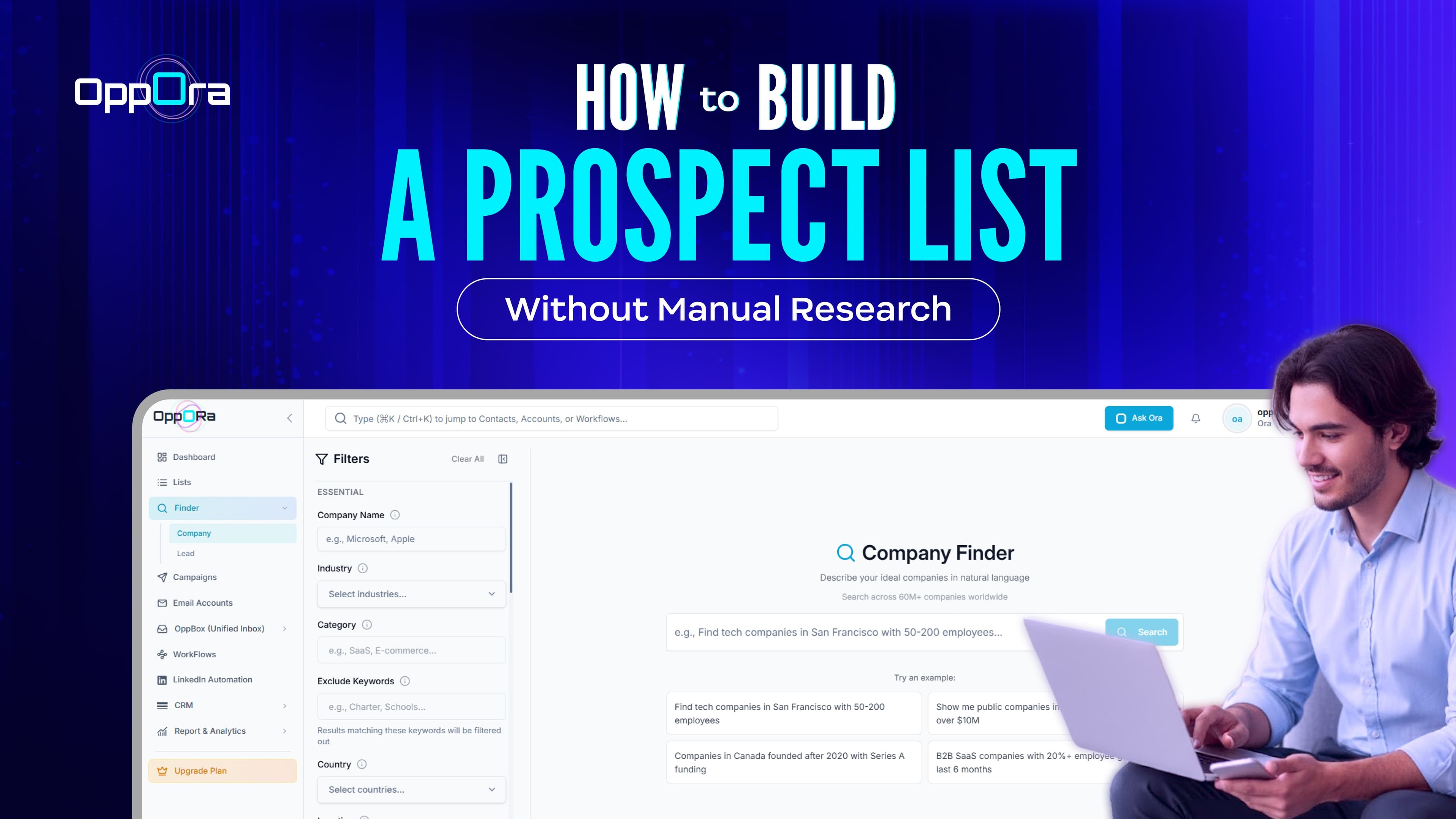
How to Build a Prospect List Without Manual Research — Try Oppora.ai in Live
Adam Hossain
Published February 10, 2026
13 min

Complete Agentic Email Outreach
AI agents find and enrich prospects, personalize emails, follow up, handle replies, and book meetings automatically.
Claim Your FREE Credits
Most sales teams think building a prospect list is just a numbers game pull a list, send some emails, and hope something sticks.
But here's the problem: a bloated list full of wrong-fit contacts wastes your team's time and kills your conversion rate before outreach even begins.
The real goal is a targeted prospect list one built around your ICP, verified contact data, and actual buying signals.
In this guide, you'll learn:
- What a prospect list should actually include
- How to build one in 7 clear steps
- How AI eliminates hours of manual research
- How to keep your list accurate over time
What a High-Quality Prospect List Should Include
A strong prospect list goes beyond a name and an email. Here's what every high-quality list should include:
- Company and firmographic data — industry, company size, revenue range, and location
- Relevant decision-makers — the right person by title, seniority, and department
- Verified contact information — email addresses and LinkedIn profiles confirmed before outreach
- ICP-fit and prioritization signals — recent funding, job changes, hiring activity, or growth indicators
That's what separates a list that converts from one that just sits there.
Suggested Reading:
How to Find Phone Number Associated With Email in MinutesProspect List vs Lead List
A lead list is broad cold contacts, form fills, scraped data, anyone who fits a loose criteria. A prospect list is filtered.
Every name has been evaluated against your ICP, verified for accuracy, and deemed worth reaching out to. Prospects are leads that have passed a qualification layer.
Company and Firmographic Information
Before you can target the right person, you need to know you're targeting the right company. A solid prospect list includes firmographic data for each account:
- Industry and sub-industry
- Company size (headcount and revenue range)
- Geography and market
- Tech stack or tools they use
- Growth stage or funding status
This data tells you whether the company is even a viable account before you spend time finding contacts inside it.
Decision-Maker and Verified Contact Data
Once you've confirmed the company fits, you need the right person not just any person with a title that sounds relevant.
Your list should include the decision-maker's verified email, LinkedIn profile, job title, seniority level, and department. Unverified contact data leads to bounced emails and wasted sequences.
Suggested Reading:
13 Cheapest Email Verification Tools That Don't Sacrifice AccuracyICP Fit, Buying Signals, and Qualification Data
This is what separates a good prospect list from a great one.
Buying signals — like recent funding, job changes, hiring activity, or new tech adoption — tell you when a prospect is most likely to convert.
Pair that with an ICP fit score, and you know exactly who to prioritize first.
How to Build a Targeted Prospect List in 7 Steps
Most sales teams build prospect lists by feel grab some names, run a search, export a CSV, and call it done. The problem shows up later when replies don't come and meetings don't book
A prospect list built without a clear process almost always produces volume without pipeline.
Each step below builds on the last skip one and the quality breaks down.
Step 1 — Define Your Ideal Customer Profile
Your ICP is the foundation everything else sits on.
Before you search for a single company or contact, get clear on who actually buys from you — industry, company size, revenue range, geography, and the problems they're actively trying to solve.
If your ICP is vague, your list will be too.
Step 2 — Identify Your Target Buyers and Decision-Makers
Not everyone at the right company is the right contact.
Once you know which companies to target, define the specific roles that hold buying authority for your solution. Think about:
- Job title and seniority level
- Department they sit in
- Whether they're an influencer, decision-maker, or end user
Getting this wrong means your outreach lands with someone who can't say yes.
Suggested Reading:
How to Find the Decision Maker in a Company for OutreachStep 3 — Find Companies That Match Your ICP
Now you start building the actual list.
Use your ICP filters industry, headcount, revenue, location, tech stack, funding stage to pull companies that genuinely fit. Don't chase volume here.
A list of 200 well-matched companies will always outperform a list of 2,000 random ones.
Quality at this stage protects every step that comes after it.
Suggested Reading:
Find Company Email Addresses with Oppora (50 Free Verified Emails/Month)Step 4 — Find the Right Contacts at Each Company
Having the right company on your list means nothing if you're reaching out to the wrong person.
For each account, identify contacts that match your buyer persona — the right title, seniority level, and department.
Cross-reference LinkedIn to confirm they're still in the role. One outdated contact can waste an entire account opportunity.
Step 5 — Enrich and Verify Prospect Data
Raw contact data is rarely complete. Enrichment fills the gaps — adding verified emails, phone numbers, LinkedIn URLs, and firmographic details that weren't there when you first pulled the contact.
More importantly, verify emails before outreach. High bounce rates damage your sender reputation and tank deliverability across your entire campaign.
Suggested Reading:
Company Data Enrich by Oppora.ai - Smarter B2B Targeting with Accurate Company InsightsStep 6 — Qualify and Prioritize High-Fit Prospects
Not every contact that makes it this far deserves equal attention.
Score your prospects against your ICP and layer in buying signals to separate high-priority accounts from low-probability ones. Signals worth looking at include:
- Recent funding rounds
- Active job postings in relevant departments
- Leadership or ownership changes
- Technology adoption that signals readiness
Work the high-fit, high-signal prospects first. They convert faster and with less effort.
Step 7 — Add Qualified Prospects to Your CRM and Outreach Workflow
A prospect list that lives in a spreadsheet doesn't generate pipeline.
Once qualified, move your prospects directly into your CRM and map them to the right outreach sequence. Tag them by ICP tier, assign ownership, and make sure follow-up is already built into the workflow before the first email goes out.
How to Build a Prospect List With Oppora AI Without Manual Research
Oppora's AI Workflows let you chain every prospecting step finding companies, identifying decision-makers, enriching data, scoring leads into one automated sequence. You build it once. It runs on demand or on a schedule, without you touching it again.
Here's exactly how to set it all up.
Step 1: Create a Workflow and Define Your Prospecting Criteria
Go to Workflows in Oppora and create a new workflow. You'll land on a visual canvas starting with a Workflow Start node. From the Actions panel on the right, add agents each one handling a specific step in your prospecting process.
You can build manually by dragging and configuring agents, or use the AI Chat copilot to describe what you want in plain language and let it build the workflow for you. Either way, this is the only setup step that ever requires your direct input.
Step 2: Find Companies That Match Your ICP With Company Finder
Add the Company Finder agent as your first step. Choose Manual to set filters yourself, or use Prompt mode to describe your target in plain language and let AI translate it into a live search.
Filter by industry, company size, revenue, geography, funding stage, and employee growth. Cap your results — for example, "find 100 companies" — so you don't burn data credits on an overly broad search.
Step 3 — Find the Right Decision-Makers With People Finder
Connect a People Finder agent after Company Finder. It searches within the companies already identified and pulls contacts matching your buyer profile filtered by job title, seniority, department, and location.
You're not pulling everyone. You're finding the specific person who owns the problem your product solves.
Step 4 — Enrich Contact Data and Find Verified Emails
Add the Email Finder agent, followed by Email Verifier. Email Finder pulls addresses for each lead. Email Verifier confirms they're deliverable before anyone enters your outreach flow.
Add an Enrichment agent here too to fill in any missing firmographic or contact-level data across your full lead set.
Step 5 — Score and Filter Prospects Against Your ICP
Add the Lead Scoring agent to rank every contact against your ICP automatically scored High, Medium, or Low.
Follow it with a Lead Remover agent to drop anyone below your threshold. Only qualified prospects move forward.
Step 6 — Save Qualified Prospects to Your List or CRM
Add a CRM Writer agent as the final step. Qualified prospects write directly into an existing list, a new list, or your connected CRM HubSpot, Salesforce, Pipedrive, or Zoho. No exports, no copy-pasting.
Step 7 — Run the Workflow Now or Schedule It for Continuous List Building
Click Run and choose how it executes:
- Run now — starts immediately
- Run once at a set date and time
- Run on a schedule — daily or weekly, automatically
Schedule it weekly and your prospect list refreshes itself. New ICP-matched contacts come in continuously, without you rebuilding from scratch every quarter.
Prospect List Building Use Cases
Building a prospect list isn't a one-size-fits-all process. The right approach depends on your industry, the complexity of your target market, and how much capacity your sales team actually has.
What works for a two-person founder-led team looks very different from what a ten-person SDR team needs. Here's how prospect list building plays out across the most common real-world scenarios.
Build a Targeted Prospect List for Mechanical Engineering Companies
Targeting mechanical engineering firms means filtering beyond just industry. You need company size, specialization contract manufacturing, product design, industrial equipment and the roles that hold purchasing authority.
Build this in a workflow: add a Company Finder agent in Prompt mode — "Find mechanical engineering companies with 50 to 500 employees in the US focused on contract manufacturing."
Connect People Finder filtered by Operations Director, Plant Manager, or Engineering Head. Add Email Finder, then Email Verifie. Run now or schedule weekly.
Build a Qualified Prospect List for Automotive Companies
Automotive is a broad vertical. Without qualification filters, your list mixes OEMs, tier-one suppliers, dealerships, and aftermarket vendors none sharing the same buying criteria.
Build this with Company Finder in Prompt mode "Find automotive tier-one suppliers with 200 to 2000 employees and over $10M in revenue."
Connect People Finder filtered by VP, Director, or C-level in procurement or operations. Add Lead Scoring to rank by ICP fit, then Lead Remover to drop anyone below threshold before the list finalizes.
Build Prospect Lists Without Spending Hours on LinkedIn Research
LinkedIn research doesn't scale. Verifying roles and exporting contacts one by one eats hours that should go toward selling.
Add a Job Finder agent sourcing from LinkedIn to surface active job postings at target accounts — no manual searching. Connect People Finder to pull decision-makers at those companies, then Email Verifier to confirm every address is deliverable. The sequence runs in the background while your team stays focused on closing.
Scale Prospect List Building Without Adding More SDRs
The bottleneck isn't headcount — it's the manual steps each rep repeats for every prospect. A scheduled workflow handles those automatically:
- Company discovery and ICP matching via Company Finder
- Contact identification via People Finder
- Email finding and verification via Email Finder and Email Verifier
- ICP ranking via Lead Scoring
Set it to run daily or weekly and new matched prospects populate your list continuously — no manual rebuild needed.
Reduce Manual Research Time for Existing Sales Teams
Even strong sales teams lose hours on research they shouldn't be doing manually. Cross-checking roles and verifying contacts pulls reps away from selling.
Add an If/Else agent to branch on lead quality high-fit contacts move directly into outreach, lower-fit ones get flagged for review. Drop a Wait agent between steps to pace the flow. Reps start each day with a pre-filtered, scored list and zero time lost to triage.
Prospect List Template and Example
A prospect list is only as useful as the structure behind it. Without clear fields and consistent data points, you end up with a messy spreadsheet that's hard to action and harder to hand off to a rep.
Before you start filling yours in, here's a baseline template and two real-world examples to show you what a finished list actually looks like.
B2B Prospect List Template
Every B2B prospect list should capture the same core data points regardless of industry or target market. Use these fields as your baseline:
- Company Name — the account you're targeting
- Industry — sector and sub-vertical
- Company Size — headcount and revenue range
- Location — city, region, or country
- Contact Name — the decision-maker you're reaching
- Job Title and Seniority — role and level within the org
- Verified Email — confirmed and deliverable
- LinkedIn Profile — for context and multi-channel outreach
- ICP Fit Score — how closely they match your ideal customer
- Buying Signal — the trigger that makes them worth contacting now
Targeted Prospect List Example
Say you sell project management software to mid-sized construction firms. A targeted list would include companies with 50–500 employees, filtered by industry, with contacts holding titles like Operations Manager or Project Director — each with a verified email and a confirmed LinkedIn profile.
No random contacts. Every entry matches your ICP before it gets added.
Qualified Prospect List Example
Take that same list and layer in buying signals — a company that recently posted three new project management roles is actively feeling the pain your product solves.
That's a qualified prospect. Same ICP fit, but with a live trigger that tells you the timing is right.
How to Keep Your Prospect List Accurate and Effective
Building a prospect list is not a one-time task. Data decays faster than most teams expect contacts to change jobs, companies restructure, and buying signals shift. A list that was accurate three months ago may be actively working against you today.
Here's how to keep yours clean, current, and worth acting on.
Verify Contact Information Before Outreach
Before any prospect enters an outreach sequence, their contact data needs to be verified — not assumed.
Email addresses go stale when people change roles or companies. Sending to unverified addresses inflates your bounce rate, damages your sender reputation, and reduces deliverability across every campaign you run.
Run bulk verification on any list that hasn't been refreshed in the last 30 days before touching it again.
Remove Duplicate and Outdated Prospects
Duplicate contacts create a specific kind of damage — the same person receives your outreach twice, which signals poor list hygiene and kills trust before a conversation even starts.
Audit your list regularly for:
- Duplicate entries across the same contact or company
- Contacts who have already replied, converted, or disqualified
- Accounts that no longer match your ICP due to size or industry changes
Clean lists convert better because every contact on them deserves to be there.
Update Job and Company Changes
People move. Someone who was a VP of Sales at one company last quarter might be at a competitor today or in a completely different role.
Monitor your prospect list for job changes and update records accordingly. A contact who just moved into a new senior role is often more receptive to outreach than someone settled in their position for years.
Refresh Buying Signals and Prospect Priorities
Buying signals have a shelf life. The funding round that made a company high-priority three months ago has likely already been allocated. The hiring surge you spotted may have plateaued.
Signals change, and your prospect priorities need to change with them. Re-run your intent filters on a regular cadence so your list reflects who is actually in-market right now, not who was.
Measure Reply, Meeting, and Prospect-to-Opportunity Conversion Rates
Your prospect list quality shows up directly in your numbers. Low reply rates, few booked meetings, and prospects that never move to opportunity are not always a messaging problem they are often a list problem.
Before you rewrite your sequences or change your offer, audit the list first. Bad data and poor ICP fit will undermine even the strongest outreach every single time.
Conclusion
Building a prospect list that actually drives pipeline comes down to one thing quality over volume. The right companies, the right contacts, verified data, and buying signals that tell you who to reach out to first.
Every step in this guide exists to help you stop wasting time on prospects that were never going to convert and start focusing on the ones that will.
If you want to skip the manual work entirely, Oppora builds your prospect list automatically — from ICP matching and contact enrichment to buying signal prioritization and outreach. Try Oppora free and see how fast a clean pipeline comes together.
Frequently Asked Questions (FAQs)
What Is the Fastest Way to Build a Targeted Prospect List?
The fastest way is to use an AI-powered prospecting tool that lets you set your ICP filters once and pulls matched, enriched contacts automatically. This eliminates manual LinkedIn searches, spreadsheet management, and data verification compressing what used to take days of research into a process that runs in minutes.
How Do I Build a Prospect List From Scratch With AI?
Start by defining your ICP industry, company size, location, and buyer role. Feed those parameters into an AI prospecting tool and let it search a verified contact database on your behalf. The AI handles company discovery, contact identification, enrichment, and verification, giving you an outreach-ready list without building anything manually from scratch.
How Can I Build a Prospect List Without Manually Searching LinkedIn?
Use a prospecting platform that queries large B2B databases using your ICP filters directly. These tools surface matching companies and decision-makers from hundreds of millions of records faster and with broader coverage than LinkedIn search. You get verified contact data without opening LinkedIn once.
How Can I Reduce Manual Research When Building Prospect Lists?
Automate the repeatable steps company discovery, contact enrichment, email verification, and buying signal monitoring. When AI handles those layers, your team stops spending hours on research and starts spending that time on actual conversations. The research runs in the background while outreach moves forward.
How Do I Build Qualified Prospect Lists at Scale?
Qualification at scale requires layering ICP filters with live buying signals funding activity, hiring trends, job changes, and technology adoption. AI monitors these signals continuously across your target accounts and surfaces the highest-fit prospects automatically, so your list stays qualified as it grows rather than becoming a bloated, unmanageable spreadsheet.
Summarize with AI
Share