Back to ICP
ICP
How to Build an Ideal Customer Profile (ICP) in Oppora.ai
beginner
8 min read
Updated May 13, 2026
Oppora Team
What You'll Learn
This comprehensive guide will walk you through the essential concepts and practical steps needed to master this topic. By the end of this article, you'll have a solid understanding of the key principles and be ready to implement them in your workflow.
What is an Ideal Customer Profile (ICP) in Oppora.ai
The Ideal Customer Profile (ICP) feature inside Oppora.ai helps businesses define and target the right audience for outbound sales and lead generation. Oppora AI analyzes your business information and automatically creates a personalized targeting profile based on industries, company sizes, buyer personas, technologies, locations, and intent signals.
The ICP system powers multiple workflows inside Oppora including:
- Company discovery
- Lead generation
- AI prospecting
- Outreach automation
- Campaign creation
- AI lead scoring
Instead of manually filtering companies and researching prospects, Oppora automates the entire process using AI-powered targeting intelligence.
Benefits
Using the ICP feature inside Oppora.ai provides several advantages for sales and marketing teams.
Better Prospect Targeting
AI helps identify companies that closely match your ideal buyers and business goals.
Faster Company Discovery
Find highly relevant companies in seconds without manual research.
Improved Outreach Accuracy
Campaigns become more personalized because targeting is based on accurate buyer data.
Reduced Manual Work
Oppora automates filtering, segmentation, and company research workflows.
Smarter Campaign Preparation
Your ICP can later be used for lead extraction, email discovery, enrichment, and outreach automation.
AI-Powered Recommendations
Oppora continuously suggests better targeting opportunities based on your ICP.
Feature Sub-Parts
The ICP feature includes several connected components that work together to build accurate targeting profiles.
Business Analyzer
Analyzes your website, LinkedIn page, and company information.
AI ICP Generator
Creates your Ideal Customer Profile automatically.
Buyer Persona Mapping
Identifies relevant job titles and decision-makers.
Company Discovery
Finds companies matching your ICP criteria.
Intent Signal Detection
Detects buying signals like funding, hiring, and growth activity.
AI Company Suggestions
Recommends search ideas based on your ICP.
Export & Campaign Integration
Allows you to export companies or move them directly into campaigns.
Prerequisites
Before creating your Ideal Customer Profile, make sure you have the following:
- An active Oppora.ai account
- Your business website URL or LinkedIn company page
- A basic understanding of your target audience
- Clear information about your products or services
Providing accurate business information helps Oppora generate better targeting recommendations.
How to Build an Ideal Customer Profile (ICP) in Oppora.ai
Step 1: Open the Ideal Customer Section
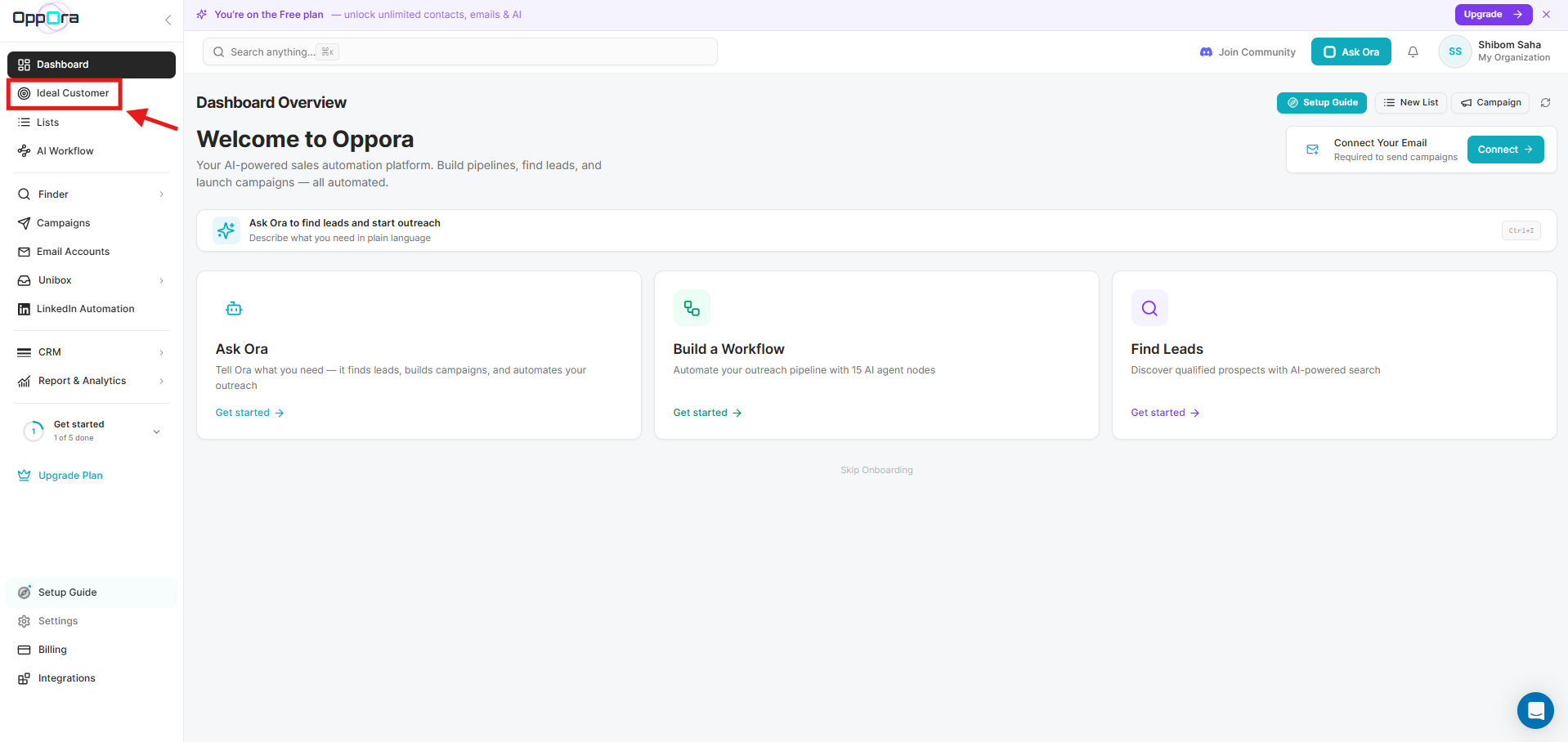
To start building your Ideal Customer Profile, log in to your Oppora account and click on the Ideal Customer option from the left sidebar menu. This section helps you define the type of companies and buyers you want to target.
Step 2: Enter Your Business Information
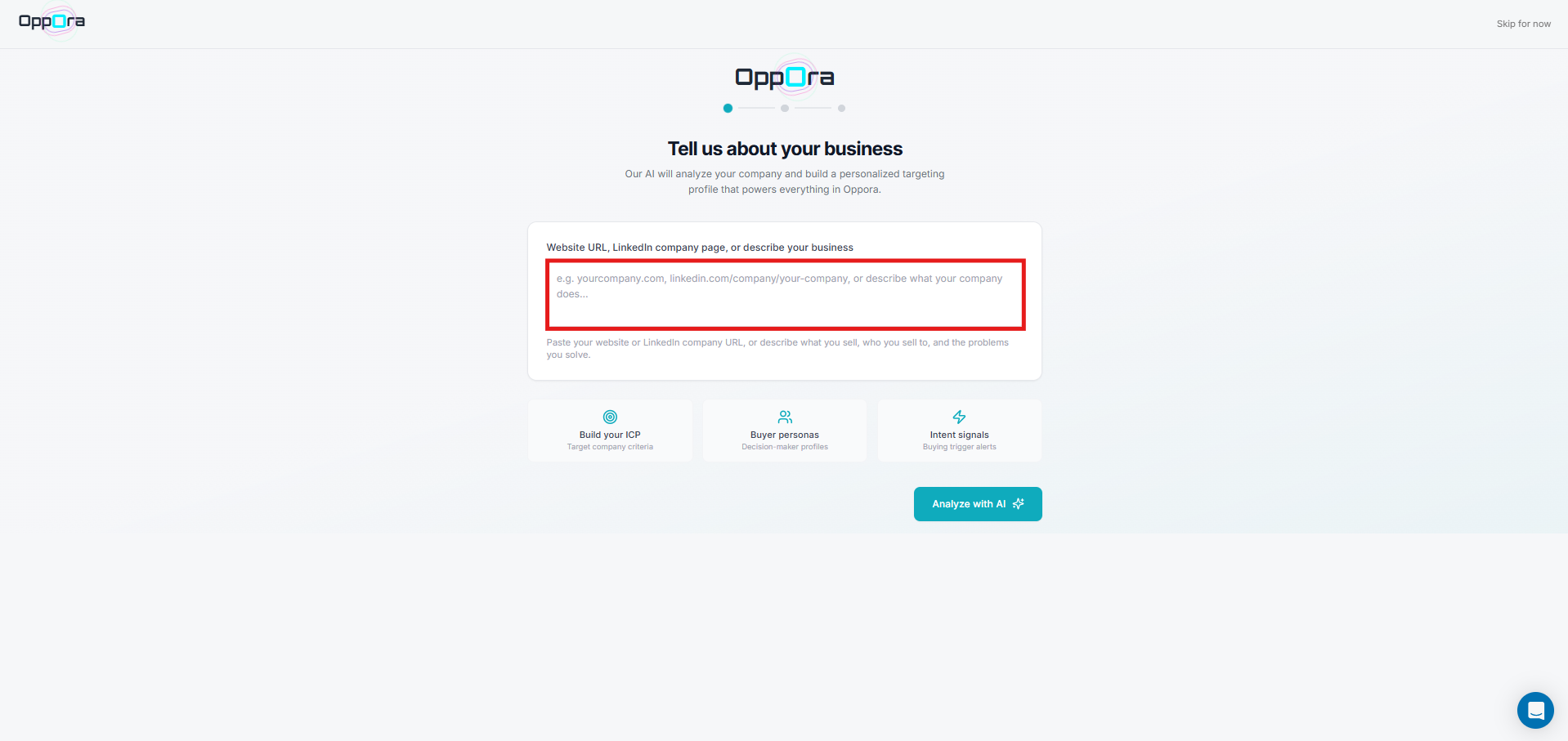
After clicking on the Ideal Customer section, a new interface will appear where you need to provide information about your business. You can paste your company website URL, LinkedIn company page, or simply describe your business in plain text.
This helps Oppora AI understand your products, services, target market, and positioning. The more accurate information you provide, the better Oppora can build your Ideal Customer Profile and generate relevant company recommendations for your outreach campaigns.
Step 3: Analyze Your Business with AI
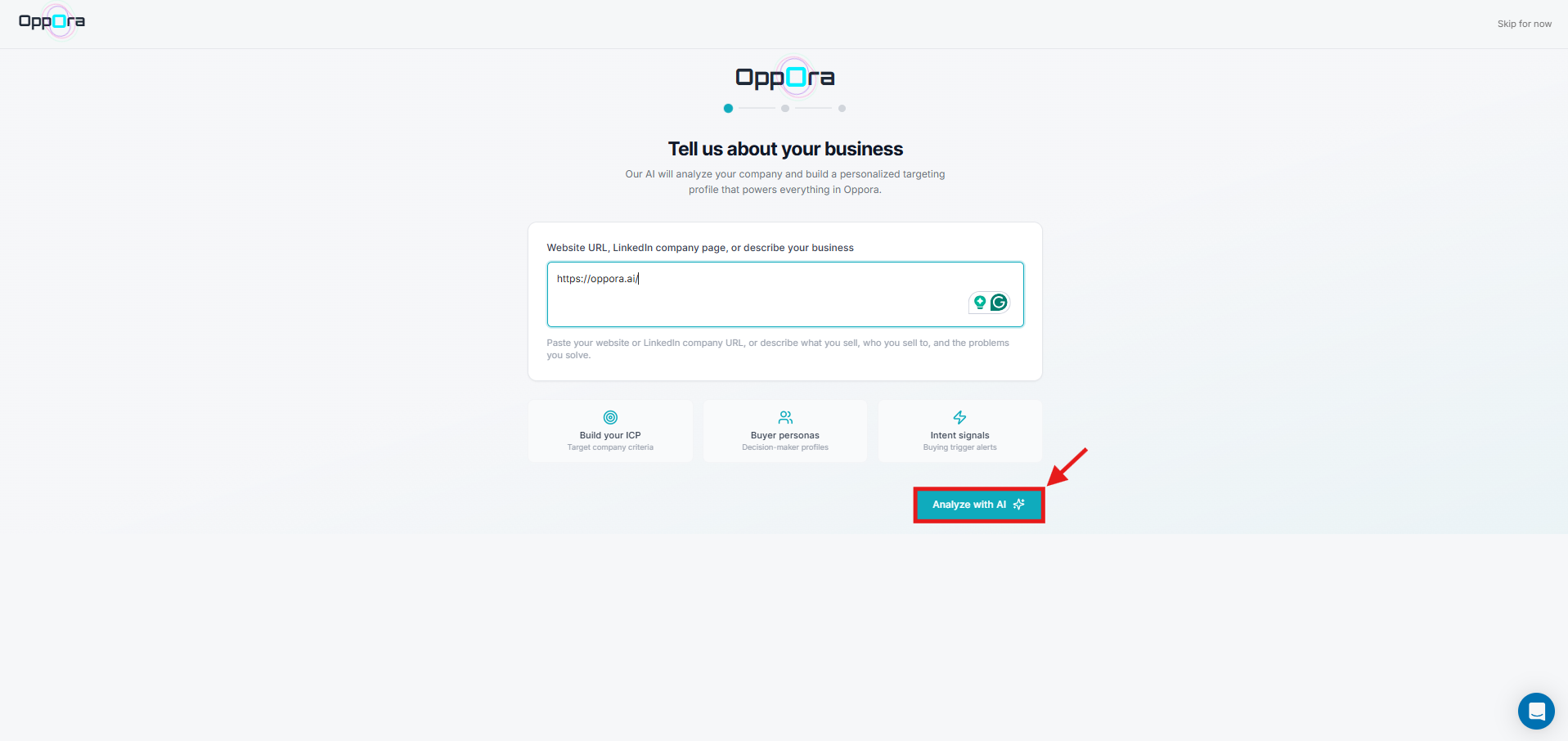
Once you provide your business details, click on the Analyze with AI button to continue. Oppora AI will begin analyzing your business information, website content, market positioning, and targeting signals.
This automated process helps the system understand your products, ideal buyers, company categories, industries, and outreach opportunities. The AI uses this information to create a personalized Ideal Customer Profile that powers lead discovery, campaign targeting, company recommendations, and outbound automation across the platform.
Step 4: AI Starts Analyzing Your Business
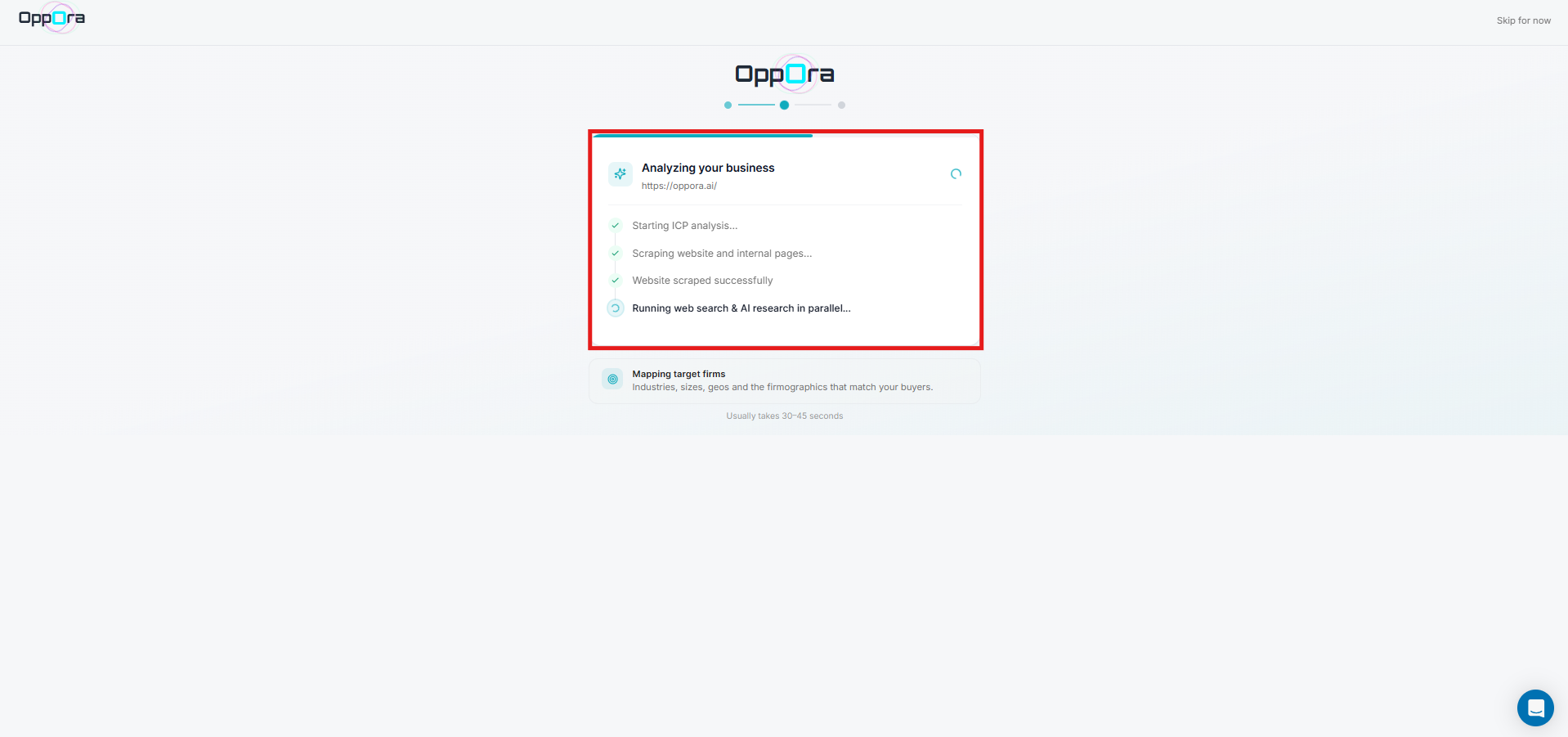
After clicking the analyze button, Oppora AI will automatically begin processing your business information. During this step, the system scans your website, analyzes internal pages, identifies your market category, and researches your business in real time.
Oppora AI also maps industries, company sizes, buyer personas, technologies, and intent signals related to your business. This process usually takes a few seconds and helps generate a highly accurate Ideal Customer Profile for future prospecting and campaign automation activities.
Step 5: Review Your AI-Generated ICP
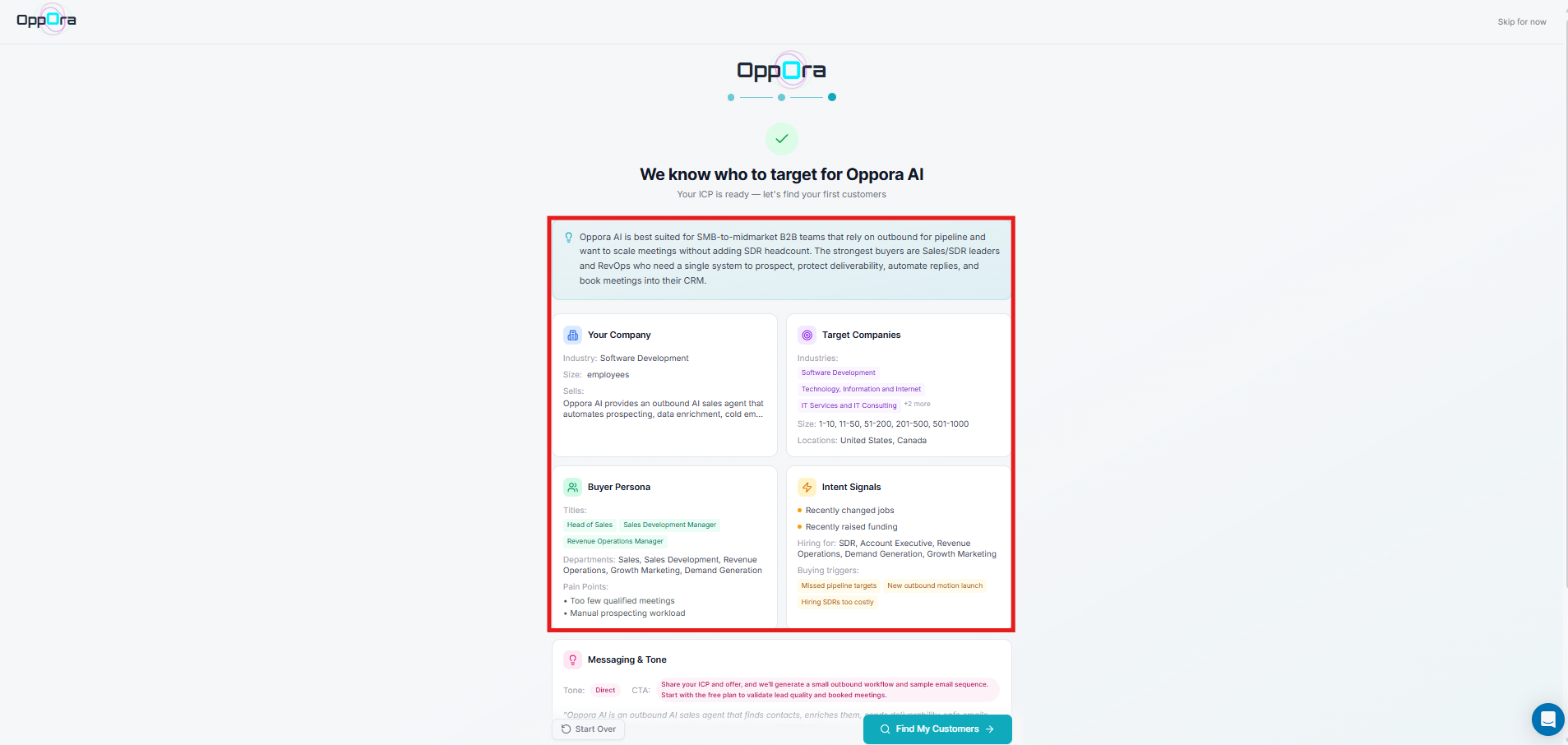
After the analysis is complete, Oppora AI will generate your Ideal Customer Profile automatically. You will now see details like your target industries, company sizes, buyer personas, locations, intent signals, pain points, and technology preferences.
Oppora uses this information to identify businesses that closely match your ideal customers. This AI-generated ICP becomes the foundation for your lead generation, outreach personalization, company filtering, and campaign automation workflows across the platform.
Step 6: Edit Your ICP If Needed
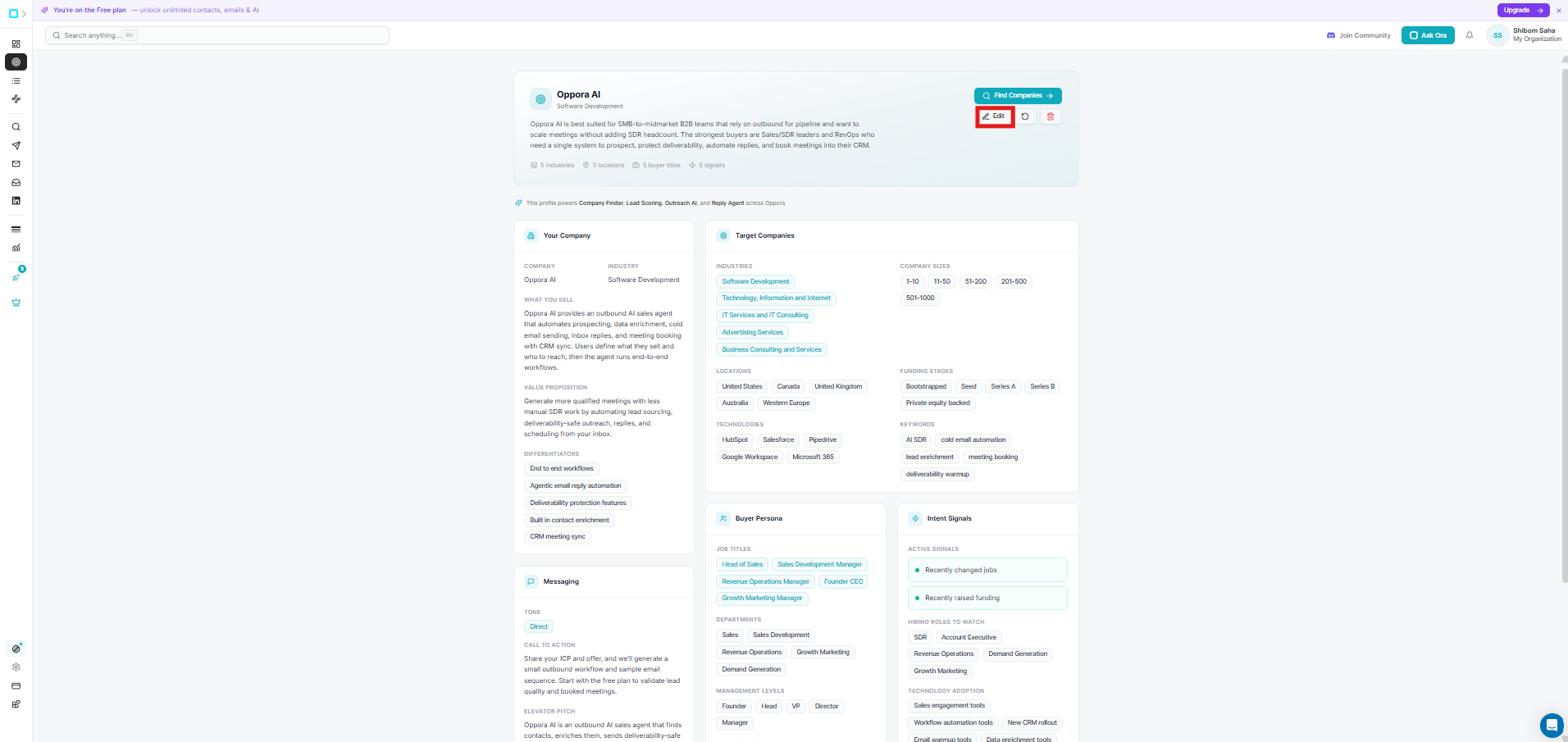
If you are not fully satisfied with the AI-generated Ideal Customer Profile, you can easily customize it by clicking on the Edit button. Oppora allows you to modify industries, company sizes, locations, funding stages, technologies, keywords, buyer personas, and messaging preferences.
This flexibility helps you fine-tune your targeting strategy based on your business goals and outreach requirements. Updating your ICP ensures that future company recommendations and campaigns remain highly accurate and aligned with your sales objectives.
Step 7: Save Your Updated ICP Settings
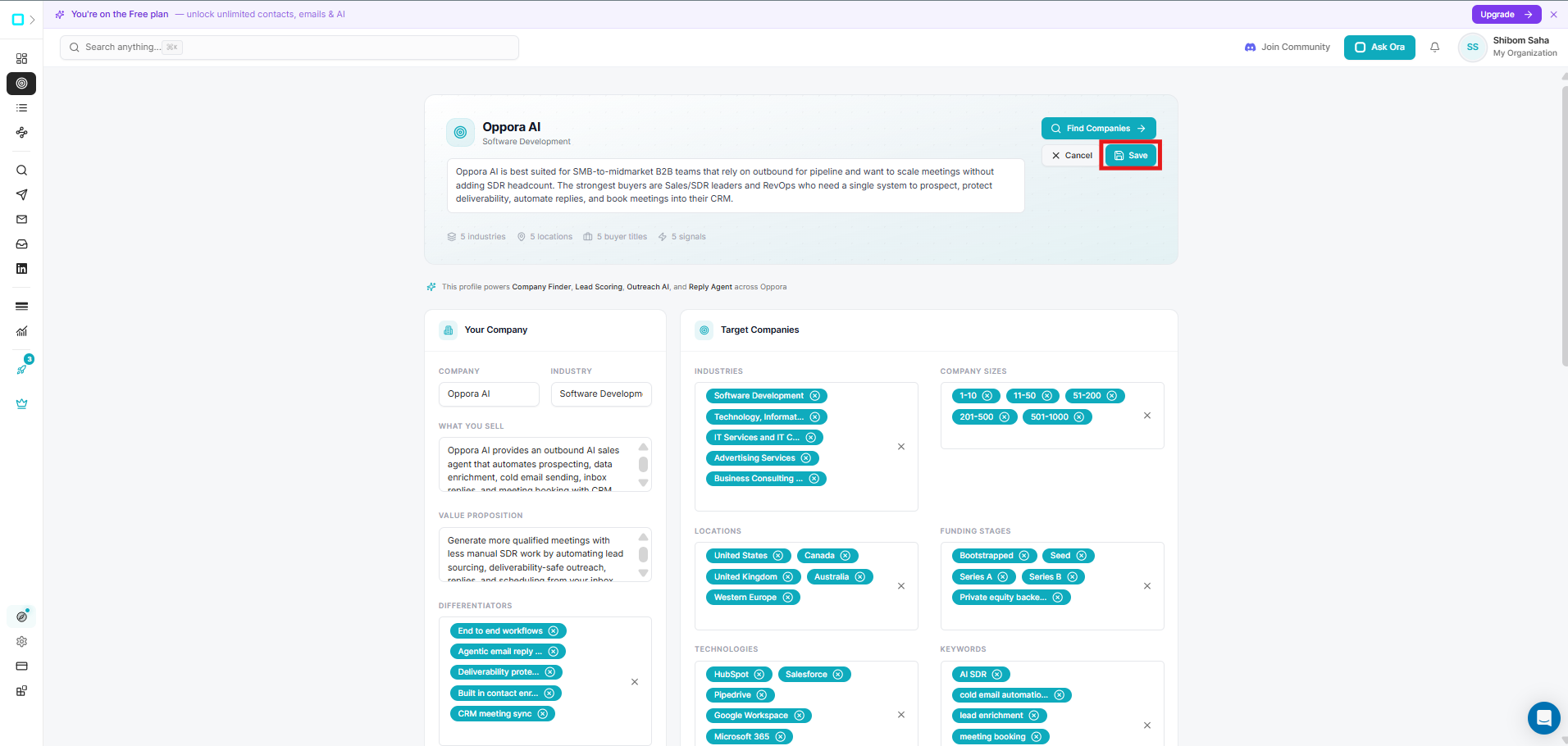
After making changes to your ICP, review the updated information carefully and click on the Save button to continue. This step confirms your edited targeting preferences and updates your Ideal Customer Profile inside Oppora.
You can modify industries, company sizes, locations, technologies, buyer personas, keywords, and messaging based on your business goals. Once saved, Oppora will use these updated criteria across company discovery, lead generation, outreach automation, AI scoring, and campaign workflows.
Step 8: Find Companies That Match Your ICP
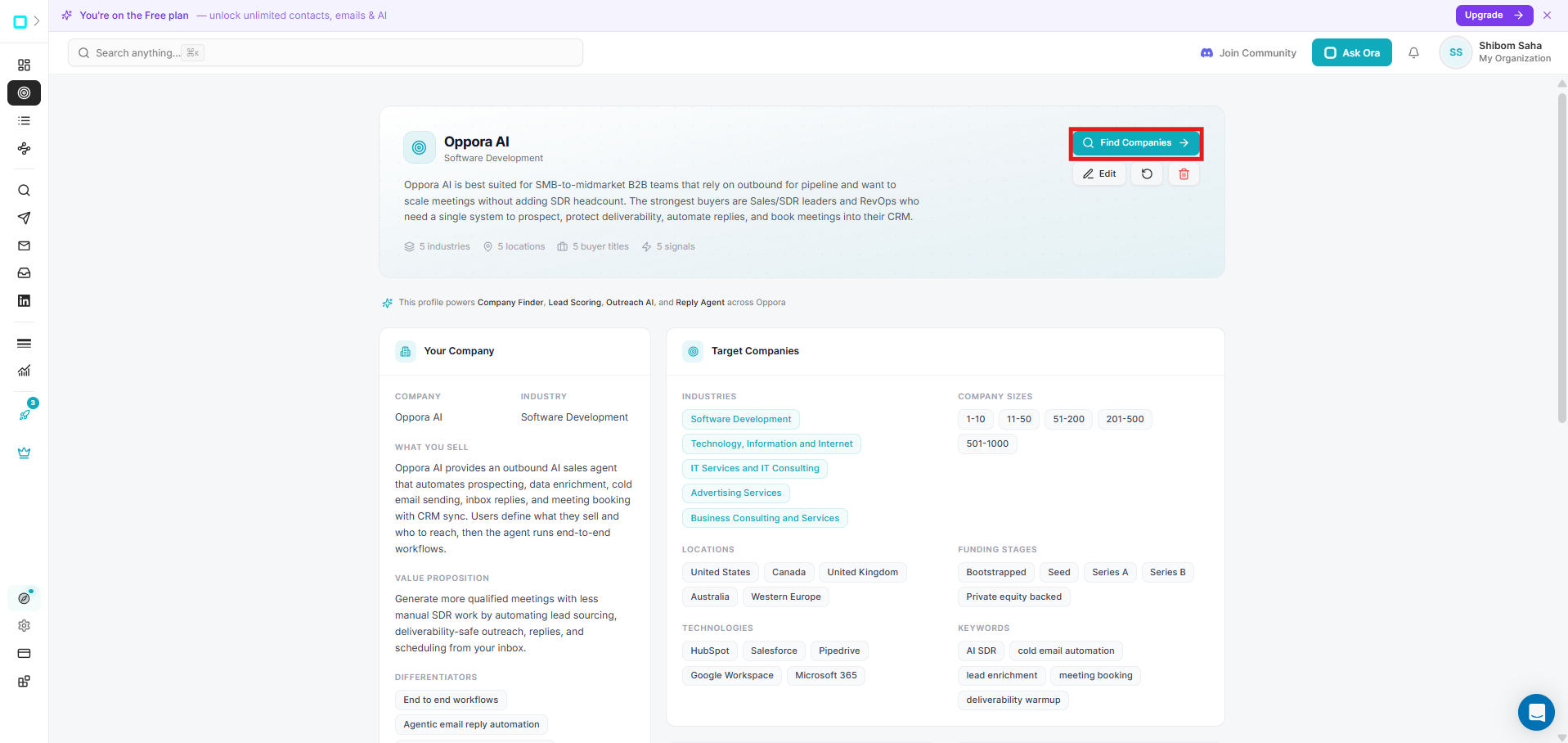
Once your Ideal Customer Profile is fully configured and saved, click on the Find Companies button to start discovering businesses that match your targeting criteria.
Oppora will use your selected industries, company sizes, locations, technologies, funding stages, keywords, and buyer personas to generate a highly relevant company list automatically. This removes the need for manual prospecting and helps you instantly identify businesses that closely fit your ideal customer profile and outreach strategy.
Step 9: Get AI-Powered Company Suggestions
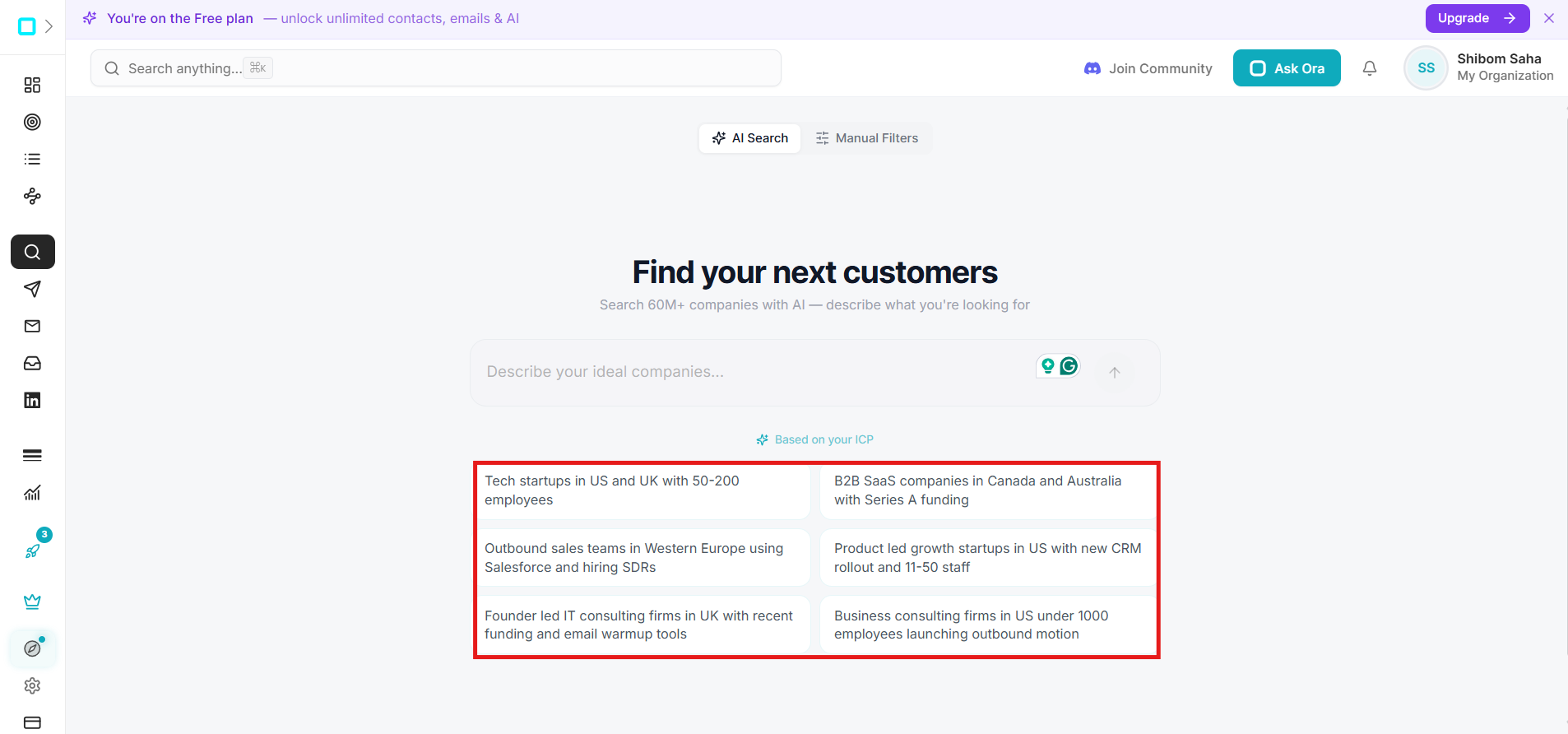
After clicking on Find Companies, Oppora will open the AI company search interface and automatically suggest company searches based on your Ideal Customer Profile.
These recommendations are generated using your industries, locations, company sizes, technologies, hiring signals, and buyer intent data. You can choose one of the suggested searches or write your own custom company requirement. This helps speed up company discovery while maintaining highly targeted prospecting accuracy.
Step 10: Continue with Your Selected Search
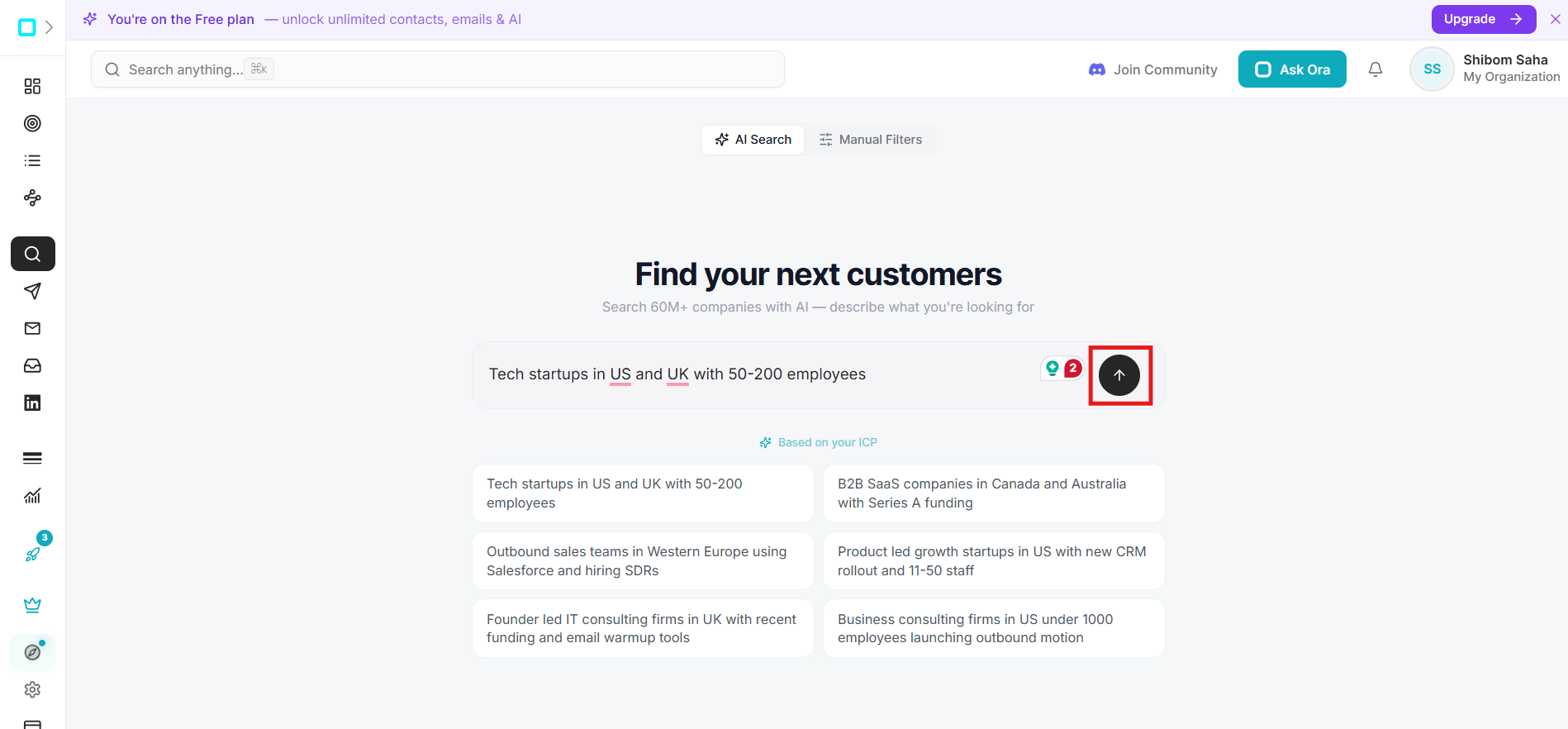
After selecting a suggested company search, click on the arrow button beside the search box to continue. Oppora AI will now use your selected search query along with your Ideal Customer Profile to start finding highly relevant companies automatically.
This process combines AI search intelligence with your targeting preferences to create a more accurate company list for future lead generation, outreach campaigns, and outbound sales workflows.
Step 11: Review Your ICP-Based Company Results
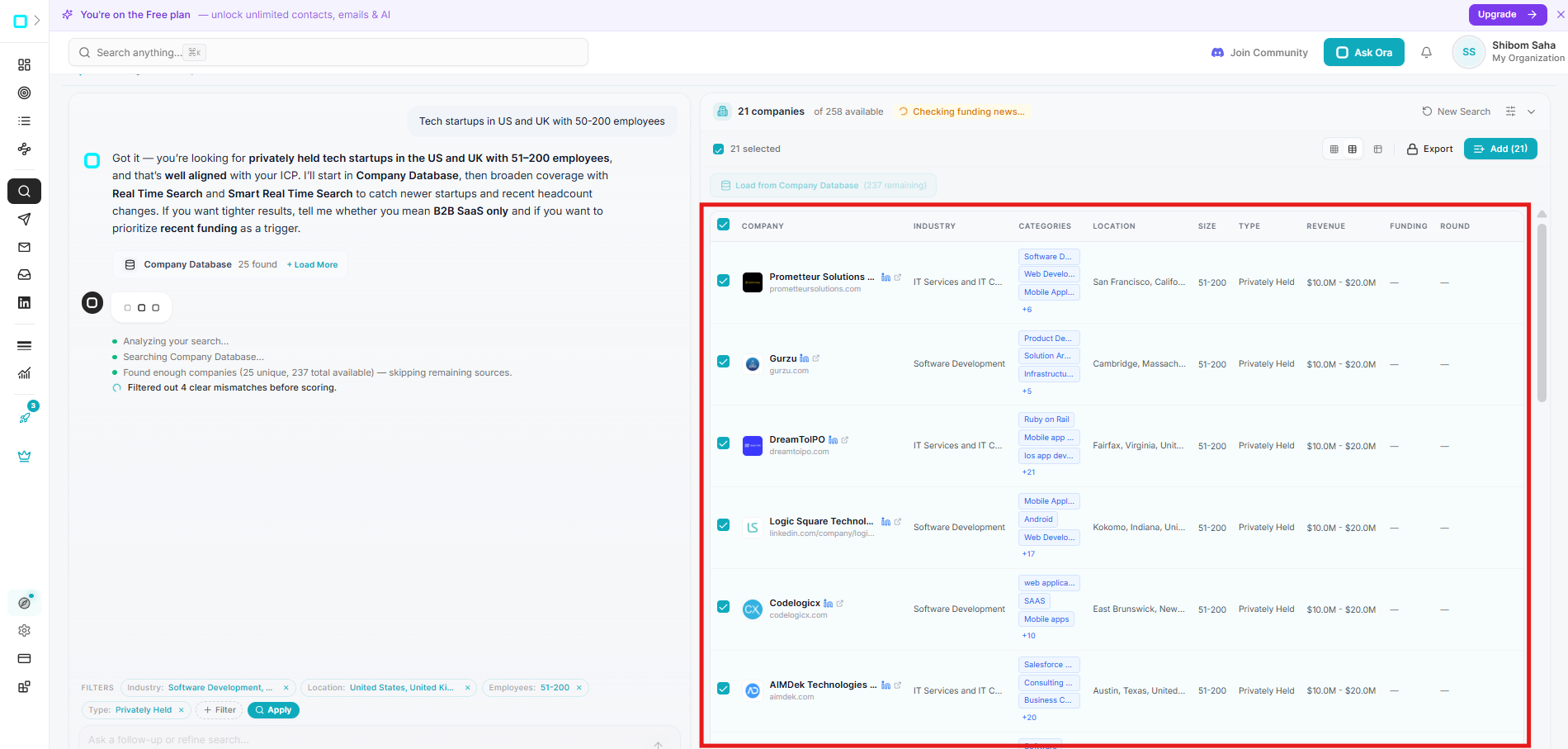
After the search process is complete, Oppora will generate a list of companies that match your Ideal Customer Profile.
You can now review businesses filtered by industry, company size, location, funding stage, technologies, and intent signals. Oppora also provides detailed company insights like revenue range, categories, and business type. This helps you quickly identify qualified companies for lead generation and outreach without manually researching businesses one by one.
Step 12: Select, Export, or Add Companies to a Campaign
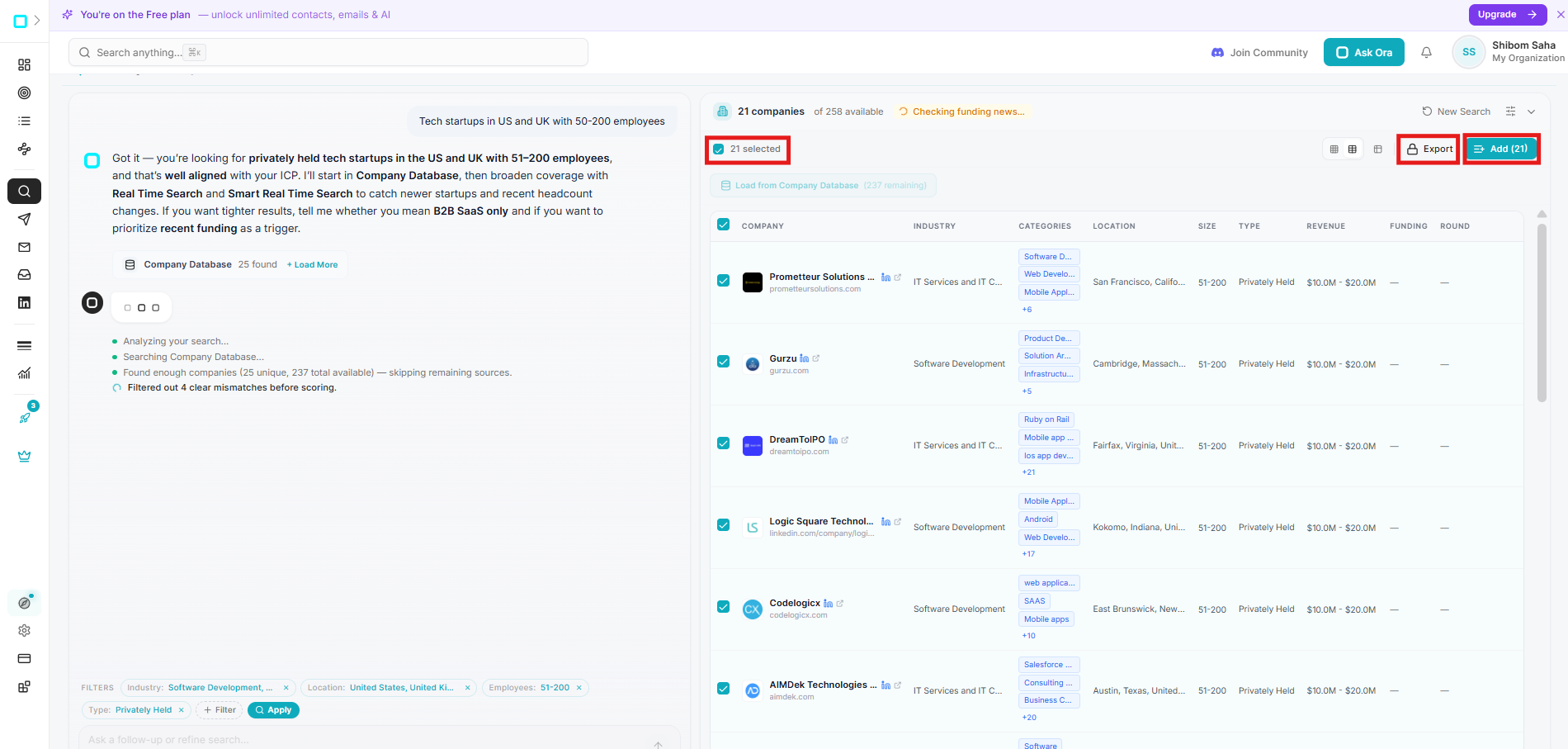
Once your ICP-based company list is ready, you can select companies individually or choose all results at once depending on your outreach needs. After selecting the companies, you can export the data or directly add them into your campaign list inside Oppora.
This allows you to move from company discovery to outreach preparation in just a few clicks. The selected companies can later be used for lead extraction, email finding, campaign creation, and AI-powered outreach automation.
Best Practices
Review AI SuggestionsOppora’s AI recommendations can uncover high-quality opportunities you may miss manually.
Update ICP RegularlyRefine your ICP as your products, services, or market change.
Use Intent SignalsPrioritize companies showing funding, hiring, or expansion activity.
Keep ICP FocusedAvoid targeting too many industries or company sizes initially.
Provide Accurate Business InformationThe better your company information, the more accurate your ICP becomes.
Troubleshooting
AI Is Not Generating Accurate ICP more detailed business descriptions or use your official website URL instead of short text.
Company Results Are Too industries, company sizes, locations, or keywords inside the Edit section.
No Companies Are ShowingSolution Try broadening your filters or removing highly restrictive targeting conditions.
ICP Changes Are Not UpdatingSolution Click Save after every edit to apply the latest targeting settings.
FAQs
What does ICP mean in Oppora.ai?
ICP stands for Ideal Customer Profile. It defines the type of companies and buyers you want to target.
Can I edit the AI-generated ICP?
Yes. Oppora allows full customization of industries, locations, technologies, buyer personas, and targeting filters.
Can I use ICP results directly inside campaigns?
Yes. You can add selected companies directly into campaign lists for outreach workflows.
Does Oppora automatically find companies based on my ICP?
Yes. Oppora AI automatically recommends and discovers companies that match your targeting preferences.
Can I export company data?
Yes. You can export selected company lists directly from the company discovery page.
Why is ICP important for outbound sales?
A strong ICP improves targeting accuracy, personalization, response rates, and overall campaign performance.
Was This Article Helpful?
Continue exploring our knowledge base or get in touch with our support team for personalized assistance.