9 Best Buying Signal Tools for B2B Outbound
Manasa Goli
Published November 12, 2026
14 min

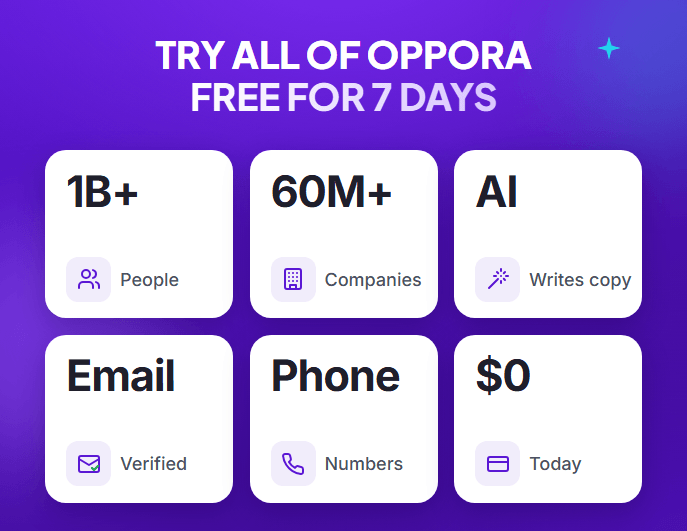
Complete Agentic Email Outreach
AI agents find and enrich prospects, personalize emails, follow up, and handle replies with your meeting link.
Start Your 7-Day Free Trial
When you send outbound messages without understanding what a prospect needs, even a well-written email can feel irrelevant.
Buying signals help you identify companies that may be entering a buying cycle, changing priorities, or showing interest in a solution like yours.
The challenge is choosing a tool that captures the right signals and helps your team act on them.
Some platforms focus on account-level intent, while others track job changes, website visits, or engagement across digital channels.
A few also help you turn those signals into outreach campaigns.
In this guide, you’ll discover:
- The nine best buying signal tools for B2B outbound
- Their key features, pricing, pros, and limitations
- How to compare tools and turn useful signals into relevant outreach
How we evaluated these buying signal tools
We compared the tools using four practical criteria: the signals they support, whether they identify people or accounts, how easily you can activate the data, and how clearly their pricing is available. We also considered whether the platform supports outbound workflows or requires additional tools.
Buying signals are evidence, not a guarantee that a prospect is ready to buy. An account researching a topic, for instance, is different from a known champion joining a target company. You should check the source, timing, and relevance of each signal before contacting someone.
9 Best Buying Signal Tools for B2B Outbound
Before choosing a tool, validate its signal coverage, identity resolution, integrations, and pricing against your actual requirements.
1. Oppora: Best for connecting buying signals with automated outbound

Oppora is an AI sales platform for teams that want to move from finding prospects to running outbound campaigns within a connected workflow.
Its buying signal filters can help you narrow your targeting, while its prospecting and outreach capabilities help you take the next step.
Key buying signals and features
- Buying signal filters: Refine prospect searches using relevant signals supported by the platform.
- Prospect discovery: Find companies and decision-makers that match your target audience.
- Lead enrichment and verification: Enrich prospect records and verify contact information before outreach.
- AI-assisted personalization: Create messages using relevant prospect and company context.
- Automated email outreach: Launch campaigns and manage follow-up workflows.
- Reply handling and CRM sync: Manage replies, qualify interest, and sync supported sales data with your CRM.
Pricing
Oppora's provided pricing materials list Free at $0, Pro at $34/month, Max at $79/month, and Enterprise from $499/month. Confirm the current plan limits and include credits on the official pricing page before purchasing.
Pros
- Connects prospect discovery, enrichment, and outbound activity in one workflow.
- Helps reduce manual work between identifying prospects and contacting them.
- Offers entry-level pricing options for teams that do not need an enterprise platform.
Limitations
- You should validate that its available buying signals match your specific market and use case.
- Results still depend on targeting quality, contact data, and message relevance.
- Usage limits and credit allocation can affect how much prospecting you can do on each plan.
Best fit: Teams that want to buy signal filters to support an actionable outbound workflow rather than relying on a separate intent dashboard.
2. Apollo.io: Best for prospecting with sales intelligence

Apollo.io combines a B2B contact database with prospect research and sales engagement capabilities. It is useful when your team wants to find prospects, filter accounts, and build outbound sequences without managing every task across separate platforms.
Key buying signals and features
- Buying intent: Use available intent topics and filters to identify potentially relevant accounts.
- Contact and company search: Build lists using role, industry, company, and other filters.
- Data enrichment: Add contact and company details to prospect records.
- Email sequences: Create and manage outbound email workflows.
- AI-assisted sales workflows: Support research and personalization through available AI features.
- CRM integrations: Connect prospecting activity with supported sales systems.
Pricing
Apollo offers a free plan. Its official pricing page lists paid plans with annual-billing prices starting at $49 per user/month for Basic, with higher tiers available. Check the current pricing page for the latest features and limits.
Pros
- Combines prospect data and outbound engagement in one platform.
- Offers filters that help narrow prospect lists.
- Provides a free entry point for teams evaluating the platform.
Limitations
- Available intent topics and features vary by plan.
- Data credits and usage limits require careful monitoring.
- Teams with advanced signal needs may still need specialist tools or additional data sources.
Best fit: Small and midsize sales teams that want prospecting, contact data, and outbound execution in one place.
3. Clay: Best for custom buying signal workflows

Clay helps you build flexible research and enrichment workflows using data from multiple providers. Rather than relying on one predefined signal feed, you can configure workflows around your ideal customer profile and the information your team needs.
Key buying signals and features
- Multi-source enrichment: Combine information from different data providers.
- Company research: Gather context about target accounts from available sources.
- Job and company changes: Build workflows around relevant events when supported by connected data.
- Custom qualification: Apply rules and scoring to prioritize accounts or contacts.
- AI-assisted research: Generate structured insights from collected information.
- Workflow automation: Route enriched records into downstream sales processes.
Pricing
Clay offers tiered plans based on usage and features. Its official pricing should be checked for current credit allowances, available signal sources, and monthly versus annual billing.
Pros
- Highly flexible for teams with specific targeting requirements.
- Combines multiple data sources in one workflow.
- Supports detailed enrichment and qualification logic.
Limitations
- Workflows can take time to design, test, and maintain.
- Costs can increase as you add data providers and enrichment steps.
- It is not a turnkey buying intent platform; the quality of results depends on your setup.
Best fit: Revenue operations teams and growth teams that want to build customized signal-led prospecting workflows.
4. 6sense: Best for predictive intent and enterprise account-based marketing

6sense helps revenue teams identify accounts that may be researching a solution and prioritize them using intent and predictive insights. It is designed for organizations that need to coordinate account-based marketing (ABM) and sales activity across larger buying groups.
Key buying signals and features
- Third-party intent: Identify account research activity around selected topics.
- Predictive buying stages: Use available models to estimate where accounts may be in a buying journey.
- Account prioritization: Focus sales attention on accounts that match selected criteria.
- First-party engagement: Incorporate available engagement data into account evaluation.
- Buying group insights: Support account-level planning around multiple stakeholders.
- Sales and marketing activation: Connect insights with supported campaigns and workflows.
Pricing
6sense uses sales-led pricing for its enterprise platform, and pricing depends on the package and requirements. Request a quote to confirm costs, contract terms, and included capabilities.
Pros
- Supports account prioritization using intent and predictive insights.
- Suits coordinated sales and marketing programs.
- Helps enterprise teams organize activity around target accounts.
Limitations
- May be more complex than smaller teams need.
- Pricing and package details require direct confirmation.
- Account-level intent does not always reveal which individual is actively evaluating a solution.
Best fit: Enterprise teams with defined ABM programs, multiple sales stakeholders, and the resources to operationalize account intelligence.
5. Demandbase: Best for enterprise account-based marketing

Demandbase combines account intelligence with ABM capabilities that help marketing and sales teams identify, engage, and prioritize target accounts. It is particularly relevant when buying signal data needs to support broader campaigns, advertising, and coordinated sales activity.
Key buying signals and features
- Account-level intent: Monitor research activity around relevant business topics.
- Account engagement: Bring available engagement information into account evaluation.
- Company intelligence: Use firmographic and other company data to refine targeting.
- Account prioritization: Focus on accounts that fit your ideal customer profile and campaign goals.
- Advertising activation: Use supported capabilities to coordinate account-based advertising.
- Sales and marketing alignment: Share account insights across relevant workflows.
Pricing
Demandbase generally uses customized pricing based on the products, scale, and requirements involved. Contact the vendor for a quote and confirm which intent, data, and activation capabilities are included.
Pros
- Combines account intelligence with broader ABM execution.
- Supports coordination between sales and marketing teams.
- Suits organizations managing complex target-account programs.
Limitations
- May require significant setup and operational support.
- Costs may be difficult to compare without a tailored quote.
- Broad account insights may still need additional research before a rep contacts a specific buyer.
Best fit: Larger B2B organizations that want buying signals to inform an established account-based strategy rather than an isolated outbound campaign.
6. Common Room: Best for product, community, and engagement signals
Common Room helps teams bring together signals from customer, product, community, and other engagement sources. These signals can reveal when someone is interacting with your company or ecosystem, even when that activity has not yet become a direct sales inquiry.
Key buying signals and features
- Product activity: Use supported product signals to understand engagement.
- Community activity: Identify relevant interactions across connected communities.
- Website and social signals: Incorporate activity from available connected sources.
- Identity resolution: Connect supported activity to people and accounts.
- Lead prioritization: Use engagement context to identify promising prospects.
- Workflow activation: Route insights to relevant sales and marketing processes.
Pricing
Pricing depends on the current product offering and plan. Confirm available tiers, source limits, integrations, and any annual billing requirements directly with the vendor.
Pros
- Brings multiple engagement sources into a more unified view.
- Can surface signals that a conventional contact database may miss.
- Helps teams connect product or community interest with sales follow-up.
Limitations
- Signal quality depends on the sources and integrations available.
- Teams need to determine which engagement patterns indicate genuine buying potential.
- It may require another platform for full outbound campaign execution.
Best fit: Product-led and community-led B2B companies that already generate meaningful engagement across multiple channels.
Suggested Reading:
Title of the blog goes here7. UserGems: Best for job changes and former-champion tracking
A buyer who already knows your product may become valuable again after moving to another company. UserGems focuses on relationship-based signals, including job changes, so sales teams can identify these opportunities and reconnect with relevant contacts.
Key buying signals and features
- Job change tracking: Monitor when known contacts move to new roles or companies.
- Former champion identification: Find past customers and advocates in new organizations.
- Account matching: Connect contact changes with target accounts.
- Contact enrichment: Add available information to help sales teams research prospects.
- Signal-based prioritization: Focus on relevant changes instead of treating every job move equally.
- Sales workflow activation: Route identified opportunities into supported CRM and engagement workflows.
Pricing
UserGems' pricing is generally sales-led and may vary by requirements and package. Request a quote to confirm available features, contract terms, and the level of contact and account coverage.
Pros
- Focuses on relationship signals that can be difficult to spot manually.
- Helps sales teams reconnect with people who already understand their product.
- Can support timely outreach when a former champion joins a relevant account.
Limitations
- Most useful when your team has an established customer or champion history.
- A job change alone does not confirm that the new company needs your product.
- Coverage and matching quality should be tested against your actual target accounts.
Best fit: B2B companies with an established customer base and a sales process that benefits from tracking former champions.
8. RB2B: Best for website visitor identification
Website visitors can reveal interest in your category, but anonymous traffic is difficult to turn into outbound opportunities. RB2B focuses on identifying website visitors, helping eligible teams understand which people may be visiting their site and decide whether follow-up makes sense.
Key buying signals and features
- Website visitor identification: Identify visitors within the platform's supported coverage.
- Visit activity: Use available website activity to understand potential interest.
- Visitor alerts: Notify teams when identified visitors may warrant attention.
- Account context: Use available company information to assess fit.
- CRM and workflow connections: Send supported visitor information into downstream systems.
- Outbound follow-up: Use identified, qualified visitors as a research starting point for relevant outreach.
Pricing
RB2B has offered tiered pricing, including plans with different visitor identification and contact-data capabilities. Verify current prices, geographic coverage, and plan limits before choosing a tier.
Pros
- Turns some anonymous website activity into more actionable information.
- Helps teams identify companies or people worth researching further.
- Can complement existing CRM and outbound workflows.
Limitations
- Identification coverage varies and is not guaranteed for every visitor.
- Visitor identification is not proof of purchase intent.
- Teams should review privacy obligations and ensure their use of visitor data is appropriate.
Best fit: B2B teams with meaningful website traffic that want to investigate visitor activity and identify relevant follow-up opportunities.
9. Bombora: Best for third-party B2B intent data
Bombora specializes in third-party intent data that helps companies understand which accounts are researching particular business topics. This can help you prioritize accounts showing potential interest before they directly contact your business.
Key buying signals and features
- Topic-level intent: Identify accounts researching selected business topics.
- Research surges: Spot changes in topic activity relative to available baselines.
- Company-level insights: Use account-level signals to prioritize target companies.
- Topic selection: Align tracked subjects with your product category and customer needs.
- Intent data activation: Send supported data into connected sales, marketing, or data workflows.
- Account prioritization: Combine intent with fit and other available account information.
Pricing
Bombora's direct intent data is generally sold through customized commercial agreements. Contact the vendor to confirm coverage, data access, integrations, and pricing for your intended use.
Pros
- Specializes in third-party topic intent rather than trying to be a complete outbound platform.
- Helps prioritize accounts researching relevant subjects.
- Can add useful context to existing sales and marketing data.
Limitations
- Topic research does not necessarily identify the individual doing the research.
- Intent data needs to be combined with account fit and other evidence.
- You may need separate tools to find contacts and execute outreach.
Best fit: B2B organizations that need third-party account intent data to strengthen an existing sales and marketing technology stack.
Which buying signals should you prioritize for B2B outbound?
Once you know which tools are available, focus on the signals that can change your prospecting priorities. You do not need to track every possible event. Start with signals that suggest a relevant problem, a change in circumstances, or a stronger reason to start a conversation.
- Job changes: A former customer or champion joins a company that fits your ideal customer profile.
- Hiring activity: A company hires for roles that indicate a new initiative or an operational challenge your product addresses.
- Funding and expansion: A company raises funding or expands into a new market, potentially changing its budget or priorities.
- Topic-level intent: An account shows increased research activity around a subject related to your solution.
- Website engagement: A relevant account or identified visitor explores pages connected to your product or use case.
- Product and community engagement: Someone engages with your product, content, or community in a way that indicates a relevant need.
The key is to combine signals with fit. A company hiring aggressively may not be a good prospect if it lacks the problem your product solves. Similarly, a website visit is more useful when it comes from a relevant account and aligns with other evidence.
How to turn buying signals into relevant outbound campaigns
Finding a signal is only the beginning. Your team still needs to decide whether the signal matters, identify the right person, and create an outreach message that connects the event to a plausible business need.
Use this four-step workflow:
1. Identify the signal: Monitor the events most relevant to your customers, such as job changes, hiring, intent research, or website activity.
2. Check the context: Confirm the source, timing, company fit, and whether the signal relates to a person or an entire account. Avoid treating inferred interest as confirmed buying intent.
3. Find the right contact: Identify the decision-maker or relevant stakeholder, then enrich and verify the contact information before reaching out.
4. Personalize and follow up: Explain why the event may be relevant to the prospect's business. Keep the message focused on a plausible challenge, not on making assumptions about private research or purchase plans.
For instance, if a target company is hiring several sales development representatives, you might research whether its growing team could benefit from improving prospecting workflows. The hiring activity gives you a reason to investigate; it does not prove that the company needs your product.
This is where the distinction between data and execution matters. A signal-only platform may require you to connect several tools, while a platform such as Oppora can bring prospect discovery, enrichment, and outbound activity into a more connected workflow.
Conclusion
The best buying signal tool is the one that helps you identify relevant opportunities and act on them without adding unnecessary complexity. Some teams need enterprise intent intelligence, while others need job-change tracking, website visitor identification, or flexible research workflows.
Start by choosing the signals that matter most to your ideal customers. Then compare how accurately each tool captures those signals, identifies relevant people, and supports your existing sales process.
If you want to connect buying signal filters with prospecting, enrichment, and automated outbound, consider evaluating Oppora alongside the other tools. The goal is not to collect more signals. It is to turn useful evidence into relevant conversations and measurable sales opportunities.
Frequently Asked Questions
What is the difference between buying signals and intent data?
Buying signals include observable events such as a job change or a funding announcement. Intent data generally focuses on research or engagement patterns that suggest an account may be exploring a topic. Both can help with prioritization, but neither guarantees that a prospect is ready to buy.
Which buying signal tool is best for small B2B sales teams?
The best option depends on your workflow. Apollo.io can suit teams that want prospect data and outbound engagement, while Clay fits teams that need custom enrichment workflows. Oppora is worth evaluating if you want buying signal filters connected with prospecting and outbound execution.
Can buying signal tools automate outbound outreach?
Some platforms support outreach or campaign activation, while others primarily provide intent or signal data. Check whether your chosen tool can identify contacts, enrich records, personalize messages, run campaigns, and sync activity with your CRM—or whether you will need additional software.
How should you measure the value of buying signals?
Track qualified opportunities generated, positive reply rates, meetings booked, conversion rates, and time spent researching prospects. Compare results against a baseline and evaluate each signal type separately. This helps you determine which signals are genuinely useful for your sales process.
Summarize with AI
Share