10 Agentic AI Workflow Tools That Automate Work End-to-End
Manasa Goli
Published July 11, 2026
10 min


Complete Agentic Email Outreach
AI agents find and enrich prospects, personalize emails, follow up, and handle replies with your meeting link.
Claim Your FREE Credits
Most AI tools can generate text, summarize documents, or answer questions.
But they still need you to tell them what to do at every step a pattern that shows up well beyond sales, from students using AI tools for academic writing to teams automating research. Agentic AI changes that.
Agentic AI changes that.
Instead of acting like a single assistant, an AI agent can plan tasks, make decisions, trigger actions, coordinate with other tools, and continue working until the objective is complete.
That's why more businesses are moving from traditional automation to agentic AI workflow tools that can automate entire business processes—not just individual tasks.
In this guide, you'll learn:
- What agentic AI workflow tools are
- How they're different from traditional automation
- The 10 best AI agent workflow automation tools
- How to choose the right platform for your business
How We Evaluated These Agentic AI Workflow Tools
With dozens of agentic AI workflow tools available, choosing the right one can be overwhelming.
To make this list genuinely useful, we evaluated each platform using the same set of criteria instead of focusing on popularity alone.
Our goal was to recommend tools that deliver real value for different business needs, whether you're automating sales, operations, customer support, or custom AI workflows.
1. Use Case
Every platform excels at something different.
We looked at the primary problem each tool solves, whether it's outbound sales automation, enterprise workflows, developer-focused AI agents, or no-code business automation.
2. Ease of Use
Some tools are designed for business users with drag-and-drop builders, while others require programming knowledge.
We considered how quickly new users can build and deploy AI workflows.
3. Autonomous AI Capabilities
Not all automation platforms are truly agentic.
We evaluated how well each tool can make decisions, execute multi-step workflows, coordinate AI agents, and continue working with minimal human intervention.
4. Integrations
An AI workflow tool should fit into your existing software stack.
We compared the range of integrations available, including CRM platforms, email providers, productivity tools, databases, and third-party applications.
5. Customization & Flexibility
Some businesses need ready-to-use workflows, while others require highly customized AI systems. We assessed how easily each platform adapts to different industries and business processes.
6. Pricing & Value
Instead of comparing prices alone, we looked at the overall value each platform offers based on its features, automation capabilities, scalability, and target audience.
10 Agentic AI Workflow Tools That Automate Work End-to-End
Here is the quick comparison,
1. Oppora
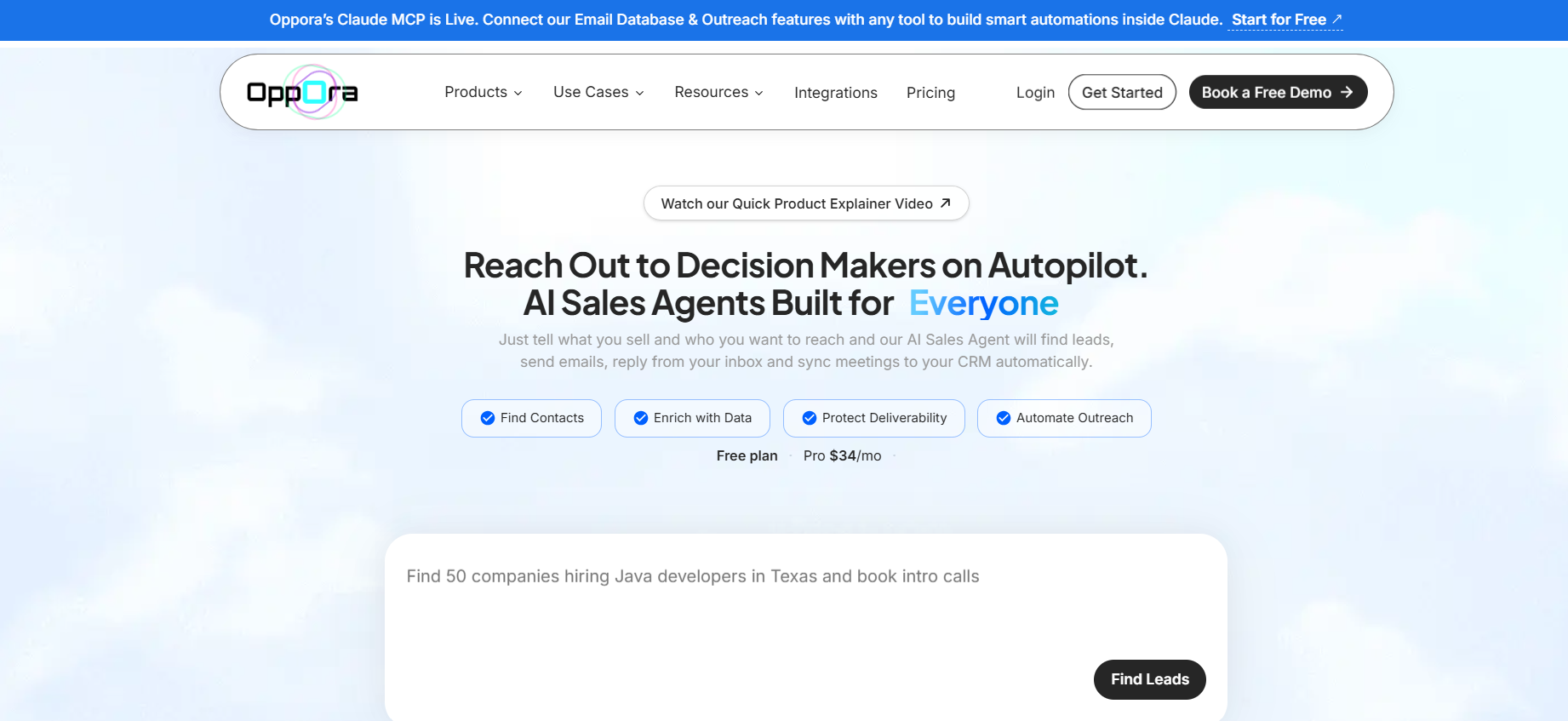
If you're looking for an agentic AI workflow tool that can automate your entire outbound sales process, Oppora.ai is one of the strongest options to consider.
Instead of offering standalone AI features, it uses multiple AI agents that work together to handle every stage of your sales workflow—from finding prospects to booking meetings.
You simply define what you sell and who you want to reach. Oppora then finds leads, enriches and verifies contact data, writes personalized emails, manages follow-ups, replies to prospects, and syncs everything with your CRM automatically.
Its drag-and-drop workflow builder lets you create the process once, while the AI agents continue executing it with minimal manual effort.
Beyond workflow automation, Oppora also includes built-in email verification, domain warm-up, LinkedIn outreach, multi-mailbox support, AI-powered replies, and detailed reporting, eliminating the need for multiple sales tools.
Key Features
- 1 Billion+ verified contacts with waterfall enrichment and support for multiple data providers to maximize lead coverage
- Multi-source prospecting that can pull leads from LinkedIn, Google Maps, company websites, and connected data provider APIs
- 8 AI sales agents that automate prospecting, enrichment, outreach, follow-ups, replies, and CRM updates in one workflow
- Drag-and-drop AI workflow builder for creating autonomous sales workflows
- AI-powered personalized email generation with built-in email verification
- Automated AI replies that qualify leads and book meetings
- LinkedIn outreach alongside email campaigns
- Campaign analytics, A/B testing, and deliverability insights
Best for: Founders, agencies, SDR teams, staffing firms, and B2B businesses looking to automate outbound sales.
Pros
- End-to-end sales workflow automation
- Multiple AI agents working together
- No-code workflow builder
- Built-in deliverability features
Cons
- Best suited for outbound sales automation rather than general business workflows.
2. n8n
n8n is one of the most popular workflow automation platforms for businesses that want complete control over their automations.
Its visual builder allows you to connect hundreds of applications, create conditional workflows, and integrate AI models into complex business processes.
While n8n excels at flexibility, building autonomous workflows often requires configuring APIs, writing custom logic, or connecting external AI services, making it better suited for technical users.
Key Features
- Visual workflow builder
- 400+ integrations
- AI model support
- Conditional logic
- Self-hosted and cloud deployment
Best for: Developers and technical teams building custom AI workflows.
Pros
- Highly flexible
- Open-source option
- Extensive integrations
Cons
- Steeper learning curve for non-technical users.
3. CrewAI
CrewAI is an open-source framework built specifically for creating teams of AI agents that collaborate on complex tasks.
Each agent is assigned a role, allowing them to divide work, share context, and complete multi-step workflows together.
It's a strong choice for developers building research assistants, content workflows, or autonomous AI applications that require multiple specialized agents.
Key Features
- Multi-agent collaboration
- Role-based task delegation
- Shared memory
- LLM support
Best for: AI developers building custom multi-agent systems.
Pros
- Designed for collaborative AI workflows
- Highly customizable
Cons
- Requires programming knowledge.
4. LangGraph
LangGraph helps developers build stateful AI agents that can remember previous interactions, revisit decisions, and handle long-running workflows.
Instead of following a fixed sequence, agents can adapt their actions based on changing context.
It's widely used for advanced enterprise AI applications where maintaining context throughout the workflow is essential.
Key Features
- Stateful workflows
- Multi-agent orchestration
- Long-term memory
- Human approval checkpoints
Best for: Enterprise AI development and advanced agent applications.
Pros
- Excellent for complex reasoning
- Supports persistent workflows
Cons
- Developer-focused platform.
5. Microsoft Copilot Studio
Microsoft Copilot Studio enables businesses to create AI-powered assistants and automate workflows across the Microsoft ecosystem.
Organizations using Microsoft 365, Dynamics 365, and Power Platform can build low-code AI agents for internal operations, customer support, and employee productivity.
Its biggest strength lies in seamless integration with existing Microsoft tools and enterprise-grade security.
Key Features
- Low-code AI agent builder
- Microsoft 365 integration
- Power Automate support
- Enterprise governance
Best for: Organizations already invested in Microsoft's ecosystem.
Pros
- Easy Microsoft integration
- Strong enterprise security
- Low-code development
Cons
- Less flexible for businesses using a diverse software stack outside Microsoft.
6. Zapier AI
Zapier AI extends the popular Zapier automation platform by adding AI-powered actions and decision-making to workflows.
It allows you to connect thousands of apps, automate repetitive tasks, and use AI to summarize content, generate text, classify data, and trigger actions based on context.
Its no-code interface makes it a good choice for businesses that want to build AI-powered workflows without technical expertise.
Key Features
- AI-powered workflow automation
- 7,000+ app integrations
- No-code workflow builder
- AI text generation and summarization
- Conditional logic and triggers
Best for: Small businesses, marketers, and operations teams looking for no-code automation.
Pros
- Easy to use
- Huge integration library
- Quick workflow setup
Cons
- Advanced workflows can become expensive as task volume grows.
7. Make
Make is a visual automation platform that helps businesses build sophisticated workflows using a drag-and-drop interface.
It supports thousands of integrations and allows users to create multi-step automations with branching logic, scheduling, and AI-powered actions.
Its visual workflow editor makes it easier to understand and manage complex automation scenarios than many traditional workflow tools.
Key Features
- Visual workflow builder
- AI integrations
- Multi-step automation
- Scheduling and conditional logic
- Extensive app integrations
Best for: Businesses that need flexible workflow automation with minimal coding.
Pros
- Intuitive visual interface
- Powerful workflow customization
- Supports complex automations
Cons
- Can have a learning curve for first-time users.
8. Lindy
Lindy is an AI agent platform that helps automate everyday business tasks using customizable AI assistants.
Instead of building workflows from scratch, you can create AI agents that manage scheduling, email responses, meeting preparation, customer support, and other repetitive processes.
Its focus on ready-to-use AI assistants makes it a good option for teams looking to automate operations quickly.
Key Features
- AI assistants for business tasks
- Email and meeting automation
- Calendar integration
- Customer support automation
- Workflow customization
Best for: Small businesses, founders, and professionals automating daily operations.
Pros
- Quick to set up
- User-friendly interface
- Useful pre-built AI agents
Cons
- Less customizable than developer-focused automation platforms.
9. Relay.app
Relay.app combines traditional workflow automation with AI-powered decision-making in an easy-to-use interface.
It supports human approval steps, making it ideal for workflows that require both automation and occasional manual oversight.
The platform also integrates with popular productivity and collaboration tools, allowing businesses to automate cross-functional processes without writing code.
Key Features
- Visual workflow builder
- AI-powered automation
- Human approval steps
- Team collaboration features
- Popular app integrations
Best for: Operations, HR, finance, and business teams managing collaborative workflows.
Pros
- Easy workflow creation
- Supports human-in-the-loop automation
- Clean user interface
Cons
- Smaller integration ecosystem compared to larger automation platforms.
10. AutoGen
AutoGen is an open-source framework developed to build applications powered by multiple AI agents.
It enables agents to communicate, collaborate, and solve complex tasks through iterative conversations, making it a popular choice for advanced AI development.
Because of its flexibility, AutoGen is commonly used to build research assistants, coding agents, and enterprise AI systems that require autonomous reasoning.
Key Features
- Multi-agent conversations
- Custom AI agent development
- Tool and API integration
- Human-in-the-loop support
- Open-source framework
Best for: AI developers and organizations building custom autonomous agent applications.
Pros
- Powerful multi-agent capabilities
- Highly customizable
- Strong developer community
Cons
- Requires programming knowledge and technical setup.
Suggested Reading:
How to Find Restaurant Owner Email Addresses for Outreach in 10 MinutesHow to Choose the Right Agentic AI Workflow Tool
With so many AI agent workflow tools available, the right choice depends on what you're trying to automate.
Some platforms are built for developers creating custom AI systems, while others help business teams automate workflows without writing code.
Here are a few factors to consider before making your decision.
1. Identify Your Primary Use Case
Start by defining the workflow you want to automate.
For example:
- Sales prospecting and outreach
- Customer support
- Marketing campaigns
- Internal operations
- Software development
- Data processing
A tool designed for sales automation may not be the best choice for building custom AI applications, and vice versa.
2. Check the Level of AI Autonomy
Not every automation platform is truly agentic.
Look for solutions that can:
- Make decisions automatically
- Trigger the next action without manual input
- Handle multi-step workflows
- Adapt based on previous outcomes
The more autonomous the platform is, the less manual intervention you'll need.
3. Look for Integration Capabilities
Your workflow tool should fit into your existing tech stack.
Check whether it integrates with platforms like:
- CRM software
- Email providers
- Slack
- Google Workspace
- Microsoft 365
- Databases
- Project management tools
The more native integrations available, the easier it is to automate end-to-end processes.
4. Evaluate Ease of Use
Some AI agent workflow automation tools are designed for developers, while others are built for non-technical users.
If your team doesn't have coding experience, prioritize platforms with:
- Drag-and-drop workflow builders
- No-code automation
- Pre-built templates
- AI-assisted workflow creation
5. Consider Scalability
As your business grows, your automation platform should grow with it.
Look for features like:
- Multi-user collaboration
- Workflow scheduling
- Analytics and reporting
- API access
- Enterprise security
- Flexible pricing plans
Choosing a scalable platform helps avoid switching tools as your automation needs expand.
Conclusion
As AI continues to evolve, businesses are moving beyond simple automation and adopting systems that can think, decide, and execute entire workflows on their own. That's exactly where agentic AI workflow tools stand apart.
Instead of automating individual tasks, they connect multiple steps into intelligent, end-to-end processes that save time, reduce manual effort, and improve productivity.
The right platform ultimately depends on your needs.
Developer-focused tools like CrewAI, LangGraph, and AutoGen offer maximum flexibility for building custom AI agents, while no-code platforms like Zapier AI and Make make workflow automation accessible to business users.
If your goal is to automate outbound sales, however, a purpose-built solution like Oppora can help you go beyond basic automation.
No matter what your use case is, as agentic AI becomes the next phase of business automation, choosing a platform that can automate complete workflows—not just individual tasks—will help your team scale more efficiently and stay ahead of the competition.
Frequently Asked Questions
1. Can agentic AI workflow tools make decisions without human intervention?
Yes, but within the rules and objectives you define. Unlike traditional automation, agentic AI tools can analyze context, choose the next best action, and execute multi-step workflows automatically. Many platforms also allow you to add approval steps for tasks that still require human oversight.
2. What's the difference between an AI workflow tool and an AI agent workflow tool?
An AI workflow tool typically adds AI features like content generation or data analysis to an existing workflow. An AI agent workflow tool, on the other hand, uses autonomous AI agents that can plan, reason, and perform multiple tasks to complete an entire workflow with minimal manual input.
3. Which business processes benefit the most from agentic AI?
Agentic AI works best for repetitive, multi-step processes such as sales prospecting, customer support, employee onboarding, lead qualification, document processing, marketing campaigns, and internal approvals. These workflows often involve multiple decisions that AI agents can handle automatically.
4. Are agentic AI workflow tools suitable for small businesses?
Absolutely. Many platforms offer no-code workflow builders and affordable pricing, making it possible for startups and small businesses to automate repetitive work without hiring developers or building custom AI systems.
5. Do I need coding skills to use AI agent workflow automation tools?
Not always. Platforms like Oppora, Zapier AI, Make, and Microsoft Copilot Studio provide visual workflow builders that require little to no coding. Developer-focused frameworks such as CrewAI, LangGraph, and AutoGen are better suited for teams building custom AI applications.
6. How do agentic AI workflow tools integrate with existing software?
Most platforms integrate with popular business applications, including CRM systems, email providers, project management tools, databases, communication platforms, and cloud storage services. This allows AI agents to move data and trigger actions across multiple systems without manual intervention.
7. Will agentic AI replace traditional workflow automation?
Not entirely. Traditional automation is still effective for predictable, rule-based tasks. Agentic AI builds on top of it by handling decisions, adapting to changing conditions, and automating workflows that previously required ongoing human involvement. Many businesses use both approaches together to maximize efficiency.
Summarize with AI
Share