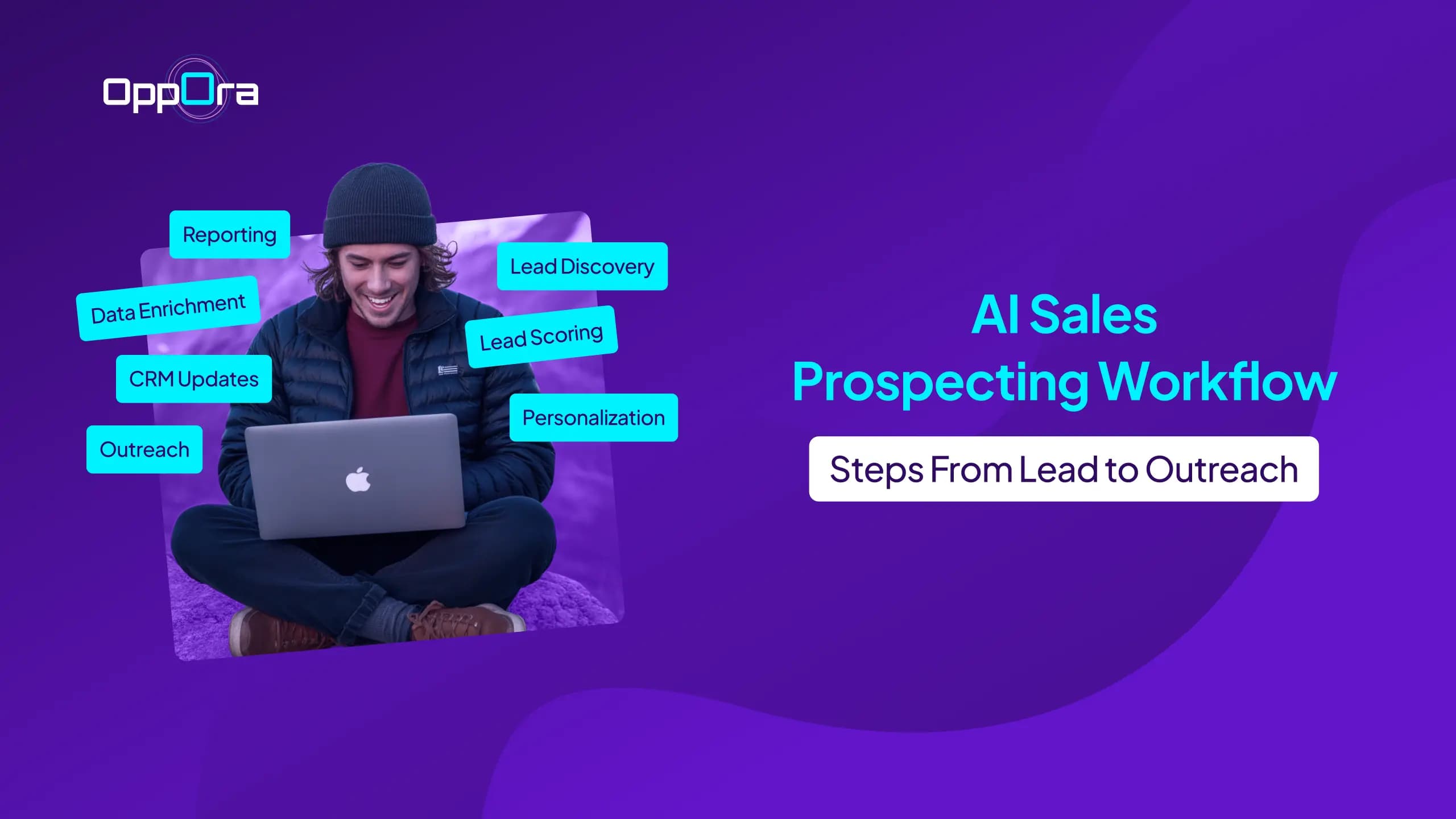
AI Sales Prospecting Workflow: Steps From Lead to Outreach
Stephen Parker
Published August 4, 2026
11 min

Complete Agentic Email Outreach
AI agents find and enrich prospects, personalize emails, follow up, and handle replies with your meeting link.
Start Your 7-Day Free Trial
Sales teams often spend hours finding prospects, verifying contact details, researching companies, and writing outreach emails.
Yet reply rates still remain low.
The problem is usually not a lack of leads. It is a disconnected sales prospecting workflow filled with manual tasks.
An AI sales prospecting workflow helps you simplify each stage, from lead discovery to personalized outreach.
It also reduces repetitive work, improves data quality, and keeps your pipeline moving faster.
In this guide, you will learn:
- What an AI sales prospecting workflow is
- The steps from lead discovery to outreach
- Common mistakes that reduce performance
- Best practices for building a scalable workflow
What Is an AI Sales Prospecting Workflow?
An AI sales prospecting workflow is a structured process that uses artificial intelligence to move prospects from discovery to outreach.
Instead of completing each task manually, you use AI to find leads, enrich data, score prospects, research accounts, and prepare personalized messages.
The goal is not to remove human judgment.
It is to reduce repetitive work so you can focus on conversations, strategy, and qualified opportunities.
How AI Changes the Traditional Sales Prospecting Process
Traditional prospecting often depends on spreadsheets, manual research, and disconnected sales tools.
You may search for companies in one platform, verify emails in another, write messages elsewhere, and update your CRM by hand.
AI connects and accelerates these tasks.
It can review large amounts of prospect data, identify stronger matches, detect useful signals, and recommend which leads deserve attention first.
It can also help you create more relevant outreach by using details about a prospect’s role, company, industry, or recent activity.
This makes your sales prospecting process faster without forcing you to send generic messages at scale.
The End-to-End AI Prospecting Workflow at a Glance
A complete workflow usually begins with your ideal customer profile.
From there, AI helps you:
- Discover companies and decision-makers
- Enrich and verify contact information
- Score and prioritize prospects
- Research accounts automatically
- Generate personalized outreach
- Launch email or multi-channel campaigns
- Track replies and engagement
- Update your CRM and improve future campaigns
Each step feeds the next one.
That creates a connected system where cleaner data leads to better targeting, stronger personalization, and more effective outreach.
Why Most Sales Prospecting Workflows Fail Before Outreach Begins
Many sales teams think outreach is the hardest part of prospecting.
In reality, most problems start much earlier.
When your prospect data is incomplete, outdated, or scattered across different tools, every step that follows becomes less effective.
You end up targeting the wrong people, sending irrelevant messages, and wasting time on leads that never had buying potential.
A strong prospecting workflow solves these issues before the first email is ever sent.
Common Bottlenecks That Slow Down Sales Teams
Manual prospecting creates delays that quickly add up.
Your team may spend hours finding companies, verifying email addresses, researching decision-makers, and updating CRM records instead of having sales conversations.
Other common bottlenecks include:
- Low-quality or outdated prospect data
- Switching between multiple sales tools
- Manual lead qualification and prioritization
- Generic outreach caused by limited research
- Duplicate records and inconsistent CRM data
Even if each task only takes a few minutes, repeating them across hundreds of prospects can consume entire workdays.
Why Automating the Right Steps Matters More Than Automating Everything
Automation should remove repetitive work, not replace good sales decisions.
If you automate poor-quality data or target the wrong audience, you simply make bad prospecting happen faster.
The biggest improvements come from automating tasks that consume time without requiring human judgment.
This includes lead discovery, data enrichment, email verification, prospect research, lead scoring, and CRM updates.
With these repetitive steps handled automatically, you can spend more time building relationships, personalizing conversations, and closing qualified opportunities instead of managing administrative work.
How to Build an AI-Powered Prospecting Workflow
Once your targeting is clear, you can connect each prospecting stage into one structured process.
The goal is to move from lead discovery to outreach without losing data, context, or time between steps.
1. Define Your Ideal Customer Profile
Your workflow should begin with a clear Ideal Customer Profile, or ICP.
This tells the AI which companies and decision-makers are worth targeting.
Your ICP may include:
- Industry
- Company size
- Location
- Revenue range
- Job titles
- Business challenges
- Buying signals
A clear ICP prevents your workflow from filling the pipeline with low-fit leads.
It also improves lead discovery, scoring, research, and personalization later in the process.
2. Discover High-Quality Leads with AI
Once your ICP is ready, you can start building a targeted prospect list.
Instead of searching through directories and social platforms manually, AI can identify companies and contacts that match your criteria.
Oppora.ai’s Lead Finder helps you search for relevant prospects based on your preferred filters.
Its Company Crawl feature gathers useful information from company websites, while Contact Hunter helps you identify suitable decision-makers inside those accounts.
This gives you a more focused list without spending hours on manual research.
3. Enrich and Verify Prospect Data
A name and email address are rarely enough for effective outreach.
You also need accurate details about the prospect’s company, role, location, and business context.
Oppora.ai’s Company Enrich adds missing company information to your prospect records.
After enrichment, Verify Lead checks contact details before they enter your outreach sequence.
This step helps you:
- Reduce email bounces
- Remove incomplete records
- Protect sender reputation
- Improve campaign accuracy
- Keep your CRM cleaner
Verified data creates a stronger base for every step that follows.
4. Prioritize Prospects with AI Lead Scoring
Not every prospect should receive the same level of attention.
Some may closely match your ICP, while others may have weaker fit or lower buying potential.
Oppora.ai’s AI Lead Scoring evaluates available signals and ranks prospects based on relevance.
The scoring process can consider:
- Company fit
- Role relevance
- Industry
- Intent signals
- Data quality
- Engagement history
This helps you focus your effort on prospects most likely to respond or convert.
5. Research Prospects Automatically
Once your leads are scored, the next step is gathering useful context.
Manual research often requires opening company websites, LinkedIn profiles, news pages, and CRM records one by one.
AI can collect and summarize this information much faster.
With Ask ORA, you can pull relevant prospect and company insights without switching between several platforms.
You can use this research to understand:
- What the company does
- Who the prospect is
- What challenges they may face
- Which services or products may interest them
- What angle could make your outreach relevant
This gives your sales message a stronger reason to exist.
6. Generate Personalized Outreach with AI
Good personalization goes beyond adding a first name or company name.
Your message should reflect the prospect’s role, business situation, and likely priorities.
Oppora.ai’s AI Variables help you create unique message elements using available prospect data.
These variables can support personalization based on:
- Industry
- Job role
- Company details
- Recent activity
- Business challenges
- Relevant use cases
This allows you to personalize outreach at scale without relying on repetitive spintext.
The message still follows your strategy, but AI handles much of the time-consuming customization.
7. Launch Multi-Channel Outreach Campaigns
After your messages are ready, you can launch a coordinated outreach sequence.
A multi-channel workflow may include:
- Initial email
- Follow-up email
- LinkedIn connection request
- LinkedIn message
- Additional follow-up
- Reply handling
Oppora.ai’s Outreach Engine manages email sequences, while the Automation Hub connects prospecting actions into one continuous workflow.
When replies arrive, Reply ORA can help answer questions, qualify interest, and guide prospects toward the next step.
You can manage those conversations through Oppobox, which brings replies from different inboxes into one shared view.
This reduces tool switching and makes it easier to track every conversation.
8. Track Engagement and Improve the Workflow
Your workflow should continue after outreach begins.
Tracking performance helps you understand which audiences, messages, and channels are producing results.
Important metrics include:
- Delivery rate
- Bounce rate
- Open rate
- Reply rate
- Positive reply rate
- Meetings booked
- Conversion rate
Oppora.ai’s CRM Management keeps prospect activity, replies, meetings, and pipeline updates connected.
You can then use this data to improve your ICP, adjust lead scoring, refine messaging, and strengthen future campaigns.
A well-built AI sales prospecting workflow is not static.
It becomes more effective as you collect better data and learn what drives responses.
How AI Prospecting Compares With Manual Sales Prospecting
Manual prospecting can work when you are contacting a small number of leads.
But as your target list grows, repetitive tasks begin to slow down your team and reduce the time available for actual sales conversations.
Where Manual Prospecting Slows Revenue Growth
A traditional workflow often requires you to search for leads, enrich records, verify emails, research prospects, write messages, and update the CRM separately.
Each handoff creates another chance for delays, missing data, or inconsistent follow-up.
This makes it harder to reach prospects quickly, especially when several sales representatives are working across different tools.
How AI Creates a Faster, Smarter, and More Scalable Workflow
An AI sales prospecting workflow connects these tasks and allows data to move automatically from one stage to the next.
Here is how the two approaches compare:
Platforms such as Oppora.ai unify these stages through lead discovery, enrichment, verification, scoring, outreach, reply management, and CRM automation.
Instead of maintaining a fragmented sales stack, you can manage the workflow as one connected system that becomes easier to scale.
Building an Automated Prospecting System with Oppora.ai
Once you understand how AI connects prospecting stages, the next step is turning that process into a repeatable workflow.
Oppora.ai helps you manage lead discovery, enrichment, outreach, replies, and CRM activity within one connected system.
Setting Up an End-to-End AI Prospecting Workflow
Start by defining what you sell and who you want to reach.
You can then arrange the required sales actions inside Oppora.ai’s Automation Hub, from finding prospects to sending outreach and managing replies.
A typical workflow may include:
- Finding matching companies and contacts
- Enriching and verifying prospect data
- Scoring leads based on fit and intent
- Creating personalized email content
- Launching automated outreach sequences
- Managing replies and booking meetings
- Syncing campaign activity with your CRM
This gives every prospect a clear path through your sales process.
Suggested Reading:
9 Best AI Prospecting Agent to Automate Lead DiscoveryWhy an All-in-One AI Platform Outperforms a Multi-Tool Sales Stack
A multi-tool stack often forces you to move data between separate prospecting, verification, outreach, and CRM platforms.
That creates extra costs, broken integrations, and inconsistent records.
Oppora.ai brings these stages together, so prospect information can move automatically without repeated exports or manual updates.
Scaling Your AI Prospecting Workflow as Your Sales Team Grows
As outreach volume increases, you can create more workflows, connect additional mailboxes, and manage campaigns from a shared workspace.
Your team can also monitor replies through Oppobox and keep activity organized through CRM Management.
This allows you to scale prospecting without adding the same amount of manual work.
Best Practices for Improving AI Prospecting Reply Rates
A well-built workflow can save time, but better automation does not automatically mean better replies.
You still need strong targeting, relevant personalization, and accurate prospect data at every stage.
Build Prospect Lists Using Intent Signals, Not Just Firmographics
Firmographic filters like industry, location, and company size help narrow your audience.
However, they do not always show whether a company is ready to engage.
Add intent signals that suggest a real need or change, such as:
- Recent hiring activity
- New funding announcements
- Leadership changes
- Technology adoption
- Website visits
- Product launches
- Expansion into new markets
These signals help you reach prospects when your offer is more likely to feel relevant.
Suggested Reading:
How to Build a Prospect List Without Manual Research — Try Oppora.ai in LivePersonalize Every Outreach Without Sacrificing Scale
Personalization should explain why you are contacting that specific prospect.
Avoid messages that only insert a first name, company name, or job title into a generic template.
Use AI to connect your offer with details such as:
- The prospect’s responsibilities
- Current company priorities
- Recent business activity
- Likely challenges
- Relevant use cases
You can create scalable message frameworks while allowing AI to adjust important lines for each recipient.
This keeps outreach consistent without making every message sound identical.
Keep Prospect Data Fresh with Continuous Enrichment and Verification
Prospect data changes quickly as people change roles, companies, and email addresses.
Continuously enrich records and verify contact details before leads enter a campaign.
You should also remove duplicates, flag incomplete records, and recheck older contacts before follow-ups.
Cleaner data improves targeting, reduces bounce rates, protects sender reputation, and gives your outreach a better chance of reaching the right person.
Common Mistakes That Hurt AI Prospecting Results
AI can make prospecting faster, but it cannot fix a broken sales process.
If the wrong data or strategy goes into your workflow, automation will simply repeat those mistakes at a larger scale.
Avoiding a few common pitfalls can significantly improve your campaign performance.
Automating Bad or Incomplete Data
Your workflow is only as good as the data it uses.
If prospect records contain outdated emails, missing information, or duplicate contacts, your outreach will become less effective.
Always enrich, verify, and clean your data before launching a campaign.
Skipping Lead Qualification and Scoring
Treating every lead the same often wastes time and resources.
Use lead qualification and AI scoring to identify prospects that best match your Ideal Customer Profile and show the strongest buying potential.
This helps your team focus on opportunities that are more likely to convert.
Sending Generic AI-Generated Messages
AI can speed up content creation, but it should not replace thoughtful personalization.
Avoid sending messages that sound overly robotic or rely only on placeholders like a prospect's name or company.
Instead, tailor your outreach around the prospect's role, challenges, and business context.
Ignoring Deliverability, Follow-Ups, and CRM Hygiene
Even great messaging can fail if it never reaches the inbox.
Monitor deliverability, follow up consistently, and keep your CRM updated with accurate prospect information.
A clean CRM and a structured follow-up process ensure your sales team always works with reliable data and never misses valuable opportunities.
Conclusion
Building an effective AI sales prospecting workflow is not about automating every task.
It is about connecting the right steps, from defining your ICP and finding qualified leads to personalizing outreach and continuously improving results.
When your prospect data stays accurate and your workflow remains connected, your sales team can spend less time on manual work and more time building meaningful conversations.
If you're looking to simplify this entire process, an all-in-one platform like Oppora.ai can help you manage lead discovery, enrichment, outreach, reply handling, and CRM updates from a single workflow.
Instead of switching between multiple tools, you can create a prospecting system that grows with your business and helps you scale outreach more efficiently.
Frequently Asked Questions
What are AI sales prospecting workflow steps?
AI sales prospecting workflow steps are the connected stages that move a prospect from discovery to outreach, including defining your ICP, finding leads, enriching and verifying data, scoring prospects, researching accounts, personalizing messages, launching campaigns, and tracking results.
How does AI improve sales prospecting?
AI improves sales prospecting by reducing repetitive work, identifying stronger-fit leads, speeding up research, supporting personalization, and keeping campaign and CRM data more accurate.
Can AI automate lead research and outreach?
Yes, AI can collect company information, identify decision-makers, summarize relevant context, generate personalized messages, schedule follow-ups, manage replies, and update prospect activity automatically.
What tools are needed for an AI sales prospecting workflow?
You typically need tools for lead discovery, enrichment, verification, scoring, research, personalization, outreach, reply management, CRM updates, and reporting, although an all-in-one platform can combine these functions.
Is AI prospecting suitable for small businesses?
Yes, AI prospecting is useful for small businesses because it helps founders and lean teams automate time-consuming tasks without hiring a large sales team or managing a complex tool stack.
Summarize with AI
Share