8 Best LinkedIn Automation Tool for Agencies Managing Multiple Clients
Adam Hossain
Published November 25, 2026
18 min

Complete Agentic Email Outreach
AI agents find and enrich prospects, personalize emails, follow up, and handle replies with your meeting link.
Start Free, No Card Needed
Managing LinkedIn outreach for one client is simple. But what happens when you’re handling ten clients, twenty LinkedIn profiles, multiple inboxes, and separate campaign reports?
Without the right setup, tracking replies, managing campaigns, and keeping client data organized can quickly become overwhelming.
That’s why choosing the best LinkedIn automation tool for agencies matters. You need more than automated connection requests. You need a tool that makes managing multiple clients easier.
In this guide, we’ll cover:
- 8 LinkedIn automation tools for agencies, including their features, pricing, and limitations.
- A side-by-side comparison to understand your options.
- Key factors to consider before choosing a tool.
TL;DR
Finding the best LinkedIn automation tool for agencies comes down to managing multiple clients, automating outreach, and controlling costs without adding unnecessary work.
- Oppora is a strong fit when it comes to end-to-end LinkedIn automation for agencies managing multiple clients. It combines AI-powered prospect discovery, ICP targeting, lead enrichment, LinkedIn and email sequences, and automated workflows. With separate client organizations, plans starting at $34/month, and additional LinkedIn accounts at $19/month, it helps agencies scale outreach without juggling multiple tools.
- HeyReach and Expandi are best for managing LinkedIn campaigns. HeyReach excels at multi-sender management, centralized replies, and client workspaces but requires integrations for email outreach. Expandi offers conditional Smart Sequences and campaign personalization, although advanced agency features require custom pricing.
- Skylead, La Growth Machine, and Closely are best for specialized outreach. Skylead supports visual personalization, La Growth Machine offers multichannel outreach and enrichment, while Closely provides white-label client portals. However, per-seat pricing, credit allowances, and agency-tier requirements can increase costs.
- Consider total operating costs. Compare sender limits, client permissions, CRM integrations, enrichment credits, and reporting capabilities. Salesflow offers volume discounts for larger agencies, while Linked Helper provides lower-cost desktop automation with additional maintenance requirements.
What Should the Best LinkedIn Automation Tool for Agencies Include?
When you're managing LinkedIn outreach for multiple clients, sending automated messages is only one part of the job. You also need to keep client data separate, track conversations, and manage campaigns without switching between accounts constantly.
Before choosing a tool, evaluate these four capabilities.
Multi-Account Management and Separate Client Access
Connecting multiple LinkedIn profiles doesn't necessarily mean you can manage clients independently. Look for separate workspaces where each client's campaigns, prospects, and conversations stay organized.
Check whether the tool supports different access levels:
- Agency admins: Manage all client accounts, permissions, and campaign settings.
- Campaign operators: Create, edit, and monitor assigned campaigns.
- Clients: View their results and export reports without accessing other clients' data.
Centralized Replies and Client-Specific CRM Routing
As replies arrive across different LinkedIn accounts, your team needs one place to monitor conversations and assign ownership.
Look for a shared inbox that identifies the responsible operator and automatically stops follow-ups when prospects respond.
Before committing, run a simple test: reply to a campaign message and confirm that the conversation reaches the correct client's CRM without duplicate records.
Suggested Reading:
Lead Routing Best Practices: Optimizing Speed-to-Lead with Enriched DataClient Reporting and White-Label Options
Your clients need to understand campaign performance without reviewing every message.
However, branded PDF reports, white-label software, and client portals serve different purposes. Check which options the tool actually supports.
More importantly, reporting should show meaningful results for each client, including:
- Positive replies and interested prospects.
- Qualified meetings generated.
- Pipeline progress and campaign performance.
Suggested Reading:
Sales Activity Tracking: Benefits, Metrics, and Best PracticesIncluded Outreach Features and Integration Requirements
A tool may automate LinkedIn messages but require separate subscriptions for email outreach, lead discovery, enrichment, or CRM connections.
Map one complete client workflow, from finding prospects to recording qualified meetings. Identify every step that requires another tool, integration, or manual transfer.
This helps you evaluate the actual workload before managing campaigns at scale.
LinkedIn Automation Tools for Agencies: Side-by-Side Comparison
Not every LinkedIn automation tool offers the same features or pricing structure. Some focus on managing multiple LinkedIn accounts, while others combine contact discovery, email outreach, and campaign management.
To help you compare your options, the table below breaks down eight LinkedIn automation tools by their supported channels, billing models, and starting prices.
Note: Prices are indicative and may vary by billing cycle, plan, or agency agreement. Confirm current pricing and included features on each provider's website before purchasing.
Suggested Reading:
10 AI Tools for Automating LinkedIn Outreach Ranked by FeaturesBest LinkedIn Automation Tool for Agencies: 8 Options Reviewed
Now that you've compared the tools, it's time to look at what each one offers for managing client outreach.
We'll review eight LinkedIn automation tools based on client separation, sender management, reply handling, reporting, integrations, and pricing. You'll also learn where each tool falls short, helping you choose one that fits your agency's workflow and budget.
1. Oppora

Managing LinkedIn outreach for multiple clients means finding prospects, organizing company lists, handling different accounts, and tracking conversations without mixing client data.
Oppora AI is one of the best LinkedIn automation tools for agencies seeking one platform for these tasks.
Use AI Search or manual filters to find companies matching each client's ideal customer profile, build lists, identify decision-makers, and enrich profiles with 50+ professional and contact data points.
Then connect multiple LinkedIn accounts to automate connection requests, messages, and follow-ups alongside email outreach. Daily AI workflows can repeatedly find target companies, identify leadership contacts, and enrich their profiles automatically.
Key Features for Agencies
Here's how you can use Oppora to manage LinkedIn automation across multiple clients:
- Multi-Client Management and LinkedIn Accounts: Create separate organizations for each client to manage prospects, campaigns, and data. Connect multiple LinkedIn accounts through individual automation slots, each running in its own cloud session.
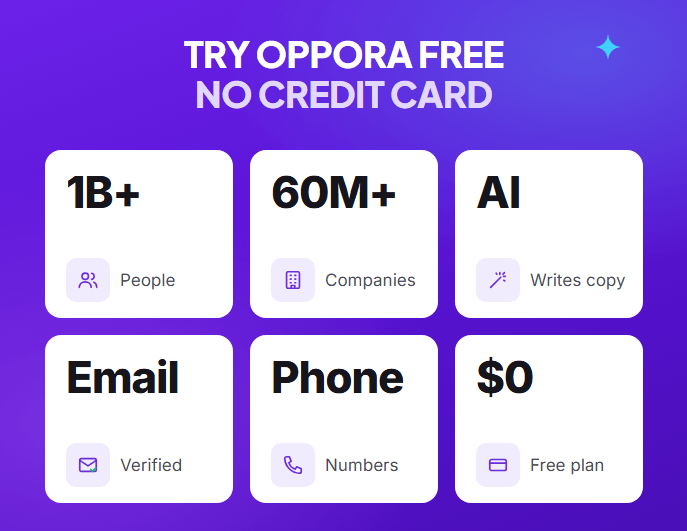
- LinkedIn Lead Generation: Search 1B+ people and 60M+ companies using AI Search or Manual Filters. Build client-specific company lists, find decision-makers, and import prospects from LinkedIn or Sales Navigator through the Chrome extension.
- Lead Enrichment and Contact Verification: Enrich LinkedIn prospects with 50+ data points. Use Email Finder's 12-source waterfall to discover work emails, verify addresses, and find available phone numbers for multichannel outreach.
- LinkedIn Automation Actions: Automate profile visits, post reactions, AI comments, connection requests, follows, messages, InMail, and pending invitation withdrawals across connected client accounts.
- AI Personalization and LinkedIn Safety Controls: Personalize connection notes, comments, and follow-ups for each client's audience. Set daily activity limits, uneven delays, and gradual account warm-up.
- Multichannel Outreach (LinkedIn + Email Sequences): Combine LinkedIn activities with personalized email follow-ups. Use conditional steps to message prospects after connection acceptance or continue outreach
- OraFlow and Daily AI Workflows: Build reusable workflows connecting company searches, decision-maker discovery, enrichment, and verification. Schedule daily runs to keep finding relevant contacts for each client.
- Campaign Management, Reporting, and CRM: Assign team tasks, manage email replies through Reply Ora, and track LinkedIn invitations, connections, and campaign performance. Organize interested prospects in Oppora CRM or supported external CRMs.
Pricing
Oppora offers a free plan and paid subscriptions, with LinkedIn automation priced per connected account.
- Free ($0/month): Includes 50 data credits, 1 phone credit, 20 AI credits, 50 monthly email recipients, 3 mailboxes, and unlimited AI workflows.
- Pro ($34/month): Includes 10,000 data credits, 200 phone credits, 500 AI credits, 5,000 monthly email recipients, 25 mailboxes, and unlimited AI workflows.
- Max ($79/month): Includes 25,000 data credits, 600 phone credits, 1,000 AI credits, unlimited email recipients, 50 mailboxes, unlimited AI workflows, and one free LinkedIn automation slot.
- Enterprise (from $499/month): Offers custom data, phone, and AI credits, unlimited workflows and mailboxes, and tailored LinkedIn slots for agencies needing more than 50,000 contacts monthly.
- Additional LinkedIn Accounts ($19/month each): Add connected LinkedIn accounts without upgrading your platform plan. Additional data credits start at $7 for 1,000, phone credits at $20 for 100, and AI credits at $10 for 500.
AI-generated comments, reactions, and personalization may consume AI credits. Additional credit packs are available without upgrading your subscription.
Limitations
- LinkedIn account scaling: Additional LinkedIn accounts cost $19 per month each, allowing agencies to expand their outreach capacity as they onboard more clients.
- LinkedIn outreach limits: Campaign activity follows LinkedIn's platform limits, so agencies should gradually increase sending volumes to reduce account restriction risks.
- Usage-based credits: AI personalization, enrichment, and verification use allocated credits. Agencies can purchase additional credit packs without upgrading their entire plan.
- Client-facing branding: Agencies requiring white-label portals or branded reporting should confirm available customization options before onboarding clients.
2. HeyReach

HeyReach is a LinkedIn automation platform built for agencies managing outreach across multiple sender accounts. It helps you organize client campaigns, automate LinkedIn activities, and handle conversations without switching between profiles.
Its separate workspaces and centralized inbox make collaboration easier when multiple team members manage different clients.
Key Features for Agencies
Here's how you can use HeyReach to manage LinkedIn outreach across clients:
- Client workspaces: Create separate workspaces to organize each client's LinkedIn accounts, prospects, campaigns, and data. Assign permissions to control what clients and operators can access.
- Multiple LinkedIn senders: Connect multiple profiles and distribute connection requests, follow-ups, and profile visits across sender accounts. Use conditional sequences to automate outreach.
- Unified Inbox: Monitor conversations from connected LinkedIn accounts in one place. Filter replies, coordinate responses, and assign follow-up responsibilities without switching profiles.
- Campaign reporting: Use Master View to track connection requests, acceptance rates, replies, and campaign performance across client workspaces. Export reports for client updates.
- CRM integrations: Connect HubSpot, Make, Zapier, APIs, and webhooks to synchronize prospect information and campaign activity with client-specific systems.
This setup helps your agency oversee multiple client campaigns while keeping conversations, reporting, and responsibilities organized.
Pricing
HeyReach charges per LinkedIn sender, with bundled pricing for agencies managing multiple accounts.
- Growth: $79/sender/month, including unlimited campaigns and 100 one-time enrichment credits per sender.
- Agency: $999/month for 25 senders or $1,399/month for 50 senders, including white-label branding and 1,000 enrichment credits.
- Annual billing: Discounts are available for longer subscription commitments.
Limitations
- Email outreach: Requires integrations with external platforms such as Instantly or Smartlead.
- Lead sourcing: Extensive prospect discovery may require additional enrichment credits or third-party tools
- Sender commitments: Fixed agency bundles can increase costs for smaller teams.
- Integration management: Connecting multiple client CRMs requires additional configuration and ongoing maintenance.
Suggested Reading:
Cold Email vs LinkedIn: Which Performs Better for B2B Outreach?3. Expandi

Expandi is a cloud-based LinkedIn automation tool that helps agencies manage personalized outreach across multiple client accounts.
Its Smart Sequences adjust follow-ups based on prospect actions, while centralized campaign management helps your team monitor campaigns without switching between LinkedIn profiles.
Key Features for Agencies
Here's how you can use Expandi to organize and automate client outreach:
- Prospect management: Import leads from LinkedIn, Sales Navigator, groups, events, or CSV files. Organize prospects into separate campaigns for each client.
- Conditional Smart Sequences: Automate connection requests, messages, and email follow-ups based on prospect behavior. Send different messages depending on whether someone accepts, replies, or ignores an invitation.
- Client access controls: Assign roles and permissions through the Agency plan so operators can manage campaigns while clients view relevant information.
- Campaign reporting: Track connection acceptance, reply rates, and campaign activity. Use integrations or webhooks to transfer prospect data into external CRMs.
- White-label branding: Provide branded dashboards and share campaign results under your agency's identity through eligible agency arrangements.
This setup helps you manage client outreach while keeping campaign execution, reporting, and responsibilities organized.
Pricing
Expandi charges per connected LinkedIn account, with custom options for agencies managing larger teams.
- Business: $99/account/month, or approximately $79/month with annual billing.
- Agency: Custom pricing for 10+ seats, including centralized management, advanced permissions, and white-label options.
- Additional costs: Image, GIF, and video personalization may require paid integrations or separate subscriptions.
A seven-day free trial is available, and monthly Business subscriptions have no minimum seat commitment.
Limitations
- Agency features: Advanced permissions and white-label branding require custom Agency arrangements.
- Personalization costs: Visual personalization may increase monthly software expenses.
- External subscriptions: Sales Navigator requires a separate subscription for its advanced prospecting features.
- Account restrictions: Dedicated IPs, warm-up, and activity limits can help manage outreach risk but cannot guarantee protection from LinkedIn restrictions.
4. La Growth Machine

La Growth Machine helps agencies manage prospecting and follow-ups across LinkedIn, email, calls, and X (Twitter). It combines lead enrichment, automated sequences, and conversation management, making it useful when you need multiple channels to reach prospects for different clients.
Key Features for Agencies
La Growth Machine lets you manage outreach through separate sender identities while giving your team visibility into campaigns and conversations.
Its main capabilities include:
- Multichannel sequences: Combine LinkedIn connection requests, emails, voice messages, and follow-ups based on prospect engagement.
- Lead enrichment: Find verified business emails using multiple data providers and enrich imported prospect lists.
- Identity management: Connect multiple sender profiles and manage their campaigns under one billing account.
- Unified inbox: View LinkedIn and email conversations across identities, assign follow-up responsibilities, and qualify interested leads.
- CRM integrations: Connect with HubSpot, Pipedrive, Zapier, Make, and other tools to coordinate outreach data and workflows.
For an agency, this means you can import prospects for one client, enrich their details, launch LinkedIn-email sequences, and manage replies without constantly switching between platforms.
Pricing
La Growth Machine uses per-identity pricing. Its published rates include:
- Basic: From €60/identity/month, with 250 enriched leads and LinkedIn-email outreach.
- Pro: From €120/identity/month, with 400 enriched leads, a unified inbox, and advanced automation.
- Ultimate: Listed from €120/identity/month, with 1,000 enriched leads and HubSpot/Pipedrive CRM synchronization.
These displayed rates use annual billing. Each additional identity is billed separately. Agency pricing requires a minimum of six identities and a custom quote.
Limitations
- Higher costs with multiple identities: Each additional sender identity increases your monthly expenses as you manage more client accounts.
- Limited inbox functionality: The Basic plan excludes the unified multichannel inbox, making conversation management less convenient.
- Restricted CRM integrations: CRM conversation synchronization requires the Ultimate plan, adding costs for agencies that need automated data sharing.
- Client management and usage limits: Enrichment allowances are capped, while client-specific permissions, reporting access, and workspace separation need verification before scaling.
5. Skylead

Skylead helps agencies automate LinkedIn and email outreach through conditional sequences and personalized messaging. It suits agencies that need to manage multiple client campaigns while keeping prospect conversations and outreach performance organized.
Key Features for Agencies
Skylead combines prospect discovery, email verification, campaign automation, and reporting within one platform.
Its key features include:
- Smart sequences: Build LinkedIn and email workflows using if/else conditions that adjust follow-ups based on prospect actions.
- Email discovery: Find and verify business email addresses within sequences before contacting prospects.
- Image and GIF personalization: Add prospect names, profile pictures, company logos, and custom text to outreach visuals.
- Smart Inbox: Manage LinkedIn and email replies, label conversations, and prioritize interested prospects.
- Agency management: Oversee client accounts, assign permissions, monitor performance, and manage conversations through an agency dashboard.
- CRM integrations: Connect HubSpot, Salesforce, and Pipedrive or build workflows through APIs and webhooks.
For agencies, this allows you to run personalized campaigns for individual clients while monitoring engagement and follow-ups from a shared management environment.
Pricing
Skylead uses per-seat pricing, with separate agency packages for managing multiple LinkedIn accounts.
- All-in-one Plan: $100 per seat/month, including LinkedIn automation, email discovery, unlimited connected mailboxes, 100,000 monthly emails, and unlimited image/GIF personalization.
- Agency Plan: Advertised first-year promotions include $999/month for 25 seats and $1,999/month for unlimited seats. Another agency offer lists 50 seats for $999/month, so confirm current terms.
- Annual Billing: Offers two months free compared with monthly billing.
- Additional Costs: White labeling requires a separate agreement, while AI enrichment and AI SDR features are available as optional add-ons.
Limitations
- Per-seat costs: Individual subscriptions become expensive when you add multiple LinkedIn sender accounts.
- Agency features: Centralized client oversight, granular permissions, and consolidated conversations require agency-level access.
- Branding restrictions: White-label customization needs a separate agreement rather than standard plan access.
- Additional setup: AI enrichment costs extra, while custom CRM workflows may require API configuration or third-party automation tools.
6. Closely

Closely helps agencies manage LinkedIn and email outreach across multiple client accounts. Its white-label platform also lets you provide branded campaign access, making it useful when clients need visibility into outreach performance without managing campaigns themselves.
Key Features for Agencies
Closely combines campaign automation, client management, and reporting within one platform.
Its main features include:
- Client workspaces: Manage separate client accounts through an agency dashboard with centralized oversight.
- Role-based permissions: Assign admin and user roles, control campaign access, and let clients manage their own teams.
- Smart Inbox: Manage LinkedIn and email conversations from one place to simplify prospect follow-ups.
- White-label branding: Customize your client portal with your agency's logo, colors, and domain.
- Client reporting: Share branded campaign reports and performance insights without exposing other clients' information.
- CRM integrations: Connect HubSpot, Salesforce, Pipedrive, and other applications through webhooks.
Your operators can manage campaigns centrally while clients review their own results through a branded portal.
Pricing
Closely offers account-based subscriptions alongside a dedicated agency white-label package.
- Starter: $65/month for one LinkedIn account, with unlimited email accounts.
- Growth: $159/month for three LinkedIn accounts and 3,000 monthly enrichment credits.
- Essential: $259/month for five LinkedIn accounts and 5,000 monthly credits.
- White-label Agency: $1,499/month for unlimited client accounts and seats, including branded portals, reporting, and administration.
Annual billing reduces Starter, Growth, and Essential to $39, $95, and $155 per month, respectively. Additional enrichment or AI personalization may consume purchased credits.
Limitations
- Agency pricing: Full multi-client white-label management requires a substantial monthly commitment.
- Limited included credits: Growth and Essential offer fixed allowances shared across enrichment and AI personalization tasks.
- Account restrictions: Standard plans include only one, three, or five LinkedIn accounts, requiring upgrades as clients increase.
- Reporting requirements: Advanced client-facing reporting depends on your agency setup, so verify export options and permission controls before onboarding multiple clients.
7. Salesflow

Salesflow helps agencies manage LinkedIn and email outreach across multiple client accounts. Its centralized dashboard, team permissions, and volume-based pricing make it suitable for agencies that need better campaign oversight as their client base grows.
Key Features for Agencies
Salesflow combines multichannel outreach, team collaboration, and campaign reporting in one platform.
Its main features include:
- Multi-account management: Monitor multiple client LinkedIn accounts and campaigns through a centralized agency dashboard.
- Team permissions: Assign role-based access to managers and operators, controlling campaign visibility and responsibilities.
- Unified inbox: Manage LinkedIn and Sales Navigator replies with reminders, scheduled messages, and conversation filters.
- Campaign analytics: Track connection rates, replies, and engagement across client campaigns to identify underperforming sequences.
- White-label dashboard: Customize branding and provide clients with controlled access to their inboxes and reports.
- CRM integrations: Connect HubSpot and LinkedIn Sales Navigator, with additional integrations available through Zapier.
For agencies, the global dashboard helps you identify campaigns needing adjustments and conversations requiring follow-ups without checking every client account separately.
Pricing
Salesflow charges per seat, with lower rates available as your account volume increases.
- Basic: $99/seat/month, starting with one seat.
- Starter: $70/seat/month, requiring at least five seats.
- Pro: $39.95/seat/month, requiring at least 20 seats.
- Agency: From $29.98/seat/month, requiring at least 50 seats.
- Enterprise: From $24.99/seat/month, requiring at least 100 seats.
Six-month and annual billing offer advertised discounts of 15% and 30%. Agency and Enterprise require annual commitments billed monthly. Confirm negotiated terms and included features with Salesflow before purchasing.
Limitations
- Minimum seat commitments: Lower per-seat prices require larger teams, potentially increasing costs for smaller agencies.
- Advanced features: White labeling and API access may require higher-tier arrangements.
- Client access: Verify workspace permissions and reporting controls before granting clients dashboard access.
- Additional expenses: Sales Navigator subscriptions, contact data, and external integrations can increase total operating costs.
8. Linked Helper

Linked Helper is a desktop-based LinkedIn automation tool that helps agencies manage outreach campaigns across multiple client accounts. Unlike cloud-only platforms, it runs locally or on a remote server, giving you more control over campaign operations and data storage.
Key Features for Agencies
Linked Helper combines LinkedIn automation, contact management, and CRM integrations with flexible account licensing.
Its key features include:
- Campaign automation: Automate connection requests, personalized messages, follow-ups, profile visits, and engagement activities.
- Multi-account management: Operate separate LinkedIn accounts, assign licenses, and manage client campaigns from one computer or remote server.
- Client workspaces: Separate client data and assign role-based permissions for campaign operators and viewers.
- CRM integrations: Connect HubSpot, Salesforce, Pipedrive, and Zoho, or transfer prospect data through webhooks.
- Data exports: Export lead profiles and campaign records to CSV, with advanced message-history exports available on Pro.
- Team collaboration: Use cloud-based storage for shared inbox access, campaign visibility, and remote account management.
For agencies, this allows you to organize client outreach separately while controlling access and campaign execution.
Pricing
Linked Helper charges per license, with separate pricing for local and cloud-based storage.
- Standard Local: $15/license/month, including unlimited campaigns and basic CRM integrations.
- Pro Local: $45/license/month, with advanced exports and expanded automation capabilities.
- Standard Cloud: $29.90/license/month, adding shared data access.
- Pro Cloud: $59.90/license/month, combining collaboration with advanced features.
Each simultaneously running LinkedIn account requires one license. Annual commitments offer discounts, while VPS hosting, additional data credits, and maintenance create separate expenses.
Limitations
- Desktop dependency: Campaigns stop when the hosting computer shuts down unless you use a continuously running server.
- Infrastructure maintenance: Managing multiple accounts requires sufficient hardware, software updates, and ongoing monitoring.
- Collaboration restrictions: Shared inbox synchronization and easier cross-device management depend on cloud storage.
- Reporting and branding: No full white-label program is available, and agencies may need manual reporting or external dashboards for clients.
Conclusion: Choose the Best LinkedIn Automation Tool for Agencies
The best LinkedIn automation tool for agencies isn't necessarily the one with the most features. It's the one that helps you manage multiple clients without adding unnecessary costs or manual work.
Before choosing, consider how well each platform separates client data, supports your outreach workflow, and handles reporting. Calculate the total cost, including sender accounts, integrations, and additional credits.
Start with one client campaign to test reply management, CRM syncing, and overall performance before scaling.
If you want to combine prospecting, LinkedIn outreach, and email automation, consider testing Oppora with one client workflow to see how it fits your agency's needs.
Frequently Asked Questions (FAQs)
Can LinkedIn automation tools get your clients' accounts restricted?
Yes. LinkedIn restricts unauthorized automation, so automated connection requests, messages, or profile activity can lead to warnings or account restrictions. Even tools offering activity limits and warm-up features cannot eliminate this risk. You should review LinkedIn's policies and discuss these risks with clients before launching campaigns.
How many LinkedIn accounts can you manage from one agency dashboard?
It depends on your chosen platform and subscription. Some tools support only one account per license, while agency plans may accommodate dozens of senders. Before purchasing, check account limits, concurrent campaign support, and whether adding new client profiles requires additional fees.
Do agencies need LinkedIn Sales Navigator to use automation tools?
Not always. Many LinkedIn automation tools work with standard LinkedIn accounts. However, Sales Navigator provides advanced search filters that can help you identify more relevant prospects. You should check whether your chosen automation platform supports Sales Navigator searches before purchasing a separate subscription.
Can multiple clients use the same LinkedIn automation account?
You can manage multiple clients under one agency subscription if the platform supports separate workspaces. However, each client should generally use their own authorized LinkedIn sender profiles. Keeping campaigns, prospect lists, and permissions separate helps prevent data exposure and incorrect outreach.
Who owns the prospect data when an agency stops using an automation tool?
Data ownership depends on your agreement with the platform and your clients. Before subscribing, check whether you can export prospect lists, conversation histories, and campaign results. You should also confirm data retention policies and deletion procedures to avoid losing important client records.
Summarize with AI
Share