10 Best LinkedIn Lead Generation Tools in 2026 for B2B Sales
Stephen Parker
Published June 8, 2026
21 min

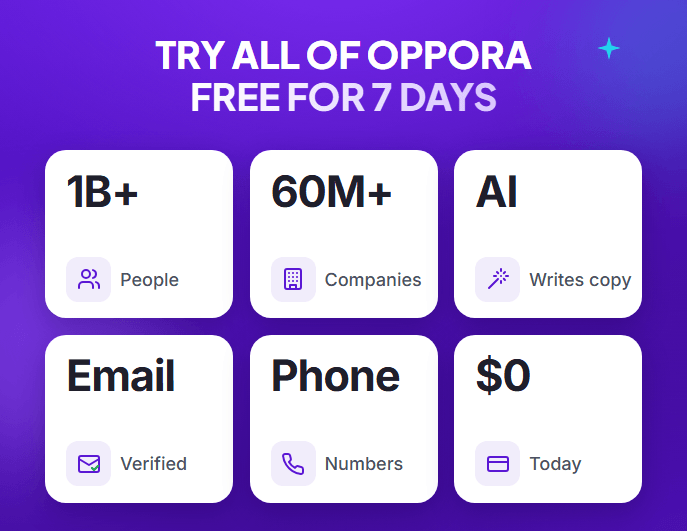
Complete Agentic Email Outreach
AI agents find and enrich prospects, personalize emails, follow up, and handle replies with your meeting link.
Start Your 7-Day Free Trial
Finding LinkedIn leads is easy. Turning those leads into real conversations is where the real work starts.
You may need one tool for prospecting, another for enrichment, and another for outreach or follow-ups.
That is why choosing the right LinkedIn lead generation tool depends on what part of your workflow needs the most help.
Some LinkedIn lead generation tools focus on search. Others handle contact data, automation, or complete outbound workflows.
In this guide, you will compare the best LinkedIn lead generation tools for:
- Prospecting and targeting
- Contact enrichment
- LinkedIn outreach
- Workflow automation
- End-to-end outbound
Quick Comparison of the Best LinkedIn Lead Generation Tools
The best tool depends on what you actually want LinkedIn to do for your sales process.
Some tools help you find the right people. Others enrich contact data, automate conversations, or connect several outbound steps into one workflow.
Here is a quick comparison before you explore each option in detail.
So, you do not need the tool with the longest feature list.
You need the one that solves your current bottleneck without adding unnecessary steps to your sales workflow.
Suggested Reading:
10 AI Tools for LinkedIn Lead Generation to Get More ClientsHow We Evaluated the Best LinkedIn Lead Generation Tools
Not every LinkedIn lead generation tool solves the same problem.
So, we compared each option using six factors that matter in a real B2B prospecting and outbound workflow.
Prospecting and Targeting Quality
We looked at whether the tool helps you find ICP-matching prospects, not just automate activity.
Key factors included:
- Advanced search filters
- Sales Navigator support
- Lead and account list building
- Intent or contextual buying signals
Contact Data and Enrichment
Finding a lead is only useful if you can get reliable contact information.
We assessed:
- Verified business emails
- Phone number availability
- Company and role data
- Data freshness
- Verification before export
Automation and Workflow Depth
We also checked how far the tool can move a lead through your outbound process.
That included:
- Connection requests
- Follow-up messages
- Email outreach
- Reply handling
- Lead qualification
- Meeting booking
LinkedIn Account Risk and Control
No third-party automation tool should be treated as completely risk-free.
We considered:
- Browser-based vs cloud-based operation
- Daily activity controls
- Personalization options
- Account safeguards
- Sequence stopping and manual controls
Integrations and Workflow Fit
A good tool should fit naturally into the rest of your sales stack.
We reviewed support for:
- CRM platforms
- Email tools
- APIs
- Zapier or Make
- Lead exports
- Shared inboxes
Pricing and Value
Finally, we compared the plan you would realistically need, not just the lowest advertised price.
We considered:
- Usable limits
- Feature restrictions
- Credit systems
- Add-on costs
- Team pricing
- Overall value for the intended use case
The evaluation is based on current product documentation, public pricing, and available user-review evidence. We do not claim hands-on testing where it has not actually been performed.
10 Best LinkedIn Lead Generation Tools for B2B Sales
Now that you know how the tools were evaluated, you can compare what each one actually does inside your sales workflow.
The important part is not finding the tool with the most features. It is choosing the one that removes the biggest gap between finding a prospect and starting a conversation.
1. Oppora.ai — Best Overall for End-to-End AI LinkedIn Lead Generation

Best for: You want one AI outbound platform to manage prospecting, enrichment, outreach, replies, and CRM updates.
Oppora.ai is more than a LinkedIn automation tool. It is designed to connect the full outbound process instead of making you manage every step separately.
You can move prospects through one connected workflow:
Lead discovery → list building → enrichment → verification → LinkedIn/email outreach → AI replies → qualification → meeting booking → CRM sync
Key features:
- AI-powered Finder for prospect discovery
- Large B2B lead database
- LinkedIn Chrome extension
- Lead list building and enrichment
- Email verification before outreach
- Drag-and-drop workflow builder
- LinkedIn and email outreach
- AI-generated personalization
- Reply Ora for automated reply handling
- Lead qualification and meeting booking
- CRM sync with HubSpot, Salesforce, Pipedrive, and Oppora CRM
- Email warm-up and mailbox rotation for outbound campaigns
Oppora’s AI agents are designed to work together across the workflow, so you can build an outbound process once and keep it running without manually moving leads between tools.
Pricing:
- Free: $0
- Pro: $34/month
- Max: $79/month
- Enterprise: From $499/month
G2 reviews: Oppora currently holds a 4.5/5 rating from 33 reviews. Reviewers highlight its ease of use, lead-finding capabilities, workflow automation, verified work emails, and the convenience of managing prospecting activities from one platform.
Pros:
- Connects prospecting, enrichment, and outreach
- Supports both LinkedIn and email
- Automates replies and CRM updates
Limitation:
- If you need extremely granular LinkedIn-only automation controls, a specialized LinkedIn platform may offer more depth.
Why choose it: Oppora fits you when you want to automate LinkedIn lead sourcing and outreach as part of one complete outbound workflow, rather than combining several disconnected sales tools.
2. LinkedIn Sales Navigator — Best for Native LinkedIn Prospecting

Best for: You want deeper LinkedIn search and targeting to identify the right B2B decision-makers.
LinkedIn Sales Navigator is primarily a prospecting tool, not a complete outreach automation platform.
It helps you narrow LinkedIn’s professional network using 50+ advanced search filters, then save and monitor the prospects and accounts that match your ICP.
Key features:
- Advanced lead and account search
- 50+ prospecting filters
- Lead and account lists
- Saved searches
- Lead recommendations
- Job-change and account alerts
- Buyer intent signals
- 50 InMail messages per month
- Lead IQ and Account IQ
- CRM integrations on Advanced Plus
Sales Navigator works especially well as the prospecting layer of your sales stack.
However, it does not provide everything needed to move a lead through outbound.
It does not directly provide:
- Verified email enrichment
- Automated LinkedIn sequences
- Complete multichannel outreach
- Autonomous reply handling
You will usually need another tool for enrichment, automation, or email outreach after identifying prospects.
Pricing:
- Core: $119.99/license/month
- Advanced: $159.99/license/month
- Advanced Plus: Custom pricing
- Free option: Eligible users can access a free trial
G2 reviews: Sales Navigator currently holds a 4.4/5 rating from 2,188 reviews. Users frequently praise its advanced filters, ease of use, and ability to identify decision-makers, while pricing is a commonly mentioned drawback.
Read LinkedIn Sales Navigator reviews on G2
Pros:
- Excellent native LinkedIn targeting
- Strong account and buyer signals
- Useful for precise list building
Limitations:
- No built-in verified contact enrichment
- Requires additional tools for automated outbound
Why choose it: Choose Sales Navigator when your biggest challenge is finding the right LinkedIn prospects before enrichment and outreach begin.
3. Apollo.io — Best for LinkedIn Prospecting Plus B2B Contact Data

Best for: You want to turn LinkedIn prospects into enriched contacts and move them into email-based sales sequences.
Apollo.io combines B2B prospecting, contact data, enrichment, and sales engagement in one platform.
Its Chrome extension works directly on LinkedIn, letting you access contact details, save prospects, build lists, and add leads to Apollo sequences without constantly switching tabs.
Key features:
- Large B2B contact and company database
- LinkedIn Chrome extension
- Verified business emails and phone numbers
- Advanced prospecting filters
- Buying intent signals
- Lead scoring and AI research
- Contact and CRM enrichment
- Email and multichannel sequences
- HubSpot and Salesforce integrations
Apollo is particularly useful when LinkedIn helps you identify prospects, but you still need reliable contact information to reach them elsewhere.
However, there is an important distinction.
Apollo supports LinkedIn prospecting and LinkedIn tasks within sequences, but it is not primarily a LinkedIn connection-request automation platform like HeyReach or Expandi.
Pricing:
- Free: $0
- Basic: $49/user/month, billed annually
- Professional: $79/user/month, billed annually
- Organization: $119/user/month, billed annually; minimum 3 users
G2 reviews: Apollo currently holds a 4.7/5 rating from 9,820 reviews. Users frequently highlight its prospecting database, advanced filters, and ability to consolidate sales data and engagement.
Pros:
- Strong combination of prospecting and enrichment
- Useful LinkedIn-to-email workflow
- Broad sales engagement capabilities
Limitations:
- Credit usage can affect overall cost
- Not built mainly for automated LinkedIn connection sequences
Why choose it: Choose Apollo over Sales Navigator when you need contact data and engagement after prospect discovery. Choose it over Wiza when you want a broader prospecting database and sequencing platform, not just contact enrichment.
Suggested Reading:
Apollo io vs LinkedIn Sales Navigator: Pros, Cons, Verdict4. HeyReach — Best for Agencies and Multi-Account LinkedIn Outreach

Best for: You manage LinkedIn outreach across multiple sender accounts, clients, or sales reps.
HeyReach is built around multi-account LinkedIn outreach rather than deep prospecting or contact-data research.
Its main advantage is sender rotation. You can connect several LinkedIn accounts, distribute outreach across them, and manage replies from one centralized workspace.
Key features:
- Multiple LinkedIn sender accounts
- Sender rotation across campaigns
- Unlimited campaigns
- Connection requests and messages
- Unified LinkedIn inbox
- Separate client workspaces
- Conditional campaign actions
- Sales Navigator imports
- Email enrichment credits
- API and webhooks
- Zapier, Make, Clay, HubSpot, and other integrations
HeyReach pricing is important to understand because you pay mainly for connected LinkedIn senders, not the number of teammates using the platform.
Pricing:
- Growth: $79/sender/month
- Growth annual: $63/sender/month
- Agency: $999/month for 25 senders
- Agency annual: $799/month for 25 senders
- Unlimited: $2,999/month
- Free option: Trial available
G2 reviews: HeyReach currently holds a 4.6/5 rating from 71 reviews. Reviewers frequently mention its ease of use, multi-account workflows, integrations, and responsive support.
Pros:
- Strong multi-account outreach management
- Built specifically for agencies and outbound teams
- Centralized inbox and client workspaces
Limitations:
- Costs rise as you add LinkedIn senders
- Less focused on deep prospect data than all-in-one enrichment platforms
Why choose it: Choose HeyReach when your biggest challenge is scaling LinkedIn outreach across several accounts rather than finding and enriching leads from scratch.
5. Expandi — Best for Advanced Cloud-Based LinkedIn Automation

Best for: You want flexible LinkedIn sequences with conditional logic and deeper personalization.
Expandi is a cloud-based LinkedIn automation platform built for teams that need more control over how prospects move through outreach campaigns.
Instead of sending every lead through the same sequence, you can create conditional paths based on actions, responses, and other campaign outcomes.
Key features:
- Cloud-based LinkedIn automation
- Smart sequences with conditional actions
- Connection requests and follow-ups
- LinkedIn + email outreach
- Dynamic personalization
- A/B testing
- Campaign prioritization
- Detailed campaign analytics
- Dedicated country-based IP address
- Daily activity and outreach controls
- Sales Navigator support
- Centralized campaign dashboard
Expandi differs from HeyReach mainly in workflow focus.
HeyReach is stronger for scaling outreach across multiple senders.
Expandi is better suited to building flexible sequences with more personalization and campaign logic.
Pricing:
- Business: $99/month
- Annual billing: 20% discount
- Agency: Custom pricing for 10+ seats
- Free option: 7-day free trial
Image, GIF, and video personalization can involve additional paid services, so you should include those costs when comparing your complete stack.
G2 reviews: Expandi currently holds a 4.3/5 rating from 159 reviews. Recent reviewers highlight its time-saving automation, dashboard visibility, and outreach workflows, although some mention a learning curve around features and best practices.
Pros:
- Flexible conditional sequences
- Strong personalization options
- Combines LinkedIn and email outreach
Limitations:
- Takes more setup than simpler automation tools
- Third-party LinkedIn automation still carries account-policy risk
Why choose it: Choose Expandi when sequence flexibility and personalized campaign logic matter more than simply managing a large number of LinkedIn sender accounts.
6. Waalaxy — Best for Beginners Who Want LinkedIn + Email Automation

Best for: You want a simple way to automate LinkedIn prospecting and add email outreach without building complex workflows.
Waalaxy is designed to make LinkedIn automation easier for beginners and smaller sales teams.
You can import prospects from LinkedIn or Sales Navigator, launch pre-built sequences, automate connection requests and follow-ups, and sync leads with your CRM.
Key features:
- Automated LinkedIn connection requests
- Follow-up messages
- Pre-built prospecting sequences
- LinkedIn prospect imports
- Email Finder credits
- LinkedIn + email campaigns
- CRM synchronization
- CSV imports and exports
- Team collaboration
- Zapier, Make, and n8n integrations
- Smart reply detection
The main difference between its plans is important.
The Pro and Advanced plans focus mostly on LinkedIn outreach, while the Business plan adds cold email sequences, multichannel campaigns, and 500 Email Finder credits per month.
Pricing:
- Pro: €19/user/month
- Advanced: €49/user/month
- Business: €69/user/month
- Free option: 14-day free trial
So, if you are looking for a free LinkedIn lead generation tool, Waalaxy lets you test the platform first, but it does not currently offer a permanent free plan.
G2 reviews: Waalaxy currently holds a 4.5/5 rating from 1,549 reviews. Reviewers frequently highlight its simple setup, LinkedIn automation, follow-up sequences, and multichannel prospecting capabilities.
Pros:
- Beginner-friendly campaign setup
- Combines LinkedIn and email outreach
- Useful ready-made sequence templates
Limitations:
- Full multichannel functionality requires the Business plan
- Less flexible than more advanced workflow-focused platforms
Why choose it: Choose Waalaxy when you want an easy entry into LinkedIn automated lead generation without managing a highly technical campaign setup.
7. Dripify — Best for Sales Teams Running Structured LinkedIn Sequences

Best for: You want organized LinkedIn and email sequences with team controls, analytics, and reply management.
Dripify helps you turn LinkedIn prospecting into structured drip campaigns instead of handling every connection request and follow-up manually.
You can combine LinkedIn actions, email steps, delays, and conditions while tracking campaign performance from one dashboard.
Key features:
- Automated LinkedIn drip campaigns
- LinkedIn + email sequences
- Connection requests and follow-ups
- Conditional sequence steps
- Email Finder and data enrichment
- Dedicated inbox
- Campaign and step analytics
- Lead tagging
- A/B testing
- Team management
- HubSpot and webhook integrations
- Daily activity controls
Compared with Waalaxy, Dripify is better suited to teams that want more structured campaign management.
Waalaxy → simpler entry into automation
Dripify → stronger campaign, analytics, and team workflows
Pricing:
- Basic: $59/user/month or $39 billed annually
- Pro: $79/user/month or $59 billed annually
- Advanced: $99/user/month or $79 billed annually
- Enterprise: Custom pricing
- Free option: 7-day free trial
Basic limits you to one drip campaign. Pro adds unlimited campaigns, full daily quotas, a dedicated inbox, exports, and integrations.
Advanced adds multi-team management, A/B testing, lead tagging, stronger account controls, and deeper analytics.
G2 reviews: Dripify currently holds a 4.5/5 rating from 349 reviews. Users frequently praise its ease of use, automation, quick campaign setup, and time savings, while pricing and workflow limitations appear among common concerns.
Pros:
- Clear campaign structure
- Strong analytics and inbox management
- Useful team controls
Limitations:
- More advanced features require higher plans
- Complex branching can feel limited
Why choose it: Choose Dripify when you already know who to target and need a structured system for running repeatable LinkedIn outreach campaigns.
8. PhantomBuster — Best for LinkedIn Data Extraction and Custom Workflows

Best for: You want to extract LinkedIn data and connect multiple prospecting actions into custom workflows.
PhantomBuster takes a more flexible approach than traditional LinkedIn automation tools.
It uses individual automations called Phantoms. You can use them to extract LinkedIn searches, collect profile data, enrich contacts, or move leads into another system.
Key features:
- LinkedIn and Sales Navigator data extraction
- Profile and company data collection
- 100+ automations and workflows
- Contact and email enrichment
- Workflow chaining
- Scheduled cloud execution
- CRM and Google Sheets workflows
- Zapier, Make, and n8n integrations
- CSV and data exports
You can also combine several Phantoms into one workflow, making PhantomBuster useful when your prospecting process needs more customization.
The trade-off is a slightly steeper learning curve.
Pricing:
- Start: $69/month or $56/month annually
- Grow: $159/month or $128/month annually
- Scale: $439/month or $352/month annually
- Free option: Free usage and trial options are available
Pricing is based partly on execution hours, automation slots, and enrichment credits. So, you should calculate how much runtime your workflows need rather than comparing monthly prices alone.
G2 reviews: PhantomBuster currently holds a 4.4/5 rating from 138 reviews. Reviewers often highlight its time-saving automation, LinkedIn prospecting workflows, and ability to automate repetitive data tasks without heavy coding.
Read PhantomBuster reviews on G2
Pros:
- Highly flexible workflow automation
- Strong LinkedIn data extraction
- Useful for technical and growth teams
Limitations:
- Requires more setup than simpler tools
- Usage depends heavily on execution time
Why choose it: Choose PhantomBuster when you need custom LinkedIn extraction and enrichment workflows rather than only connection-request automation.
9. Wiza — Best for Finding Verified Emails and Phone Numbers From LinkedIn

Best for: You already know which prospects you want to contact and need verified email or phone data.
Wiza focuses on contact enrichment rather than full LinkedIn outreach automation.
It helps you reveal professional emails, phone numbers, company details, and other prospect data, with real-time email verification before you use the contact for outreach.
Key features:
- Verified work email discovery
- Phone number enrichment
- Real-time email verification
- LinkedIn Chrome extension
- Wiza Prospect database
- CSV enrichment
- CRM integrations
- Two-way CRM sync
- Company and professional data
So, if you are asking whether a LinkedIn prospecting tool can verify emails and phone numbers before you use them, Wiza is built around that workflow.
However, its LinkedIn workflow changed on August 19, 2026.
Wiza no longer supports bulk exports directly from LinkedIn, Sales Navigator, or Recruiter search and list pages. Individual profile enrichment still works through its browser side panel.
For bulk prospecting, you can now use Wiza Prospect, CSV uploads, or CRM imports. This also means Sales Navigator is not required to use Wiza.
Pricing:
- Free: $0 — 20 emails + 5 phone numbers
- Starter: $49/user/month
- Email: $99/user/month
- Email + Phone: $199/user/month
G2 reviews: Wiza currently holds a 4.5/5 rating from 1,258 reviews. Users often highlight its contact accuracy, LinkedIn workflow, and real-time verification.
Pros:
- Strong verified contact enrichment
- Useful email and phone data
- Flexible CRM and CSV workflows
Limitations:
- No longer supports bulk LinkedIn list-page exports
- Does not replace a dedicated LinkedIn outreach platform
Why choose it: Choose Wiza when contact data is the missing step between finding a prospect and starting outreach.
10. Dux-Soup — Best Budget LinkedIn Automation Tool

Best for: You want affordable LinkedIn outreach automation without paying for a larger sales platform.
Dux-Soup is one of the more budget-friendly LinkedIn automation tools, especially if your main goal is automating routine prospecting activities.
You can automate profile visits, connection requests, messages, and follow-ups while tagging prospects and tracking activity from your LinkedIn workflow.
Key features:
- Automated profile visits
- Personalized connection requests
- LinkedIn message automation
- Follow-up drip campaigns
- Prospect tagging
- Response detection and campaign pausing
- Lead management dashboard
- Central inbox on higher plans
- HubSpot, Salesforce, Pipedrive, Zapier, and Make integrations
- Sales Navigator compatibility
One important distinction is how each plan runs.
Pro Dux and Turbo Dux → run using your infrastructure/browser environment
Cloud Dux → runs on Dux-Soup’s managed cloud infrastructure
So, the cheapest plan should not be compared directly with more sophisticated cloud-based LinkedIn automation platforms.
Pricing:
- Pro Dux: $14.99/month
- Turbo Dux: $55/month
- Cloud Dux: $99/month
- Free option: 14-day free trial
- Annual billing reduces each plan’s monthly cost.
G2 reviews: Dux-Soup currently holds a 4.4/5 rating from 90 reviews. Users frequently highlight its ease of use and ability to automate repetitive LinkedIn outreach, while some reviews point to limitations depending on the workflow and plan selected.
Pros:
- Low starting price
- Straightforward LinkedIn automation
- Multiple plans for different automation needs
Limitations:
- Advanced functionality requires higher tiers
- Browser and cloud plans provide very different experiences
Why choose it: Choose Dux-Soup when budget matters and you mainly need practical LinkedIn outreach automation without investing in a broader outbound platform.
Free LinkedIn Lead Generation Tools: Which Ones Are Actually Free?
A “free LinkedIn lead generation tool” can mean very different things.
Some platforms give you an ongoing free plan. Others provide a few monthly credits or temporarily unlock paid features through a trial.
Free Forever vs Free Trial
Before choosing a free tool, check what you are actually getting:
- Free plan: You can keep using selected features without paying.
- Free credits: You receive limited prospecting or enrichment credits.
- Free trial: Paid features are available only for a limited period.
- Sales Navigator-dependent workflow: Some tools become more useful when paired with a paid Sales Navigator subscription.
These differences matter because a tool that looks free may require another paid platform to support your intended workflow.
Best Free Options by Use Case
Here is where the main options fit:
- Oppora.ai: Best for testing an integrated outbound workflow covering lead finding, enrichment, and outreach. A $0 Free plan is available.
- Wiza: Best for limited contact enrichment. Its Free plan includes 20 valid emails and 5 phone numbers.
- Apollo.io: Useful for testing B2B prospecting, contact data, and basic sales workflows through its Free plan.
- Waalaxy: Offers a 14-day trial rather than a permanent free plan.
- Dux-Soup: Starts with a 14-day Turbo trial, then moves you to its limited free Starter Edition.
- Sales Navigator: Offers eligible users a trial, but ongoing access requires a paid subscription.
The best free LinkedIn lead generation tool is therefore the one that lets you validate your targeting, data quality, or workflow first.
Once outreach volume grows, most sales teams eventually outgrow free-plan limits.
How to Choose the Right LinkedIn Lead Generation Tool
The right tool depends less on the longest feature list and more on where your current workflow slows down.
Start with the problem you need to solve first, then choose the platform built around that job.
Choose Sales Navigator If You Mainly Need Better LinkedIn Search
If your biggest challenge is finding the right decision-makers, Sales Navigator is usually the strongest starting point.
It gives you advanced lead and account filters, saved searches, recommendations, and LinkedIn signals that help narrow your ICP.
You will still need another tool if you want verified emails or automated outreach.
Choose Wiza or Apollo If You Need Verified Contact Data
Sometimes you already know who you want to reach. The missing piece is their business email, phone number, or enriched company data.
In that case:
- Wiza works well when contact enrichment is your main priority.
- Apollo is better when you also want a larger B2B database, filters, enrichment, and email sequencing.
Both help bridge the gap between finding a prospect and actually contacting them.
Choose HeyReach, Expandi, Waalaxy, or Dripify If You Need LinkedIn Outreach Automation
These tools make more sense when prospect discovery is not your main problem.
Choose based on how you plan to run outreach:
- HeyReach: Best for agencies and teams scaling multiple LinkedIn senders.
- Expandi: Better for complex sequences, branching, and deeper personalization.
- Waalaxy: Easier if you want simple LinkedIn and email automation.
- Dripify: Better for sales teams running structured drip campaigns with analytics.
Choose PhantomBuster If You Need Custom Extraction and Data Workflows
PhantomBuster fits technical marketers and growth teams that want more control over how LinkedIn data moves between tools.
You can extract profiles, export searches, enrich data, and chain several automations into custom workflows.
Choose Oppora.ai If You Want the Whole Workflow Connected
If your challenge is not one isolated step, an end-to-end platform may make more sense.
Oppora connects:
Prospecting → enrichment → qualification → LinkedIn/email outreach → replies → meeting booking → CRM
That means you can manage the full outbound journey without stitching together separate tools for lead finding, enrichment, outreach, and follow-up.
The best LinkedIn lead generation tool is ultimately the one that removes the biggest bottleneck from your current sales process.
How to Turn LinkedIn Leads Into a Complete Outbound Workflow
Finding a lead on LinkedIn is only the first step.
To turn that prospect into a real sales opportunity, you need a workflow that carries them from discovery to qualification, outreach, replies, and eventually your CRM.
Step 1: Find ICP-Matching Prospects
Start with people who actually fit your ideal customer profile.
You can use:
- LinkedIn search
- Sales Navigator
- B2B databases
- AI lead finders
Focus on role, seniority, company size, industry, location, and other signals that show genuine fit.
Step 2: Enrich and Verify the Lead
A LinkedIn profile rarely gives you everything needed for outreach.
Add the missing context before contacting the lead:
- Work email
- Phone number
- Company information
- Role and seniority
- Relevant business context
Verify contact data before moving prospects into a campaign.
Step 3: Qualify and Prioritize Leads
Not every lead deserves the same attention.
Score prospects based on ICP fit, role relevance, intent, company context, and other qualification signals.
An AI outbound platform such as Oppora can help qualify leads and move only better-fit prospects into the next stages of outreach.
Step 4: Run LinkedIn + Email Outreach
LinkedIn does not have to work in isolation.
You can combine connection requests and LinkedIn messages with email follow-ups to reach prospects across multiple touchpoints.
This gives you more ways to start a conversation without relying on one channel.
Suggested Reading:
How to Combine LinkedIn Outreach with Email CampaignsStep 5: Handle Replies and Book Meetings
This is where many simple automation tools stop.
A complete workflow should also:
- Detect replies
- Answer common questions
- Handle objections
- Qualify interest
- Share booking links
- Move qualified prospects toward meetings
Oppora’s reply agent is designed to support these later stages automatically.
Step 6: Sync Everything Back to the CRM
Finally, keep your sales data connected.
Contacts, replies, meetings, and deal activity should flow back into your CRM automatically.
LinkedIn → enrichment → qualification → outreach → reply → meeting → CRM
That is what turns LinkedIn lead generation from a list-building task into a complete outbound workflow.
Are LinkedIn Automation Tools Safe to Use?
LinkedIn automation can save time, but it is not risk-free.
The key is to separate operational safeguards from LinkedIn approval. A tool may reduce certain technical risks without being officially permitted by LinkedIn.
LinkedIn Automation Always Carries Some Risk
LinkedIn states that it does not allow unauthorized third-party software, browser extensions, bots, or other tools that scrape data or automate activity on its platform.
That includes automated actions such as adding contacts or sending messages. Violations can lead to temporary or permanent account restrictions.
So, no third-party LinkedIn automation tool should be described as completely “safe.”
Cloud execution, activity controls, and consistent login environments may reduce some operational risks, but they do not make prohibited automation officially approved by LinkedIn.
Browser-Based vs Cloud-Based Automation
Browser-based tools usually run through your browser or extension while your LinkedIn session is active.
Cloud-based tools run workflows remotely, often with a consistent environment and scheduled activity.
The technical setup differs, but neither approach automatically removes LinkedIn policy risk.
Practical Risk-Reduction Measures
If you use automation, keep activity conservative and closely monitored.
Useful precautions include:
- Start with low activity levels
- Increase volume gradually
- Target relevant prospects instead of broad lists
- Personalize connection requests and messages
- Stop sequences when a prospect replies
- Manually review high-value accounts
- Monitor LinkedIn warnings or restriction signals
- Avoid sudden spikes in invitations or messages
The safest approach is to treat automation as an assistive layer, not as permission to run unlimited activity.
LinkedIn’s official position remains clear: unauthorized automation can violate its User Agreement, regardless of how the tool is deployed.
Conclusion
Choosing the right LinkedIn lead generation tool comes down to three things: finding the right leads, getting reliable contact data, and moving those leads into real conversations.
If your main challenge is native LinkedIn search, Sales Navigator is a strong fit.
If you already know who to target but need verified emails or phone numbers, Wiza or Apollo makes more sense.
For specialized LinkedIn automation, HeyReach and Expandi are better suited to structured outreach workflows.
But if you want prospecting, enrichment, qualification, LinkedIn and email outreach, replies, meeting booking, and CRM sync connected in one place, Oppora.ai is built for that broader workflow.
You can start with its free plan and see whether a connected outbound system fits the way your team sells.
Frequently Asked Questions About LinkedIn Lead Generation Tools
What is a LinkedIn lead generation tool?
A LinkedIn lead generation tool helps you find prospects, enrich contact data, automate outreach, and manage leads through your sales workflow.
What are the best LinkedIn lead generation tools for B2B sales?
It depends on your use case. Sales Navigator is strong for search, Wiza and Apollo for contact data, HeyReach and Expandi for outreach automation, and Oppora.ai for a connected outbound workflow.
What is the best free LinkedIn lead generation tool?
There is no single best free option. Oppora.ai and Apollo offer free plans, Wiza gives limited free credits, while tools like Sales Navigator and Waalaxy mainly offer trials.
Can LinkedIn lead generation tools find verified emails and phone numbers?
Yes. Tools such as Wiza, Apollo, and Oppora can enrich LinkedIn leads with business emails, phone numbers, and company data, with verification available in many workflows.
Can LinkedIn automation tools get your account restricted?
Yes. Unauthorized automation can violate LinkedIn policies and may lead to account restrictions. Use conservative activity levels and avoid treating any third-party automation tool as completely risk-free.
Summarize with AI
Share