9 Best AI Tools for Real Time Company Funding Alerts & Tracking
Adam Hossain
Published November 10, 2026
20 min

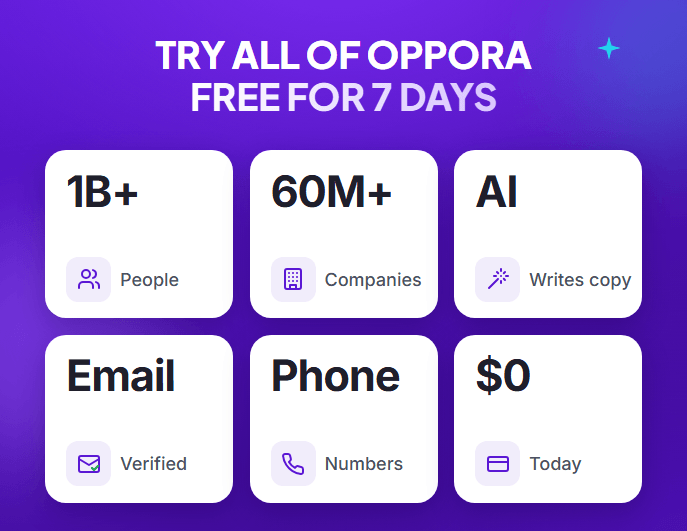
Complete Agentic Email Outreach
AI agents find and enrich prospects, personalize emails, follow up, and handle replies with your meeting link.
Start Your 7-Day Free Trial
You spot a funding announcement on LinkedIn, open the company’s site, and check the round.
By the time you reach out, three competitors already have.
Manually tracking funding news rarely keeps up.
Crunchbase reported that investors put $425 billion into more than 24,000 private companies in 2025, up 30% from 2024.
That’s too many to follow by hand.
AI tools for real-time company funding alerts find and verify these events, but not all of them notify you.
In this guide, you’ll see:
- How funding alerts work
- 9 tools compared by use case
- How to set up alerts in 4 steps
TL;DR
The best AI tools for real-time company funding alerts depend on what you do next: sell to funded companies, research deals, or build custom workflows.
- Oppora AI is one of the best AI tools for real-time company funding alerts when your goal is sales. B2B sales teams can find funded companies, confirm signals with source-linked Deep Search, enrich decision-makers, and launch email and LinkedIn outreach in one platform, turning new rounds into pipeline. Daily workflows handle scheduled monitoring, not instant alerts. Funding filters start at $34/month.
- Crunchbase, Owler, and Harmonic are stronger for native alerts. Crunchbase emails saved-search updates but publishes no exact data delay. Owler Pro sends real-time news on followed companies, with weaker small-company data. Harmonic offers hourly Slack alerts, but requires a custom quote.
- PitchBook, Dealroom, and Clay fit specialized needs. PitchBook offers deep deal research at enterprise prices. Dealroom tracks startup ecosystems, but updates daily and starts at €250 per seat monthly. Clay builds custom funding workflows, with a steep learning curve.
- Check what "real-time" actually means. Many tools update hourly, daily, or weekly, while alerts, exports, and CRM sync often depend on paid plans or credits.
How AI Company Funding Alerts Work
Before comparing tools, it helps to know what happens behind an alert.
Platforms collect investment news, link it to company profiles, and make it searchable.
But searching that data isn’t the same as getting notified automatically.
1. Detect New Funding Announcements
Tools pull funding details from press releases, company announcements, financial databases, and news sites.
AI spots the event in that text and extracts the round, amount, and investors.
It then matches the event to the right company, so Acme Labs’ round doesn’t land on Acme Inc.
2. Filter and Verify Funding Events
Next, narrow the results by funding stage, amount, date, industry, and location.
Say you only want US SaaS companies that raised a Series A this month.
Then verify the details, since outlets often report rounds differently:
- Amount: Does it match the company’s announcement?
- Investors: Are the firms named correctly?
- Date: Is the round new or recycled news?
- Source: Can you find the original release?
3. Deliver Alerts and Monitor Updates
Verified events reach you through dashboards, email, APIs, webhooks, or scheduled updates, depending on the platform.
Each new round also joins the company’s funding history.
Near-real-time alerts fire soon after an event is processed, while daily and weekly updates run on a schedule.
Suggested Reading:
Signal-Based Selling Explained: How It Works, Key Signals & B2B Use CasesHow We Evaluated Company Funding Alert Tools
Now that you know how alerts work, here’s how we judged each tool.
We looked at funding-data quality, alert methods, tracking, AI capabilities, integrations, and pricing.
This comparison relies on public documentation and research, not independent hands-on benchmarks.
Funding Data Accuracy and Coverage
A useful record goes beyond “Company X raised money.”
We checked whether each tool shows funding amounts, stages, dates, investors, company details, and past rounds.
We also weighed geographic and industry coverage.
A database strong on US SaaS may be thin on European biotech.
Traceability counted as well, since you should be able to open the original announcement.
Alert Speed and Monitoring Capabilities
Real-time is an easy claim to make.
So we looked for documented update frequency, saved searches, watchlists, notifications, and refresh methods.
We also separated tools into three groups:
- Native alerts: The platform notifies you automatically.
- Searchable records: You find new rounds by checking yourself.
- Connected workflows: Alerts depend on a third-party integration.
AI Features, Integrations, and Pricing
AI only earned credit when it saved you real work.
That meant checking AI-powered discovery, company filtering, CRM integrations, APIs, and workflow automation.
Can it push a newly funded account into your CRM, or will you export a spreadsheet every week?
Pricing came down to transparency and limits.
We noted which features sit behind paid plans, how easy each tool is to use, and which business sizes it suits best.
Suggested Reading:
How to Find High-Quality B2B Data: Accuracy, Verification & Data Quality9 AI Tools for Real-Time Company Funding Alerts and Tracking
With those criteria in mind, here are the nine tools worth comparing.
Some monitor companies and investments, while others focus on funding discovery, AI research, enrichment, or automation.
The list includes native alert providers and tools that support funding workflows.
1. Oppora AI

Oppora AI is an AI-powered prospecting platform and one of the best AI tools for real-time company funding alerts when your goal is sales.
You can use AI Search or manual filters to find companies that have already raised funding, build a list, then find decision-makers and enrich them with contact details and 50+ data points.
To catch new rounds, create a workflow that runs every day and checks funding news for your target companies.
When one raises money, it’s added to your list along with its decision-makers and their contact details.
Key Features
A funding alert tells you who raised money.
Oppora helps you take that list further, from the funding round to the first message:
- Find funded companies: Search 60M+ companies by describing your target in AI Search, like “US B2B SaaS companies that raised a Series A this year.” Or use manual filters for funding round, amount, and last funding date.
- Automate the search: Build a workflow that checks the latest funding news every day and adds newly funded companies to your list.
- Narrow by fit: Add industry, company size, and headcount growth to keep only accounts you can sell to.
- Confirm the signal: Turn on AI research for a written reason each company fits, with signals linked to their source.
- Build your company list: Save the best accounts to a list for free.
- Find the decision-makers: Run Find People on that list, searching 1B+ people by title and department, with a cap per company.
- Enrich each contact: Add work emails, phone numbers, and 50+ data points to each profile.
- Verify before sending: Run email verification to catch invalid and risky addresses.
- Launch outreach: Start one email and LinkedIn sequence with connection requests, post reactions, comments, and messages.
- Track the deal: Send interested replies to Oppora’s built-in Sales CRM as a contact and opportunity, so funded accounts don’t get lost after the first reply.
Funding Tracking and Alert Capabilities
Say you sell to 200 SaaS companies and want to know when any of them raises money.
Build a workflow that runs every day and checks funding news for those target companies.
When one raises a round, the workflow adds it to your list, finds its decision-makers, and pulls their contact details.
For companies outside that list, use funding date and round filters, then turn on AI research to confirm each round against its original source.
Pros and Cons
Oppora AI holds a 4.5 out of 5 rating on G2, and reviewers point to clear strengths and a few gaps.
Pros
- Funding research connects directly to prospect discovery, enrichment, and outreach.
- Reviewers praise the easy setup, simple interface, and accurate data.
Cons
- It isn’t a specialized investment database or a native instant-alert service.
- Free and entry-level credits can run out quickly as you scale.
Pricing
- Free: $0, with 50 data and 10 AI credits a month. Funding filters aren’t included.
- Pro: $34/month, with 10,000 data and 500 AI credits a month. Funding filters are included.
- Max: $79/month, with 25,000 data and 1,000 AI credits a month. Funding filters are included.
- Enterprise: From $499/month, with custom credits. Funding filters are included.
Best For
- Sales teams that want to turn funding signals into qualified prospect lists and personalized outreach.
2. Crunchbase

Crunchbase is a company intelligence platform for funding announcements, investment histories, and startup research.
It’s a strong option for company funding alerts because you can get email updates on saved searches and company lists.
Key Features
Start broad, then follow the companies that matter:
- Search funding activity: Use advanced filters or AI Search to find companies by funding round, amount, industry, and location.
- Review company profiles: Check funding history, investors, and key people.
- Save what matters: Save a search to catch new matches, or build a list to follow specific companies.
- Research faster: Ask Crunchbase Scout to analyze a company or market.
- Move the data: Export results, or connect a CRM on Business.
Funding Tracking and Alert Capabilities
Saved searches suit market tracking, like SaaS companies that raised $1M to $10M.
Lists suit competitors and prospects, with alerts for new funding rounds, acquisitions, and IPOs.
Turn on email alerts, then adjust the frequency.
Crunchbase suggests daily updates for priority lists and weekly for the rest.
It publishes no exact delay for new funding data, and some reviewers notice lags on very recent rounds.
Pros and Cons
G2 reviewers rate Crunchbase 4.4 out of 5.
Pros
- Extensive company funding research and investment history.
- Reviewers praise its ease of use and strong filters.
Cons
- Smaller-company data can be outdated, and reviewers want more direct contact details.
- Advanced monitoring and exports need paid plans, which can feel expensive for small teams.
Pricing
- Free: $0, with 5 results per search and activity alerts on one default list.
- Pro: $99/month or $588/year, with alerts, 1,000 results per search, limited Scout, and 2,000 exported rows monthly.
- Business: Contact sales. Adds predictions, CRM integrations, full Scout access, and 5,000 exported rows monthly.
The 7-day Pro trial includes alerts, but not exports.
Best For
- Investors, researchers, and sales teams monitoring funding activity across startups.
3. Owler

Owler is a company intelligence and business news monitoring platform for keeping up with the companies you care about.
Follow a company, and you’ll get updates on funding announcements, acquisitions, and other major events, making it a useful option for company funding alerts.
Key Features
Owler works like a news desk for the accounts you follow:
- Find companies: Search 20M+ profiles with filters for funding, revenue, sector, and location.
- Review each profile: Check funding history, revenue, employee count, and competitors.
- Follow your accounts: Add prospects, customers, or competitors to build a personalized newsfeed.
- Filter by event: Narrow the feed to funding, key hires, partnerships, and other event types.
- Read your digest: Get a Daily Snapshot email each morning on followed companies.
Funding Tracking and Alert Capabilities
Owler Pro delivers breaking news about followed companies in real time.
To set it up, choose your event types in Email Settings, and Instant Insights emails you when one occurs.
The Daily Snapshot is different because it summarizes the past 24 hours, so it suits awareness more than fast outreach.
Coverage can vary by company, since an alert depends on the news being published and matched to the right profile.
Pros and Cons
G2 reviewers rate Owler 4.3 out of 5.
Pros
- Dedicated company news monitoring, funding-related alerts, and competitor tracking.
- Reviewers praise the easy setup and simple dashboard.
Cons
- It’s less focused on venture financing analysis than specialized investment databases.
- Reviewers report weaker data for smaller private companies and a limited free tier.
Pricing
- Community: $0, with up to 5 followed companies and sample data.
- Pro: $468/year for one seat, with real-time alerts, unlimited follows, and Advanced Search.
- Enterprise: Custom pricing, with API access and updates through HubSpot, Slack, and Salesforce.
Best For
- Sales professionals, business development teams, and market researchers who want funding-related news alerts about companies they follow.
4. Dealroom

Dealroom is a data platform for researching startups, investment activity, and regional innovation ecosystems.
It tracks 3.2M+ companies and lets you set company funding alerts by market, which helps when you watch whole ecosystems rather than single accounts.
Key Features
Start with a market, then narrow it to the companies worth watching:
- Explore ecosystems: Use city and sector dashboards to compare startups, venture funding, and unicorns.
- Search startups: Filter companies by location, industry, and funding round.
- Research funding: Review round histories, valuations, and investors across 336K+ tracked VC rounds.
- Assess growth: Check signal scores, revenue estimates, and hot sector rankings.
- Compare investors: Review funds by exits, top holdings, and assets under management.
- Connect your tools: Send data to Slack, HubSpot, or Salesforce.
Funding Tracking and Alert Capabilities
Filter the Companies tab by funding rounds, location, or industry, then save and name your alert.
Add companies or investors to a list to follow their updates.
Alerts appear in the Activity Center, where you can turn on New matches for saved searches and a Daily email digest.
Dealroom says funding rounds arrive daily, so treat it as daily monitoring rather than instant alerts.
Pros and Cons
G2 reviewers rate Dealroom 4.6 out of 5.
Pros
- Strong focus on startup ecosystems and investment intelligence.
- Reviewers praise its ease of use and data quality.
Cons
- Search, alerts, bulk exports, and API access all require paid access.
- Reviewers say the cost can be high for smaller businesses.
Pricing
- Free: Public profiles, market maps, and reports, without search or alerts.
- Premium: From €250 per seat monthly, billed annually, for 3 to 20 seats.
- Premium Plus: From €325 per seat monthly, with more export credits and MCP access.
- Enterprise: Custom pricing for 20+ seats, with unlimited exports.
API access is a paid add-on, and a 3-day trial is available.
Best For
- Investors, ecosystem researchers, and organizations monitoring startup m
5. Harmonic

Harmonic is a startup data platform that helps you discover emerging companies, understand their growth, and research investment opportunities.
Its saved searches can also send company funding alerts to Slack or email, so new rounds reach your team.
Key Features
Start with a market, then narrow it to the best startups:
- Discover with Scout: Describe companies in plain language, and the AI agent finds matches and builds market maps.
- Filter and save: Narrow 30M+ companies by early signals, then save the search.
- Review startup profiles: Check funding rounds, investors, and team changes.
- Track growth: Follow web traffic and headcount changes to spot momentum.
- Research investors: Search by stage, sector, geography, and check size.
Funding Tracking and Alert Capabilities
Open a saved search, click the bell icon, and add a Slack channel.
Then choose hourly, daily, or weekly alerts, and include fields like funding date and stage.
Daily and weekly Slack alerts go out at 9am PST, and you can also subscribe to a daily or weekly email digest.
Scout can run scheduled sweeps for new funding, hiring, and leadership changes.
Harmonic promotes real-time alerts, but hourly is the fastest schedule it documents for saved searches.
Pros and Cons
G2 reviewers rate Harmonic 4.7 out of 5, though only five reviews are listed.
Pros
- Startup discovery is combined with detailed company intelligence.
- Reviewers praise its data coverage and early-stage funding data.
Cons
- Financing data is a paid add-on on API and bulk plans.
- Some reviewers mention high cost and weaker pre-seed coverage.
Pricing
Harmonic lists no free plan or public prices, so all three options need a custom quote:
- Console: Browser and mobile access, with Scout AI, network mapping, and CSV export.
- API: Data enrichment, automatic triggers, and full MCP access.
- Bulk Data: Weekly refreshed records delivered through S3, BigQuery, or Snowflake.
Best For
- Venture investors and research teams discovering emerging companies.
6. PitchBook

PitchBook is a private-market intelligence platform for detailed investment research, deal analysis, and financing histories.
You can also set email alerts on companies and markets, so it suits teams that want deep research behind every company funding alert.
Key Features
Start with a precise screen, then dig into the deals behind each company:
- Screen the market: Use advanced screening to filter companies, deals, and investors.
- Review financing histories: Check funding rounds, valuations, and investors on each company profile.
- Analyze private markets: Study deal activity, funds, and investor involvement across regions.
- Follow developments: Use Navigator to track news and earnings call transcripts tied to companies and deals.
- Work in your tools: Pull data through the Excel and PowerPoint plugins, Chrome extension, or mobile app.
Funding Tracking and Alert Capabilities
Save a search to catch new companies entering a market, or save a list to monitor specific companies.
Then open the alert drawer, choose what each alert contains, and set how often it arrives.
Alerts come by email, and you can also create them for news and research.
PitchBook says its data updates several times a day, but it doesn’t publish how quickly a new round appears.
Pros and Cons
G2 reviewers rate PitchBook 4.5 out of 5.
Pros
- Detailed private-market and transaction intelligence.
- Reviewers value its comprehensive deal, team, and investor data.
Cons
- Enterprise-oriented access may exceed smaller teams’ budgets.
- Reviewers want easier search and broader coverage of smaller, early-stage companies.
Pricing
PitchBook doesn’t publish prices, so you request a custom quote:
- Cost factors: Pricing depends on your seats and firm type.
- Add-ons: Direct Data and CRM Integration can increase the cost.
- Included tools: Desktop, mobile, plugins, and the Chrome extension come with the platform.
- Trial: A free trial may be available on request.
- Typical spend: Vendr reports a median of $30,000 per year.
Best For
- Venture capital firms, analysts, and investment research teams.
7. Lusha

Lusha is a B2B data and sales intelligence platform that helps sales teams identify target companies, research contacts, and act on buying signals.
Funding news is one of those signals, helping you decide which accounts to contact first.
Key Features
Start with your ICP, then let signals set priorities:
- Find target companies: Describe your list in plain language or filter 29M+ companies.
- Research contacts: Search 515M+ contacts, or reveal details on LinkedIn with the Chrome extension.
- Add buying signals: Layer funding news, job changes, hiring surges, and intent topics onto your list.
- Enrich your records: Fill in missing emails, phone numbers, and company details.
- Sync your CRM: Push contacts to Salesforce, HubSpot, and other CRMs.
Funding Tracking and Alert Capabilities
Funding sits inside Lusha’s financial event news, which also covers investments, valuations, and earnings.
Filter a Workspace table by signal type, then build a list of recently funded accounts.
That’s funding-based prospect selection, not an automatic feed of funding announcements.
For notifications, connect signals to Zapier, Make, or n8n, then route them to Slack or Teams.
News signals refresh weekly, and the HubSpot signals card doesn’t support funding events yet.
Pros and Cons
G2 reviewers rate Lusha 4.3 out of 5.
Pros
- Contact research and sales prospecting sit in one tool.
- Reviewers praise its ease of use and contact information.
Cons
- It’s less suitable for comprehensive funding histories than investment databases.
- Reviewers report outdated contacts and credits that run out quickly.
Pricing
- Free: $0, with 40 credits monthly and no Signals.
- Starter: $49.90/month, with 400 credits and 5 intent topics.
- Pro: $69.90/month, with 600 credits, Signals, and API access.
- Premium: $399.90/month, with 3,400 credits and team management.
- Scale: Contact sales for custom credits and 25 intent topics.
A verified email costs 1 credit, and a phone number costs 5.
Best For
- B2B sales teams using company events to prioritize outreach.
Suggested Reading:
11 Lusha Alternatives for 2026: Better Data, Pricing & Accuracy8. Clay

Clay is a data enrichment and automation platform that combines external company information, enrichment providers, and AI research.
You can use it to build custom workflows for company funding alerts instead of relying on one fixed feed.
Key Features
Build a table of target accounts, then add only the steps you need:
- Import your accounts: Start with a CSV or Clay’s company search.
- Connect providers: Pull data from 200+ sources, including Crunchbase funding fields.
- Research with AI: Use Claygent to read company websites and find details.
- Add conditional logic: Run later steps only when earlier data meets your criteria.
- Find contacts: Use waterfall enrichment, which stops at the first valid email.
- Automate the handoff: Send results to Slack, a sequencer, or your CRM.
Funding Tracking and Alert Capabilities
Add a News & fundraising signal to a table of company domains, then choose your topics.
Next, set the frequency anywhere from quarterly to daily, with each result costing 1 action plus 6 data credits.
You can also feed records from a funding provider like Crunchbase into a table and schedule recurring runs.
Data freshness and delivery depend on your connected source and workflow setup.
Pros and Cons
G2 reviewers rate Clay 4.6 out of 5.
Pros
- Flexible company intelligence and automation workflows.
- Reviewers praise its integrations and waterfall enrichment.
Cons
- It may require setup, external data sources, and usage credits.
- Reviewers cite a steep learning curve and credits that are hard to predict.
Pricing
- Free: $0, with 500 actions and 100 data credits monthly, but no scheduled runs.
- Launch: From $185/month, or $167 billed annually, with scheduled runs and 15,000 actions.
- Growth: From $495/month, or $446 billed annually, adding webhooks, HTTP API, and CRM sync.
- Enterprise: Custom pricing, with data warehouse connections.
Data credits start at $0.05 each, and empty results cost nothing.
Best For
- RevOps and growth teams building customized funding-signal workflows.
Suggested Reading:
10 Best Clay Alternative & Competitors for AI Outreach & Lead Enrichment9. CUFinder

CUFinder is a company-data enrichment platform for teams adding available funding information to prospecting lists or internal systems.
Its API returns funding rounds, amounts, and investors, which helps if you want company funding alerts inside your own tools.
Key Features
Start with the companies you know, then return the funding data you need:
- Upload a list: Add company names, domains, or LinkedIn URLs in Excel or CSV.
- Enrich funding details: Return the latest round type, amount, date, and investors.
- Filter prospects: Use 40+ filters and funding-round signals across 85M+ companies.
- Call the API: Connect 50+ REST endpoints for search, enrichment, and data quality.
- Push results onward: Send records to HubSpot, Salesforce, or Zoho CRM.
Funding Tracking and Alert Capabilities
Use the Company Signals API to pull companies with recently announced rounds, using a look-back window of 7 to 180 days.
For one company, the Company Fundraising API returns its round type, amount, and total funding.
Both are pull requests, so your system has to call them on a schedule.
That’s different from a native push notification.
CUFinder also advertises signal webhooks, so check its docs before building around push delivery.
Pros and Cons
G2 reviewers rate CUFinder 4.8 out of 5.
Pros
- Useful for enriching company records and connected workflows.
- Reviewers praise its data precision and CRM connectivity.
Cons
- Automated monitoring may require additional infrastructure.
- Some reviewers report limited coverage in certain countries and a clunky interface.
Pricing
- Free: $0, with 50 credits monthly.
- Lite: $49/month, with 1,000 credits.
- Standard: $129/month, with 3,000 credits.
- Pro: $299/month, with 10,000 credits.
- Premium: $449/month, with 20,000 credits.
- Custom: Contact sales for higher volume.
Every plan includes unlimited teammates, and “Not Found” results cost nothing.
Unused credits expire monthly, and API calls draw from the same balance.
Annual billing saves up to 30%.
Best For
- Developers and data teams integrating company intelligence into existing systems.
Which Funding Monitoring Tool Fits Your Needs?
Once your process is clear, the right platform depends on your goal.
Sales teams need actionable account data, investors prioritize financing histories, and developers often need structured events and integrations.
For Sales Teams — Prospecting and Contact Discovery
Compare these by funding signals, ICP filtering, contact data, and CRM workflows:
- Oppora: Find recently funded companies, confirm signals with AI Search, research decision-makers, and prepare personalized outreach in one place.
- Lusha: Adds funding news to contact data and CRM sync, though Signals need a paid plan.
- Clay: Offers flexible workflows and waterfall contact enrichment, but you build them yourself.
For Investors — Funding History and Deal Research
Investment teams usually value historical accuracy and deal detail over contact enrichment, since one wrong round can skew an analysis.
- Crunchbase: Accessible funding histories and investor data.
- Dealroom: Strong regional and ecosystem coverage.
- Harmonic: Early-stage discovery and growth signals.
- PitchBook: Detailed deal and valuation research, usually at enterprise prices.
For Developers — APIs and Custom Monitoring
CUFinder returns funding data through its API, Clay connects multiple providers, and Harmonic offers API and bulk delivery.
Choose native alerts when you want quick setup.
Build a custom workflow when you need your own logic, but expect ongoing maintenance and limits set by each source’s update schedule.
Conclusion
The best funding tool depends on what you plan to do after a round is announced.
Funding databases suit research, native alerts suit monitoring, AI research platforms speed up discovery, and automated prospecting tools help you act.
Then compare each option on funding-data accuracy, notification frequency, integrations, and usability.
Before committing, test coverage on companies you already know, check a few original funding announcements, and understand each plan’s pricing limits.
A funding alert only matters if it starts the right conversation.
If that’s your goal, Oppora can help you turn recently funded companies into verified contacts and personalized outreach.
Frequently Asked Questions (FAQs)
How soon should you contact a company after it raises funding?
Ideally within a few weeks of the announcement, while budgets and priorities are still being set. Waiting several months means the company may have already chosen vendors. Speed still shouldn’t replace research, so confirm the company fits your ICP and identify the right decision-maker before you send your first message.
Why do funding amounts differ across databases?
Databases use different sources, definitions, and update processes. One may count only new equity, while another includes debt, extensions, or earlier tranches. Currencies and announcement dates can vary. When figures conflict, treat the company’s press release or regulatory filing as your reference point, then record where your number came from.
Can funding alerts miss newly funded companies?
Yes. Some companies keep rounds private, disclose them months later, or leave out the amount. Smaller startups and companies outside major markets can receive thinner coverage. To reduce gaps, combine funding alerts with other signals, such as headcount growth, hiring activity, and leadership changes, rather than relying on one source.
Is a new funding round always a good buying signal?
Not always. Some rounds fund debt repayment, product development, or survival rather than new software or services. A raise matters most when the company fits your ICP and shows a related need. Look for hiring in your buyer’s department or new leadership before treating the round as a real opportunity.
What should you mention when contacting a recently funded company?
Mention the round briefly, then move quickly to what it likely changes for them, such as hiring, expansion, or new targets. Avoid generic congratulations followed by a long pitch. Connect one specific challenge to your solution, and finish with a simple question so replying takes the prospect very little effort.
Summarize with AI
Share