Claude for Email Marketing: Best Prompts, Skills, and Workflows for 2026
Stephen Parker
Published September 9, 2026
13 min


Complete Agentic Email Outreach
AI agents find and enrich prospects, personalize emails, follow up, and handle replies with your meeting link.
Start Your 7-Day Free Trial
You already know Claude can write an email.
The bigger question in 2026 is whether it can help you manage everything around that email.
That includes brand context, segmentation, sequences, performance analysis, and the tools needed to move a campaign forward.
In this guide, you’ll learn how to build a more useful email marketing system using three levels:
Prompt → Skill → Workflow
We’ll cover:
- copy-and-use Claude prompts;
- reusable Claude Skills;
- connected email workflows;
- a Claude + Oppora.ai B2B outbound example;
- and the decisions that should still stay with you.
The 2026 Claude Email Stack: Know When You Need a Prompt, a Skill, or a Workflow
Not every email marketing task needs the same level of Claude setup.
A useful way to think about it in 2026 is simple: Prompt → Skill → Workflow. Each level solves a different problem.
Level 1 — Prompt: when the task is one-off
Use a prompt when you need Claude to complete a specific task with context you provide at that moment.
You might use one to:
- create subject-line variations;
- rewrite an underperforming email;
- analyze campaign results;
- brainstorm campaign angles;
- build a single nurture sequence.
The important part is context. Claude performs better when your prompt clearly explains the goal, audience, constraints, and expected output. Anthropic similarly recommends giving Claude explicit instructions rather than assuming it will infer the action you want.
Level 2 — Skill: when you keep giving Claude the same instructions
If you repeatedly paste the same brand rules before every campaign, a prompt starts becoming inefficient.
That is where Claude Skills become useful.
A Skill can package repeatable instructions, scripts, and reference resources that Claude loads when they become relevant to a task.
For email marketing, that could include your:
- brand voice and approved terminology;
- audience segments and copy frameworks;
- subject-line and formatting rules;
- email QA checklist;
- examples of strong and weak campaigns.
Instead of explaining how you write every time, you give Claude a reusable playbook.
Level 3 — Connected workflow: when Claude needs real data or needs to take action
Writing becomes only one part of the job once Claude needs information from another system.
Through connectors and MCP servers, Claude can access external tools when those tools expose the required capabilities. Anthropic's MCP connector supports calling tools from connected MCP servers through Claude workflows.
That can let Claude:
- retrieve campaign or customer data;
- search prospect information;
- create or update records;
- generate campaign assets;
- inspect performance;
- trigger the next workflow step.
The difference is important: a prompt gives Claude instructions, while a workflow gives Claude something it can work with or act on.
Once this distinction is clear, choosing the right Claude setup becomes much easier.
8 Claude Email Marketing Prompts Worth Saving
Once you know when to use a prompt, the next question is which prompts are actually worth keeping.
You do not need 30 variations of “write me a better email.” You need a smaller set that helps you plan, create, test, and improve campaigns from start to finish.
1. Turn a campaign brief into an email
Use it for: Turning a clear campaign idea into a ready-to-review email.
Inputs Claude needs: Offer, goal, audience segment, customer pain, proof, CTA, and 2–3 brand examples.
Copy-paste prompt:
Create one marketing email using the campaign brief below. Return a subject line, preheader, email body, and CTA. Match the tone of the brand examples provided. Keep the message focused on one core problem and one desired action. Do not invent proof, statistics, or customer claims that are not included in the brief.
What to review: Check whether the value proposition is clear and whether the CTA feels like the natural next step.
2. Generate subject lines by strategy, not random variations
Use it for: Creating subject lines you can test with a clear hypothesis behind each version.
Inputs Claude needs: Campaign goal, audience, offer, existing subject line, and any length or tone constraints.
Copy-paste prompt:
Generate six subject lines using six different strategies: benefit, curiosity, pain point, specificity, question, and personalization. For each one, explain the hypothesis behind why it may improve opens. Do not create minor wording variations of the same idea.
What to review: Look for genuinely different test angles. If every subject line makes the same promise, you are not really testing anything.
3. Make an email sound like your brand
Use it for: Rewriting AI-generated or rough copy without losing your established voice.
Inputs Claude needs: The draft plus 2–3 emails that represent your preferred writing style.
Copy-paste prompt:
Analyze these successful emails before rewriting the draft. Identify sentence length, vocabulary, humor level, opening style, CTA style, phrases commonly used, and phrases avoided. Then rewrite the draft using those patterns without copying sentences from the examples.
What to review: Make sure Claude captured your voice, not just superficial vocabulary.
4. Adapt one campaign for different audience segments
Use it for: Turning one offer into relevant messages for people at different stages of the relationship.
Inputs Claude needs: Offer, campaign goal, core message, and definitions for each segment.
Copy-paste prompt:
Adapt this campaign for four segments: new leads, engaged prospects, inactive subscribers, and existing customers. Do not simply swap names or personalization fields. Change the reason each segment should care, the context of the opening, and the CTA where appropriate.
What to review: Each version should feel like it was created for that segment from the beginning.
5. Design a full welcome, nurture, or re-engagement sequence
Use it for: Planning the logic behind a sequence before writing every email.
Inputs Claude needs: Sequence type, audience, trigger, goal, offer, desired conversion, and campaign constraints.
Copy-paste prompt:
Design an email sequence for the campaign described below. For every email, provide the trigger or timing, objective, message angle, CTA, exit condition, and any segmentation branch. Explain why each email exists in the sequence before writing the copy.
What to review: Check the progression. Five emails should not repeat the same argument five different ways.
6. Find weaknesses before an email is sent
This is your pre-send red-team prompt.
Use it for: Finding problems while they are still cheap to fix.
Inputs Claude needs: Final draft, audience, goal, offer, and any important compliance or brand constraints.
Copy-paste prompt:
Red-team this email before it is sent. Identify unclear value propositions, generic personalization, unsupported or excessive claims, competing CTAs, unnecessary length, weak CTA language, spammy wording, and mobile-readability issues. Rank problems by severity and recommend only changes that materially improve the email.
What to review: Do not accept every suggested edit automatically. Some recommendations may improve clarity while making your voice more generic.
7. Analyze an A/B test without jumping to conclusions
Use it for: Turning campaign numbers into a useful next decision.
Inputs Claude needs: Sample size, delivered emails, opens, clicks, replies or conversions, and unsubscribes for each variant.
Copy-paste prompt:
Analyze this A/B test. First identify the apparent winner. Then explain what the data actually supports, where the differences may be noise, and what cannot yet be concluded. Do not declare a winner based only on a tiny percentage difference. Recommend the next test based on the strongest signal.
What to review: Pay particular attention to small sample sizes and differences that may look impressive as percentages but are tiny in absolute numbers.
8. Run a post-campaign retrospective
Use it for: Turning one finished campaign into better decisions for the next one.
Inputs Claude needs: Campaign creative, audience, hypothesis, results, test variants, and any qualitative feedback.
Copy-paste prompt:
Run a post-campaign retrospective using the campaign strategy, creative, and results below. Explain what worked, what failed, which hypothesis should be carried forward, what should not be repeated, and what the next campaign should test. Separate conclusions supported by the data from assumptions that still need validation.
What to review: Look for reusable lessons, not just a summary of open and click rates.
Used together, these prompts create a simple learning loop: plan → create → review → test → learn.
And once you find yourself using the same instructions repeatedly, that is usually the point where a good prompt should become a Claude Skill.
Stop Re-Prompting: Turn Your Best Email Processes Into Claude Skills
A good prompt solves a task once. A good Claude Skill helps you solve the same type of task consistently.
That matters when you keep pasting the same brand rules, audience notes, formatting instructions, and QA requirements into every new chat.
Anthropic describes Skills as folders of instructions, scripts, and resources that Claude can load when they become relevant. They are designed for specific tasks and repeatable workflows.
What an email marketing Skill should contain
You do not need to put everything into one enormous file.
A practical email marketing Skill could look like this:
- SKILL.md — tells Claude what the Skill does, when to use it, and the workflow it should follow.
- brand-voice.md — defines tone, sentence style, preferred terminology, and language you want avoided.
- audience-segments.md — explains who you target, their problems, awareness levels, and reasons to care.
- email-examples.md — provides successful emails Claude can use as style and structure references.
- qa-checklist.md — defines what Claude should check before considering an email complete.
Anthropic specifically supports this kind of structure. A SKILL.md can reference additional files, allowing Claude to load detailed context only when it needs it instead of placing everything into the main instruction file.
Three Skills I would build before anything else
Skill 1 — Campaign Writer
This Skill handles the actual email creation.
It should know your:
- brand voice;
- preferred email structure;
- CTA conventions;
- banned words or claims;
- required output format.
The goal is consistency without explaining your writing rules every time.
Skill 2 — Sequence Architect
This Skill thinks beyond one email.
It should understand lifecycle stages, timing principles, sequence progression, segmentation rules, and exit conditions.
You could give it a re-engagement objective and ask it to design the journey before any copy gets written.
Skill 3 — Email QA Reviewer
This is where you use Claude to check Claude.
Give the reviewer separate instructions to inspect:
- message clarity;
- unsupported claims;
- personalization quality;
- CTA strength;
- mobile readability;
- brand consistency;
- missing information.
Separating creation from review can help you catch weaknesses the writing process overlooked.
Test your Skill instead of assuming it works
Do not create a Skill once and treat it as finished.
Run 3–5 past campaign briefs through it and compare the outputs for brand consistency, rule compliance, segment adaptation, and overall usefulness.
Anthropic recommends evaluating Skills on representative tasks and refining them based on where Claude struggles. Its current Skill Creator can also review Skill structure, identify triggering problems, suggest test cases, and help improve the Skill after failures.
Anthropic's own guide estimates that a first functional Skill can often be built and tested in roughly 15–30 minutes using Skill Creator.
The important part is not building the perfect Skill on day one. It is turning your best repeatable email process into something Claude can follow, test, and improve over time.
How to Build a Claude Email Marketing Workflow
Generating an email is only one part of email marketing.
The bigger opportunity comes when Claude can understand campaign context, make a useful recommendation, create the content, and help move the work into the next system.
Suggested Reading:
How to Use MCP to Manage Email Marketing WorkflowsA useful workflow has four layers
A simple way to structure this is:
Context → Decision → Creation → Action
Context
Claude needs the information behind the campaign: past performance, customer or prospect data, current offers, segment behavior, and previous messaging.
Decision
Next, it determines what deserves attention.
Which audience should you prioritize? Which message fits that segment? Which offer or angle is supported by what you already know?
Creation
Only then does Claude generate the email itself: subject line, preheader, body, CTA, follow-ups, or test variants.
Action
The final layer moves the work forward.
That could mean creating a campaign draft, updating a record, applying a schedule, launching another process, or later reviewing campaign results.
This distinction matters because email generation creates content; email operations connect that content to the rest of your marketing process.
Where MCP and connectors change the workflow
Without a connection, you have to bring the information to Claude manually:
“Here is my campaign data. Analyze it.”
With a connector, the interaction can become:
“Review my current campaign data and identify what needs attention.”
And when the connected service exposes write actions, the next request could be:
“Create the next campaign draft using what we learned.”
Anthropic describes connectors as a way for Claude to access external platforms and tools directly. MCP connectors can give Claude access to connected data sources rather than forcing you to repeatedly upload copies of that information.
What Claude can actually do still depends on the tools the connected service exposes and the permissions you grant.
That distinction is important. Reading campaign data and activating a campaign are very different actions, so workflows should keep appropriate permission and approval boundaries around higher-impact steps.
Skills + MCP is stronger than either alone
A connector gives Claude access to information and actions, but access alone does not teach it how your team wants the job done.
That is where the Skill becomes useful.
Anthropic describes Skills as reusable instructions and resources that encode how specific tasks should be completed, while MCP provides access to external systems.
The easiest way to remember the relationship is:
MCP gives Claude the tools; the Skill gives Claude the playbook.
Together, they move Claude from simply generating email copy toward participating in a repeatable email workflow.
Example: Turn Claude Into a B2B Outbound Operator With Oppora.ai MCP
A prompt can draft a cold email, but B2B outbound starts much earlier.
You still need to find the right companies, identify decision-makers, enrich prospect data, resolve contact information, prepare the campaign, and review what happens after launch.
This is where a connected workflow becomes more useful than another isolated prompt.
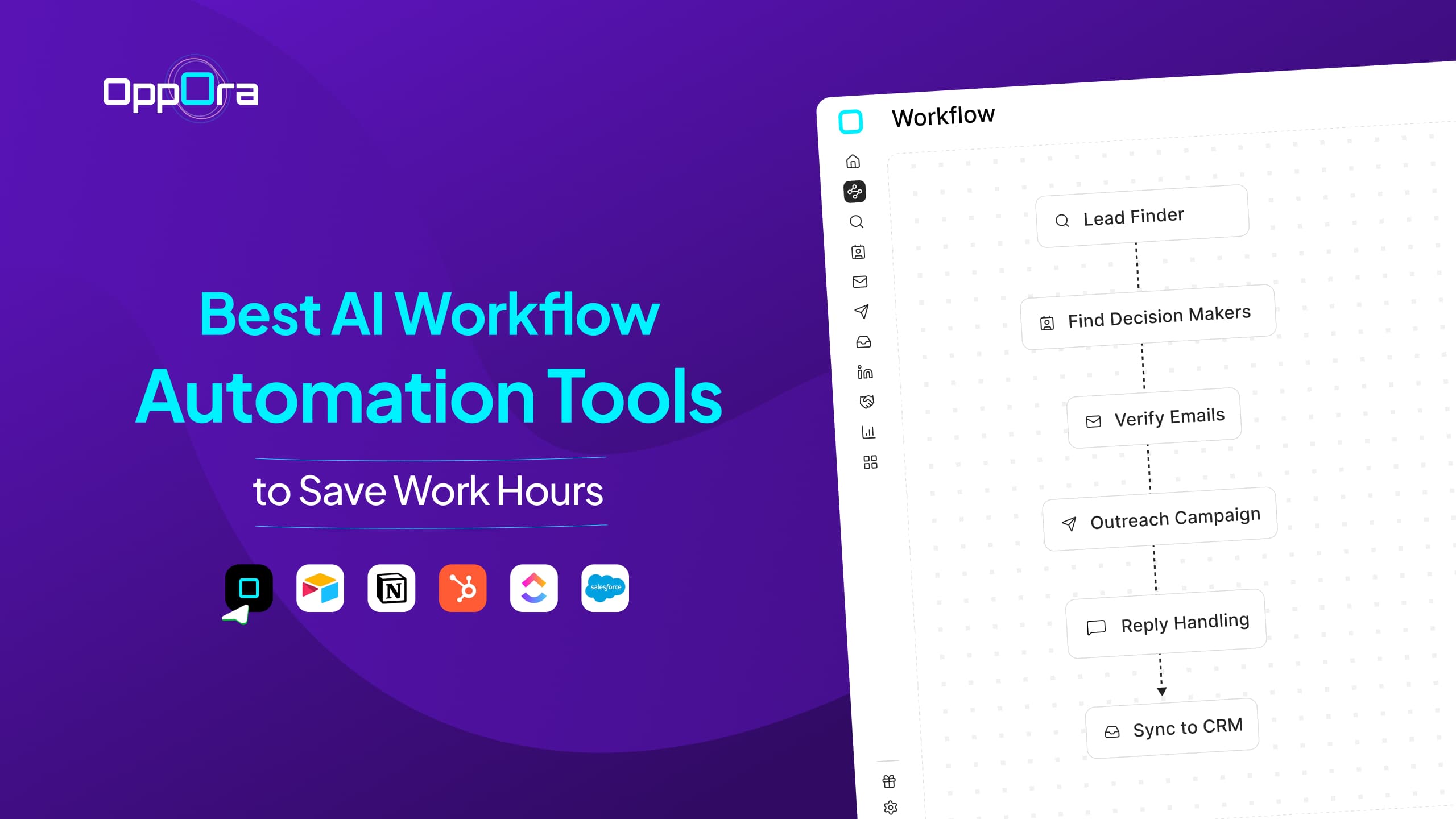
Oppora.ai exposes an MCP server with 51 tools across discovery, saved lists, enrichment, lead search and scoring, email resolution and verification, workflows, templates, campaign setup, reporting, and research.
That means Claude can work through more of the outbound process using connected tools instead of relying only on information you paste into a chat.
What the workflow can look like
A practical Claude + Oppora MCP workflow can follow this sequence:
Define ICP
↓
Discover matching companies
↓
Add them to an Oppora list
↓
Enrich company data
↓
Find decision-makers
↓
Score leads against the offer
↓
Find or verify work emails
↓
Generate email template + follow-ups
↓
Check campaign readiness
↓
Start campaign
↓
Review campaign report
This closely matches Oppora’s documented end-to-end flow, where company discovery feeds into enrichment, lead finding, scoring, email resolution, campaign setup, readiness checks, and campaign activation.
For instance, discover_companies can filter businesses by industry, size, location, revenue, funding stage, and employee growth.
Then find_leads_for_companies can search those companies for people based on department, management level, job title, location, experience, and other criteria.
From there, score_leads can rank prospects against your offer and targeting requirements, while find_emails_for_leads can resolve work emails in bulk.
Example Claude instruction
You could give Claude an instruction such as:
Find US SaaS companies matching our ICP, create a prospect list, identify VP- and Director-level sales leaders, score them against our offer, and prepare the qualified contacts for an outbound campaign. Show me the qualified leads before the campaign is activated.
That final sentence matters.
It creates a human approval point before Claude moves from preparation into a higher-impact action.
Oppora also exposes check_campaign_readiness, which can validate whether a campaign is properly configured before start_campaign is used.
Why this is different from another email prompt
The progression is simple:
Prompt-only Claude: produces email copy.
Claude + Skill: produces email copy according to your playbook.
Claude + Skill + Oppora MCP: can use that playbook while working through the connected outbound pipeline.
That does not remove your judgment from the process.
It simply means Claude can move beyond drafting the message and participate in the operational steps that make B2B outbound actually work.
Don't Automate the Judgment Away: 6 Things Claude Shouldn't Decide Blindly
Claude can help you move faster, but speed is not the same as judgment.
The more your workflow touches real customers, prospect data, compliance, and sending infrastructure, the more important human checkpoints become.
1. Who should receive the campaign
Claude can recommend segments based on the data you provide.
You should still define important eligibility rules, suppression lists, excluded accounts, and situations where someone should not receive the campaign.
2. Whether a claim is defensible
Claude can sharpen a claim. It should not invent the evidence behind it.
Customer results, percentages, case-study outcomes, guarantees, and product capabilities should come from verified information you already have.
3. Compliance
Email requirements vary by jurisdiction, campaign type, and how you obtained or process contact data.
In the US, CAN-SPAM covers commercial email, including B2B messages, and requires measures such as accurate sender information and a working opt-out process. The FTC currently lists penalties of up to $53,088 per violating email.
GDPR considerations can also depend on your legal basis for processing, the source of the data, objections to direct marketing, and applicable ePrivacy rules.
4. Deliverability decisions
Claude can analyze bounce data, DMARC reports, sender reputation information, or inbox-placement results you provide.
It cannot automatically know the health of your domains, mailboxes, or DNS configuration unless those signals are available through the connected workflow.
5. Whether a weak A/B result is a “winner”
A 0.5% difference does not automatically mean Version B is better.
Claude should consider sample size, absolute numbers, and uncertainty before turning a small difference into a recommendation.
6. The final send
For sensitive, high-volume, or strategically important campaigns, keep an approval checkpoint before activation.
That is especially important once Claude can take actions through connected tools instead of only producing drafts.
The goal is not to remove you from the workflow.
It is to let Claude handle repeatable work while you keep control of the decisions where mistakes carry the highest cost.
Conclusion — Build the System, Not the Perfect Prompt
The best way to use Claude for email marketing in 2026 is not to hunt for one perfect prompt.
Start with prompts that consistently produce useful results. When you notice the same instructions coming up again and again, turn them into Skills.
Then connect Claude to the systems that hold the data and actions needed to move the work forward.
That gives you a simple progression:
Prompt → Skill → Workflow
Each step adds more consistency, context, and execution power.
And if your focus is B2B outbound email, a connected setup such as Claude + Oppora.ai MCP can extend that workflow from writing into prospecting, qualification, campaign setup, and reporting.
Claude for Email Marketing FAQs
Is Claude good for email marketing?
Yes. Claude can help you plan campaigns, write and adapt emails, analyze performance, review weak spots, and support repeatable email processes when you give it enough context.
Are Claude Skills better than prompts for email marketing?
Neither is universally better. Use a prompt for a one-off task and a Skill for a repeatable process where Claude should consistently follow the same brand rules, frameworks, or QA standards.
Can Claude automate an email marketing workflow?
Yes, when you connect it to APIs, connectors, or MCP servers that expose the required data and actions. What Claude can access or change depends on the connected service and the permissions you grant.
Can Claude send emails or launch campaigns itself?
Claude alone is not an email service provider, so it needs a connected tool that exposes those actions. For B2B outbound, Oppora.ai MCP includes tools for campaign setup, readiness checks, activation, templates, email accounts, and reporting.
Summarize with AI
Share