9 Most Affordable LinkedIn Contact Discovery Tools for Startups
Stephen Parker
Published November 10, 2026
15 min

Complete Agentic Email Outreach
AI agents find and enrich prospects, personalize emails, follow up, and handle replies with your meeting link.
Start Your 7-Day Free Trial
Finding potential customers on LinkedIn is one thing.
Finding their verified email addresses without spending too much is another challenge, especially when you're running a startup with a limited budget.
Many LinkedIn contact discovery tools look affordable initially, but email verification, contact credits, and additional subscriptions can increase your actual prospecting costs.
So, how do you find the right tool without overspending?
In this guide, we'll explore the 9 most affordable LinkedIn contact discovery tools for startups, covering:
- Their key features, pricing, pros, and cons.
- Free plans, contact credits, and hidden costs.
- How to choose the right tool for your startup's prospecting needs.
TL;DR: 9 Most Affordable LinkedIn Contact Discovery Tools for Startups
The best LinkedIn contact finder depends on your budget, prospecting needs, and whether you only need verified emails or complete outreach automation. Here's a quick breakdown to help you choose.
- Oppora.ai stands out as the best overall choice for startups because it combines LinkedIn contact discovery with AI-powered outbound automation. You can search its database of 1B+ professional profiles using AI prompts or manual filters to find contacts matching your Ideal Customer Profile (ICP). It also helps you discover emails and phone numbers and enrich prospect profiles with 50+ data points, including funding rounds, job changes, and buying signals, to personalize outreach. You can then automate email and LinkedIn campaigns, including connection requests, messages, and follow-ups. With a free plan and Pro starting at $34/month, Oppora helps you turn qualified prospects into sales opportunities.
- Apollo.io and Snov.io are strong alternatives for B2B prospecting and cold outreach. Apollo.io provides an extensive B2B contact database with advanced targeting filters, while Snov.io combines email discovery, verification, and automated outreach. However, credit limitations and additional automation costs can increase your overall prospecting expenses.
- Skrapp.io, GetProspect, Prospeo, Wiza, Kaspr, and Lusha are better suited for specific prospecting needs. Skrapp.io, GetProspect, and Prospeo focus on email discovery and verification. Wiza supports bulk contact enrichment, while Kaspr and Lusha help you discover emails and phone numbers. However, you may need separate tools for complete outreach automation.
- Your actual cost per verified contact matters more than the subscription price. Before choosing a tool, compare email verification credits, phone lookup charges, per-user pricing, export limits, and additional outreach subscriptions. This helps you find a cost-effective solution that matches your startup's prospecting requirements.
Most Affordable LinkedIn Contact Discovery Tools for Startups: Pricing Comparison
Not every affordable LinkedIn contact finder offers the same features or contact allowances. Some tools focus on business email discovery, while others include verification, phone numbers, and automated outreach.
To help you compare, here's a quick overview of the 9 most affordable LinkedIn contact discovery tools for startups in 2026, including their starting prices and monthly credit allowances.
Note: Prices are in USD and reflect starting paid plans. Annual billing may be required. Apollo's 30,000 annual credits and Lusha's 4,800 annual credits are shown as monthly equivalents, although they are granted upfront. Credit types and usage rules vary by tool.
While these LinkedIn prospecting tools offer different entry-level prices, the cheapest subscription isn't always the most affordable option.
You should also compare cost per verified contact, enrichment charges, credit restrictions, and whether you need separate software for outreach.
9 Best Affordable LinkedIn Contact Discovery Tools for Startups in 2026
Now that you've compared their starting prices, let's look at what each tool actually offers.
The following LinkedIn contact discovery tools serve different prospecting needs, from basic email lookups to automated outbound sales workflows.
1. Oppora.ai: Best Affordable LinkedIn Contact Discovery Tool with AI Outreach

Oppora.ai is one of the most affordable LinkedIn contact discovery tools for startups, combining verified contact discovery, enrichment, and AI-powered outreach.
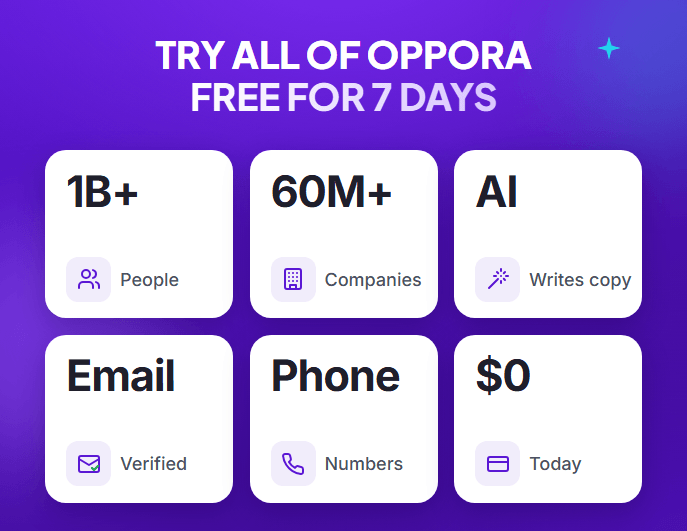
You can search 60M+ companies and 1B+ professional profiles using AI prompts or manual filters to find prospects matching your Ideal Customer Profile (ICP).
Start by building a list of target companies, identifying decision-makers, and finding their verified emails and phone numbers. Then, enrich their profiles with 50+ data points, including funding activity, job changes, and buying signals, to personalize outreach.
You can also create self-running AI workflows that automatically run daily to find new contacts, enrich their information, and automate email and LinkedIn outreach.
Key Features:
- Company and People Finder: Search companies matching your ICP using AI prompts or manual filters, then find key decision-makers within those companies by job title and seniority.
- Contact Discovery: Build targeted LinkedIn prospect lists and discover verified business emails and phone numbers.
- LinkedIn Chrome Extension: Capture prospects while browsing LinkedIn and bring them into Oppora to enrich contact details and prepare them for outreach.
- 50+ Enrichment Data Points: Use funding updates, job changes, hiring activity, and buying signals to personalize outreach.
- Custom Enrichment and AI Columns: Enrich imported company records with missing details like industry, employee count, and website. Add custom AI columns to research specific information, such as hiring needs or expansion activity, and tailor outreach.
- Self-Running AI Workflows: Build a workflow once to find companies, identify decision-makers, verify contacts, enrich profiles, and score leads. Schedule it to run daily, weekly, or at your preferred time without repeating the process manually.
- Multichannel Outreach: Reach discovered contacts through personalized emails, LinkedIn connection requests, messages, and follow-ups.
- Reply Ora and CRM: Manage prospect replies, qualify interested leads, and track sales opportunities.
Pros:
- Combines prospecting, verification, and outreach.
- Automates repetitive sales tasks with AI.
- Includes email warm-up, CRM, and unified inbox.
Cons:
- Multiple credit types require usage planning.
- More features than basic email finders.
- Free: $0/month with 50 email lookup credits, 10 AI credits, and 50 recipients.
- Pro: $34/month with 10,000 email lookup credits, 500 AI credits, and 5,000 monthly recipients.
- Add-ons: Additional credits are available without upgrading your main subscription.
G2 Reviews: 4.5/5.
2. Apollo.io: Best LinkedIn Contact Finder for B2B Lead Generation

Apollo.io is a B2B sales intelligence platform that helps you discover decision-makers, find business contact information, and manage outreach campaigns.
You can search its prospect database or use its Chrome extension to research LinkedIn profiles and add relevant contacts to your sales lists.
Key Features:
- B2B Contact Database: Access millions of business contacts and companies to identify potential customers.
- LinkedIn Chrome Extension: Discover business emails and phone numbers directly from LinkedIn profiles and save prospects to your Apollo lists.
- Advanced Search Filters: Narrow prospects by job title, industry, company size, location, seniority, and buying intent.
- Contact Enrichment: Find additional contact details and update existing prospect records using enrichment capabilities.
- Sales Engagement: Create personalized email sequences, automate follow-ups, and track prospect engagement.
- CRM Integrations: Sync contacts and sales activities with platforms like HubSpot and Salesforce.
Pros:
- Extensive B2B database with detailed targeting filters.
- Combines contact discovery and sales engagement.
- Convenient LinkedIn prospecting extension.
Cons:
- Credit restrictions can increase prospecting costs.
- Contact accuracy varies across records.
- Advanced features require some learning.
Pricing:
- Free: $0/month with 900 credits per user annually, distributed monthly.
- Basic: $49/user/month, billed annually, with 30,000 annual credits.
- Professional: $79/user/month, billed annually, with 48,000 annual credits.
G2 Reviews: 4.7/5.
Suggested Reading:
5 Best Apollo.io Alternatives for B2B Lead Generation3. Snov.io: Best Affordable LinkedIn Email Finder for Cold Outreach

Snov.io is a B2B lead generation and cold outreach platform that helps you discover business emails, verify contact details, and automate follow-ups.
You can find prospects through LinkedIn, organize their contact information, and launch personalized email campaigns from one platform.
Key Features:
- LinkedIn Prospect Finder: Extract professional contact information from LinkedIn profiles using a browser extension.
- Email Finder: Discover business email addresses using prospect names, company domains, or database searches.
- Email Verification: Check email validity and identify risky addresses before launching campaigns.
- Email Drip Campaigns: Create personalized email sequences with automated follow-ups, scheduling, and performance tracking.
- LinkedIn Automation: Automate connection requests, messages, and profile interactions through a separately priced add-on.
- Email Warmup: Gradually build sender reputation and monitor email deliverability.
Pros:
- Combines email finding, verification, and outreach.
- Supports automated follow-ups and email warm-up.
- Offers bulk prospecting and campaign management.
Cons:
- Shared credits can run out quickly.
- Some contacts may have unavailable emails.
- LinkedIn automation requires an additional subscription.
Pricing:
- Free: $0/month with 50 credits and 100 outreach recipients.
- Starter: $39/month with 1,000 credits and 5,000 recipients.
- Pro S: $99/month with 5,000 credits and 25,000 recipients.
- LinkedIn Automation: From $59/month per account slot with a paid Sales Suite plan.
G2 Reviews: 4.5/5.
4. Skrapp.io: Best Low-Cost LinkedIn Email Finder for Startups

Skrapp.io is an affordable LinkedIn contact finder that helps you discover and verify professional email addresses directly from LinkedIn profiles and company websites.
You can find business emails, build prospect lists, and export verified contacts without managing complicated prospecting workflows.
Key Features:
- LinkedIn Email Finder: Discover professional email addresses directly from LinkedIn profiles using its Chrome extension.
- Sales Navigator Integration: Find and enrich contacts from LinkedIn Sales Navigator and LinkedIn Recruiter.
- Bulk Email Finder: Discover multiple business email addresses using names, company information, and prospect lists.
- Email Verification: Check email validity and identify risky contacts before launching outreach campaigns.
- Lead Management: Organize discovered contacts into lists and export them for further prospecting.
- CRM Integrations: Sync prospect data with platforms like HubSpot, Salesforce, and Pipedrive.
Pros:
- Simple interface with quick LinkedIn email discovery.
- Supports bulk prospecting and email verification.
- Charges credits only for valid or catch-all emails.
Cons:
- Limited phone number discovery.
- Email availability varies across prospects.
- Free plan has restricted credits and features.
Pricing:
- Free: $0 with 50 email credits.
- Professional: $29/month, billed annually, with 2,000 monthly credits and two users.
- Monthly Billing: $39/month for the Professional plan.
G2 Reviews: 4.5/5.
5.GetProspect Best Budget LinkedIn Contact Finder for Lead Extraction

GetProspect is an affordable LinkedIn contact finder that helps you discover verified business emails and build targeted B2B prospect lists.
You can extract contacts from LinkedIn, enrich their information, and export lead lists without managing complicated prospecting workflows.
Key Features:
- LinkedIn Chrome Extension: Discover professional emails from LinkedIn profiles, search results, and Sales Navigator.
- B2B Contact Database: Find decision-makers using filters for job titles, industries, company sizes, and locations.
- Bulk Contact Extraction: Save multiple LinkedIn prospects and enrich contact lists without individual lookups.
- Email Verification: Check email validity and reduce the risk of sending messages to invalid addresses.
- Lead Management: Organize prospects into lists and export contact information in CSV or Excel formats.
- CRM Integrations: Transfer discovered contacts into HubSpot, Salesforce, and Pipedrive.
Pros:
- Simple interface for LinkedIn prospecting.
- Charges email credits only for valid contacts.
- Supports bulk contact discovery and exports.
Cons:
- Contact availability varies by industry.
- Limited advanced outreach automation.
- Free plan has restricted lookup allowances.
Pricing:
- Free: $0/month with 50 valid email credits.
- Starter: $34/month, billed annually, with 1,000 valid emails and 2,000 verifications.
- Monthly Billing: $49/month for the Starter plan.
G2 Reviews: 4.0/5.
6. Kaspr: Best LinkedIn Contact Discovery Tool for Emails and Phone Numbers

Kaspr is a LinkedIn contact discovery tool that helps you find business email addresses and phone numbers directly from LinkedIn profiles.
You can enrich prospect information, organize contacts into lists, and export leads for email or cold-calling campaigns.
Key Features:
- LinkedIn Chrome Extension: Discover professional emails and phone numbers directly from LinkedIn profiles, groups, and events.
- Sales Navigator Integration: Find contact details while researching prospects through LinkedIn Sales Navigator.
- Email and Phone Discovery: Access B2B emails, direct email addresses, and phone numbers using separate credit allowances.
- Bulk Enrichment: Upload CSV files containing LinkedIn URLs to enrich multiple prospect records.
- Lead Management: Save contacts, organize lists, add notes, and track prospecting activities.
- CRM Integrations: Export enriched contacts to HubSpot, Salesforce, and other supported platforms.
Pros:
- Quick LinkedIn-based contact discovery.
- Supports both email and phone prospecting.
- Offers bulk enrichment and CRM integrations.
Cons:
- Phone and direct email credits are limited.
- Contact accuracy varies across prospects.
- Export limits can restrict bulk prospecting.
Pricing:
- Free: $0/month with 15 B2B email, 5 phone, and 5 direct email credits.
- Starter: $49/user/month, billed annually, with unlimited B2B emails and 100 monthly phone credits.
- Business: $79/user/month, billed annually, with unlimited B2B emails and 200 monthly phone credits.
G2 Reviews: 4.4/5.
Suggested Reading:
10 Best Kaspr Alternatives for Better B2B Lead Generation7. Wiza: Best LinkedIn Sales Navigator Contact Finder for Bulk Prospecting

Wiza is a B2B contact discovery platform that helps you find verified business emails and phone numbers while researching prospects on LinkedIn.
You can discover contacts individually or build larger prospect lists using Wiza's database and enrichment tools.
Key Features:
- LinkedIn Chrome Extension: Find business emails and phone numbers from individual LinkedIn and Sales Navigator profiles.
- Wiza Prospect: Search for decision-makers using filters such as job title, company, industry, and location.
- Bulk Email Discovery: Enrich multiple contacts through Wiza Prospect, CSV uploads, or CRM imports.
- Email Verification: Verify business email addresses during discovery to reduce invalid contacts.
- CSV Exports: Download enriched prospect lists containing business emails, company information, and available phone numbers.
- CRM Integrations: Sync discovered contacts and enriched information with supported CRM platforms.
Pros:
- Supports individual LinkedIn lookups and bulk enrichment.
- Provides verified emails and phone numbers.
- Offers convenient CRM integrations.
Cons:
- Direct bulk exports from Sales Navigator were discontinued in August 2026.
- Sales Navigator requires a separate subscription.
- Unused credits don't roll over.
Pricing:
- Free: $0 with 20 valid emails and 5 phone numbers.
- Starter: $49/user/month with 100 monthly emails and phone numbers.
- Email: $83/user/month, billed annually, with unlimited email reveals and export limits.
G2 Reviews: 4.5/5.
8. Prospeo: Best Affordable LinkedIn Email Finder and Verification Tool

Prospeo is a B2B contact discovery platform that helps you find verified business emails, enrich prospect data, and build targeted lead lists.
You can discover contact information from LinkedIn profiles, verify emails, and export prospects for outreach without manually researching every lead.
Key Features:
- LinkedIn Chrome Extension: Discover verified business emails and mobile numbers directly from LinkedIn profiles.
- Email Finder: Find professional email addresses using prospect names, company details, and domain information.
- Email Verification: Validate business emails before outreach to reduce invalid addresses and potential bounces.
- Bulk Enrichment: Upload CSV files to find missing contact details and enrich multiple prospects simultaneously.
- Advanced Search Filters: Find decision-makers using job titles, industries, company sizes, locations, and buying signals.
- CRM Integrations: Transfer enriched contacts to supported platforms, including HubSpot and Salesforce on eligible plans.
Pros:
- Charges credits only for successful contact discovery.
- Supports bulk enrichment and email verification.
- Simple LinkedIn prospecting extension.
Cons:
- Limited credits and bulk features on the free plan.
- Contact availability varies across prospects.
- Requires separate software for outreach campaigns.
Pricing:
- Free: $0/month with 100 monthly credits.
- Starter: $37/user/month, billed annually, with 2,000 monthly credits.
- Monthly Billing: $49/user/month for Starter.
- Credit Usage: 1 credit per verified email and 10 credits per mobile number.
G2 Reviews: 4.6/5.
9. Lusha: Best LinkedIn Contact Finder for B2B Data Enrichment

Lusha is a B2B contact discovery platform that helps you find verified business emails, phone numbers, and company information for potential customers.
You can enrich LinkedIn profiles, discover decision-makers, and transfer contact details into your CRM without manually researching each prospect.
Key Features:
- LinkedIn Chrome Extension: Discover business emails and phone numbers directly from LinkedIn profiles while researching prospects.
- B2B Contact Database: Search professional contacts using job titles, company names, industries, locations, and seniority filters.
- Email and Phone Discovery: Reveal verified business email addresses and direct-dial numbers using contact credits.
- Bulk Contact Enrichment: Enrich multiple prospect records with missing emails, phone numbers, and company information.
- Buying Intent Signals: Identify companies showing potential buying interest to prioritize relevant prospects.
- CRM Integrations: Sync enriched contact information with HubSpot, Salesforce, and other supported platforms.
Pros:
- Quick LinkedIn contact discovery through its Chrome extension.
- Supports business email and phone number enrichment.
- Offers advanced targeting filters and CRM integrations.
Cons:
- Phone lookups consume more credits than email lookups.
- Contact availability varies across regions.
- High-volume prospecting may require additional credits.
Pricing:
- Free: $0/month with 40 monthly credits.
- Starter: $37.45/month, billed annually, with 4,800 yearly credits.
- Pro: $52.45/month, billed annually, with 7,200 yearly credits.
- Credit Usage: 1 credit per verified email and 5 credits per phone number.
G2 Reviews: 4.3/5.
How to Choose the Best Affordable LinkedIn Contact Finder for Your Startup
Choosing the right LinkedIn contact finder isn't just about finding the cheapest subscription. You also need to evaluate contact accuracy, data coverage, credit costs, and how well the tool fits your prospecting process.
Here are the key factors to consider before choosing.
1. Data Quality and Email Verification
A large contact database doesn't guarantee accurate information. You need verified business emails and updated contact details to avoid wasted credits and bounced emails.
- Check whether the tool verifies emails before exporting contacts.
- Look for data freshness, email accuracy, and duplicate detection.
- Test tools like Skrapp.io, GetProspect, or Prospeo with a small prospect list before purchasing.
2. Regional Coverage and Targeting Accuracy
Not every LinkedIn contact discovery tool offers the same data coverage across countries and industries.
- Check whether the database covers your target countries, industries, and job roles.
- Look for filters based on company size, location, seniority, and buying signals.
- Use tools like Apollo.io or Oppora.ai to narrow searches based on your Ideal Customer Profile (ICP).
3. Pricing, Credits, and Hidden Costs
An affordable LinkedIn email finder should provide enough usable contacts without unnecessary additional expenses.
- Compare the cost per verified contact rather than subscription prices alone.
- Check email lookup credits, phone credits, and verification limits.
- Consider additional expenses for user seats, Sales Navigator, exports, and outreach software.
4. Contact Discovery and Outreach Automation
Finally, consider what happens after you discover a prospect's contact information.
Tools like Wiza, Kaspr, and Lusha help with contact discovery and enrichment. However, if you also need automated prospecting, Oppora.ai lets you schedule AI workflows to find companies, identify decision-makers, enrich contact details, and run personalized email and LinkedIn outreach.
This helps you choose a tool based on your complete prospecting requirements rather than individual features.
Conclusion
Finding the most affordable LinkedIn contact discovery tools for startups isn't just about choosing the lowest monthly subscription. You should also consider the cost per verified contact, available features, and your outreach requirements.
If you only need business email addresses, affordable tools like Skrapp.io, GetProspect, and Prospeo may be enough for your prospecting needs.
However, Oppora.ai stands out as the top overall choice for startups looking to manage contact discovery, enrichment, AI-powered outreach, and reply management in one platform. It helps you simplify your outbound sales process without relying on multiple separate tools.
Frequently Asked Questions (F&Q)
1. What is the most affordable LinkedIn contact discovery tool for startups?
Skrapp.io, GetProspect, and Prospeo are affordable options for basic email discovery. However, if you need contact enrichment and automated outreach alongside prospecting, Oppora.ai offers an integrated solution starting at $34/month.
2. Can I find LinkedIn contacts and business email addresses for free?
Yes. Tools like Apollo.io, Oppora.ai, Skrapp.io, and GetProspect offer free plans with limited contact credits. You can use these allowances to discover business emails and test prospecting features before purchasing a paid subscription.
3. How can I find someone's business email address from their LinkedIn profile?
You can use Oppora.ai's LinkedIn Chrome Extension to capture prospects directly from their LinkedIn profiles, discover business contact details, and enrich their information. Once you find and verify their email addresses, you can add them to your prospect lists for personalized outreach.
4. Which LinkedIn contact finder is best for bulk lead generation?
Oppora.ai is a strong choice for bulk lead generation, allowing you to search 1B+ professional profiles, identify decision-makers, enrich contact details, and schedule AI workflows that automatically discover new prospects. Alternatively, Apollo.io and Prospeo support bulk contact discovery and enrichment, while Wiza offers bulk enrichment of existing lead lists.
5. Are LinkedIn contact discovery tools accurate and safe to use?
LinkedIn contact discovery tools can provide verified business emails, but accuracy varies by provider and data freshness. Always verify addresses before outreach, respect privacy regulations, follow LinkedIn's applicable rules, and use contact information responsibly.
Summarize with AI
Share